Connect Shopify to Wallapop, Vinted & eBay: 2026 Guide

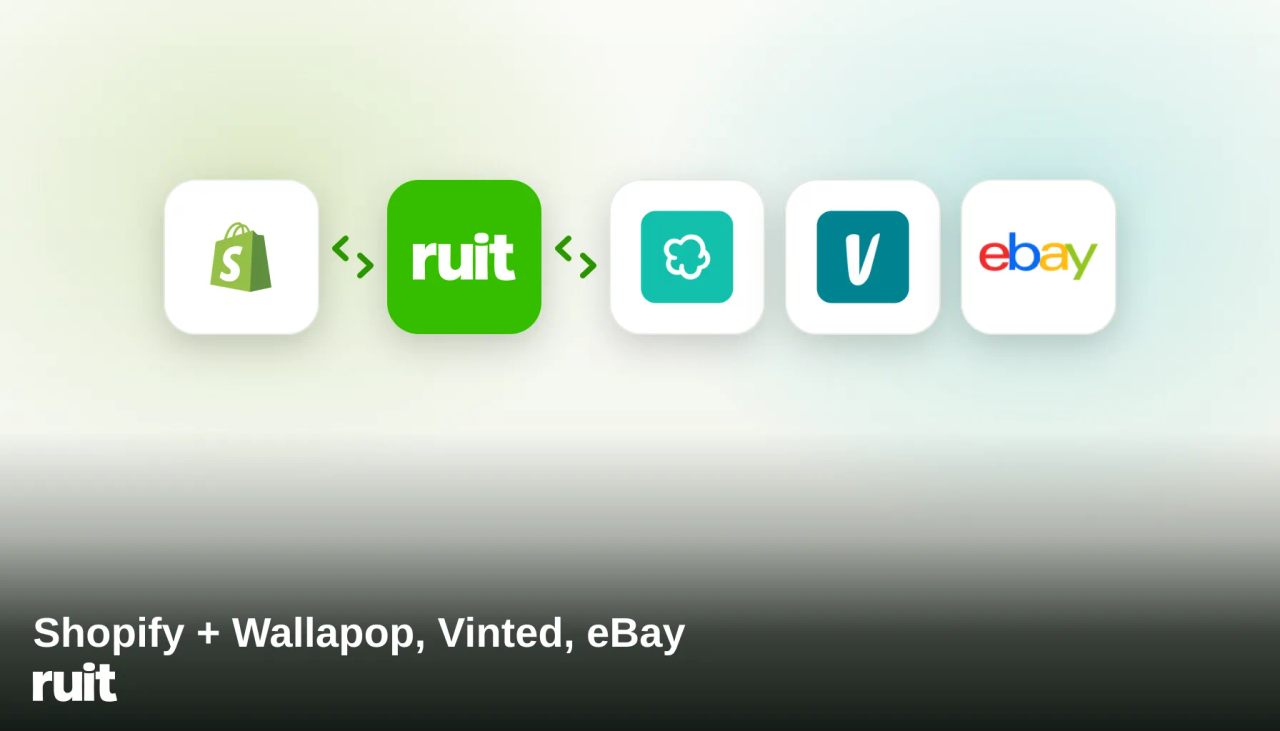
Table of Contents
- Your Own Store or Marketplaces? The Answer Is Both
- Can You Connect Shopify to Wallapop or Vinted Directly?
- What Is Crosslisting (and Why Does It Save You Hours)?
- How Does the Ruit Shopify Integration Work?
- What Happens When an Item Sells on Vinted?
- Selling on Multiple Channels: Manual vs. Ruit
- Who Is This Integration For?
- Frequently Asked Questions
- How to Get Started Right: Three Practical Tips
- Start Selling on All Your Channels
You run a Shopify store, and you know part of your audience will never find you there. They’re browsing eBay, scrolling through Vinted, or — if they’re in Spain — searching Wallapop, the country’s leading second-hand marketplace. Or maybe it’s the other way around: you’ve been selling on marketplaces for a while and want a store of your own, but the thought of maintaining two inventories by hand is enough to shelve the idea. Either way, the problem is the same: every new channel multiplies the work. List everything again, adjust stock again, and when something sells, race to pull it from every other platform before someone buys it twice.
In this guide we’ll show you how to connect Shopify to Wallapop, Vinted, and eBay using Ruit, so none of that stays manual: you list once, sell on every channel, and your stock updates itself.
Your Own Store or Marketplaces? The Answer Is Both
It’s the eternal debate for online sellers, and it’s usually framed the wrong way — as if you had to pick a side.
Your Shopify store is home turf. You control the brand, the buying experience, and the margin, and nobody parks a competitor’s listing next to yours. In exchange, traffic is your problem: bringing visitors costs money, or it costs time.
Marketplaces are the exact opposite: the demand is already there. Millions of buyers open eBay, Vinted, and Wallapop every day looking for exactly what you sell, with the app installed and payment one tap away. In exchange, you compete in a shared shop window and play by each platform’s rules.
On their own, each option leaves sales on the table. Together, they complement each other: marketplaces bring you volume and visibility today, while your store builds brand and repeat customers for the long run. The only real reason so few sellers do both is the friction of running several channels at once. And that friction is precisely the part you can automate.
Can You Connect Shopify to Wallapop or Vinted Directly?
The short answer: there is no native integration. Shopify does have an official app for selling on marketplaces, Marketplace Connect, but it covers Amazon, eBay, Walmart, and Target Plus — and the last two only in the United States. No trace of Wallapop or Vinted, marketplaces where millions of Europeans buy and sell second-hand every day.
So if you sell fashion, second-hand goods, collectibles, or anything else whose buyer spends their evenings on Vinted or Wallapop, Shopify’s official route doesn’t reach them. You need a crosslisting tool that speaks to both worlds — your online store and the marketplaces. That’s exactly what Ruit does.
What Is Crosslisting (and Why Does It Save You Hours)?
Crosslisting means publishing the same product on several platforms at once from a single place, without repeating the work on each one. Instead of uploading photos, title, description, and price in every app separately, you do it once and the tool publishes the listing on every channel you choose.
The other half of crosslisting — and the more important half — is synchronization: when a product sells on one channel, it’s delisted or updated on all the others automatically. Without that, selling in several places at once is a recipe for selling the same item twice.
If the concept is new to you, we’ve written a full guide on what crosslisting is and when it pays off. The short version: once you’re managing more than 10-15 products on more than one channel, doing it by hand stops making sense.
How Does the Ruit Shopify Integration Work?
Ruit is a multichannel selling platform: you publish your catalog once and Ruit lists it — and keeps it in sync — on Wallapop, Vinted, eBay, Shopify, WooCommerce, PrestaShop, and Todocolección. With the Shopify integration, your store becomes one more channel in that system, and it works in both directions.
At a high level, it goes like this:
- Connect your Shopify store to Ruit. You authorize the connection from your Ruit account, and your store is linked as another sales channel.
- Import your existing catalog. The products already in Shopify flow into your Ruit inventory, so you don’t start from zero: your catalog is ready to be published on more channels.
- Publish wherever you want. From Ruit, you choose which products go to eBay, which to Vinted, which to Wallapop — or all of them at once. It also works the other way around: inventory you already manage in Ruit can be published to your Shopify store.
- Ruit syncs stock and sales. If something sells on one channel, Ruit delists or updates it everywhere else automatically. It also detects orders from your connected store, so a sale on Shopify updates the other channels exactly like a marketplace sale does.
Everything runs from a single panel: inventory, listings, and sales analytics in one place, instead of five open tabs and a spreadsheet to reconcile stock at the end of the day.
What Happens When an Item Sells on Vinted?
Say you sell sneakers. You have 40 pairs listed in your Shopify store and, through Ruit, you’ve listed them on Vinted, eBay, and Wallapop too.
On a Sunday evening, someone buys a pair of Air Max on Vinted. Without synchronization, here’s what happens next: on Monday, someone else orders the same sneakers from your Shopify store, and you get to write the most awkward message in e-commerce — “sorry, those were already sold.” A refund, a possible bad review, and a chunk of your day gone.
With Ruit connected, the sequence is different:
- The sale happens on Vinted.
- Ruit detects it and updates your inventory.
- The product is delisted or updated on Shopify, eBay, and Wallapop automatically.
And it works the same in the other direction: if the order comes in through your Shopify store, Ruit detects it and pulls the product from Vinted, eBay, and Wallapop. You haven’t touched anything. No double sale, no apologies, and Sunday stays Sunday.
Selling on Multiple Channels: Manual vs. Ruit
| Task | By hand | With Ruit |
|---|---|---|
| List a product on 4 channels | Upload photos and description 4 times, once per app | Once — you just pick the channels |
| Add a new channel | Recreate the entire catalog from scratch | Import or publish the catalog you already have |
| Update a price | Edit it channel by channel | One change from the panel |
| When something sells | Race to remove it from the other channels | Delisted or updated automatically |
| Keeping track of the business | One tab per app plus a spreadsheet | Inventory, listings, and analytics in one panel |
| Risk of selling the same item twice | High, especially while you sleep | Practically zero: stock stays in sync |
The difference isn’t just convenience. Every hour you don’t spend copying and pasting listings is an hour for sourcing product, improving photos, or looking after your buyers — the things that actually move sales.
Who Is This Integration For?
You Have a Shopify Store and Want More Sales Channels
Your store is your home: your brand, your rules, your margin. But the demand is already gathered on the marketplaces, with millions of buyers searching every day. Publishing your catalog on eBay, Vinted, and Wallapop as well puts you in front of that demand without managing three separate inventories: connect the store, choose what to publish on each channel, and let the synchronization handle the rest. If you’re not sure which marketplace to start with, our Wallapop vs Vinted comparison will help you decide.
You Sell on Marketplaces and Want Your Own Store
This is the reverse path, and it’s increasingly common: you started reselling online, volume has grown, and now you want a storefront of your own that doesn’t depend on any marketplace’s rules or fees. What usually stops sellers is the work of building and maintaining yet another channel. With Ruit, the inventory you already manage is the starting point: set up your Shopify store and publish your existing catalog to it, without duplicating anything. Your day-to-day operation doesn’t change — there’s simply one more channel selling.
Frequently Asked Questions
Can you connect Shopify to Wallapop or Vinted natively?
No — there’s no native integration on either side. Marketplace Connect, Shopify’s official marketplace app, only covers Amazon, eBay, Walmart, and Target Plus. To connect Shopify to Wallapop and Vinted you need a crosslisting platform like Ruit, which publishes and syncs your catalog across both.
How does stock sync between Shopify and the marketplaces?
With Ruit, synchronization is automatic in both directions: if a product sells on Vinted, eBay, or Wallapop, it’s delisted or updated on Shopify and every other channel; and if the order comes in through your Shopify store, Ruit detects it and updates the marketplaces. There’s nothing to tick off by hand.
Which marketplaces can I connect with Ruit?
Wallapop, Vinted, eBay, and Todocolección on the marketplace side, plus Shopify, WooCommerce, and PrestaShop as own-store platforms. You can see the details for each channel on our marketplaces page.
Do I need a Shopify store before I can use Ruit?
No. You can start from the other side: sell with Ruit on Vinted, eBay, or Wallapop, and when you’re ready to take the leap to your own store, create your Shopify store and publish the inventory you already manage in Ruit.
How much does selling on multiple channels with Ruit cost?
Multichannel selling is part of Ruit’s Premium plan. There’s no lock-in: you can cancel anytime. You’ll find the up-to-date details and prices on our pricing page.
Does this replace my Shopify store?
No, it complements it. Your store stays yours and keeps working exactly as it does today; Ruit adds the marketplaces as extra channels and keeps stock consistent across all of them. Think of Ruit as the management layer that ties your store and your marketplaces together.
How to Get Started Right: Three Practical Tips
If you’re going to take the step, three things separate a multichannel rollout that works from day one from one that stalls halfway:
- Start with your fastest-moving products. There’s no need to crosslist the entire catalog on day one. Publish your store’s best sellers to the marketplaces first (or the other way around): you validate each channel with your strongest cards and learn how each audience responds.
- Adapt the listing to each channel — don’t just copy it. The same product is bought differently in each place: on Vinted, brand and size do the selling; on eBay, technical detail and condition; in your own store, the story and the photos. Publishing from a single panel removes the mechanical work precisely so you can spend that time fine-tuning what actually matters.
- Let the machine keep the stock. The golden rule of multichannel selling is to never trust your memory: if delisting after every sale depends on you remembering to do it, the double sale will arrive sooner or later. With automatic synchronization, that risk simply drops out of your day.
Start Selling on All Your Channels
Connecting Shopify to Wallapop, Vinted, and eBay is no longer a technical project: it’s ticking a few boxes and letting the synchronization do the work. If you have a store, your catalog can be in front of millions of marketplace buyers tomorrow. If you sell on marketplaces, your own store is one step away, built on the inventory you already have.
Create your Ruit account and connect your first channel today. Listing everywhere should take no more effort than listing once.