Search and buy
6 features available
- Multi-marketplace search
- Saved searches
- Alerts
Search and buy
Save it now, decide later.
Available on Wallapop, Vinted, and eBay
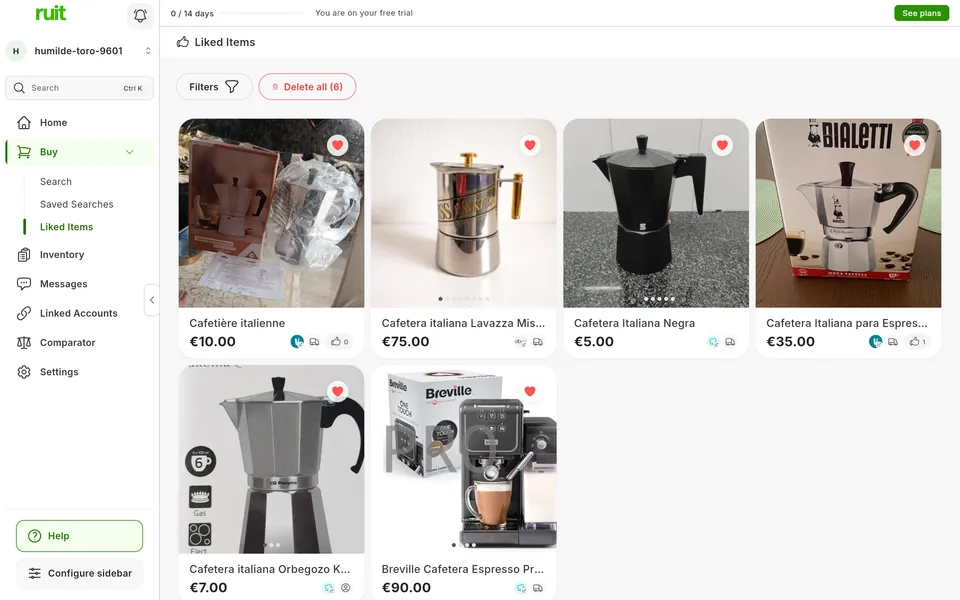
The heart saves a listing; clicking it again removes it.
It sits on the cards in the search, on the item page, on the new items of a saved search and on the list itself.
Filter by words and by origin.
You do it with Filters. The list sorts by the date you saved each listing or by its price.
The list shows listings as you saved them.
When you open it, the item page asks the marketplace again: you see whether it is still available and at what price.
The marketplaces where this feature is available today.
| Feature | Wallapop | Vinted | eBay | WooCommerce | Shopify | PrestaShop | Todocolección | IberLibro |
|---|---|---|---|---|---|---|---|---|
| Search and buy | ||||||||
| Favorites Save the items you are interested in to look at them later. | Available | Available | Available | Not available | Not available | Not available | Not available | Not available |
Favorites
Save the items you are interested in to look at them later.
The plans that include this feature. What each one costs is on the pricing page.
| Feature | Free | Starter | Plus | Pro | Business | Enterprise |
|---|---|---|---|---|---|---|
| Search and buy | ||||||
| Favorites Save the items you are interested in to look at them later. | Available | Available | Available | Available | Available | Available |
Favorites
Save the items you are interested in to look at them later.
On any card or item page.
Go to Liked Items to see everything together.
Search, sort and open the item page to check whether the listing is still available.
Ruit favorites do not reach the marketplace or the seller, and Delete all cannot be undone. The items come from each marketplace's Spanish site.
See the details of an item you found without leaving Ruit.
See the feature : Item detailsSearch for a product on several marketplaces at once.
See the feature : Multi-marketplace search6 features available
Create your account, connect your marketplaces and try these features with your inventory.