Pick and Pack Workflow for Resellers: A Practical Guide

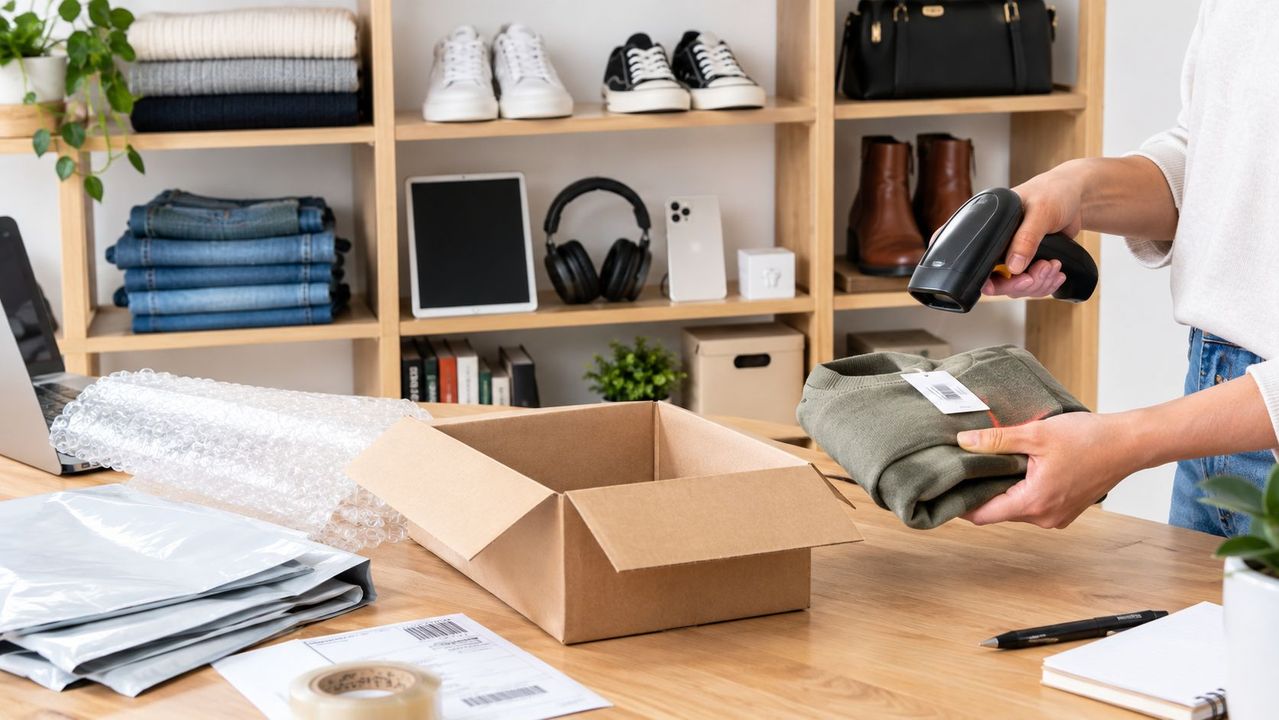
Table of Contents
- Table of Contents
- What Pick and Pack Means for a Second-Hand Reseller
- Picking Strategies for Small and Growing Resale Shops
- Designing the Back-Room Workflow Around Picking and Packing
- KPIs That Actually Matter in Pick and Pack
- Packing Used and One-of-a-Kind Items the Right Way
- Common Pick and Pack Mistakes That Cost Resellers Margin
- Automating Pick and Pack with Ruit
- Frequently asked questions
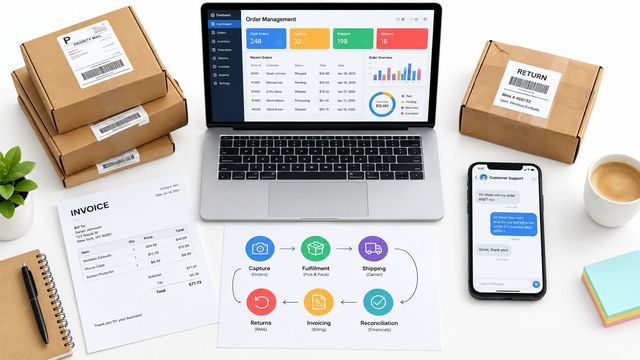
Orders come in from Vinted while you’re answering a buyer on Wallapop. eBay pings with another sale. Your phone asks for a label, a shelf label has fallen off, and one item that looked available has already sold somewhere else because nobody removed the listing in time. Most resale businesses don’t struggle with effort. They struggle with coordination.
That’s why pick and pack matters so much in second-hand retail. Not because the physical act is complicated, but because the workflow around it usually is. In a resale operation, the bottleneck is often the gap between stock records, listing timing, mobile order entry, and dispatch cutoff. The person holding the parcel tape gets blamed for problems that started much earlier.
Table of Contents
- What Pick and Pack Means for a Second-Hand Reseller
- Picking Strategies for Small and Growing Resale Shops
- Designing the Back-Room Workflow Around Picking and Packing
- KPIs That Actually Matter in Pick and Pack
- Packing Used and One-of-a-Kind Items the Right Way
- Common Pick and Pack Mistakes That Cost Resellers Margin
- Automating Pick and Pack with Ruit
What Pick and Pack Means for a Second-Hand Reseller
For a reseller, picking and packing are two separate jobs, and they should stay separate in your head even if one person does both.
Picking means locating the exact sold item in storage and confirming it’s the right one. Packing means checking its condition again, protecting it properly, attaching the right documentation and label, and getting it into the dispatch stream. When those steps blur together, mistakes multiply.
A used-goods seller deals with friction that a standard warehouse often doesn’t have. Items are one-offs. Condition varies. Labels might be handwritten. Original packaging is often gone. A black jacket can look like three other black jackets until you unfold it and check the lining, size tag, or flaw note from the listing.
Why resale pick and pack gets messy fast
Three issues show up again and again:
- Channel overlap: The same inventory appears across marketplaces, so one sale has to trigger action everywhere else.
- Weak location control: Many resellers know roughly where something is, until someone else shelves a return in a different spot.
- Condition-sensitive shipping: A used ceramic lamp and a vintage T-shirt both count as one item, but they don’t belong in the same packing routine.
Practical rule: If your team relies on memory for item location or condition notes, your pick and pack process isn’t under control yet.
That matters because picking is where most warehouse labor sits. Industry benchmarks commonly place picking at about 50% to 70% of total warehouse labor cost, with one benchmark citing more than 55% of operating expenditure for picking-related work, which is why small changes in travel, slotting, and pick paths can change economics quickly (warehouse labor benchmarks for picking and packing).
What a workable reseller flow looks like
A reliable flow is usually simple on paper:
- Capture the sold order clearly
- Generate a pick task
- Retrieve and verify the item
- Pack to the item’s condition and fragility
- Stage for carrier handoff
- Update inventory and delist everywhere needed
The trick isn’t inventing more steps. It’s making each one visible and repeatable.
Picking Strategies for Small and Growing Resale Shops
Most resale businesses start with whatever works that week. That’s normal. The problem starts when today’s shortcut becomes next quarter’s standard process.
The right picking method depends less on theory and more on team shape, listing count, and how often the same area gets walked in a day.
Picking Strategies Compared for Resellers
| Strategy | Best for team size | Best for order volume | Main benefit | Key trade-off |
|---|---|---|---|---|
| Single order picking | Solo operator | Low daily order flow | Very simple, low confusion | Too much walking as orders grow |
| Batch picking | Solo operator with help, or a small team | Mixed daily flow with repeat storage paths | Cuts repeat travel through the same shelves | Sorting mistakes rise if batching isn’t organized well |
| Zone picking | More than one active picker | Larger active catalog with a structured back room | Reduces overlap and congestion between pickers | Fails quickly if locations aren’t clearly marked and maintained |
Single order picking
This is the default for many sellers. One order comes in, one item gets found, one parcel gets packed. It works well when the same person is listing, answering messages, printing labels, and shipping a modest number of orders.
The benefit is control. You rarely lose track of which item belongs to which order.
The downside is wasted movement. If three orders all need items from the same shelving run, you still walk it three times.
Batch picking
Batch picking starts to pay off once your shelves are stable and your order list has some overlap. You print or view several orders together, walk the stock area once, and collect all relevant items before packing.
That approach usually suits the stage where paper notes and memory stop being enough. At that point, barcode-led location control becomes much more useful than most resellers expect. A practical example is using barcode scanning for inventory management so the item, location, and sale status stay tied together instead of living in separate tabs and notebooks.
Batch picking saves time only if you can sort confidently at the bench. If the bench becomes a pile of similar items, you’ve just moved the confusion from the shelf to the table.
Zone picking
Zone picking makes sense later. Not because it’s advanced, but because it requires discipline. If one person handles rails, another handles boxed media, and another handles fragile decor, each zone must exist physically and in the stock record.
This method works best when multiple people are active in the back room at the same time. Otherwise, the admin overhead can outweigh the gain.
Designing the Back-Room Workflow Around Picking and Packing
A back room doesn’t need to look like a distribution center. It does need to stop fighting the work.
The first layout change that usually helps is separating storage from packing. Once sold items, incoming stock, returns, and packaging all share one table, every task takes longer.

Put the bench where the decisions happen
Your packing bench should hold the tools you use on nearly every parcel within arm’s reach. Tape, labels, scissors, mailers, void fill, marker, and a device stand all belong there. If staff have to turn around and cross the room for basic materials, the layout is training them to waste motion.
High-velocity stock belongs closest to dispatch. Slow movers can live higher, farther, or in less convenient shelving. That sounds obvious, but many resale spaces are arranged by when shelves were bought, not by how orders move.
If you’re reworking a cramped room, it’s worth looking at examples of how teams maximize ROI in warehouse logistics through clearer partitioning, dedicated work areas, and cleaner traffic flow. The main lesson for resellers is straightforward. Physical boundaries reduce decision fatigue.
Make locations visible, not implied
Zone logic only works when someone new can walk in and understand it immediately.
Use shelf IDs, bin IDs, rail sections, and a clear staging area for packed orders waiting for carrier pickup. Don’t let “ready to ship” parcels mix with items that still need a condition check. Don’t use the same trolley for fresh intake and completed orders unless someone enjoys reliving preventable mistakes.
A single dedicated scanning surface also helps more than people expect. Shared desks attract unrelated work. A dedicated spot keeps mobile order entry, scan verification, and label printing tied to dispatch instead of drifting into the admin area.
Layout choices that support the method
- For single order picking: Keep the route short and the bench open. Simplicity matters more than formal zoning.
- For batch picking: Add temporary sort positions at the bench so picked items don’t become a mixed pile.
- For zone picking: Mark each zone physically and keep location records current. Unmarked zones aren’t zones. They’re guesses.
The layout should serve the scanner, not the other way around.
KPIs That Actually Matter in Pick and Pack
Most resellers track the easiest number, not the useful one. They know how many parcels left the room. They don’t know how many avoidable mistakes were hidden inside that output.
The four KPIs worth tracking are picks per hour, picking accuracy, cost per order, and dispatch time from order receipt to carrier handoff.
Pick and Pack KPIs at a Glance
| KPI | How to Calculate | Single-Operator Baseline | Small Team Baseline |
|---|---|---|---|
| Picks per hour | Total picked items divided by picking hours | Track your own weekly average | Track by picker and by day |
| Picking accuracy | Correct orders, lines, or units divided by total handled | Aim for consistent scan verification | Review errors by picker and storage zone |
| Cost per order | Labor, packaging, and shipping-related handling cost divided by orders shipped | Estimate with a spreadsheet weekly | Separate by channel if possible |
| Dispatch time | Time from order receipt to carrier handoff | Track by marketplace and cutoff | Track by hour block and team shift |
Accuracy beats raw speed
A fast picker who creates rework isn’t helping. That’s why I don’t like celebrating throughput on its own.
Well-run warehouse operations often target 99.5%+ picking accuracy, while manual processes without scan verification are often reported around 96% to 98% order accuracy. Barcode or WMS scan-to-verify workflows are associated with 99.5% to 99.9% accuracy (order accuracy benchmarks and scan verification ranges).
That gap matters in resale because one wrong pick often means more than one return. It can mean a refund, relisting, buyer messaging, and another attempt to sell a one-off item that may now come back in worse condition.
Throughput still matters, but in context
A literature review of order-picking research found that 93 studies, or 50.0% of the reviewed KPI literature, focused on picking efficiency, which shows how central productivity measurement became. The same source notes that typical manual operations are often described at 80 to 120 picks per hour, while automation or robotic assistance can reach 200 to 300 picks per hour (order-picking KPI review).
That doesn’t mean a reseller should chase warehouse-style speed targets. It means you should watch whether your operation gets cleaner or messier as volume rises.
If you want a practical outside framework for how businesses use operational metrics to cut costs using KPIs, the useful lesson is not the specific industry. It’s the habit of reviewing numbers often enough to change behavior while the fix is still cheap.
A weekly review rhythm works better than a monthly postmortem
Use a short weekly review:
- Check errors first: Wrong item, wrong condition, wrong label, missing accessory.
- Then check delay points: Late picking, late packing, late carrier handoff.
- Only then review speed: Throughput matters after quality is under control.
A monthly review tells you what went wrong. A weekly review still gives you time to stop it happening again.
Packing Used and One-of-a-Kind Items the Right Way
Packing is where resale businesses either protect margin or give it away.
A new product usually has standard presentation and predictable packaging. A second-hand item doesn’t. It may have a scratch, missing insert, replaced cable, or worn box that was already disclosed in the listing. The packing bench is your last chance to make sure the shipped item still matches that listing.
Start with a photo-first check
Before sealing anything, compare the item at the bench against the listing photos. Check the exact variant, visible flaws, accessories, and any identifying marks. For trainers, check soles and insoles. For electronics, check serial numbers and chargers. For collectibles, check inserts, sleeves, and corners.
This isn’t overkill. It’s cheaper than arguing later about whether a mark was present before dispatch.
Use packaging that fits the item, not your leftovers
Reused packaging is often fine. Poly mailers, second-life cardboard, and filler recovered from inbound parcels can all work well if they’re clean and still protective. But don’t force a fragile item into a tired box just because it’s there.
A practical bench routine looks like this:
- Soft goods: Use a clean mailer, fold consistently, and protect from moisture.
- Heavy parcels: Reinforce the base, double-tape seams, and prevent internal movement.
- Fragile one-offs: Box them so the item can’t shift, even if the outer carton takes a knock.
- High-dispute items: Add a brief packing note that matches the listing condition and included accessories.
Labels and documentation need their own routine
Carrier labels should sit on a flat, clean surface. Avoid corners, seams, folds, and curved areas where scanners struggle. That applies whether the order originated on Vinted, Wallapop, eBay, or Amazon. A badly placed label turns into a shipping problem long after the item left your hands.
The cleanest pack benches follow the same order every time. Verify item, verify condition, protect item, apply documents, apply label, stage parcel.
For one-of-a-kind items, I also like a simple closing checklist:
- Photograph serial number or unique mark
- Confirm every accessory listed is in the parcel
- Add a short thank-you or care note if repeat purchase matters in your category
Common Pick and Pack Mistakes That Cost Resellers Margin
Most margin leaks in resale fulfillment don’t look dramatic. They look like normal daily shortcuts.
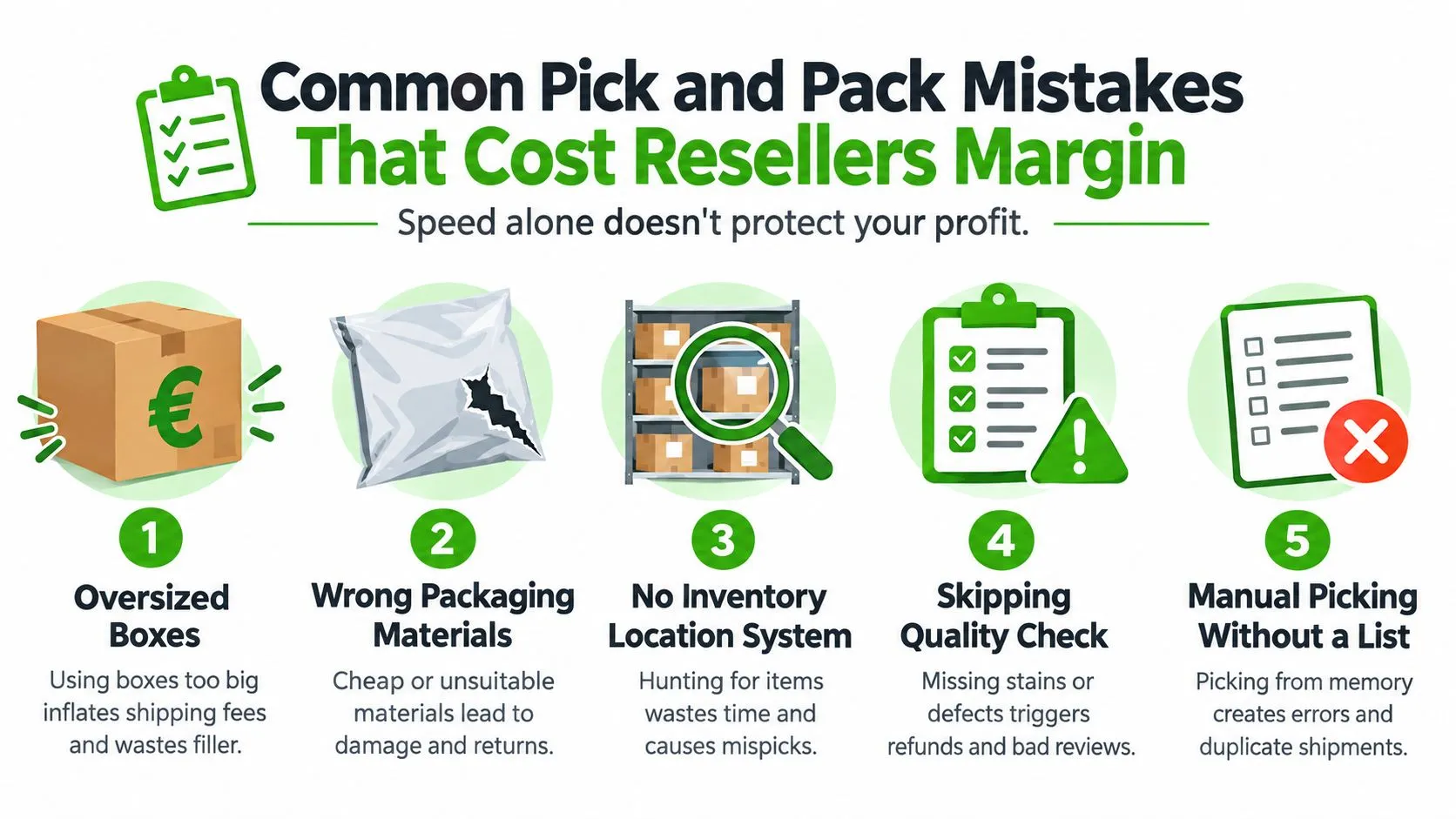
A seller grabs the nearest box. Someone ships from memory instead of a pick list. A return gets put aside instead of processed back into stock correctly. Nothing feels catastrophic in the moment. Then postage runs high, reviews soften, and the team spends hours fixing avoidable mess.
The mistakes that usually do the damage
- Oversized boxes: They waste filler, take longer to pack, and can push shipping costs up for no customer benefit.
- No location system: Staff waste time hunting, then rush when they finally find the item.
- Skipping verification: The wrong SKU leaves the building because the shelf label looked close enough.
- Ignoring the returns loop: Returned stock sits in limbo, so records drift and listings become unreliable.
- Tracking only speed: Teams feel pressure to go faster while accuracy gets worse.
Current operational guidance on warehouse labor makes this trade-off very clear. Manual pick-and-pack operations are often around 60 to 100 units per hour, scan-directed or voice picking can reach 100 to 150, and goods-to-person automation can exceed 300, but the same guidance stresses that error rate must be tracked separately because a picker at 150 units per hour with a 3% error rate can cost more than one at 120 units per hour with a 0.5% error rate (warehouse labor management guidance on speed versus errors).
Why rushing usually backfires in resale
Resale has a hidden penalty. When the wrong item ships, you can’t just send another identical unit from the same bin. The original sale may have been tied to a specific condition grade, accessory set, or vintage variation.
That is why a two-step rhythm works better than frantic solo multitasking:
- Pick and verify
- Pack and final-check
Those can be done by one person in sequence or by two people in handoff. Either way, the pause between retrieval and sealing catches more mistakes than trying to move faster through a blended process.
One common blind spot
I see many sellers treat fulfillment errors as customer service problems. They’re usually inventory-control problems that showed up at dispatch.
One study on order-picking improvement reported inventory record accuracy at 84% versus a 100% target and location record accuracy at 81% versus 100%, a useful reminder that weak records cap pick performance even when labor is moving quickly (order-picking improvement study with inventory and location accuracy findings).
Automating Pick and Pack with Ruit
The manual version of pick and pack usually breaks in the same place. Not at the shelf, and not at the tape gun. It breaks between systems.
One order sits in a marketplace app. Another is buried in email. Inventory was updated on one channel but not the others. A sold item is still live somewhere else. The person packing has to re-check everything because nobody trusts the stock view. That isn’t a picking problem. It’s glue work.
What automation should actually remove
Good automation doesn’t replace the physical work. Someone still has to walk to the shelf, inspect the item, wrap it properly, and hand it off to the carrier.
What it should remove is the repetitive admin between those actions:
- Re-keying order details from multiple channels
- Checking whether an item is still live elsewhere
- Confirming which sold listing matches the item in hand
- Printing shipping information from different tabs
- Updating status manually after dispatch
For resellers handling marketplace volume, same-day fulfillment pressure makes that gap more painful. Logistics guidance commonly defines same-day fulfillment as orders picked, packed, and handed to a carrier on the same calendar day, usually before a 1 to 3 PM cutoff. The same benchmark source notes that best-in-class operations target 70 or more lines picked and shipped per person per hour with 99.68% picking accuracy (same-day fulfillment guidance and benchmark context). For second-hand sellers, that standard isn’t really about warehouse scale. It’s about whether order flow, inventory sync, and dispatch timing are connected.
Where Ruit fits into the workflow
Ruit is useful here because it brings the moving parts into one operating view instead of leaving them spread across marketplaces and side tools.
From a pick-and-pack perspective, that means:
- Unified order management: Orders from channels such as Vinted, Wallapop, and Shopify can be managed from one place instead of checked one by one.
- Inventory sync: When a sale is confirmed, the stock state can stay aligned across channels so duplicate sales don’t keep slipping through.
Why this matters more for resellers than standard retail
A standard retailer often solves fulfillment with repeatable SKUs and cleaner product data. Resellers don’t get that luxury. One listing may have a damaged corner. Another may include a charger but no manual. Another may exist on several channels with slightly different titles. The order record has to stay close to the item.
That is where a connected system helps. Not because it makes the warehouse fancy, but because it reduces the number of moments where staff have to stop and ask, “Is this still available, is this the right one, and has this been updated everywhere?”
If you want a closer look at how this works at the systems level, this guide to an ecommerce order management system is a good companion read. The key operational idea is simple. Pick and pack gets easier when the order source, stock record, and dispatch status all live in the same workflow.
The best fulfillment setup for a reseller isn’t the one with the most automation. It’s the one that removes the most uncertainty.
Done well, automation doesn’t change the steps. It changes the trust level. Staff trust the order view, trust the stock status, trust the location record, and trust that a sale on one channel has already triggered the right update everywhere else.
That is what finally lets the back room run on a single source of truth instead of five open tabs and a lot of crossed fingers.
Frequently asked questions
What is pick and pack?
It is the part of fulfillment where you find the sold item on the shelf, check it, pack it and get it ready to ship. For resellers, most items are one of a kind, so each order needs its own check.
What are the most common pick and pack mistakes?
Oversized boxes, the wrong packaging materials, no system for where items are stored, skipping the quality check, and picking from memory instead of from a list.
How do resellers avoid selling the same item twice?
By keeping orders, stock and listings in one place, so a sale on one channel updates the stock everywhere else before someone else can buy it.
Ruit gives professional second-hand sellers one place to run the operational work that surrounds pick and pack, from multichannel orders and inventory sync to dispatch control. If you’re tired of fixing oversells, duplicate admin, and messy back-room handoffs, take a look at Ruit and see how it fits the way your resale business ships.