Cloud Based Order Management: Streamline Multichannel Sales

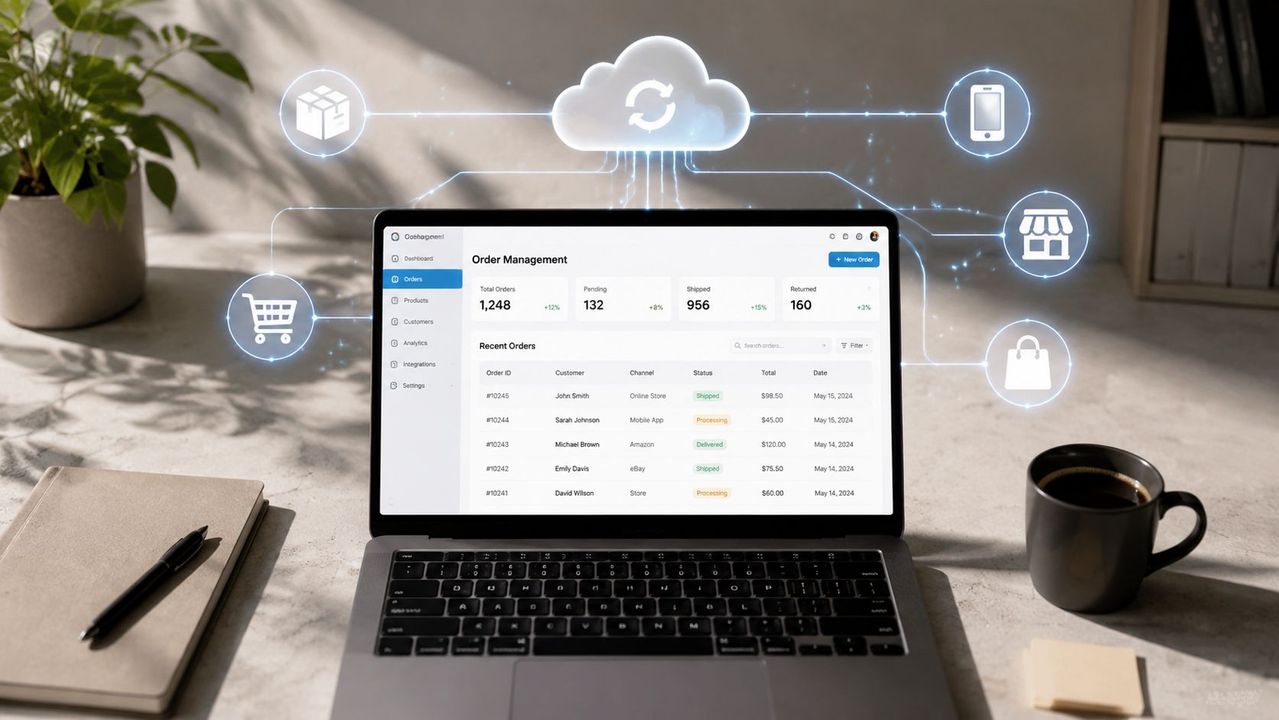
Table of Contents
- Table of Contents
- Why Resellers Are Outgrowing Spreadsheets and Manual Workflows
- How Cloud Based Order Management Systems Actually Work
- Measurable Benefits for Multichannel and Second-Hand Sellers
- Key Features to Evaluate in a Cloud Order Management Platform
- The Real Implementation Timeline and Hidden Integration Costs
- Handling Returns, Split Shipments, and Edge Cases Without Breaking Down
- Building Your Evaluation Checklist and Choosing the Right Platform
You already know the routine. A parcel sells on eBay while the same jacket is still live on Vinted, Wallapop, and your WooCommerce store. Someone on your team copies a tracking number into the wrong tab, a buyer asks why the item is still available elsewhere, and the evening ends with Excel open, not because you want to check performance, but because you need to make sure you haven’t sold the same thing twice.
That’s where cloud based order management stops being a nice-to-have and starts acting like the operating system for a resale business. In cloud deployment, the market has already shifted hard toward SaaS delivery, with cloud accounting for 72.5% of the omnichannel order management market in 2025 and growing faster than on-premise systems at 14.8% CAGR versus 7.3% CAGR (market estimate). Another forecast puts cloud-based solutions at 67.6% of multichannel order management revenue in 2025, which reinforces the same direction of travel (market estimate).
For second-hand and multi-marketplace sellers, that shift matters because the business is full of one-off stock, live listings, and exception handling. If you’re already crosslisting manually, this guide on how crosslisting works in practice will feel familiar, but crosslisting alone doesn’t solve the bigger problem, which is keeping inventory, orders, messaging, and accounting in sync once the sale happens.
Table of Contents
- Why Resellers Are Outgrowing Spreadsheets and Manual Workflows
- How Cloud Based Order Management Systems Actually Work
- Measurable Benefits for Multichannel and Second-Hand Sellers
- Key Features to Evaluate in a Cloud Order Management Platform
- The Real Implementation Timeline and Hidden Integration Costs
- Handling Returns, Split Shipments, and Edge Cases Without Breaking Down
- Building Your Evaluation Checklist and Choosing the Right Platform
Why Resellers Are Outgrowing Spreadsheets and Manual Workflows
A reseller juggling Wallapop, Vinted, eBay, and WooCommerce usually doesn’t start out looking for software architecture. They start out by trying to keep a used jacket, a pair of sneakers, and a vintage bag from being sold twice. The process looks harmless in the morning. By evening, it’s a mess of copied tracking numbers, deleted rows, and one spreadsheet that’s somehow older than the listing itself.
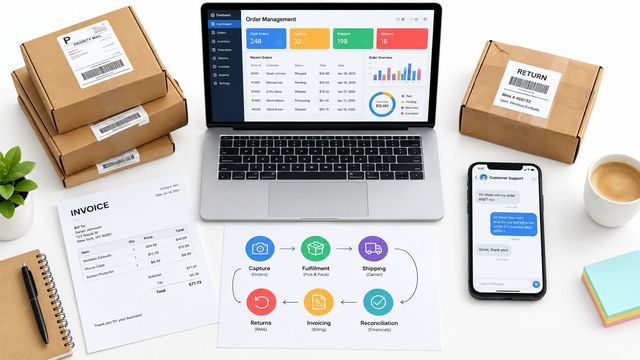
The problem isn’t effort, it’s that manual workflow turns every sale into a sequence of tiny handoffs. A buyer messages on one platform, a warehouse note lives in another tab, shipping gets updated somewhere else, and accounting sits at the end of the chain waiting for someone to remember it. That’s why cloud order management has become the structural fix, not because it sounds modern, but because it centralizes the working record of the business.
When the same item is live across several marketplaces, the margin for delay is tiny. One late sync, one missed delist, one forgotten stock adjustment, and the sale goes sideways. A cloud OMS gives the reseller one live system for inventory, order status, and fulfillment, so the business stops depending on who happened to be at the keyboard when the sale came in.
Practical rule: if a sale requires three tabs, two exports, and one “I’ll fix it later” note, the process is already too brittle for scale.
That’s why the biggest operational shift isn’t just speed. It’s visibility. Once the order record, stock level, and channel status live together, a reseller can see what’s available, what’s reserved, and what still needs attention before the next customer buys it.
The contrast is especially obvious for teams that began with crosslisting tools and then kept adding workarounds. A listing tool can publish stock, but the moment you need the full cycle, from sourcing to accounting, the spreadsheet patchwork starts to show. A cloud OMS becomes the central nervous system because it connects the parts that were previously being managed by memory.
How Cloud Based Order Management Systems Actually Work
Think of a cloud OMS as a central dispatch hub. Every marketplace, storefront, and warehouse sends signals into the same system, and the OMS decides what happens next instead of forcing a person to reconcile every channel by hand. AWS’s reference design for distributed order management shows this pattern clearly, with inputs flowing through APIs, file transfers, and streaming into Lambda, Kinesis Data Streams, and EventBridge, while transactional state sits in Aurora and DynamoDB and orchestration logic runs through Step Functions and Lambda before fulfillment services take over (AWS reference design).
Ingestion, orchestration, and execution are different jobs
The first job is ingestion, which means receiving the order or inventory signal from every source. That can be a marketplace sale, a web checkout, a stock update from a warehouse, or an internal change from customer care. The second job is orchestration, where the OMS decides where to allocate the item, whether it should be split, and what needs to be reserved. The third job is execution, which triggers shipping, notifications, and whatever downstream tasks the order needs.
That separation matters because it keeps the system flexible. If ingestion, routing, and shipment all live in one rigid process, every change becomes risky. If they’re separated, the platform can scale channel by channel without collapsing under its own complexity.
Real-time sync is what keeps stock honest
Cloud-native OMS guidance also emphasizes real-time inventory observability and explicit synchronization governance across nodes, plus event-driven middleware with replay and error handling for OMS-WMS integration (cloud-native OMS guidance). In plain terms, if a stock update fails or a fulfillment event gets lost, replayable event streams and sync rules help prevent silent drift. That’s the difference between a system that merely records a sale and one that keeps allocation accurate across channels.
For a reseller, this is not abstract architecture. It’s the mechanism that stops a sold item from lingering on another marketplace long enough to create a bad customer experience. It’s also what lets the business grow without turning every channel expansion into a new manual process.
One clean data flow beats ten “temporary” spreadsheets that nobody owns.
Measurable Benefits for Multichannel and Second-Hand Sellers
The market data lines up with what operators already feel on the ground. Cloud-based OMS spend is moving up quickly, with one forecast projecting worldwide software spend to rise from $2.2 billion in 2024 to $4.3 billion by 2029, while the SaaS and cloud segment expands from $1.4 billion to $4.0 billion over the same period and on-premise software declines from $416 million to $180 million (industry forecast). That shift doesn’t prove every reseller should upgrade tomorrow, but it does show where the market is placing its money.
Scalability shows up as fewer manual bottlenecks
For second-hand sellers, scalability doesn’t mean warehouse robots. It means the business can handle more listings, more orders, and more exceptions without adding a person just to move data between systems. In practice, that shows up when the team can publish, delist, relist, and ship from one workflow instead of opening five dashboards to do the same work.
The biggest gain is not volume for its own sake. It’s that the team stops losing time to repetitive reconciliation. A reseller who used to spend evenings checking whether every sold item was removed everywhere now gets that consistency through automation.
Synchronization protects against overselling
Multichannel sync is the feature that protects margin. If an item sells on one marketplace, the system should remove or reserve it everywhere else before another buyer gets there. That simple act prevents the most painful kind of resale mistake, selling a one-of-a-kind item that doesn’t exist twice.
Cloud OMS beats “inventory tracking” in the narrow sense. Inventory tracking records what you have. Cloud OMS actively coordinates what every channel is allowed to sell right now.
Automation reclaims hours you can spend on sourcing
Automation matters because second-hand businesses live or die on time spent sourcing good stock. Scheduled relisting keeps older listings visible without manual labor. Unified messaging pulls buyer conversations into one place, so support doesn’t live in four inboxes and two apps. Those aren’t flashy features, but they’re the difference between spending the day on recovery work and spending it on profitable buying.
The resale market usually frames this work as multichannel inventory management. The point, though, is that cloud OMS adds the transaction layer that crosslisting alone usually leaves behind.
Key Features to Evaluate in a Cloud Order Management Platform
A cloud OMS can be excellent at one job and weak at the one that hurts you most. For resale teams, the evaluation has to start with the boring stuff, because boring is what keeps orders moving. If the system can’t hold stock truthfully, route orders cleanly, and push shipping data without manual cleanup, the fancy AI features won’t save it.
Table stakes versus real differentiators
| Feature Category | Table Stakes | Advanced Differentiator |
|---|---|---|
| Inventory sync | Real-time stock updates across channels | Automated delisting and programmatic relisting |
| Order handling | Multichannel order aggregation | Split shipment logic and exception routing |
| Shipping | Label generation and carrier handoff | Rules-based fulfillment routing |
| Customer communication | Basic order notifications | Unified messaging with suggested replies |
| Listings | Manual publishing and editing | AI titles, descriptions, and bulk image cleanup |
| Finance | Exportable order data | Accounting exports tied to the full lifecycle |
The table-stakes column is what keeps the operation from breaking. The advanced column is where second-hand sellers reclaim time. If a platform only offers publishing and stock sync, it may still leave you stitching together messaging, accounting, and exception handling by hand.
What matters most for second-hand inventory
Used inventory is awkward in a way new inventory isn’t. Every item can be one-of-a-kind, condition matters, and the value of the listing depends on the accuracy of the description and photos. That’s why features like AI-generated titles and descriptions, bulk photo editing with background removal, and fast listing reuse aren’t just marketing extras. They directly reduce the labor of turning purchased stock into saleable inventory.
Practical rule: if the platform helps you list faster but doesn’t help you avoid sync mistakes, it’s only solving half the problem.
You should also look closely at mobile access, approval workflows, and accounting exports. A reseller often needs to update stock from a warehouse, answer a message from the road, and close the accounting loop at day end. One platform that spans all three tasks is better than three tools that each solve one slice well.
Ruit is one option in this category because it combines multichannel publishing, inventory sync, messaging, and order handling in one workspace, along with AI-assisted listing and catalog workflows. I’m mentioning it here because the operational scope is broader than a simple crosslisting tool, which is exactly where many resale teams hit friction.
The Real Implementation Timeline and Hidden Integration Costs
The sales pitch usually makes migration sound tidy. Import the catalog, connect the channels, and go live. In practice, implementation is a sequence of compromises, because your ERP, CRM, storefronts, warehouses, and marketplace accounts don’t all speak the same language at the same speed.
A candid benchmark from vendor-agnostic guidance says implementation time, training, and hidden admin effort should be evaluated carefully, and that cloud platforms are generally faster to roll out than on-premise systems, but it still doesn’t provide a universal calendar by business size or channel mix (implementation guidance). For a reseller, the safest assumption is that the first 90 days will involve cleanup, not perfection.
The hidden work happens before go-live
The heaviest lift is often data migration. Old listings contain inconsistent SKUs, mismatched product names, duplicate photos, and notes hidden in spreadsheet cells that never should have been the system of record. After that comes API configuration and channel mapping, where each marketplace, storefront, and warehouse has to be tied to the right fields and rules.
Team training is the third trap. People who’ve worked in spreadsheets for years don’t just need new screens. They need new habits, especially around reservations, delisting, and order status updates. That learning curve is what makes parallel-run testing so important, because you want to catch sync issues while the old workflow is still available.
The first 90 days are about stability, not elegance
One thing that’s easy to miss is how much maintenance lives after launch. Marketplace APIs evolve. Fulfillment rules change. New sales channels get added. Even a good implementation needs someone watching for drift and checking that updates still flow correctly.
If your business connects Shopify, Wallapop, Vinted, and eBay, the integration path needs to be planned carefully, not improvised mid-launch. This guide to connecting Shopify with Wallapop, Vinted, and eBay is useful context, because channel connectivity is usually where the migration burden first becomes visible.
A realistic rollout has milestones, but the true win is not “done in 12 weeks.” The win is that by the end of the first cycle, the team trusts the system enough to stop double-checking everything in spreadsheets.
Handling Returns, Split Shipments, and Edge Cases Without Breaking Down
The happy path is easy. An order comes in, stock is reserved, a label is printed, and the parcel leaves. Resale operations don’t live on the happy path. They live in returns that come back with questions, partial shipments that need split handling, and stock reservations that have to stay accurate when an item is the only one of its kind.
Why exceptions expose weak systems
A platform can look strong in a demo and still collapse under edge cases. If a return comes in after the item has been delisted everywhere, the system still has to know where to place the stock, what condition to mark it in, and whether it can be resold immediately. If an order has to be split across fulfillment locations, the OMS has to preserve the original order logic while routing each piece correctly.
That’s where event-driven design earns its keep. Replayable event streams and explicit synchronization rules reduce the chance of silent data drift when a fulfillment event or inventory update fails. Without those controls, a return can create a chain of inconsistent records that only shows up when a buyer asks for an update or a warehouse can’t find the item.
The real test is volatility, not routine volume
One of the most overlooked points in cloud OMS guidance is that real-time orchestration only helps if the platform is built for exception-heavy workflows (exception handling guidance). That matters for second-hand sellers because backorders, partial refunds, and one-off product condition changes aren’t edge cases. They’re normal business.
If a system centralizes bad workflows, it just moves the bottleneck out of Excel and into software.
That’s the reason to test returns and split shipments during evaluation, not after launch. Ask what happens when the item is already reserved, what gets replayed after a sync failure, and how the platform prevents stock from drifting out of alignment across channels. The answer tells you whether the OMS is operationally mature or just well packaged.
Cloud OMS can absolutely reduce overselling and speed processing. It only does that when exception handling is treated as core architecture, not an afterthought.
Building Your Evaluation Checklist and Choosing the Right Platform
The right platform depends on how messy your operation is, not how good the demo looks. A solo seller on Vinted and Wallapop needs a different setup than a five-person team running eBay, WooCommerce, and PrestaShop while reconciling stock and accounting every day. If you don’t map the business first, you’ll buy features you don’t use and miss the ones you can’t work without.
Questions to ask before you sign
- Technical Fit: Can it sync inventory in real time, connect to every channel you use, and handle your current fulfillment flow without custom workarounds?
- Business Alignment: Does it cover the full cycle, from sourcing and listing to orders, messaging, and accounting, or only one part of the workflow?
- Total Cost: Are implementation, training, support, and integration upkeep visible in the contract, or hidden behind add-ons and admin time?
- Vendor Support: When a channel API changes or a sync breaks, do you get fast help from people who understand resale operations?
The demos that matter are the ones with your real data. Run the platform against actual listings, a real return, and a live channel sync. If the process depends on idealized product data, it won’t survive a marketplace business with messy stock and mixed conditions.
The best choice is the one that fits the way your team already works, while removing the repetitive steps that eat the day. If a tool can’t support your channel mix, your messaging load, and your accounting trail, it’s not a platform. It’s another tab.
If you’re ready to replace spreadsheet juggling with a working system, explore how Ruit brings sourcing, inventory, multichannel publishing, orders, and messaging into one operating flow for second-hand businesses. The right setup should cut overselling and reduce admin load, so take a look at what it offers and see whether it fits the way your business runs.