Multichannel Listing Tool: A Complete Guide for Pros


Table of Contents
- Table of Contents
- Why Professional Resellers Need Centralized Listing Tools
- Core Features That Define a Multichannel Listing Tool
- How Inventory Sync Prevents Overselling and Lost Revenue
- Cross-Listing Tools Versus End-to-End Operating Systems
- Benefits for Professional Resellers at Scale
- Common Pitfalls and Hidden Costs Most Guides Ignore
- How to Choose the Right Multichannel Listing Tool
- Frequently Asked Questions
You’ve got five marketplaces open, a spreadsheet beside the laptop, and a product that just sold on one channel. Before you can remove it from the other four, another buyer places an order. Now you’re checking timestamps, apologizing to customers, cancelling transactions, and wondering whether the sale was profitable after all that work.
That workflow can survive a small catalogue, but it becomes fragile as soon as inventory moves quickly or several people handle listings. A multichannel listing tool should therefore be judged as inventory infrastructure, not merely as a faster way to copy product descriptions between marketplaces. The true value lies in keeping listings, stock, orders, messages, and product data aligned while reducing the manual decisions that create costly errors.
Table of Contents
- Why Professional Resellers Need Centralized Listing Tools
- Core Features That Define a Multichannel Listing Tool
- How Inventory Sync Prevents Overselling and Lost Revenue
- Cross-Listing Tools Versus End-to-End Operating Systems
- Benefits for Professional Resellers at Scale
- Common Pitfalls and Hidden Costs Most Guides Ignore
- How to Choose the Right Multichannel Listing Tool
Why Professional Resellers Need Centralized Listing Tools
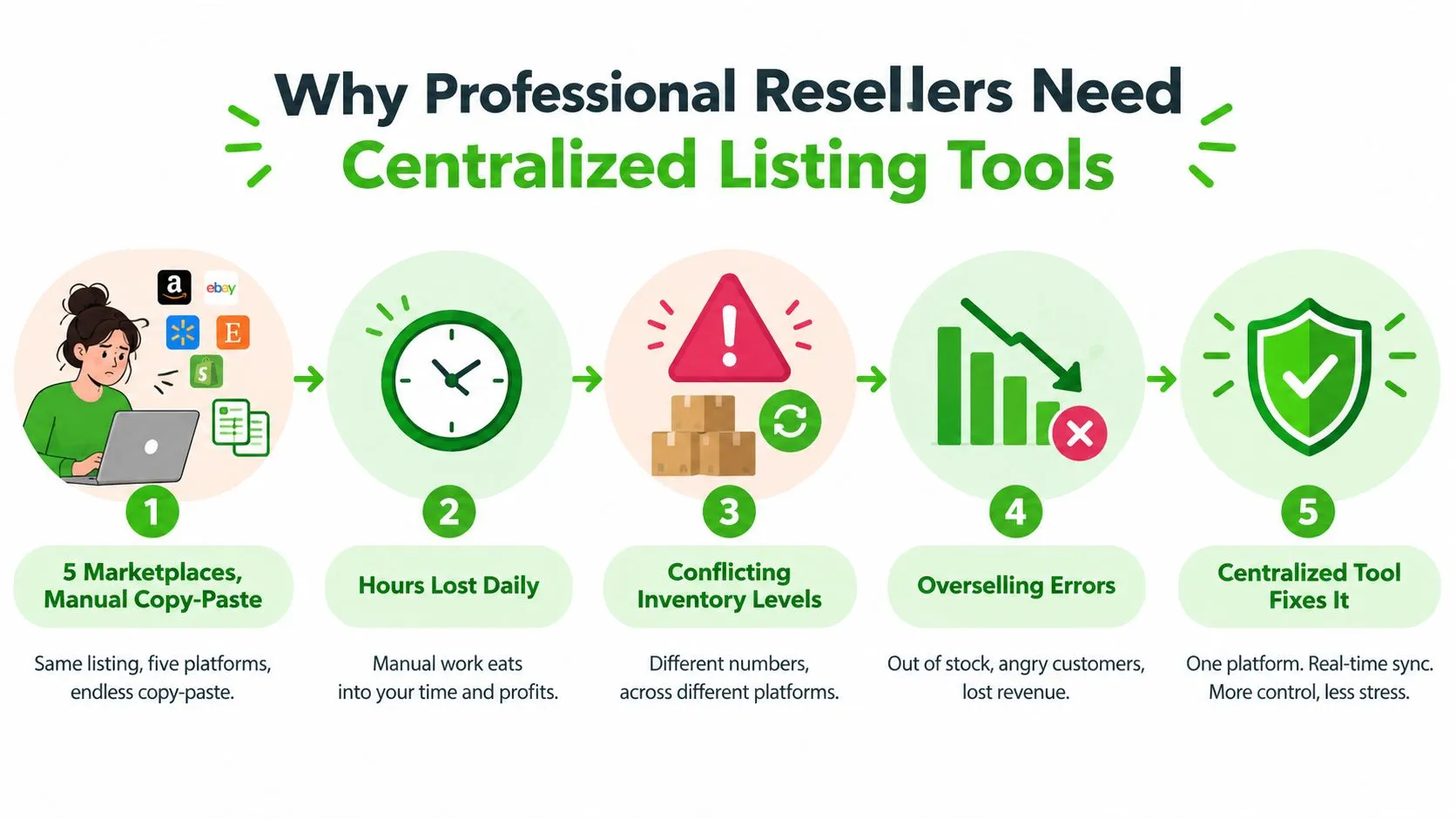
A reseller managing five marketplaces manually usually starts with good intentions. One spreadsheet stores the master inventory, browser tabs hold marketplace accounts, and a set of copied templates keeps titles and descriptions reasonably consistent. Then a product sells, a price changes, or a marketplace alters a required attribute. The spreadsheet becomes outdated, one listing keeps the old price, and the seller has to reconstruct what happened.
The operational burden grows because every marketplace treats the product slightly differently. A title may need rewriting, a category may map differently, and available stock may be represented by separate records. At 500 SKUs across 6 channels, sellers can face more than 3,000 individual listing configurations, each with its own opportunity for a broken field, suppressed listing, or stale quantity, as described in this analysis of multichannel listing management.
The spreadsheet problem is operational, not cosmetic
Manual duplication creates three separate costs:
- Repeated data entry: Someone has to copy titles, photos, prices, condition notes, and attributes into every channel.
- Inventory uncertainty: Staff can’t tell which stock figure is authoritative when a sale arrives from a different marketplace.
- Exception handling: A failed upload or mismatched category often stays unnoticed until a buyer or marketplace flags it.
Marketplaces have become too important to treat as occasional side channels. Marketplace commerce accounted for 83.4% of global eCommerce GMV in 2025, according to the marketplace statistics summary. The same source reports that the top 100 marketplaces generated about $3.2 trillion in GMV in 2022 and roughly $3.8 trillion in 2024. Those figures don’t mean every reseller needs every channel, but they do explain why professional operators increasingly need a central system rather than a collection of disconnected browser routines.
Centralization changes the workflow
A practical multichannel listing tool creates one product record, maps it to channel requirements, and distributes the resulting listings. When an order arrives, the system should update the central stock record and propagate the change to connected marketplaces. It should also expose errors, failed updates, suppressed listings, and pending actions rather than assuming that every publication succeeded.
A 2025 academic review found that 73% of consumers use multiple channels during the shopping journey and 45% expect consistent inventory information regardless of channel, as reported in the review of real-time inventory synchronization. For a professional reseller, consistency isn’t a branding detail. It determines whether the business can accept an order with confidence.
Core Features That Define a Multichannel Listing Tool
A useful tool does more than press “publish” on several websites. It acts as a controlled workflow between the catalogue, marketplaces, inventory records, and fulfilment process. The quality of that workflow depends on how well the system handles differences between channels.
One product record, multiple channel outputs
The starting point should be a central catalogue containing the product’s title, description, photos, identifiers, condition, cost, selling price, and available quantity. From there, the tool should apply channel-specific templates rather than blindly duplicate the same text everywhere.
Good systems also support bulk editing. If a condition note changes or a pricing rule needs updating, the operator should be able to apply the change to selected products, review the affected fields, and publish the result without exporting and re-importing several spreadsheets.
Stock propagation and automatic delisting
Inventory synchronization is the feature that protects the rest of the operation. When one item sells, the tool should reduce the central quantity and remove or deactivate the corresponding listings on other channels. This is particularly important for unique second-hand items, where the available quantity is often one and there isn’t a replenishment cycle to absorb mistakes.
Look for an activity log showing when the sale was received, when stock changed, which channels were updated, and whether any marketplace rejected the request. A dashboard that only displays the latest quantity isn’t enough. You need evidence of what happened and an alert when it didn’t happen.
For a practical example of the stock controls and synchronization workflows worth inspecting, review stock and sync management features. The important evaluation point isn’t the label “real time.” Ask what event triggers the update, how failures are retried, and whether the system shows delivery status per channel.
Content generation and attribute mapping
AI-generated titles and descriptions can save time, but automation must respect marketplace rules. The tool should create a usable first draft while allowing the operator to check facts, condition, measurements, brand details, and prohibited claims. It shouldn’t invent product specifications just because a field is empty.
Attribute mapping matters just as much. Size, colour, material, category, shipping class, and condition may use different structures across platforms. A strong system stores a canonical value and maps it to each channel, while still allowing exceptions where a marketplace requires a different classification.
Orders and messages complete the loop
Publishing is only the front half of selling. A professional workflow should bring orders, fulfilment status, tracking data, and buyer conversations into the same operational view. Otherwise, the seller saves time creating listings but loses it again by checking several inboxes and order screens.
Practical rule: Treat a failed sync, missing attribute, or delayed order import as an operational incident, not a minor software notification.
How Inventory Sync Prevents Overselling and Lost Revenue
A customer buys the last unit on Marketplace A while Marketplace B still shows one available. Within that delay, another buyer can place an order for stock that no longer exists. The seller must then cancel, substitute, refund, or explain the failure. The hidden cost includes support time, shipping corrections, weaker seller metrics, and margin lost on a transaction that should have been routine.

The practical benchmark for active selling is under 60 seconds for stock propagation, while faster operations may target under 5 to 30 seconds. The right threshold depends on order velocity, channel limits, and whether the catalogue contains unique or replenishable products, as outlined in this guide to multi-channel inventory management.
Polling versus event-driven updates
Polling checks a marketplace or database on a schedule. A system that checks every fifteen minutes may not register a sale until the next cycle, leaving a predictable overselling window. Shorter polling intervals reduce that window, but they still depend on the next scheduled check and may encounter API limits.
An event-driven system reacts to an order or stock event, changes the central inventory record, and sends the update through an API or webhook. That reduces unnecessary waiting, although the workflow still needs queue management, authentication, retries, and channel-specific throttling.
The cited benchmarks describe a move from 15-minute polling to 5-minute polling as cutting oversell risk by roughly 50% to 60%. Moving from 5 minutes to under 5 seconds is described as reducing the remaining risk by another 90% to 95%. These figures are benchmarks, not promises for every catalogue. They show why sellers should test actual latency instead of accepting “real time” as a product label.
At the order desk, faster propagation can prevent a cancellation and preserve the margin that refunds, support work, and corrected shipments would consume. Inventory sync is therefore infrastructure for the selling operation, not only a publishing feature.
Before choosing a platform, request evidence for:
- Propagation timing: Ask for measured p95 or p99 delivery times.
- Failure handling: Check how rejected updates are retried, logged, and escalated.
- Channel throttling: Confirm that API limits will not create hidden queues during busy periods.
- Quantity rules: Verify support for safety stock, reservations, bundles, and partial quantities.
A reliable process will not remove every inventory error. It exposes failures early enough for an operator or automation rule to correct them.
Cross-Listing Tools Versus End-to-End Operating Systems
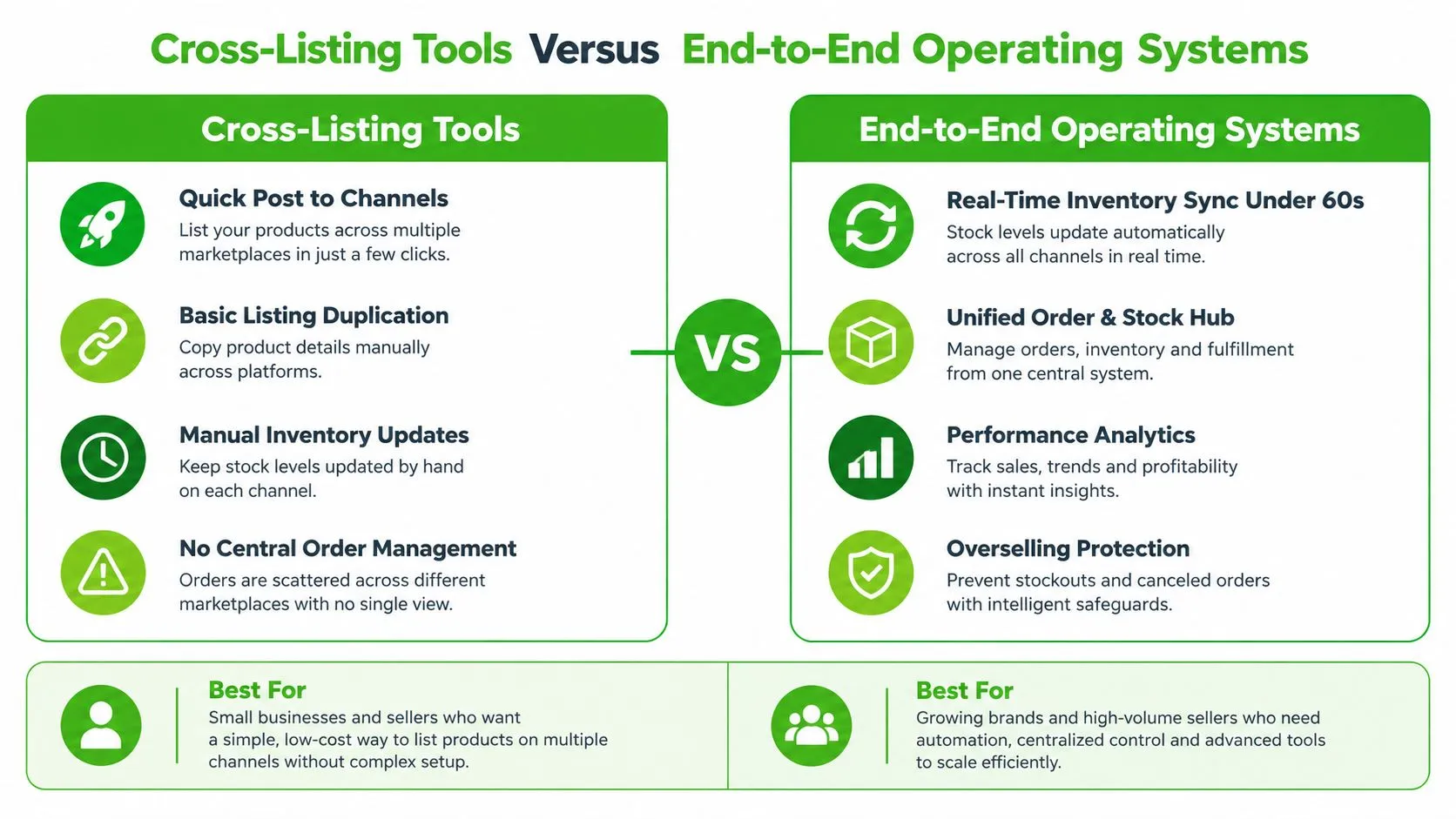
A lightweight cross-listing utility and a full operating system can both publish a product to several channels, but they solve different operational problems. The first reduces the time needed to create listings. The second connects sourcing, inventory, orders, messaging, fulfilment, and financial analysis around a shared product record.
Where a cross-listing utility works well
A basic tool can be the right choice when the catalogue is small, products are straightforward, and the seller already has reliable processes for orders and stock. Its strengths are usually easy to understand:
- Fast publication: Create a listing once and adapt it for selected marketplaces.
- Template reuse: Store common descriptions, shipping terms, and product fields.
- Bulk actions: Apply prices, tags, or edits to several listings.
- Lower setup burden: Start without changing the rest of the business.
The limit appears when the operator must leave the tool to complete every important task. A listing is published centrally, but messages remain scattered. Orders arrive in separate dashboards. Costs sit in accounting software. Stock changes depend on manual confirmation. The business has reduced copy-paste without creating a dependable control centre.
For a clear distinction between posting across marketplaces and broader operational coverage, see the explanation of crosslisting.
Where an operating system earns its place
A broader platform becomes useful when the business needs one source of truth for the entire lifecycle. It can connect a purchase decision to the item record, publish the item, track its sale, consolidate buyer communication, allocate fulfilment, and record the financial result.
| Workflow | Cross-listing utility | End-to-end operating system |
|---|---|---|
| Product creation | Reuses listing data across channels | Connects catalogue data to sourcing and inventory |
| Stock control | May update or delist listings | Applies central quantities, reservations, and channel rules |
| Orders | Often requires external processing | Consolidates orders and fulfilment status |
| Buyer communication | Usually separate from listings | Provides a unified inbox and response workflow |
| Profit analysis | May show sales activity | Connects revenue, fees, costs, and operational decisions |
| Growth constraint | Manual work returns outside publishing | Automation extends across the complete process |
The choice isn’t about buying the largest feature set. It’s about locating the current bottleneck. If listing creation consumes the day, cross-listing may solve the immediate issue. If the team spends more time reconciling orders, searching for messages, and correcting stock than sourcing inventory, a publishing-only tool has reached its boundary.
Benefits for Professional Resellers at Scale
The strongest benefit isn’t the number of marketplaces connected. It’s the amount of reliable work completed per hour. Automation should remove repetitive actions while leaving the seller in control of decisions that require judgement, such as condition grading, sourcing quality, pricing exceptions, and customer resolutions.
Start with the product record. Define which fields are authoritative, which values can be generated, and which require human approval. Then build rules around the moments that cause the most rework:
- Create once: Capture photos, measurements, condition, cost, and notes in one record.
- Map deliberately: Translate categories and attributes for each channel instead of relying on uncontrolled duplication.
- Publish in batches: Schedule groups of listings when the team can review them and when channel activity makes sense.
- Protect availability: Reserve or reduce stock immediately after an order event.
- Review exceptions: Give staff a queue for failed mappings, rejected listings, and unusual orders.
Better decisions come from connected data
A central order view makes it easier to see which products sold, where they sold, and what required intervention. That context improves sourcing decisions. A seller can distinguish a genuinely profitable product from one that generated revenue but consumed disproportionate time through messages, returns, relisting, or manual corrections.
Unified messaging has a similar effect. An AI-assisted response can help draft a reply, but the operator still needs to verify delivery terms, condition details, and availability before sending. The benefit comes from reducing tab switching and missed conversations, not from removing judgement.
Scheduled publishing can also spread workload more evenly. Instead of creating a large batch and manually releasing every listing, the team can prepare inventory in advance and let approved drafts go live according to a defined schedule.
Evaluate the workflow, not the demo
Ask a prospective vendor to demonstrate an actual sale. Watch what happens from the first order notification through stock reduction, delisting, buyer communication, fulfilment, and reporting. A polished listing editor tells you little about the parts of the system that protect margin.
The right question isn’t “How many channels can I connect?” It’s “How many manual corrections will I still make after the connection?”
Common Pitfalls and Hidden Costs Most Guides Ignore
A tool can publish successfully and still create expensive operational problems. Marketplace rules change, attribute mappings break, image requirements vary, and a previously accepted listing can become suppressed. If the system doesn’t monitor those conditions, the seller may assume the catalogue is live while important products disappear from search.
The hidden cost often appears in data maintenance. Platform templates differ, so teams export spreadsheets, remap fields, and import them again. Some tools support bulk publishing but not true bulk updates, leaving operators to edit products one by one when a policy, price rule, or shipping condition changes.
The total cost is more than the subscription
Calculate the full operating cost before migrating:
- Implementation time: Include catalogue cleanup, field mapping, account connections, and testing.
- Maintenance work: Measure how much time staff spend correcting failed updates and duplicate records.
- Integration limits: Check whether the tool connects to the ERP, accounting, warehouse, and shipping systems already in use.
- Exit friction: Confirm whether you can export product, order, message, and inventory data in a usable format.
- Usage charges: Review fees for extra channels, users, API access, bulk actions, or advanced analytics.
Proprietary APIs and vendor lock-in can make a cheap initial plan expensive over time. Legacy ERP connections may require customization, and a fragmented workflow can lengthen fulfilment time even when listing publication is fast.
The category is also moving beyond “create once, publish everywhere.” Professional sellers need systems that monitor and correct listings everywhere. That includes alerts for failed delisting, channel-specific suppression, stale data, and orders that don’t reconcile with the central record.
How to Choose the Right Multichannel Listing Tool
Start with the operational risk. List the channels that generate orders, mark products that are rare or difficult to replace, and document every manual action between purchase and payment. This exposes the underlying requirement: a publishing shortcut, an inventory control layer, or an operating system that handles both. A tool that creates listings quickly can still cost more through duplicate entry, delayed updates, overselling, cancellations, and reconciliation work.

Test the system with real failure scenarios
A polished demo rarely shows what happens when data is incomplete or a channel rejects an update. Give the vendor a representative catalogue with variations, missing attributes, unique products, bundles, different conditions, and channel-specific requirements. Run the workflows that reveal whether the system protects inventory or just republishes data:
- Sync latency: Sell an item on one channel and measure when its quantity changes elsewhere.
- Delisting reliability: Confirm that the sold item becomes unavailable across every connected marketplace.
- Mapping control: Change a category or attribute and verify the result before publication.
- Exception handling: Disconnect a channel or reject an update. Check the alert, retry, and recovery process.
- Bulk editing: Apply a controlled change to several products and review the audit trail.
- Order reconciliation: Compare marketplace orders with the central record and fulfilment status.
The practical benchmark for active selling is under 60 seconds for stock propagation, while faster operations may target under 5 to 30 seconds, as described in the inventory synchronization benchmarks. Treat those figures as test requirements. Run a live sale instead of accepting a vendor’s stated performance.
Score the economics per hour worked
Subscription price is only one part of the operating cost. Include staff time, corrections, missed sales, cancellations, support requests, integration maintenance, and inaccurate margin reporting. A lower fee can become expensive if operators still copy product data, repair failed updates, or investigate orders that do not match the central record.
A professional seller should define the point at which a listing tool no longer covers the workflow. Warehouse coordination, integrated order processing, channel-level landed costs, accounting, advertising-cost visibility, and team permissions may justify an end-to-end platform. Evaluate the ongoing trade-offs around spreadsheet exports, different marketplace APIs, proprietary architectures, and customization requirements in this review of multichannel listing software costs and capabilities.
The goal is a measurable operating loop. A product should enter inventory once, reach the appropriate channels, leave each channel correctly after sale, and produce a clear margin view. Choose the system that makes exceptions visible and routine work repeatable.
Frequently Asked Questions
How fast should a multichannel listing tool sync stock?
For active selling, stock should reach every channel in under 60 seconds, and faster operations target 5 to 30 seconds. The right threshold depends on order velocity, channel limits and whether the catalogue holds unique items, so test the real latency instead of trusting a “real time” label.
Is a cross-listing tool enough for a professional reseller?
It can be when the catalogue is small, products are straightforward and orders and stock already run reliably. It stops being enough when every important task, from messages to orders to costs, has to be finished outside the tool.
What does a multichannel listing tool really cost?
More than the subscription. Add implementation time, the staff hours spent correcting failed updates, integration limits, exit friction and usage charges for extra channels, users, API access or advanced analytics.
If manual duplication, delayed stock updates, and scattered orders limit your resale operation, Ruit provides centralized sourcing, inventory, multichannel publishing, messaging, orders, accounting, and analytics for professional second-hand businesses. Review whether its connected workflow fits your controls and reduces the work required for each sale.