AI Photo Editing Tools: 2026 Guide for Sellers


Table of Contents
- Table of Contents
- 1. Adobe Photoshop with Firefly-powered generative tools
- 2. Topaz Photo AI
- 3. Luminar Neo
- 4. Capture One Pro
- 5. PhotoRoom
- 6. Pixelcut
- 7. remove.bg
- 8. Clipdrop by Stability AI
- 9. Let’s Enhance and Claid.ai for business
- 10. Canva with AI photo tools
- Top 10 AI Photo Editing Tools Comparison
- Choose the Tool That Matches Your Listing Bottleneck
- Frequently Asked Questions
A second-hand seller rarely starts with a clean studio image. You have a jacket photographed on a bedroom floor, a lamp creating a yellow cast, a pair of shoes with soft focus, and several items shot against completely different backgrounds. Then each product needs consistent images for Vinted, eBay, Wallapop, a WooCommerce store, or another sales channel, often while you’re trying to list a large intake before the next delivery arrives.
The right AI photo editing tools depend on where that workflow breaks. Some are excellent at removing backgrounds, others rescue low-resolution photos, while full editors offer the manual control needed for difficult retouching. Catalog and design platforms solve a different problem, creating repeatable marketplace assets rather than just improving one image.
This comparison assesses cutout quality, batch capacity, manual control, mobile and desktop access, integrations, pricing-model considerations, learning curve, and professional resale fit. It also considers privacy, provenance, and operating cost, issues that matter when edited images represent commercial inventory. For a broader option, Ruit combines AI photo editing and mass background removal with inventory, multichannel publishing, stock synchronization, messaging, orders, accounting, and analytics. The Photo Speak AI photo edit 2026 guide is another useful reference point for understanding the expanding tool category.
Table of Contents
- 1. Adobe Photoshop with Firefly-powered generative tools
- 2. Topaz Photo AI
- 3. Luminar Neo
- 4. Capture One Pro
- 5. PhotoRoom
- 6. Pixelcut
- 7. remove.bg
- 8. Clipdrop by Stability AI
- 9. Let’s Enhance and Claid.ai for business
- 10. Canva with AI photo tools
- Top 10 AI Photo Editing Tools Comparison
- Choose the Tool That Matches Your Listing Bottleneck
- Frequently Asked Questions
1. Adobe Photoshop with Firefly-powered generative tools
Adobe Photoshop remains the strongest choice when an inventory image needs more than a clean background. Its combination of Generative Fill, Generative Expand, Generative Upscale, mature masking, selections, and pixel-level retouching gives an experienced operator control over the final asset. That matters when a used garment has a distracting hanger, a reflective object needs careful cleanup, or a product requires a realistic composite rather than a one-click cutout.
Photoshop also fits a broader production chain. Sellers or studio teams can ingest and cull images in Lightroom, adjust RAW files through Camera Raw, then move selected images into Photoshop for detailed work. The Firefly Creative Production workflow extends the platform toward no-code batch operations, although the tool’s depth can still make setup and quality control more demanding than a dedicated resale editor.
Best fit: Use Photoshop when image fidelity and intervention matter more than the shortest possible listing workflow.
The trade-off is operational. New users face a steep learning curve, and the application can place heavier demands on the computer than browser-first tools. Subscription licensing may also be harder to justify for a seller who only needs background removal and standardized listing images. Its ecosystem of presets, actions, tutorials, and Creative Cloud collaboration is valuable for teams, but that ecosystem adds complexity rather than removing it.
For professional resale, Photoshop works best as an exception-handling tool. Keep it for premium items, complex repairs, or images that automated systems cannot make commercially credible. It isn’t the most practical default for every phone photo in a large intake.

2. Topaz Photo AI
Topaz Photo AI addresses a common second-hand problem before background removal even begins: the original image is too small, noisy, soft, or poorly focused. Its workflow combines AI Denoise, Sharpen, Recover Faces, and upscaling, making it especially useful for older inventory photos or phone images that need to survive marketplace display sizes without looking careless.
The distinction is important. A background remover can produce a clean silhouette, but it can’t automatically restore detail that was never captured clearly. Topaz is therefore a quality-rescue tool rather than a catalog-production system. It can improve the source image before you pass it to PhotoRoom, Pixelcut, remove.bg, or another listing workflow.
Where Topaz earns its place
Local processing supports a more controlled workflow, with optional cloud rendering for heavier workloads. That gives sellers a practical choice between keeping routine work on their own machine and sending demanding jobs through a remote process. The interface is comparatively direct, which suits batch enhancement better than a deep compositing application.
Its narrower scope is also its limitation. Topaz won’t replace Photoshop when you need object removal, layered composites, or detailed manual masking. A subscription can feel expensive for light or occasional use, particularly if most of your inventory already arrives in usable resolution.
The strongest operational use is a preparation stage:
- Rescue weak source files: Improve clarity before creating a marketplace asset.
- Separate enhancement from composition: Avoid asking one tool to solve sharpness, framing, background, and branding at the same time.
- Review delicate details: Check fabric texture, logos, stitching, and faces after enhancement because aggressive processing can make defects look artificial.
Topaz is a strong candidate when image quality, not design flexibility, is the bottleneck. It won’t reduce every handoff in a resale operation, but it can prevent poor source photos from forcing a reshoot or a lower-quality listing.
3. Luminar Neo
Luminar Neo suits sellers who want meaningful desktop enhancement without learning the full Photoshop workflow. Its tools include AI background removal, sky replacement, relighting, portrait and object cleanup, and generative features, with presets that can help maintain a recognizable visual style across a storefront.
For second-hand stock, the useful features are less glamorous than creative sky replacement. Relighting can correct a dull indoor shot, cleanup can remove distractions, and presets can bring mixed phone photos closer to a shared brightness and color treatment. The application is available for Windows and macOS, with plug-ins and add-ons available through the Skylum ecosystem.
A practical middle ground
Luminar Neo’s interface prioritizes speed over technical depth. That makes it approachable for a seller who needs to improve individual images but doesn’t want to build a Photoshop action or manage a complex layered file. The compromise is that it offers fewer professional catalog and batch-production capabilities than Adobe or Capture One.
Its plan structure and pricing can change, so check the current arrangement before building the tool into recurring operating costs. That matters for resellers because the attractive part of an editor is often its first-use simplicity, while the true test arrives when every intake requires repeatable processing and consistent exports.
Use Luminar Neo when:
- A human still reviews each image: The interface supports quick visual decisions and tasteful adjustments.
- You need desktop control without deep compositing: It offers more intervention than a simple remover, without the full overhead of Photoshop.
- Consistency matters more than automation: Presets can help establish a storefront look, but you’ll still need a review process.
It isn’t the obvious answer for a high-volume, API-led operation. It is more useful for a seller or small team that wants accessible enhancement and occasional creative repair on a desktop.

4. Capture One Pro
Capture One Pro is built around controlled image production rather than quick marketplace decoration. Its strengths include RAW editing, tethered shooting, AI Masking, AI Crop, Smart Adjustments, session workflows, and advanced color tools. That profile matters when a resale business photographs many items in a controlled studio or wants every SKU to share the same visual treatment from capture through export.
Tethering changes the workflow. Instead of collecting inconsistent phone images and repairing them afterward, a studio can capture directly into a managed session, review results, apply adjustments, and maintain greater control over color and exposure. For apparel, accessories, and collectible items where material color influences buyer expectations, that consistency has practical value.
Best for controlled capture
Capture One’s Smart Adjustments and color-management tools are more relevant to a repeatable studio process than to a seller who photographs one item wherever it happens to arrive. AI-assisted masking and cropping can reduce repetitive selections, but the software still assumes an operator who understands capture, adjustment, and export decisions.
The heavier desktop focus and steeper learning curve are real constraints. Premium licensing also needs to be evaluated against the seller’s volume and equipment. If inventory arrives as mixed JPEGs from different people, the platform may solve only part of the problem. If the team controls the shoot, it can become the foundation for consistent catalog output.
If you can improve the capture stage, you reduce the number of defects that editing has to repair.
Capture One is therefore a production choice, not a universal AI photo editor. Choose it for studio discipline, color accuracy, and multi-SKU consistency. Choose another tool when your core need is fast background removal from already-existing phone photos.
5. PhotoRoom
PhotoRoom is designed around the ecommerce asset, not the photographer’s complete editing process. It combines automated background removal, product scenes, shadows and reflections, templates, batch editing, AI backgrounds, and marketplace-oriented tools in web and mobile workflows. That makes it one of the most direct options for a seller who needs a usable listing image quickly.
The important advantage is reduced decision-making. A reseller can take a rough product photo, create a clean cutout, place it on a consistent background, and prepare variants for different channels without opening a full desktop editor. Templates also help teams avoid the gradual visual drift that occurs when each operator improvises a background or crop.
Fast assets, limited deep repair
PhotoRoom isn’t intended for pixel-level retouching. It can make an item look more presentable, but it won’t give you Photoshop’s control over complex edges, reflections, or layered compositing. Advanced AI features may also consume credits, so the right evaluation isn’t just whether a single result looks good. Test the difficult images that make up your actual intake and calculate the cost of repeating that process.
Sellers should also distinguish editing throughput from publishing throughput. PhotoRoom can prepare the image, but it doesn’t by itself manage inventory, synchronize stock, answer buyer messages, or publish the same listing across every connected channel. That separation may be perfectly acceptable if your catalog system already works. It becomes a source of handoffs when photo production is only one part of a fragmented operation.
For a practical explanation of how images influence resale listings, see this guide to selling by photo.
PhotoRoom is the strongest shortlist candidate for sellers who prioritize clean cutouts, repeatable product scenes, and minimal training. It is less suitable as the only tool for complex repairs or as the operational center of a multichannel resale business.
6. Pixelcut
Pixelcut targets the point where editing and listing production meet. Available on web and mobile, it provides background removal, generated backgrounds, shadows and reflections, marketplace size presets, batch editing, workflow automation, and a developer API. That combination makes it relevant to small shops that need speed now but may later connect image production to a custom catalog or internal application.
A seller can use Pixelcut as a lightweight production line. The batch editor reduces repetitive work, while automated workflows help standardize how each new item moves from source photo to export. Mobile access is valuable for teams photographing stock away from a desk, whereas the API creates a path toward automated processing inside another system.
The API changes the evaluation
An API is useful only if the surrounding operation can receive, name, store, review, and publish the returned files. Without those steps, integration becomes another isolated service rather than an end-to-end improvement. Sellers should map the handoff before committing, including what happens when a cutout needs manual correction or a generation produces an unsuitable shadow.
Usage caps on some plans also deserve attention. Verify the current limits and the treatment of batch jobs before forecasting recurring costs. A tool that feels inexpensive during testing can behave differently when every incoming item produces multiple image variants.
Pixelcut’s trade-off is depth. It offers more workflow orientation than a single-purpose remover, but it isn’t the natural choice for complex compositing or advanced studio color management. It fits a reseller who values rapid SKU turnaround, consistent templates, mobile access, and integration potential more than manual image artistry.

7. remove.bg
A seller photographing mixed second-hand inventory may need clean cutouts before creating consistent marketplace images. remove.bg handles that narrow task through a web application, desktop tools, bulk processing, and an API. Its focused workflow can reduce unnecessary editing steps when a separate system already manages templates, storage, approval, and publishing.
That focus also defines its limits. The service can process batches, making it more suitable for recurring catalog work than a purely manual remover. Free low-resolution outputs support testing, while high-resolution or high-volume production requires review of the applicable credits and subscription terms.
A component, not a complete resale system
remove.bg should operate as a reliable image-processing component within a larger seller workflow. It removes backgrounds, but it does not correct a yellow cast, repair a blurry logo, build a complete product scene, or manage marketplace publication. An API can fit a developer-led operation, provided the surrounding system handles file naming, storage, approval, and export.
Quality control remains necessary. Transparent materials, reflective surfaces, fine straps, hair, and cluttered source photos can produce edges that need inspection. Sellers should compare the cutout with the original and check it at the size buyers will see. A clean background also does not prove that the edited image accurately represents the item.
Privacy and provenance require operational review. Commercial teams should confirm how images are processed, where files move, how long outputs remain available, and which records are retained for internal approval.
Integration rule: Judge the complete path from source photo to approved listing, not the API endpoint alone.
For a focused discussion of this workflow, read the guide to AI background removal. For a broader comparison of automated cutout options, see the Veo3 AI image editing tool. remove.bg fits sellers whose bottleneck is background removal and whose other listing operations already exist. An all-in-one platform such as Ruit may be more practical when enhancement, composition, listing creation, and sales operations need to share one workflow.

8. Clipdrop by Stability AI
Clipdrop covers a useful set of common repairs without requiring a heavy desktop installation. Its toolkit includes background removal, upscaling, relighting, text removal, and cleanup, with web and mobile access and an API for integration. That breadth makes it suitable for sellers who encounter different defects from item to item and don’t want to maintain a separate application for every small correction.
For example, a product image might need a distraction removed, a dim subject relit, and a larger output generated for a storefront. Clipdrop can address those tasks within one lightweight environment. The appeal is convenience, not deep control.
Useful coverage with variable confidence
The quality of an automated result depends on the subject and the operation. A simple product silhouette may be easy to process, while transparent materials, fine straps, hair, reflective surfaces, or cluttered backgrounds can require closer inspection. Sellers should review outputs at the size buyers will see and compare them against the original, not only against the generated preview.
API usage has separate pricing and quota considerations from Pro plans, so don’t assume a successful manual test predicts the cost of production processing. Run a representative batch through the intended route and include failed or rejected results in the operating model.
Clipdrop fits a seller who values lightweight access and broad cleanup coverage. It is not the best match for a carefully managed studio pipeline, nor does it replace a catalog system. Its role is closer to a flexible repair station for images that need more than removal but less than a full Photoshop session.
9. Let’s Enhance and Claid.ai for business
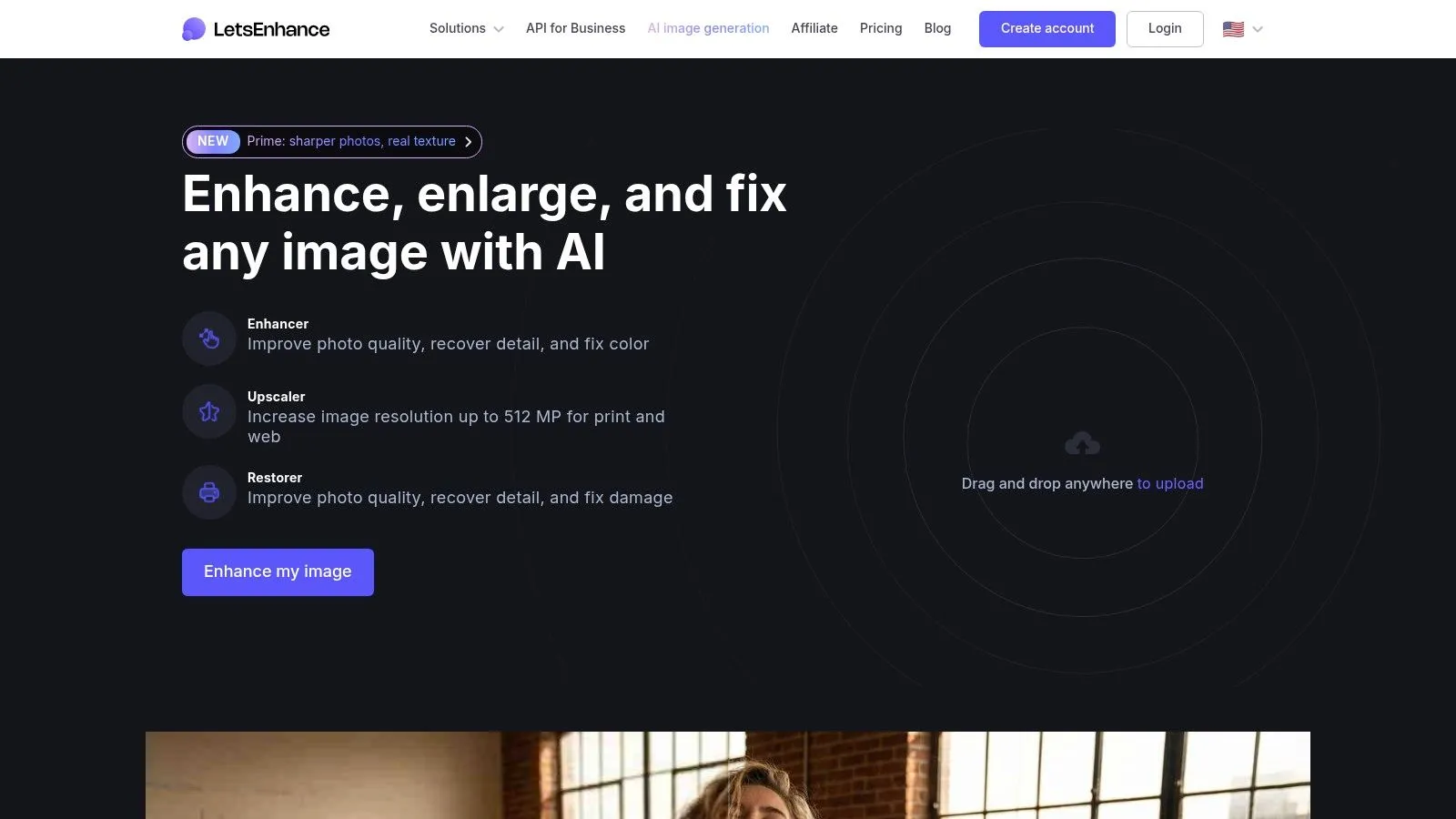
Let’s Enhance is strongest when a source image is too small, compressed, noisy, or soft for the intended catalog use. Its super-resolution and artifact-cleanup capabilities can rescue legacy inventory photography, while the related Claid.ai business offering extends the concept toward catalog pipelines, virtual backgrounds, and API workflows.
That separation matters for resale. A seller may need a quick manual enhancement for an occasional item, while a larger operation may need a repeatable service that receives images from an intake system and returns standardized outputs. Credit-based or pay-as-you-go models can support experimentation, but they also make actual volume essential to the cost calculation.
Enhancement before presentation
Let’s Enhance isn’t a full image editor. It won’t provide Photoshop’s layered retouching or PhotoRoom’s complete marketplace scene workflow. Its value comes from improving the source before another system applies the background, branding, crop, and listing export.
A useful sequence might look like this:
- Start with the original file: Preserve an untouched version for review and future processing.
- Enhance conservatively: Protect logos, fabric texture, labels, and edges from artificial detail.
- Create the listing asset afterward: Apply the background and layout only after the source meets the minimum quality standard.
- Measure credits per approved image: Failed attempts and alternate outputs belong in the actual operating cost.
The business workflow is more compelling when image enhancement must happen consistently across a catalog rather than only for a few showcase products. Even then, confirm the API behavior, output specifications, credit rules, and review controls before making it central to production.
10. Canva with AI photo tools
Canva is a design and publishing environment with AI photo features such as background removal, Magic Eraser, Magic Expand, templates, brand kits, bulk resize, and collaboration across web and mobile. Its strength appears after the photo has been cleaned. A seller can turn a product image into a listing card, promotional graphic, social post, or branded campaign asset without starting a separate design project.
The drag-and-drop model is valuable for small teams. Brand kits and templates give operators a shared visual language, while bulk resize helps adapt an approved design for different destinations. This can reduce creative bottlenecks when the team needs more than a plain product cutout.
Strong for presentation, not restoration
Canva isn’t intended for pixel-level retouching or demanding compositing. It also shouldn’t be the place where a seller tries to correct every defect in a badly photographed item. Use a specialist such as Topaz Photo AI or Let’s Enhance for source-quality problems, then use Canva for layout, messaging, and channel-specific visuals.
Feature access and pricing can vary by region and plan, so confirm the tools needed by every team member. The operational question is also whether branded designs improve the selling process or only create more assets to maintain. A marketplace may need clean product imagery, while a social campaign may justify a more designed composition.
Canva becomes especially useful when listings and promotion share the same visual system. For complementary copy automation, see Ruit’s AI listing description generator. That connection highlights an important distinction: a design platform improves presentation, while a resale operating system can connect the image to inventory and publishing.

Top 10 AI Photo Editing Tools Comparison
| Tool | Core features | Quality ★ | Value 💰 | Target 👥 | Unique ✨🏆 |
|---|---|---|---|---|---|
| Adobe Photoshop (Firefly) | Generative Fill/Expand, pixel-level retouching, Creative Cloud workflows | ★★★★★ | 💰 High, subscription, enterprise plans | 👥 Pro retouchers, agencies, enterprises | ✨ Best-in-class fidelity, 🏆 deep toolset & cross-app production |
| Topaz Photo AI | Denoise, deblur/sharpen, face recovery, upscaling (local/cloud) | ★★★★☆ | 💰 Mid-high, focused on batch rescue | 👥 Catalog rescuers, small studios | ✨ Market-leading image rescue quality |
| Luminar Neo (Skylum) | Background removal, sky replace, relighting, presets | ★★★★ | 💰 Moderate, desktop license/subscription options | 👥 Fast editors, product/lifestyle sellers | ✨ Easy UI + tasteful presets for storefronts |
| Capture One Pro | RAW editing, AI masking, tethered capture, color control | ★★★★★ | 💰 Premium, studio pricing | 👥 Studio photographers, high-volume shoots | ✨ Industry-grade color & tethering, 🏆 production consistency |
| PhotoRoom | Automated background removal, templates, batch/web+mobile | ★★★★ | 💰 Good, ecommerce-focused plans | 👥 Marketplace sellers, mobile teams | ✨ Fast cutouts + listing templates for speed |
| Pixelcut | Batch editor, shadows/reflections, marketplace presets, API | ★★★★ | 💰 Affordable but plan caps possible | 👥 Small shops, resellers, developers | ✨ Automation + API for integrated workflows |
| remove.bg | High-accuracy background removal, bulk & API | ★★★★ | 💰 Credit-based, scalable for volume | 👥 Teams needing reliable cutouts & integration | ✨ Very reliable cutouts, mature API, GDPR-aware |
| Clipdrop (Stability) | Background remover, upscaler, relight, cleanup, API | ★★★★ | 💰 Moderate, separate app/API pricing | 👥 Quick cleanup users, lightweight workflows | ✨ Broad utility set with lightweight clients |
| Let’s Enhance / Claid.ai | Super-resolution upscaling, artifact cleanup, catalog pipelines | ★★★★ | 💰 Credit/subscription models for batch | 👥 Sellers with low-res legacy images | ✨ Strong upscaling + business pipelines (Claid.ai) |
| Canva (AI photo tools) | Background remover, Magic tools, templates, brand kits | ★★★★ | 💰 Good, team plans vary by region | 👥 Marketing teams, sellers creating assets | ✨ Templates + collaboration for fast on‑brand assets |
Choose the Tool That Matches Your Listing Bottleneck
There isn’t one universal winner because professional resale businesses fail at different stages. If the problem is a rough phone photo, a clean background won’t fix the weak source. If the problem is fragmented publishing, a better cutout may just create another file to move manually between systems.
For fast, marketplace-ready cutouts and batch listing assets, start with PhotoRoom or Pixelcut. PhotoRoom is a strong fit when templates, product scenes, and minimal training matter most. Pixelcut becomes more interesting when mobile speed, batch workflows, and an API could connect image preparation to a wider stack.
Choose remove.bg when background removal is the specific requirement and your catalog system already handles storage, review, and publication. Its narrow scope can be an advantage because it avoids paying for a broader editor you won’t use. It can also be the cleaner technical choice for teams that need a mature integration component rather than another visual workspace.
For poor-resolution inventory, test Topaz Photo AI or Let’s Enhance first. Topaz suits local enhancement and operator-led rescue work, while Let’s Enhance and the Claid.ai business direction are more relevant when upscaling and catalog processing need to become repeatable services. In both cases, inspect labels, logos, stitching, and texture. An image that looks sharper can still become less trustworthy if enhancement invents detail or changes the item’s appearance.
Use Photoshop for demanding retouching, layered composites, and difficult exceptions. Choose Capture One when controlled studio capture, color management, tethering, and multi-SKU consistency matter. Luminar Neo is the accessible desktop option for sellers who want guided enhancement without Photoshop’s full complexity, while Clipdrop is a lightweight choice for varied cleanup tasks. Canva belongs at the branded-layout stage, where templates and collaboration matter more than pixel-level restoration.
A disciplined evaluation should include the difficult items, not only the best-looking sample. Test mixed backgrounds, fine edges, reflective surfaces, low-light photos, and items with visible wear. Record editing time, revision rate, rejected outputs, high-resolution limits, credit consumption, export friction, and the number of handoffs before an image reaches a live listing. Independent evaluation is also moving toward blind-preference arenas and task-specific suites, rather than relying only on visual demos. One current leaderboard records more than 234K attempts across image-editing models, while the ImgEdit benchmark reports that closed-source systems outperform open-source systems across nearly all dimensions, with GPT-4o-image leading overall and smaller gaps in some difficult tasks. See the image-editing model leaderboard for that evaluation context.
The market’s direction reinforces why workflow fit matters. One estimate values AI photo editing and creative software at USD 1,040.0 million in 2025, with a projection of USD 2,229.3 million by 2033 at a stated 10% CAGR from 2026 to 2033. The same analysis says U.S.-based companies processed more than 18 billion AI-assisted image edits in 2024, and nearly 72% of U.S. design and marketing firms were already using AI-driven enhancement or generative tools in production workflows. Those figures describe adoption, not a guarantee that any particular tool will reduce a reseller’s work. The market analysis is useful context, but your own intake should decide the purchase.
Privacy, copyright, and provenance deserve a place in that test. For commercial resale, ask how the provider handles uploaded images, whether processing is remote, how outputs are retained, and how you document edits that materially change the presentation. Current coverage points toward wider use of C2PA and content credentials for provenance, while U.S. copyright guidance requires reporting heavily generated additions when registering work. The practical issue for a small seller is simpler: edited images must remain commercially usable and must not misrepresent condition, color, included accessories, or defects. Review the AI photo editing software guide alongside each provider’s current terms.
Finally, consider whether the bottleneck is editing or operational fragmentation. If your team edits images in one tool, recreates listings in several marketplaces, updates inventory elsewhere, answers messages in separate inboxes, and reconciles orders manually, a standalone editor solves only one handoff. Ruit combines AI photo editing and mass background removal with inventory, multichannel publishing, stock synchronization, messaging, orders, accounting, and analytics, with access through web, iOS, and Android. Evaluating it makes sense when the business needs one connected resale workflow rather than another specialist tool, particularly when publishing and inventory synchronization are as restrictive as image production.
Ruit connects AI photo editing and mass background removal to inventory, multichannel publishing, stock synchronization, messaging, orders, accounting, and analytics for professional second-hand sellers. Visit Ruit to see whether consolidating those workflows can reduce handoffs and improve the operating fit of your photo process.
Frequently Asked Questions
Which AI photo editing tool is best for marketplace cutouts?
For fast, marketplace-ready cutouts and batch listing assets, start with PhotoRoom or Pixelcut. Choose remove.bg when background removal is the specific requirement and your catalog system already handles storage, review and publication.
How can I fix a blurry or low-resolution product photo?
Test Topaz Photo AI or Let’s Enhance first. A background remover can’t restore detail that was never captured clearly. After enhancement, inspect labels, logos, stitching and texture.
When is Photoshop worth it for resellers?
Use Photoshop for demanding retouching, layered composites and difficult exceptions. It isn’t the most practical default for every phone photo in a large intake, and new users face a steep learning curve.
Can AI editing misrepresent a second-hand item?
It can. Edited images must not misrepresent condition, color, included accessories or defects. Compare each edit with the original at the size buyers will see.