Best Order Management System for Small Business 2026


Table of Contents
- Table of Contents
- Why Small Sellers Outgrow Manual Order Handling
- What to Demand From Any Small Business System
- Detailed Comparison of Order Management Approaches
- Accuracy and Sync Benchmarks That Predict Overselling
- Which Setup Fits Different Small Business Use Cases
- Returns Relisting and Dead Stock Controls That Protect Margin
- How to Choose Your Recommendation Without Overbuying
- Frequently Asked Questions
You sell the same one-of-one jacket on eBay, Vinted, and your own store. A buyer pays on one marketplace while you’re answering a message on another, then a second order arrives for the item that’s already gone. Now you’re cancelling, apologizing, updating three listings, and wondering whether the sale was worth the labor.
That’s the test for the best order management system for small business. It isn’t the longest feature list. It’s the system that keeps unique stock accurate, removes sold items quickly, records the full order lifecycle, and shows whether each channel produces enough margin for the time your team spends operating it.
Table of Contents
- Why Small Sellers Outgrow Manual Order Handling
- What to Demand From Any Small Business System
- Detailed Comparison of Order Management Approaches
- Accuracy and Sync Benchmarks That Predict Overselling
- Which Setup Fits Different Small Business Use Cases
- Returns Relisting and Dead Stock Controls That Protect Margin
- How to Choose Your Recommendation Without Overbuying
- Frequently Asked Questions
Why Small Sellers Outgrow Manual Order Handling
A spreadsheet can track stock when one person sells a manageable assortment through one channel. It breaks down when the same inventory appears on two marketplaces, an ecommerce site, and a physical shop. Each channel creates its own order status, buyer conversation, fee record, and stock update, while the seller becomes the integration layer.
The problem is sharper for second-hand businesses. A conventional retailer can often reorder a product after an error. A reseller may have one item, one condition, one set of photos, and no replacement unit. If that item sells twice, the business can’t allocate another unit. Someone must cancel an order, disappoint a buyer, absorb marketplace consequences, and repair the listings manually.
The hidden cost extends beyond overselling. An inaccurate catalogue leaves sold goods advertised, while slow-moving goods lock cash into storage. Netstock’s 2024 Inventory Management Benchmark Report found that nearly 80% of small and midsize businesses experienced both insufficient forward planning and excess inventory. The same report recorded a 6% year-over-year increase in inventory turns after the post-COVID first quarter of 2023, with North American businesses reaching a 9% increase, yet average excess stock still rose from 37% to 38% of inventory. Faster turnover alone doesn’t fix weak purchasing decisions.
The expensive failure is often invisible
Suppose a seller spends an evening correcting stock, copying order details into accounting software, and searching separate inboxes for buyer questions. The business may report healthy sales while the owner’s effective return per hour falls. That’s why feature count is a poor buying filter. A system can offer dozens of integrations and still create manual exceptions at the moment the final unit sells.
A useful starting point is the order management activities guide. Map every task from acquisition and listing through payment, fulfilment, returns, and accounting. Mark each handoff that currently depends on copying data, remembering a status, or checking another application.
Buying rule: judge the software by the errors and hours it removes, not by the number of menus it adds.
The shortlist should answer two questions. Can the system keep item-level stock correct across every channel? And can it show profit after fees, shipping, returns, sourcing cost, and labor? Those questions lead to a more reliable purchase than asking which platform has the most automation.
What to Demand From Any Small Business System
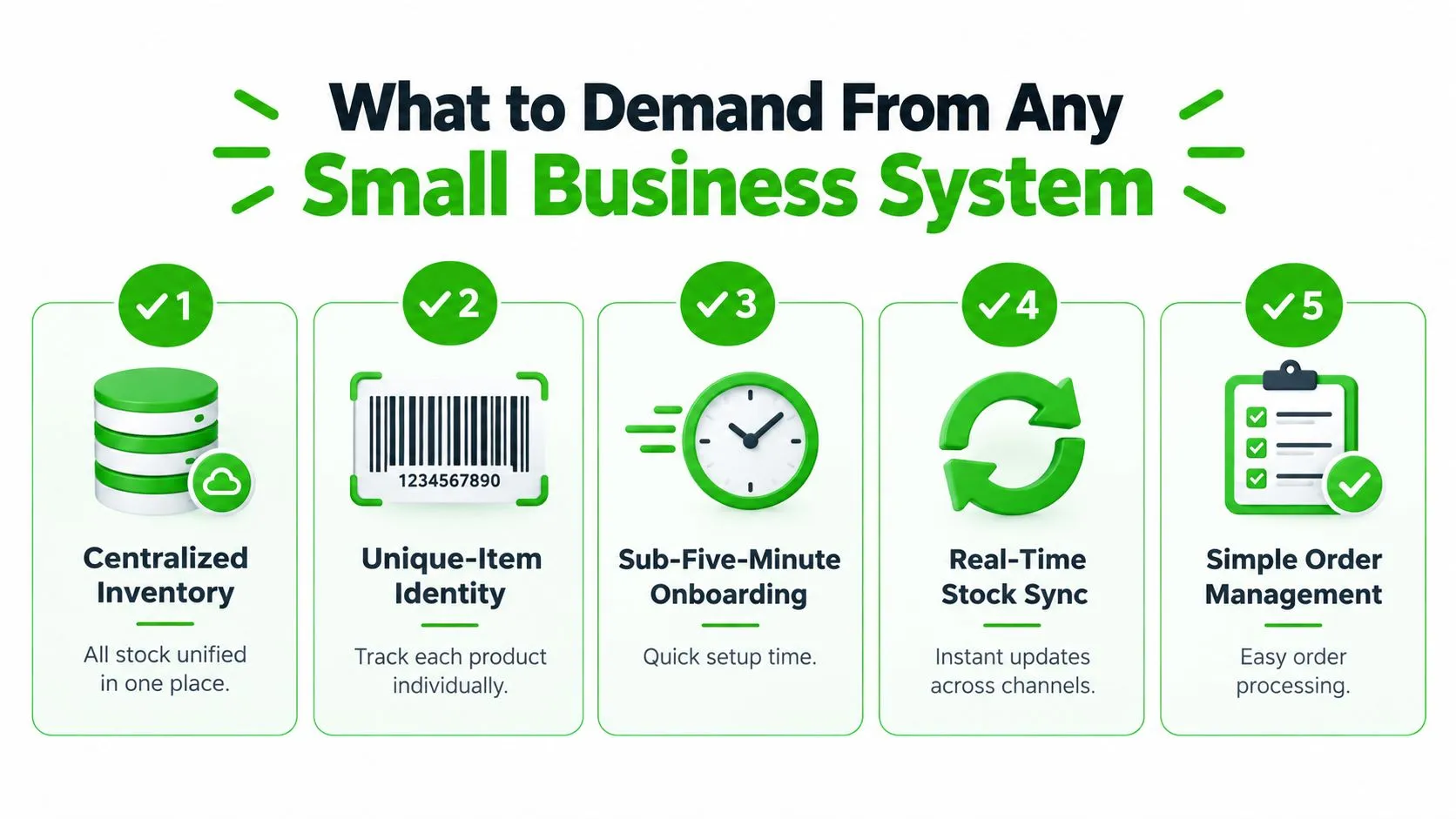
Start every demo with your real inventory, not a polished sample catalogue. Give the vendor several unique items, different conditions, acquisition costs, photos, and channel destinations. Then test whether the system preserves identity and margin data from listing to payment.
Centralized inventory must represent the actual item
A shared stock figure is only useful if it refers to the right unit. The system should distinguish available, reserved, sold, returned, damaged, and awaiting inspection. For used goods, item identity needs more than a generic product name. It should preserve condition notes, photographs, measurements, source, acquisition cost, and the listing history.
Run a final-unit test. Publish one item to two channels, place an order on one, and confirm that the other listing becomes unavailable without a manual spreadsheet edit.
Synchronization needs a measurable service level
Don’t accept “real time” as a sales phrase. A practical benchmark is less than five minutes of synchronization lag, while delays beyond 15 minutes materially increase overselling risk during demand spikes, according to omnichannel fulfilment guidance from DCL.
Ask for 95th-percentile propagation latency, not an average. Test simultaneous attempts to buy the final unit on connected channels. Check whether the platform retries failed updates, records an audit trail, and flags stale stock when a marketplace API goes offline.
Orders and conversations should share context
An order dashboard that lacks buyer messages forces staff to jump between systems. Look for a unified record containing the order reference, channel, payment state, shipping status, messages, refunds, and exceptions. A useful ecommerce order management workflow should also let staff assign responsibility and see the next action without opening several tabs.
Accounting exports must expose the numbers behind the sale
Gross sales aren’t profit. Require exports containing immutable order IDs, marketplace references, timestamps, fees, taxes, refunds, shipping costs, and cost basis. Then ask the vendor to produce a SKU-level margin report after a return and marketplace fees have been applied.
If the export only shows revenue and order count, it won’t tell you which sourcing decision or channel deserves more time.
Lifecycle analytics should expose dead stock
The system should report days to sale, inventory adjustments, oversell incidents, dead-stock share, channel contribution margin, and labor involved. A useful trial asks the vendor to identify items that have stayed listed without producing acceptable contribution margin. You’re not buying analytics for presentation. You’re buying a way to stop repeating unprofitable work.
Detailed Comparison of Order Management Approaches
Small sellers usually choose among four system shapes. The right choice depends less on the number of channels than on how much operational truth the platform owns.
| Approach | Inventory model | Multichannel sync | Orders and margin view |
|---|---|---|---|
| Marketplace crosslister | Listing-centric, often basic item records | Broad channel reach, quality varies by connector | Order consolidation may be adequate, margin analysis often limited |
| Ecommerce platform with OMS add-ons | Storefront-led inventory | Strong for the platform’s own ecosystem, extensions needed for marketplaces | Good customer-facing order flow, deeper profitability usually requires apps |
| Inventory-first OMS | Structured stock, locations, allocations, and purchasing | Reliable where supported, but niche resale channels may need connectors | Strong operational reporting, resale-specific condition and relisting workflows vary |
| Full-cycle resale operating system | Item-level stock linked to sourcing, listings, orders, returns, and accounting | Designed around unique goods and supported resale channels | Connects channel activity to cost basis, fees, returns, and business performance |
A crosslister is suitable when your main bottleneck is creating listings repeatedly. It’s less suitable when the business needs to understand whether an item should be repriced, relisted, returned to storage, or liquidated. Listing distribution is only one stage of the operation.
Shopify can provide a clean storefront and order screen, while WooCommerce or PrestaShop can give a seller more control over the ecommerce site. Those platforms work well when the shop is the centre of demand. They may need additional inventory and marketplace tooling when Wallapop, Vinted, eBay, or Todocoleccion carries a large share of sales.
An inventory-first platform is stronger for stock control, purchasing, warehouse locations, and structured fulfilment. It can be the right answer for a distributor or conventional retailer, especially where products have repeatable SKUs. Used goods create a harder requirement because the system must preserve the history of individual items rather than treat every unit as interchangeable.
A full-cycle resale platform is the better architecture when sourcing, condition, listings, buyer conversations, orders, returns, and accounting all affect the same margin calculation. That doesn’t make it automatically right for every shop. It means the platform’s data model matches the way professional resale inventory behaves.
Channel count is a weak buying metric. Ask whether the system can explain what happened to each individual item and what profit remained after the work.
For a shortlist, choose the lightest architecture that passes the final-unit, returns, accounting, and dead-stock tests. Don’t pay for manufacturing planning if you only need resale control. Don’t choose a listing tool if your central problem is trapped cash and unmeasured labor.
Accuracy and Sync Benchmarks That Predict Overselling
Synchronization isn’t a convenience layer. It determines whether a seller promises an item that no longer exists.
Industry reporting cited by multichannel inventory management research found that 71% of multichannel retailers reported faster fulfilment after connecting warehouse-management and ecommerce systems. The same source reported inventory accuracy improving from 78% to 96% when warehouse systems synchronized all sales channels. It also found that 91% of retailers considered real-time cross-channel stock visibility a top priority, while only 68% achieved it through warehouse-management integration.
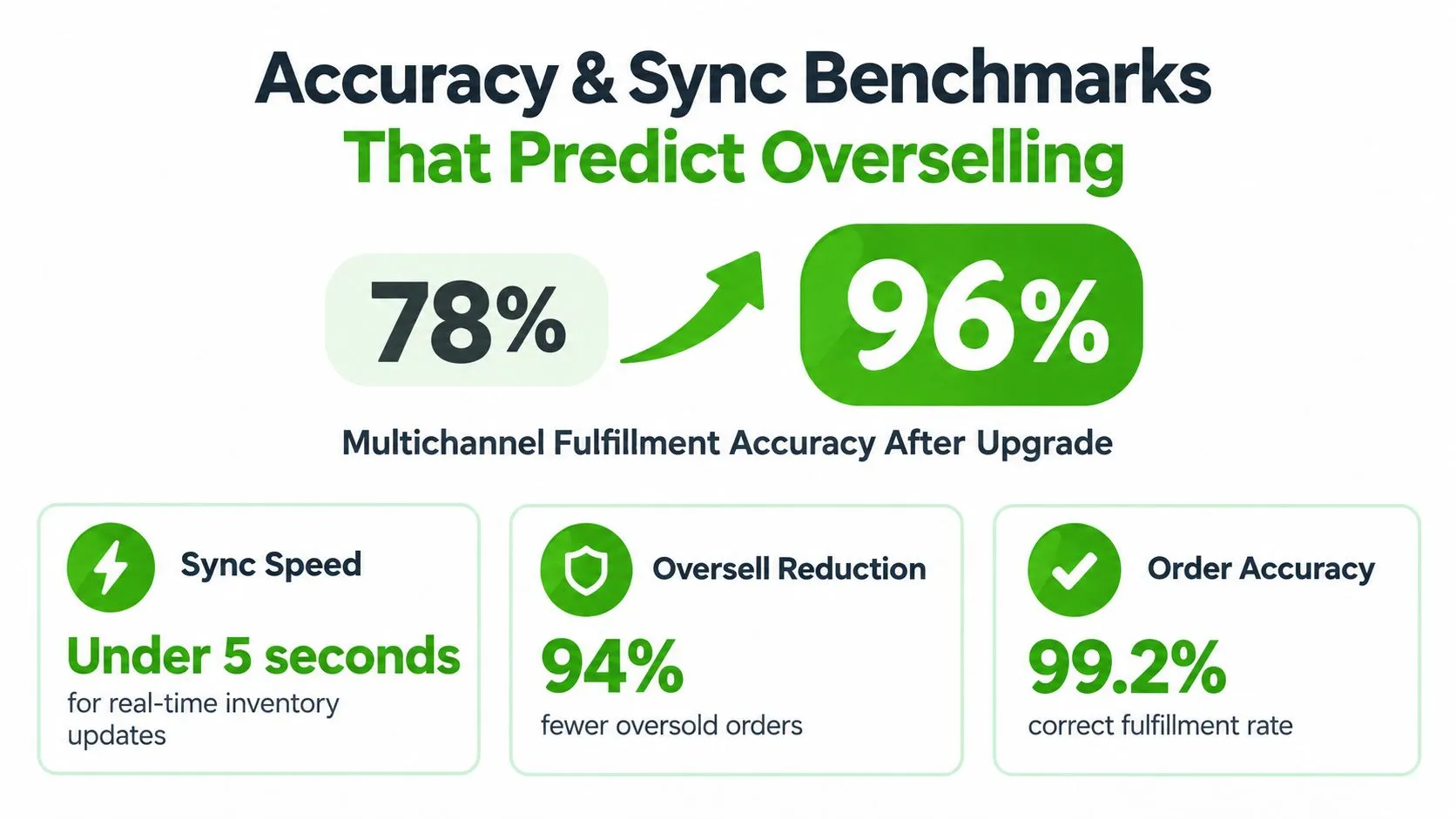
Those figures point to a practical distinction. Connecting channels isn’t enough. The system must maintain one available-to-promise ledger, deduct stock atomically, and send the same change to every connected channel. Otherwise, the business has several independent stock pools that happen to share a dashboard.
Three pass-fail thresholds
First, aim for 99% sellable-inventory accuracy. A 2026 operator survey reported that roughly 55% of operations reached only 95% to 98% order accuracy, while 16% reached 99% to 100%; the same benchmark classifies inventory accuracy below 95% as operational risk and 98% to 100% as excellent, according to inFlow’s inventory management report. A unique-item reseller should set the higher target because one wrong count can invalidate an entire listing.
Second, measure latency at the 95th percentile. The practical target is below five minutes, not an optimistic average. Place concurrent purchases against the final unit, interrupt a marketplace connection, and inspect what the system exposes while the update is pending.
Third, demand unified financial data. The same inFlow source reports that 73% of retailers experienced data inconsistency from fragmented integrations, while only 27% used one solution integrating point of sale, inventory, and finance. Your test should produce a margin report after fees, returns, and cost basis, not just a gross-sales chart.
A system that fails any of these tests needs a clear explanation and a compensating control. Manual review may be acceptable for a low-volume channel, but it shouldn’t be disguised as automation.
Here’s a useful demonstration sequence:
- Create one unique item with a cost basis and condition notes.
- Publish it to two marketplaces and an ecommerce site.
- Buy it from one channel.
- Verify auto-delist, reserved state, order import, and audit timestamps.
- Disable one connector and inspect the stale-stock warning.
- Process a return, change the condition, relist the item, and export the final margin.
The inventory synchronization software guide is useful context for separating a genuine shared ledger from a collection of channel-specific updates. The vendor should show the failure state, not only the successful demo.
Which Setup Fits Different Small Business Use Cases
A solo vintage seller with one-of-one garments needs speed at the point of intake. She photographs a piece, records measurements and condition, writes a listing, and distributes it to several marketplaces from a phone. Her biggest risks are duplicate work, stale listings, and forgetting where an item is stored.

Best fit: an item-level resale operating system with mobile capture, reusable condition fields, automatic delisting, unified messages, and quick order status updates.
She doesn’t need a manufacturing ERP. She does need the platform to connect each photo set and condition note to the exact item that ships. During a trial, she should create a listing from a mobile device, publish it to several channels, sell it on one, and confirm that the remaining exposure disappears without another visit to the desktop.
The local second-hand shop adding online sales
A neighbourhood shop may begin with a physical till and a stockroom, then add eBay, Vinted, or an ecommerce site. Staff members share duties, so the system must show whether an item is on the shop floor, reserved for a buyer, packed, returned, or ready to relist.
Best fit: an inventory-led OMS with permissions, barcode or item identity, a shared order queue, and clear handoffs between shop staff and online fulfilment.
The owner should test a sale made in person while the product is advertised online. The system needs to update the online availability and preserve the transaction for accounting. It should also make adjustments visible, because hidden edits make it impossible to find the source of recurring discrepancies.
The small team running WooCommerce or PrestaShop plus marketplaces
A team with its own ecommerce site has a different pressure point. It may need staff roles, accounting exports, customer service context, marketplace connectors, and an API for CRM or ERP workflows. The storefront remains important, but it’s no longer the whole business.
Best fit: a connected OMS or resale operating system that treats the owned store and marketplaces as equal channels, with role controls, exports, API access, and exception reporting.
Test partial fulfilment, refunds, channel fees, and return reasons with realistic records. Don’t let a clean WooCommerce or PrestaShop integration distract from weaker support for resale marketplaces. The winning system is the one that keeps the whole item history intact when the order leaves the storefront.
Returns Relisting and Dead Stock Controls That Protect Margin
A returned item isn’t merely a closed order with a negative amount. It becomes a new inventory event. The team must receive it, inspect it, compare it with the original condition, decide whether it’s resalable, update its photos or description, refund the buyer, and expose the item again without losing the cost history.
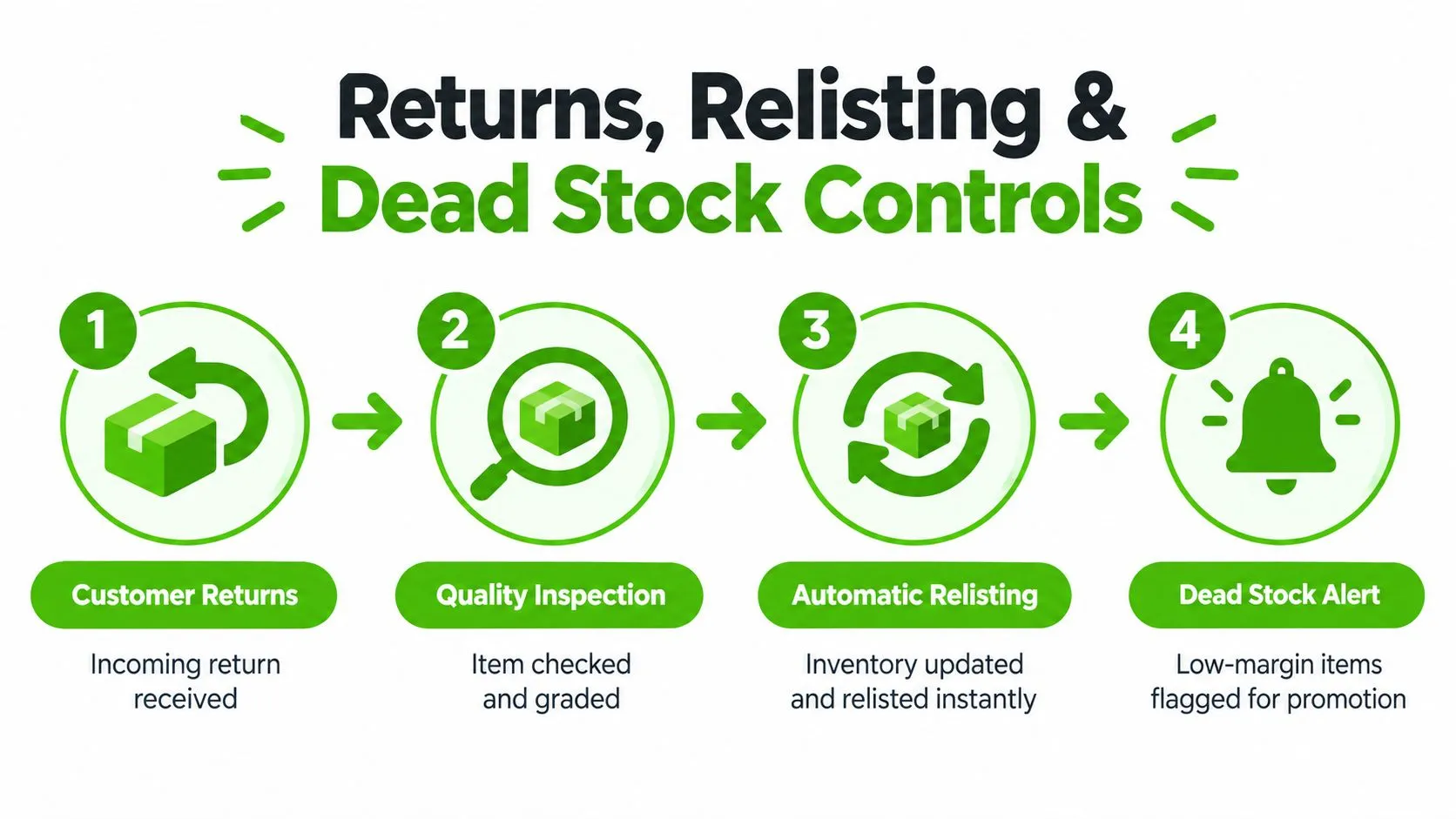
The workflow needs separate outcomes for resalable, repairable, and unsellable goods. A returned jacket with a missing button shouldn’t return directly to available stock. It needs a revised condition, a repair cost, new images if necessary, and a margin calculation that reflects the recovery work.
Recent reporting found that 40% of small businesses charged return fees in 2025, up from 25% in 2024, while 37% of merchants already used AI in returns and another 51% planned to do so, according to Digital Commerce 360’s reporting on returns and AI. The same source discusses how automation is entering returns, but speed doesn’t replace inspection.
AI increases throughput and increases the cost of bad data
AI can draft titles, descriptions, buyer replies, and photo edits. That helps a small team process more stock, but an incorrect condition claim can create a dispute, refund, or marketplace penalty faster than a human-written error would.
Require an evidence trail containing the sourcing record, condition notes, photographs, buyer conversation, shipping status, return reason, refund, and relisting outcome. Then review whether an AI-generated description preserved missing accessories, flaws, measurements, and material details instead of smoothing them away.
Measure recovery, not just return volume
Dead stock deserves the same attention as order capture. BusinessWire’s small-business outlook reports that 34% of businesses identify effective inventory management as a major challenge, 42% say inventory-related work consumes too much time, and manual data-entry errors affect 36%. The same reporting says 24% of SMBs have more than 10% of inventory classified as dead stock, compared with 12% in 2024.
Use a recovery routine that links:
- Return reason: Identify whether the problem was condition accuracy, sizing, photography, description, or buyer expectation.
- Inspection result: Record whether the item is resalable, repairable, or unsellable.
- Relisting decision: Change the price, channel, condition, or presentation based on evidence.
- Margin outcome: Include refund impact, fees, shipping, repair, and labor.
- Dead-stock action: Flag items for promotion, bundling, liquidation, donation, or write-off.
An order system becomes commercially useful when it shows which listing practices create returns and which sourcing decisions create storage burden. The aim isn’t to eliminate every return. It’s to recover value deliberately and stop treating slow stock as invisible.
How to Choose Your Recommendation Without Overbuying
Buy the smallest system that passes your operational tests and gives you a credible path to the next stage. For most professional second-hand sellers, I’d score a shortlist against five areas:
- Unique-item control: Can it preserve identity, condition, cost basis, reservation state, and return status?
- Sync reliability: Does it pass the final-unit, latency, retry, delisting, and outage tests?
- Labor reduction: Does it remove duplicate listing, order entry, messaging, and reconciliation work?
- Accounting clarity: Can it export fees, taxes, refunds, shipping, and item-level margin?
- Operational reach: Does it support your channels today, plus the staff roles, API, CRM, ERP, or reporting needs you’ll adopt?
Don’t compare subscription prices in isolation. Include integration work, onboarding, support, manual exception handling, and the cost of dead stock. A cheaper tool becomes expensive when staff must repair its data every day.
Ruit fits professional European second-hand sellers that want sourcing, inventory, multichannel publication, messaging, orders, accounting exports, and analytics in one operating workflow across web, iOS, and Android. It connects with channels including Wallapop, Vinted, eBay, WooCommerce, PrestaShop, and Todocoleccion, with functions such as automatic stock updates, sold-item delisting, AI-assisted listing creation, and lifecycle reporting. A simpler crosslister is enough if publishing is your only bottleneck. Choose a broader platform when your real problem is the relationship between stock, work, fees, returns, and profit.
Before signing, run a focused trial using your own unique items. Require the vendor to demonstrate a final-unit sale, a failed connector, a return with changed condition, a fee-aware margin export, and a dead-stock report. If disputes and payment reversals are part of your channel mix, use a separate resource on finding Shopify chargeback protection to strengthen the post-sale controls around your store.
Ruit brings sourcing, item-level inventory, multichannel listings, orders, messaging, accounting exports, and analytics into one system for professional second-hand businesses. Visit Ruit to test whether its workflow can reduce overselling, recover more value from returns, and raise profit per hour worked.
Frequently Asked Questions
What should an order management system for a small business do?
Keep item-level stock correct across every channel, remove sold items quickly, record the full order lifecycle and show profit after fees, shipping, returns, sourcing cost and labor. Judge it by the errors and hours it removes, not by the number of menus it adds.
How fast should stock sync between channels?
A practical benchmark is less than five minutes of synchronization lag, measured at the 95th percentile rather than as an average. Delays beyond 15 minutes materially increase overselling risk during demand spikes.
How should a returned item be handled?
As a new inventory event, not a closed order with a negative amount. Receive it, inspect it, decide whether it is resalable, repairable or unsellable, update its condition and photos, and relist it without losing the cost history.
How do I test a system before signing?
Run a trial with your own unique items. Ask the vendor to show a final-unit sale, a failed connector, a return with a changed condition, a fee-aware margin export and a dead-stock report.