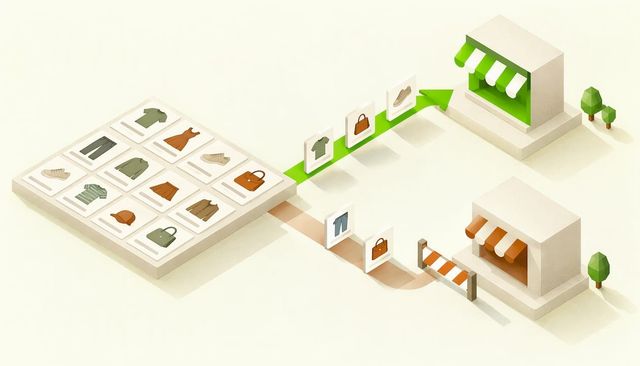
Vinted Pro Integration: What Works for UK Sellers

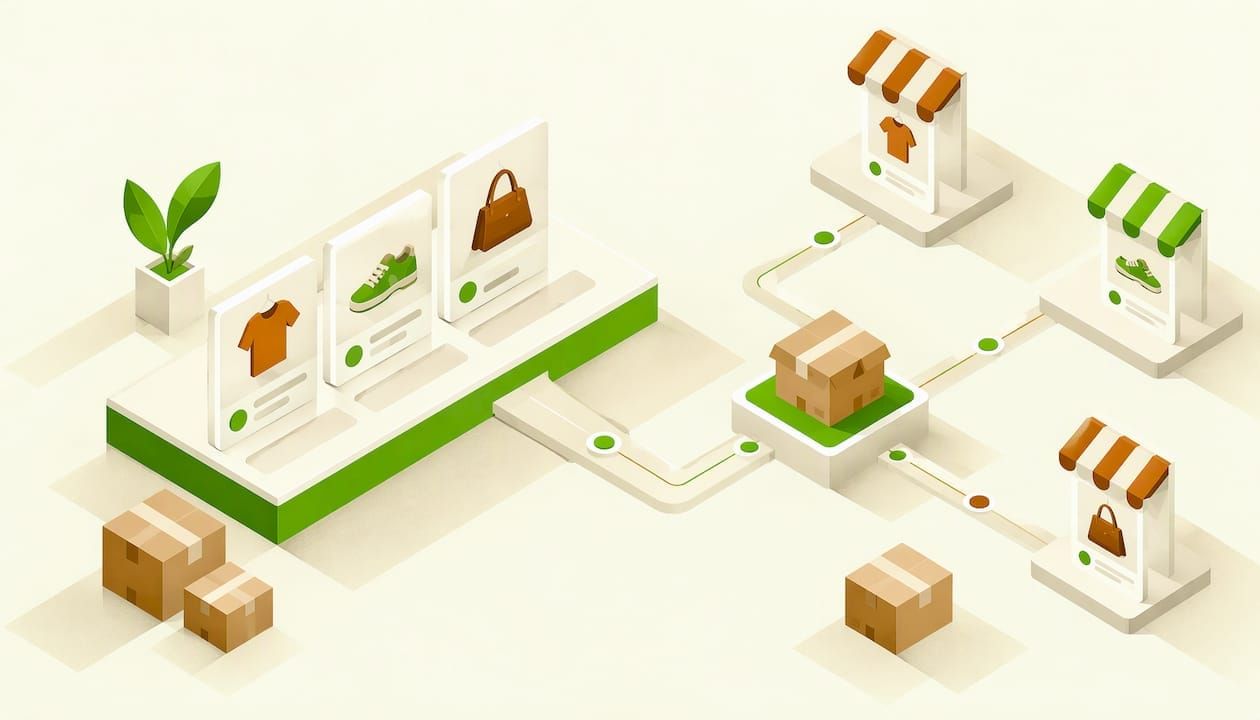
Table of Contents
- TL;DR
- What a Vinted Pro integration actually means
- Who can use the official Vinted Pro Integrations API
- What the API covers, and what it does not
- How a Vinted Pro integration works in practice
- Connecting Vinted to eBay, Shopify and WooCommerce
- Accounting and HMRC: the integration most sellers really want
- Our view on Vinted Pro integration
- Work with Ruit across Vinted, eBay and your shop
- If your integration does not connect or sync
- Choosing the right setup for your size
- Frequently Asked Questions
- Sources
- Recommended
A Vinted Pro integration is, officially, an API that Vinted opens only to a limited set of approved Pro businesses, so most UK sellers cannot plug their Pro account straight into eBay, Shopify or accounting software. What you can do is build a workflow around it: keep one master list of stock, publish from it to each channel, and remove an item everywhere the moment it sells.
This guide explains what the official integration covers, who can get it, what sits outside it, and how a UK Vinted and eBay seller can set up a practical routine today.
TL;DR
- Vinted’s Pro Integrations API is restricted to allowlisted Pro businesses. Registering as a Pro seller does not give you access automatically.
- The API covers item management, sold-item notifications, orders and shipment labels. The documentation does not describe message sync.
- There is no direct Vinted connection in QuickBooks, according to a April 2026 community answer, so accounting needs an import or a bridge.
- For stock sync across Vinted, eBay and your own shop, a single inventory with cross-listing is the realistic route for most sellers.
- Keep sales records for HMRC whichever tools you use.
What a Vinted Pro integration actually means
In Vinted’s own documentation, integration means a technical connection between your systems and Vinted. According to the Vinted Pro API documentation, it supports item management, webhooks about item changes, and order information, including sold items and shipment labels.
That is different from what many sellers imagine when they search the phrase. They usually mean one of three things:
- Listing sync: an item created once appears on Vinted and on other channels.
- Stock sync: a sale on one channel removes the item from the rest.
- Records sync: sales flow into accounting or a spreadsheet.
The official API speaks mainly to the first two, and only for businesses Vinted has approved. The third needs a separate process, covered below.
Who can use the official Vinted Pro Integrations API
Access is not open. Vinted states that the Pro Integrations API is available only to a limited set of allowlisted Vinted Pro businesses. Only allowlisted accounts can reach the Pro Integrations Portal or call the API. An eligible account must first get portal access and generate credentials, because API requests need a generated access token.
There are two steps to keep apart:
| Step | What it involves | Who it is for |
|---|---|---|
| Registering as a Pro seller | Business details and requested identity and business documents | UK sole traders, charities and registered companies |
| Pro Integrations access | Being allowlisted, then portal access and an access token | A limited set of Pro businesses |
The first row comes from Vinted’s UK guidance: Pro sellers can include sole traders, charities and registered companies, and registration involves business details and KYC or KYB documents. The second row comes from the API documentation. Being Pro is necessary for the API but not sufficient.
If you are still deciding whether to register, our guide to Vinted Pro seller fees, returns and HMRC walks through the trade-offs. If you run a business account for family or a partner, our piece on managing several marketplace accounts covers the practicalities.
What the API covers, and what it does not
Vinted’s documentation describes item records you can create and manage, retrieval of orders and shipment-label information, and event notifications such as ITEM_SOLD sent through webhooks. Vinted says these notifications can help keep stock synchronised across several platforms and reduce double-selling.
| Need | Covered by the documented API? |
|---|---|
| Create and manage item records | Yes |
| Notification when an item sells | Yes (ITEM_SOLD webhook) |
| Retrieve orders | Yes |
| Shipment label information | Yes |
| Buyer message sync | Not described in the documentation |
| Direct link to accounting software | Not described |
The message row matters if you answer buyers all day. Vinted’s API documentation does not describe message synchronisation, so do not plan a workflow that depends on it.
How a Vinted Pro integration works in practice
Most UK resellers, including many Pro sellers, are not allowlisted. They still need the same outcome: one item, many channels, no double sales. The workflow looks like this.
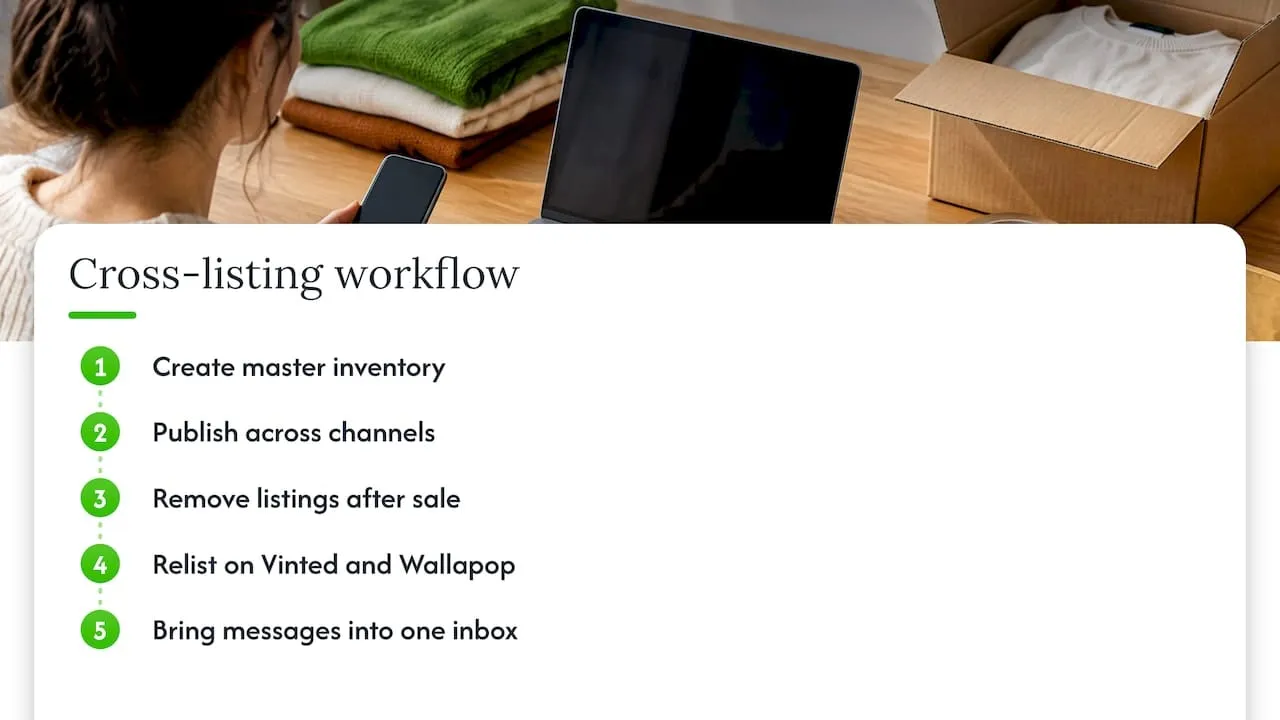
1. Build one master inventory
Every item gets one record: photos, title, description, condition, size, cost price, and the channels it is live on. If your stock currently lives in separate Vinted and eBay accounts, import it into one place first. Our catalogue import feature is built for that step.
2. Publish from the master record
Create the listing once and push it to each channel. The cross-listing feature publishes to Vinted, eBay, Wallapop, todocoleccion, Shopify, WooCommerce and PrestaShop from a single listing. If you have a backlog, our guide to bulk uploading to Vinted sets out five safer steps.
3. Let a sale remove the item elsewhere
This is the part that protects your account. When an item sells on one channel, stock updates and the listing comes down from the others, so you do not sell the same jumper twice. For the reasoning, see our stock sync guide for UK sellers.
4. Keep listings fresh
Auto-relisting is available on Vinted and Wallapop, which saves the daily chore of bumping items. Our article on auto relisting on Vinted covers how to do it without upsetting your stock counts.
5. Answer buyers from one place
Vinted and Wallapop messages arrive in one inbox, so a buyer on either marketplace gets a reply without you switching apps.
Connecting Vinted to eBay, Shopify and WooCommerce
A seller who runs Vinted alongside eBay and their own shop has three choices.
| Route | Best for | Main limit |
|---|---|---|
| Official Vinted Pro API | Allowlisted businesses with developers | Restricted access and build effort |
| Manual double entry | A handful of items | Slow, and risk of double sales |
| One inventory with cross-listing | Most UK resellers and small businesses | You manage stock in one tool |
If you sell on your own site as well, the setup differs slightly by platform. We have separate guides for WooCommerce to Vinted and Shopify to Vinted, including how to keep one source of truth for stock.
One practical rule: pick the channel where you do the most editing and treat it as the master. Do not edit the same listing in three places, or sync conflicts follow.
Accounting and HMRC: the integration most sellers really want
Many people who search this phrase want Vinted sales in their books. A QuickBooks UK community answer dated 13 April 2026 says QuickBooks has a supported eBay connector but no direct Vinted integration at that time. That means Vinted sales need a third-party bridge or an import, such as a spreadsheet of sales you upload on a schedule.
Whatever you choose, HMRC expects records. GOV.UK says self-employed people must keep records of all sales and income, business expenses and VAT records if VAT-registered, with evidence such as receipts, bank statements and sales invoices. Stock, year-end bank balances and money owed may also be needed for the tax return.
If you are VAT-registered, GOV.UK requires records of everything bought and sold, invoices issued and received, credit or debit notes, and general business records. These generally must be kept for at least 6 years.
A simple monthly routine works for most sellers:
- Export sales from each channel on the same day each month.
- Add your cost price per item from the master inventory.
- Save receipts and postage costs in one folder.
- Reconcile payouts against your bank statement.
If you also sell on eBay, our eBay fees guide for UK sellers explains the £1,000 HMRC threshold. When in doubt about your tax position, speak to an accountant or contact HMRC directly.
Our view on Vinted Pro integration
We built Ruit for sellers who live on Vinted and eBay and are tired of the same two problems: typing every listing twice and selling an item that has already gone.
The official Pro API is a good thing for the businesses that get access. But most sellers will not be allowlisted soon, and they should not have to wait. What they need is one inventory, one listing flow and a rule that a sale on one channel clears the item from the others.
That is why we focus on listing once, syncing stock, relisting automatically on Vinted and Wallapop, and bringing Vinted and Wallapop messages into one inbox. AI drafts the titles and descriptions, so a batch of twenty items takes a fraction of the time.
Our advice: start with the workflow, not the technology. Get your stock in one place first. The integrations follow naturally from tidy data.
Luis
Work with Ruit across Vinted, eBay and your shop
If you want one listing to go live on Vinted, eBay, Wallapop, todocoleccion, Shopify, WooCommerce and PrestaShop, with stock removed elsewhere when an item sells, see how cross-listing works in Ruit. Messages from Vinted and Wallapop also come together in one place for messages and sales.
If your integration does not connect or sync
When stock does not update, work through the cause in order. These checks follow from how the documented API works, plus common sense about any multichannel setup.
| Symptom | Likely cause | What to do |
|---|---|---|
| API calls are refused | Account not allowlisted, or no access token | Confirm portal access, then generate credentials |
| Sold items stay live elsewhere | Webhook not received or not processed | Check that your endpoint is reachable and handles the sold event |
| Duplicate listings | Item created in two places | Pick one master record and delete the duplicate |
| Stock count differs between channels | Manual edit on one channel | Edit only in the master inventory |
| Account not Pro | Business details or documents incomplete | Complete the registration steps in the Vinted help centre |
A few habits prevent most failures:
- Use one SKU or reference per item, written in the description.
- Change price and quantity in one place only.
- After a busy weekend, spot-check five sold items to confirm they came down everywhere.
- Keep postage choices consistent. Our note on why carriers go missing on Vinted explains the common causes.
If the API itself returns errors, the documentation is the reference for your build team, and Vinted’s help centre is the place to raise account access questions.
Choosing the right setup for your size
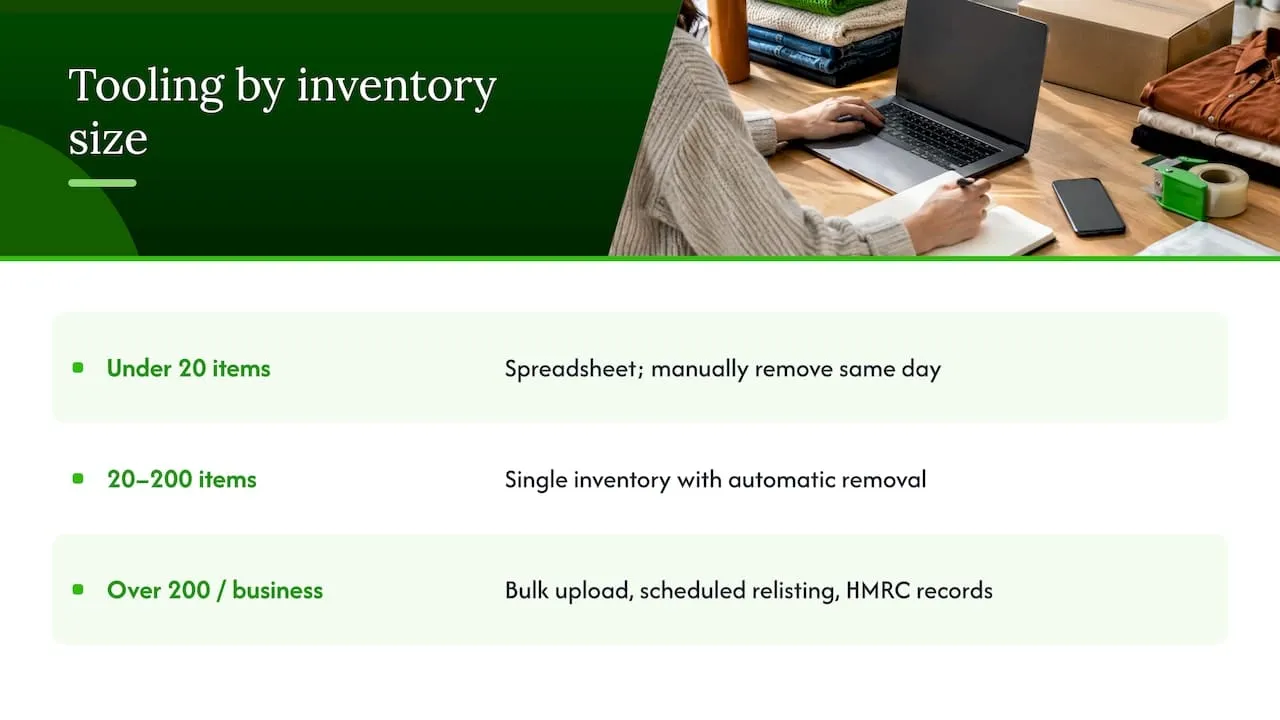
Your volume decides how much tooling you need.
Under 20 live items: a spreadsheet and careful manual removal can work. Delete sold items from other channels the same day.
20 to 200 items: double sales become likely, because you cannot remember what is live where. A single inventory with automatic removal pays for itself in avoided cancellations.
Over 200 items or a registered business: you need bulk upload, scheduled relisting and a clear record for HMRC. If you qualify for the official API and have developer time, it can complement a tool rather than replace it.
Note also that a Pro account is a business account. If Vinted prompts you to convert, the sensible step is to read the registration requirements and decide whether trading as a business suits you, not to avoid the prompt by splitting stock across accounts.
Frequently Asked Questions
Does Vinted Pro integrate with eBay directly?
No direct eBay link is described in Vinted’s documentation. The documented API handles items, orders, shipment labels and sold-item notifications for allowlisted Pro businesses, so linking to eBay needs a tool that holds your stock in one place.
Can any Vinted Pro seller use the API?
No. Vinted says the Pro Integrations API is only for a limited set of allowlisted Pro businesses. Registering as a Pro seller is the first step, but portal access and an access token come afterwards.
Does Vinted Pro sync buyer messages?
The API documentation does not describe message synchronisation. With Ruit, Vinted and Wallapop messages come into one inbox so you can reply from a single screen.
Can I connect Vinted to QuickBooks?
A QuickBooks UK community answer from 13 April 2026 says there was no direct Vinted integration, although eBay has a supported connector. Most sellers import a sales export or use a bridging process, and keep receipts alongside it.
What records should I keep as a UK Pro seller?
GOV.UK says self-employed sellers should keep records of all sales and income and business expenses, with receipts and bank statements. If you are VAT-registered, keep VAT records, generally for at least 6 years.
Ready to stop double-listing? Try Ruit for Vinted and eBay.
Sources
- Vinted Pro Integrations API documentation
- Registering as a Pro seller, Vinted UK help centre
- Is there a way to sync eBay and Vinted, QuickBooks Community
- Business records if you’re self-employed, GOV.UK
- Keeping VAT records, GOV.UK