Bulk Upload on Vinted: 5 Safer Steps for UK Sellers

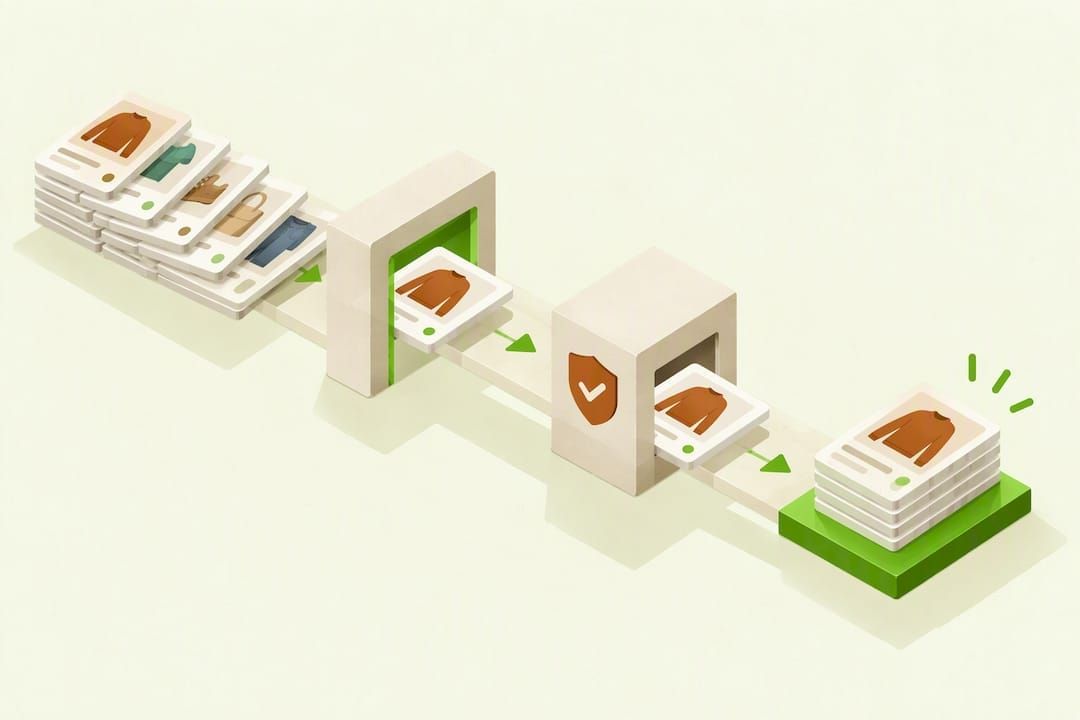
Table of Contents
- How to upload many items quickly on Vinted
- Vinted catalogue rules and why listings get hidden
- Templates and photo workflows that cut per-item time
- Compliant automation and cross-listing best practice
- Pricing items and deciding when to bundle
- What actually matters when you scale past a side hustle
- Ruit: faster multi-marketplace listing without the manual copying
- FAQ
- Sources
- Recommended
There is no native bulk upload button on Vinted: every item needs its own listing, created one at a time or grouped only where Vinted’s bundle rules allow it. The fastest compliant route is to batch-prepare your photos and details, upload in structured sessions, or use a compliant cross-listing service. If you sell regularly, it’s worth knowing the point at which platform sales data reaches HMRC.
TL;DR:
- Vinted allows one listing per physical item, except matching sets of up to five; duplicate posts can be removed rather than edited.
- Prepare photos and details in a spreadsheet, then follow Vinted’s field order; desktop copy and paste is faster than entering each detail on mobile.
- Vinted prohibits sellers from listing new stock bought specifically for resale, including on Pro accounts; falsely calling it used risks removal.
- Platforms may report you to HMRC after 30 items sold or around €2,000 earned in a year, but reporting alone creates no new tax.
How to upload many items quickly on Vinted
Speed on Vinted comes from preparation, not shortcuts inside the app itself. The groundwork happens before you ever open the listing form.
Start with these steps:
- Sort items by category, size and brand so similar pieces move through the same workflow together.
- Set up a fixed photo station: same background, same light, same camera angle for every item.
- Name image files consistently (brand_size_number) so you never mix up photos mid-session.
- Collect measurements, fabric and brand details in one pass, rather than hunting for them later.
- Build a simple spreadsheet with columns for title, size, condition, material and price, so you can copy and paste rather than retype.
Once your prep is done, the upload sequence itself matters. Vinted’s own step-by-step upload guidance recommends adding photos first (up to 20 per item), then a title, brand, category, condition, parcel size and price in that order. Sticking to this field order avoids backtracking and missed fields.
A few habits make a real difference across a long session:
- Duplicate an existing listing as a starting template when items share a brand or category.
- Work in batches of the same item type so your brain stays in one “mode” at a time.
- Save drafts for items you’re unsure about rather than abandoning the listing and starting again.
Desktop tends to beat mobile for pure speed, since copying and pasting from a spreadsheet is far quicker with a keyboard than with a phone screen. Mobile still has its place for snapping photos on the go or listing single items between other tasks.
Vinted catalogue rules and why listings get hidden
Scaling up only works if your listings stay live. Vinted requires one listing per physical item, with a specific exception for sets: you can group up to five matching items into a single bundle listing. Beyond that, each item needs its own entry.
Commercial selling comes with firmer limits. Vinted’s commercial selling rules prohibit listing new stock bought specifically for resale, and this applies even to Pro accounts, which are built for higher volume rather than different categories of goods.
Common reasons listings get hidden or removed when sellers scale up quickly include issues you can avoid by working with a trusted used clothing exporter worldwide:
- Listing the same item twice across separate posts instead of editing the original.
- Describing new, tagged stock as “pre-owned” to get around commercial selling restrictions.
- Bundling more than five unrelated items into one listing.
- Using photos that don’t match the actual condition or colour of the item.
Vinted screens new listings automatically, which can briefly delay visibility. If a listing disappears, check the reasons Vinted gives before resubmitting rather than re-uploading blind.
Templates and photo workflows that cut per-item time
A repeatable template is what turns bulk listing from a chore into a routine. The photography checklist matters most, since images are the first thing a buyer judges.
- Use a consistent, uncluttered background for every shot.
- Photograph the same angles every time: front, back, label, any flaws.
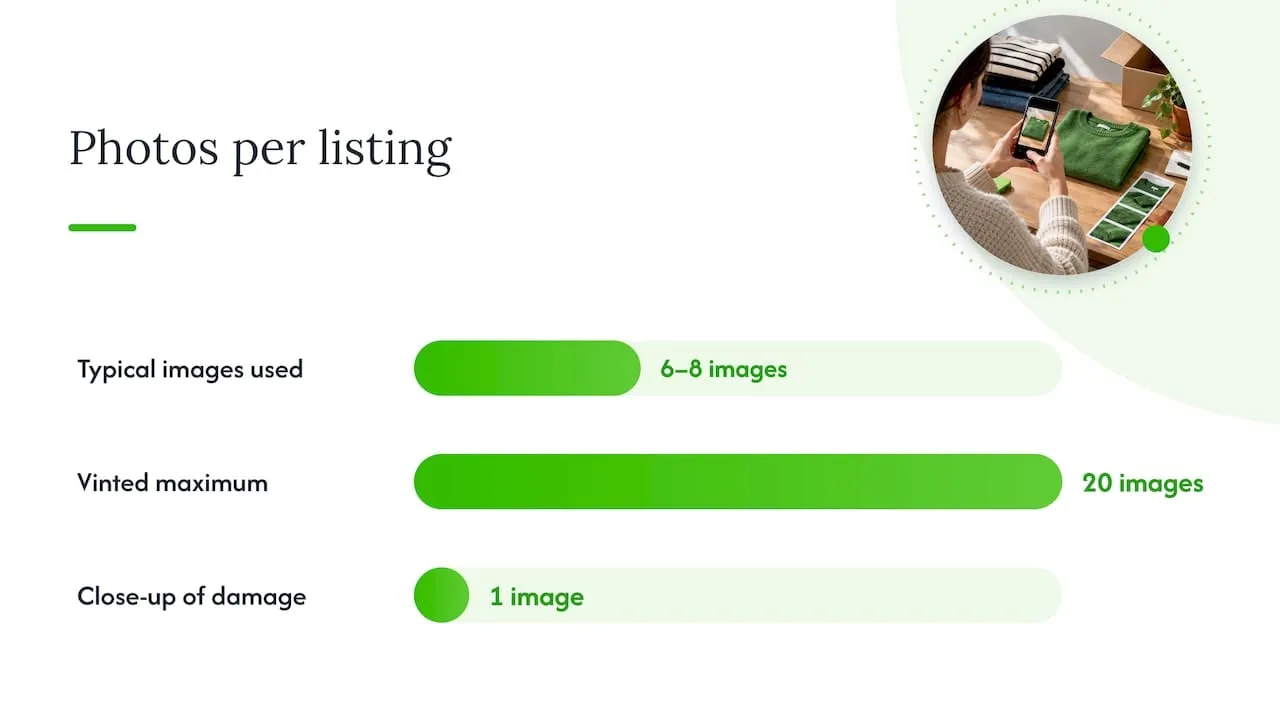
- Include 6 to 8 images where the item has detail worth showing, within Vinted’s limit of 20 images per listing.
- Add a close-up of any damage or wear so buyers aren’t surprised later.
- Name files to match a SKU or reference code, so photos and spreadsheet rows line up.
For text, a simple template saves the most time: a title built from brand, item type and size, followed by a short description covering condition, measurements and material, with a placeholder for anything item-specific. Standardising your condition tags and parcel sizes in your spreadsheet means you’re choosing from a short list rather than deciding fresh each time.
Pro Tip: Batch photos and spreadsheet entries on desktop in one sitting, then switch to mobile only for quick top-ups between items you photograph on the go.
Compliant automation and cross-listing best practice
Because Vinted has no official bulk upload, any tool that lists for you needs to respect the same rules you’d follow manually: one accurate listing per item, truthful photos, honest condition. A cross-listing service doesn’t bypass those rules, it applies them for you across marketplaces at once.
Before automating anything, run through this checklist:
- Keep photos and descriptions accurate on every channel, not just the fastest one to fill in.
- Avoid creating duplicate Vinted listings for the same physical item.
- Never list new bulk stock as second-hand to work around commercial selling limits.
- Check your Vinted notifications regularly for screening flags while you’re still testing a new workflow.
We built Ruit around this problem: list an item once and we publish it on Vinted, eBay, Wallapop, todocoleccion, Shopify, WooCommerce and PrestaShop. When an item sells on one channel, we sync stock and remove it from the others, so you’re not left explaining a sold-out item. We also auto-relist on Vinted and Wallapop, and bring Vinted and Wallapop messages into a single inbox, with AI drafting titles and descriptions so you’re not starting from a blank page for every item.
Pro Tip: Test any automation with 10 to 20 low-risk items first, and watch your account notifications for a few days before committing your full inventory.
Pricing items and deciding when to bundle
Price checks don’t need to be complicated: look at similar completed listings, round to sensible price bands (£4, £6, £8 rather than oddly specific figures), and set a date to drop the price if nothing sells. Bundling works best for items that are low in value individually or that naturally belong together, since it also cuts the number of separate parcels a buyer pays for.
| Item type | Recommendation |
|---|---|
| Low-value small items | Bundle into sets where Vinted allows (up to five matching pieces) |
| Higher-value single items | List individually with full photos and a detailed description |
| Multiple matching items | Group by size or brand into one bundle listing |
Vinted doesn’t charge sellers a listing fee, but shipping carrier charges and parcel size limits still shape what you can bundle sensibly, so weigh postage costs before grouping items that don’t fit one parcel size.
What actually matters when you scale past a side hustle
The sellers who scale successfully start with a manual workflow they can repeat without thinking, then measure how long each listing genuinely takes before paying for anything to speed it up. Compliance and basic bookkeeping matter more than most people expect: platform rules and tax thresholds don’t bend because you’re busy. Test any new tool on a small batch first and keep clean records in case you reach a reporting threshold.
- Luis
Ruit: faster multi-marketplace listing without the manual copying
Once you’ve nailed a manual workflow, the next bottleneck is usually repeating it across every marketplace you sell on. We list your item once and publish it on Vinted, eBay, Wallapop, todocoleccion, Shopify, WooCommerce and PrestaShop, syncing stock and removing it from the other channels the moment it sells. We auto-relist on Vinted and Wallapop, keep Vinted and Wallapop messages in one inbox, and use AI to draft titles and descriptions so you’re not rewriting the same details item after item.
If bulk listing is eating your evenings, try a small batch first and see how much time it gives back before choosing a plan that matches your volume. Our paid plans start with Starter and go up to Business for sellers managing more stock. Get started on our crosslisting platform.
FAQ
Can I upload multiple of the same item on Vinted?
Vinted requires a separate listing for each physical item rather than one listing covering several identical copies. The exception is a matching set, where you can group up to five similar items into a single bundle listing under Vinted’s catalogue rules.
How many items can you upload to Vinted per day?
Vinted doesn’t publish a fixed daily upload cap for standard or Pro sellers. What limits you in practice is Vinted’s requirement that each physical item gets its own accurate listing, so volume depends on how quickly you can prepare photos and details for each one.
How do I upload to Vinted quickly?
Prepare photos, measurements and pricing in a spreadsheet before you start, then follow Vinted’s own field order: photos first, then title, brand, category, condition, parcel size and price, as set out in Vinted’s upload guidance. Desktop uploading with copy-paste templates is typically faster than typing everything fresh on mobile.
Can you bulk edit listings on Vinted?
Vinted doesn’t offer a native bulk-edit tool for changing multiple listings at once. Sellers typically edit items individually, or use duplicates of existing listings as templates to speed up creating similar new ones.
Do I need to tell HMRC about my Vinted sales?
Selling occasionally to clear out your own wardrobe doesn’t usually create a tax obligation. If you sell at least 30 items or earn around €2,000 (roughly £1,700) in a year, platforms may share that data with HMRC under digital platform reporting rules, though HMRC has confirmed this reporting alone doesn’t create a new tax, it simply helps HMRC check whether Self Assessment applies.