5 Step WooCommerce to eBay for UK Sellers: Stop Oversells, Fix SKUs


Table of Contents
- How to connect WooCommerce to eBay step by step
- Mapping products, SKUs and listing templates
- Keeping inventory synchronised and avoiding oversells
- Importing eBay orders into WooCommerce for fulfilment
- eBay fees, tax rules and platform reporting you need to know
- Common problems and a practitioner’s pre-launch checklist
- Plugin or managed service: which suits your selling volume
- Why Ruit is worth a look for multichannel sellers
- FAQ
- Sources
- Recommended
The fastest reliable way to connect WooCommerce to eBay is to authenticate an approved connector plugin or use a cross-listing service that keeps listings, stock levels and orders synchronised automatically. Expect to spend a few hours on initial setup, including SKU clean-up and a staged test, before trusting the system with full inventory. Once live, you still need to track eBay fees and UK platform reporting rules so your pricing and bookkeeping stay accurate.
TL;DR:
- Using an approved connector plugin or cross-listing service ensures automatic synchronization of listings, stock levels, and orders between WooCommerce and eBay.
- Standardizing SKUs before setup is crucial, as mismatched SKUs are the leading cause of failed syncs and overselling.
- Implementing real-time stock updates with webhooks or frequent polling minimizes delays that lead to oversells across channels.
- Properly mapping products, categories, and templates reduces errors, improves search visibility, and speeds up listing publishing.
- Managing eBay fees and UK tax reporting is essential to maintain accurate pricing, bookkeeping, and compliance.
How to connect WooCommerce to eBay step by step
Before any product reaches eBay, your WooCommerce store and your eBay seller account need to talk to each other through an authenticated connection, usually built on eBay’s APIs.
- Confirm your eBay seller account is in good standing and that Seller Hub is active, since most connectors and managed payments require it before they will authorise.
- Choose a connector plugin from the WooCommerce marketplace or a cross-listing service, install it, and enter the API credentials it requests during setup.
- Pick your integration mode: export-only (WooCommerce to eBay), import-only (eBay orders into WooCommerce), full two-way sync, or a cross-listing service that handles all three centrally.
- Back up your store, then run a staging test with four or five SKUs rather than your full catalogue, checking that titles, prices, images and stock counts land correctly on eBay.
- Review the test listings against eBay’s Seller Hub tools, fix mapping errors, then switch on the full sync.
This staged approach catches the errors that cause oversells and mismatched prices long before they affect a real buyer. Seller Hub gives you the dashboard view of live listings, messages and performance that most connectors rely on for authentication, so it is worth having it properly configured before you start.
Mapping products, SKUs and listing templates
Consistent SKUs are the backbone of any WooCommerce to eBay integration. If the same product carries different SKU formats in WooCommerce and on eBay, the two systems cannot reliably match stock, and that mismatch is the single most common cause of failed syncs.
- Audit your WooCommerce catalogue and standardise SKUs into one format before connecting anything, correcting duplicates and blank fields first.
- Map variable products carefully: each colour or size variant needs its own SKU and its own eBay item specifics, not a single shared listing.
- Choose accurate eBay categories and condition values, since a mismatched category can get a listing suppressed in search results.
- Use listing templates, and AI-drafted titles and descriptions where available, to speed up cross-listing while still reviewing each draft before it goes live.
For small catalogues, a straightforward CSV export and import between WooCommerce and eBay works fine and keeps you in control of every field. Once you are managing hundreds of SKUs, an API-based workflow through eBay’s developer tools scales far better, since manual CSV handling at that volume becomes its own source of errors.
Pro Tip: Build your SKU standard before you connect any plugin, not after; retrofitting SKUs across live listings is far slower than fixing them in WooCommerce first.
Keeping inventory synchronised and avoiding oversells
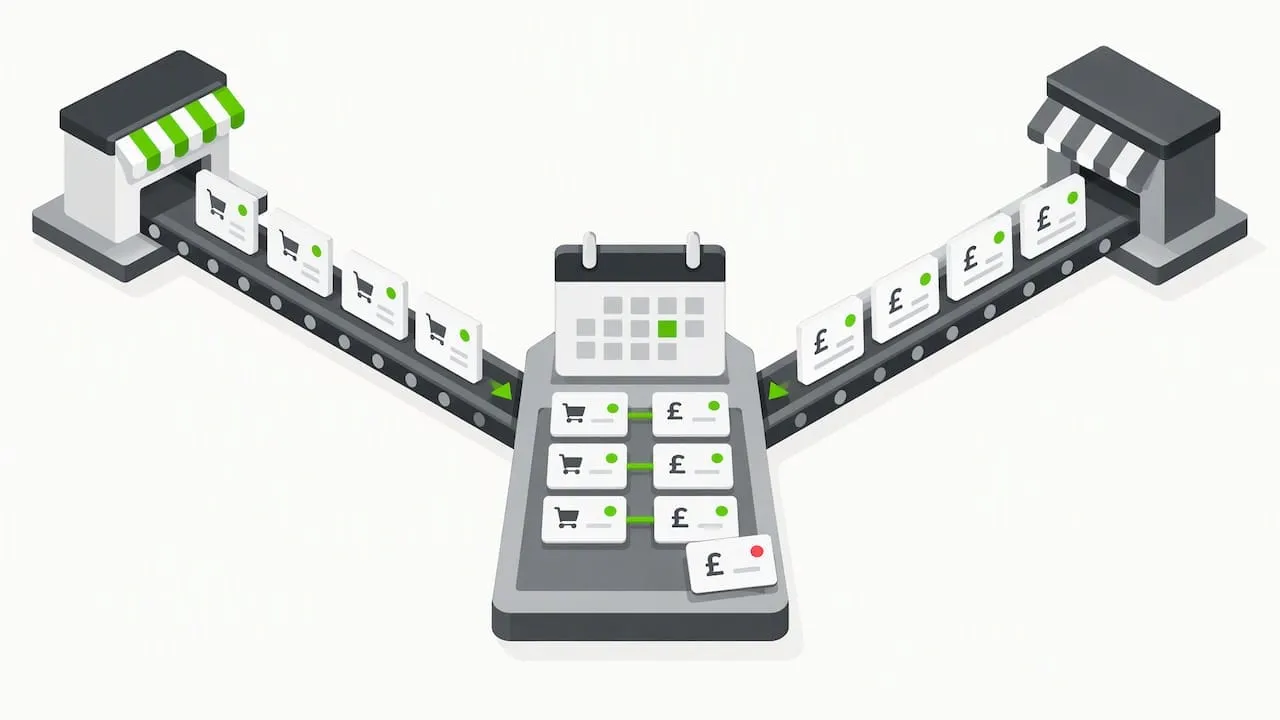
Inventory sync between WooCommerce and eBay runs on one of three models: push (WooCommerce tells eBay when stock changes), pull (eBay checks WooCommerce on a schedule) or two-way sync, where either platform can trigger an update. The model you choose affects how quickly a sold-out item disappears from the other channel.
- Use webhooks where your connector supports them, since they update stock within seconds of a sale rather than waiting for the next scheduled check.
- When webhooks are not available, schedule frequent polling, ideally every few minutes, to limit the window where an item could sell twice.
- Watch for SKU mismatches and partial variant mapping, the two most common failure modes that leave one channel showing stock that no longer exists.
- A crosslisting service that automatically removes a sold item from every other channel the moment it sells closes this gap without relying on polling intervals at all.
Overselling across multiple channels is one of the most common operational problems for sellers running WooCommerce alongside eBay, and it almost always traces back to a delay between a sale and the stock update reaching the other platform. The shorter that delay, the fewer refunds and unhappy buyers you deal with.
Importing eBay orders into WooCommerce for fulfilment
Once a sale happens on eBay, the order needs to land in WooCommerce with the right customer details, line items and shipping address so your fulfilment process can pick it up without manual re-entry.
- Check that buyer name, address, item SKU and payment status map correctly when the order first imports, since errors here cause the most fulfilment mistakes.
- Update tracking numbers and order status in WooCommerce as soon as you ship, and confirm that status also pushes back to eBay, so you never mark an order fulfilled twice.
- Handle returns and refunds through one consistent process on both platforms, logging the return in WooCommerce even when the request starts on eBay’s resolution centre.
- Reconcile payouts monthly using the transaction and invoice exports in Seller Hub, matching each payout to the WooCommerce orders it covers.
Getting this workflow right matters most around returns, where a mismatch between what eBay shows as refunded and what WooCommerce shows as fulfilled can throw off your stock counts for weeks if nobody catches it early.
eBay fees, tax rules and platform reporting you need to know
Selling through eBay from WooCommerce means absorbing eBay’s fee structure on top of your own running costs, and understanding UK reporting rules that apply regardless of which platform generated the sale.
eBay’s own fee guidance sets out insertion fees, final value fees and a currency conversion charge for non-GBP payouts. An eBay Shop subscription reduces per-listing costs and becomes worthwhile once you are listing consistently at volume rather than occasionally.
| Fee or rule | What it covers |
|---|---|
| Insertion fee | Charged per listing beyond your free monthly allowance |
| Final value fee | Percentage of the sale price plus shipping, charged when an item sells |
| Currency conversion charge | Applied when your payout currency differs from the buyer’s payment currency |
| eBay Shop subscription | Lowers per-listing costs for sellers with regular, higher listing volume |
Beyond eBay’s own fees, HMRC requires digital platforms including eBay to report seller income data, and sellers whose gross trading income exceeds the £1,000 trading allowance need to register for Self Assessment and declare it. Platforms must also collect and verify seller information under separate GOV.UK guidance, so expect eBay to ask for identity and tax details if it has not already. Upcoming changes to digital record-keeping are also worth watching if you report as a sole trader, and Switch&Save’s guide to Making Tax Digital covers what changes for sole traders from 2026.
Download your Seller Hub reports regularly and keep quarterly records rather than trying to reconstruct a year of sales in January.
Common problems and a practitioner’s pre-launch checklist
Most WooCommerce to eBay integrations that run into trouble share the same root causes: inconsistent SKUs, delayed order imports and incomplete variant mapping. Standardising SKUs before connecting anything, then running a staged test, removes the majority of that risk before it reaches a real customer.
- Run a five-item staged import first, checking titles, images, price and stock before adding the rest of your catalogue.
- Validate every variant mapping individually rather than assuming a bulk export handled sizes and colours correctly.
- Test the full order import and shipment flow with one real or sandbox order before relying on it for live sales.
- Schedule nightly syncs as a backstop whenever webhooks are not available, so stock never drifts for more than a day.
A unified inbox for buyer messages and automatic removal of sold items from other channels both reduce the daily admin that causes mistakes, which is part of why we built Ruit around exactly those two mechanics. AI-drafted listing copy speeds up the process of getting items live, but always review the title, condition and category before publishing, since an automated draft can misjudge a specific item’s condition.
Pro Tip: Keep a simple reconciliation routine, matching eBay payouts against WooCommerce sales weekly rather than monthly, so a mismatch gets caught while you still remember the order.
Plugin or managed service: which suits your selling volume
A connector plugin costs less month to month and gives you direct control, which suits low to medium volume sellers comfortable with some hands-on setup. A managed cross-listing service costs more but adds faster anti-oversell protection, a unified inbox and automatic relisting, which tends to suit sellers running several channels at once. Weigh your volume, technical comfort, tolerance for an occasional oversell and how much bookkeeping structure you already have before choosing either route.
- Luis
Why Ruit is worth a look for multichannel sellers
If you are already weighing a connector plugin against a managed service, it helps to see what a dedicated cross-listing tool actually does day to day. With Ruit, you list an item once and publish it across Vinted, eBay, Wallapop, todocoleccion, Shopify, WooCommerce and PrestaShop from a single place, rather than maintaining separate listings on each.
- When an item sells on one channel, stock updates and the listing is removed from the others, so the same item never sells twice.
- Listings that end on Vinted and Wallapop relist automatically, saving you from manually relisting stale stock.
- Buyer messages from Vinted and Wallapop land in one inbox, and AI drafts titles and descriptions to speed up getting new stock live.
Together, those three mechanics address the oversell and admin problems covered above without you having to build the workflow yourself. Paid plans start with Starter, with higher plans for sellers managing more stock. Visit our full feature overview to see whether it fits how you currently sell.
This article is general information, not a substitute for advice from a qualified financial advisor. Consult a qualified financial professional about your own circumstances before acting on anything here.
FAQ
Why are sellers leaving eBay?
Rising fees, growing competition and shifting buyer habits toward other marketplaces are commonly cited reasons sellers consolidate or reduce their eBay activity. Many instead spread listings across multiple channels, including eBay, WooCommerce and dedicated resale apps, rather than abandoning any single platform entirely.
What are the disadvantages of WooCommerce?
WooCommerce requires you to manage hosting, security and plugin updates yourself, which takes more technical effort than a fully hosted marketplace. It also has no built-in audience, so every sale depends on your own traffic or on connecting to marketplaces like eBay for visibility.
How much does eBay take from a sale of £1,000?
The exact amount depends on your category, any Shop subscription and whether a currency conversion charge applies, since eBay charges a final value fee as a percentage of the sale price plus shipping. Check the current fee table for your specific category before pricing an item, as rates vary.
Who is eBay’s biggest competitor?
eBay competes with several large online marketplaces and resale apps, and the strongest competitor depends on category: general marketplaces compete on broad retail, while resale-focused apps compete specifically for second-hand clothing and goods. Many sellers list across more than one platform rather than relying on a single marketplace.
Do I need to tell HMRC about income from WooCommerce and eBay sales?
If your gross trading income across all sales channels exceeds the £1,000 trading allowance, you need to register for Self Assessment and declare it, regardless of which platform generated the sale. Digital platforms including eBay are also required to collect and report seller information to HMRC under separate guidance.
Sources
For setup and ongoing management, eBay’s Seller Hub and its fee guidance cover the tools and costs referenced throughout this guide. For UK tax obligations, GOV.UK’s pages on reporting platform income and verifying seller information set out what HMRC and platforms each require. Bookmark these alongside your connector’s own documentation before going live.