eBay Listing Title How to Write Titles That Rank and Sell

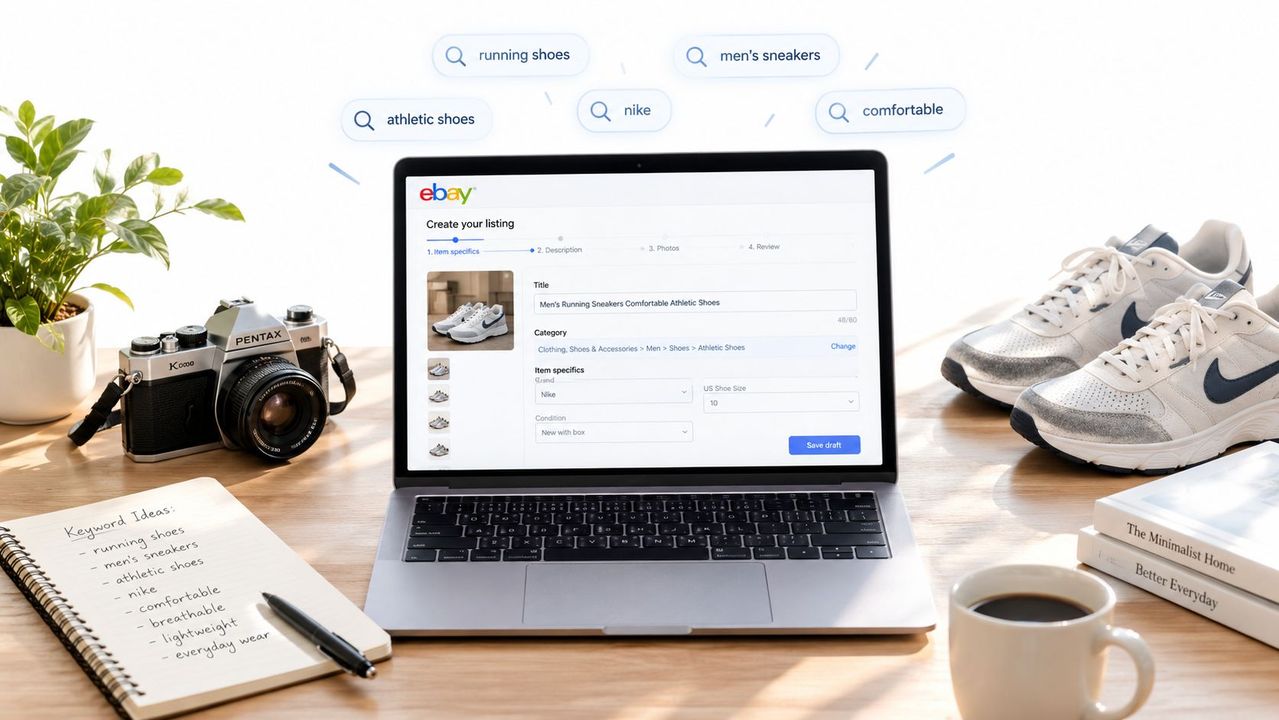
Table of Contents
- Table of Contents
- Why Your eBay Listing Title Decides Visibility and Sales
- How eBay Title Limits and Mobile Truncation Really Work
- Building a High Converting Title With the Right Keyword Order
- Real eBay Title Examples and Templates for Second Hand Items
- How to Test and Improve Titles Without Keyword Stuffing
- Your Repeatable Workflow for Titles That Keep Selling
- Frequently Asked Questions
You’ve got a good item, clean photos, and a price that should be competitive. Yet the listing sits because the title says something like “Men’s Vintage Jacket” while buyers search for the brand, model, size, material, or exact style. In second-hand resale, that weak title can hide the useful information before a shopper ever reaches your photos.
An effective eBay listing title isn’t a keyword pile. It’s a compact search-and-click tool. eBay describes the title as a key factor in natural search and advises sellers to use important buyer keywords while making wise use of the available characters. Its listing title guidance gives you the platform limit, while the practical challenge is deciding which terms deserve the first visible positions.
The method below focuses on what I’ve found matters when processing large amounts of used inventory: identify the language buyers use, put the strongest identifying terms first, make the opening readable on a phone, and use the remaining space only for relevant detail. Your photos, shipping terms, and price still matter, but they can’t rescue a listing that fails to communicate what the item is.
Table of Contents
- Why Your eBay Listing Title Decides Visibility and Sales
- How eBay Title Limits and Mobile Truncation Really Work
- Building a High Converting Title With the Right Keyword Order
- Real eBay Title Examples and Templates for Second Hand Items
- How to Test and Improve Titles Without Keyword Stuffing
- Your Repeatable Workflow for Titles That Keep Selling
- Frequently Asked Questions
Why Your eBay Listing Title Decides Visibility and Sales
A buyer searching for “Nike Air Max 90 men’s 10 black” isn’t asking eBay for a general shoe. They’re looking for a recognizable product, a specific size, and a particular color. A title such as “Nice Men’s Sneakers Size 10” leaves out the terms that identify the item, so it gives search and shoppers far less to work with.
That’s the first lesson from high-volume listing work. Specific nouns beat seller enthusiasm. “Authentic,” “amazing,” “must see,” and “wow” may express your opinion, but they don’t tell a buyer which model is in the box. If the item has a model number, pattern name, compatibility phrase, or useful condition term, those details usually earn their space more effectively.
Search relevance starts before the click
eBay recommends placing important keywords and keyword phrases in the title, and its operational export guidance suggests a structure built around brand, product name, model number, variants, and an additional relevant keyword. It also warns that all-caps wording and unnecessary punctuation can damage readability and ranking. eBay’s SEO guidance for sellers is a useful reference when you’re building a repeatable catalog process.
Keyword research doesn’t have to mean guessing from generic formulas. For a broader framework on organizing buyer language into useful groups, review this Surnex strategy for ecommerce keywords. On eBay, apply that thinking to real product language, not abstract marketing terms.
A title also works alongside the rest of the listing. Accurate item specifics, a clear description, honest condition notes, and sensible shipping all support the buyer’s decision. If you’re also reviewing delivery presentation, this guide on adding free shipping to an eBay listing can help you evaluate that separate conversion choice without stuffing shipping language into the title.
Practical rule: Every word should either help a buyer identify the item or confirm that it matches the search they intended.
The core shift is simple. Stop treating the title as a label you write after the photos. Treat it as the first merchandising decision, because it determines whether the right buyer recognizes the listing quickly.
How eBay Title Limits and Mobile Truncation Really Work
A buyer scrolling on a phone may see only the beginning of your title before deciding whether to tap. eBay allows a maximum of 80 characters, and its current title field documentation confirms that limit. Treat those characters as inventory space, not a prompt to add filler.
Analysis of 961,668 eBay titles found that listings using 75 or more characters performed best. The same analysis reported an average first-page title length of 64.4 characters, about 10.5 to 11.0 keywords, and an optimal range of 15 to 18 words. Use that evidence as a working range, not a formula. A complete title helps matching, but weak words at the end do nothing for the buyer.
The first visible words do the heavy lifting
A title can remain searchable even when shoppers cannot see all of it. Mobile results may show roughly 50 characters. Desktop results can show about 65 to 70, depending on letter width, while app grids may display less. The first 5 to 7 words deserve the strongest terms because that is the part a fast-scrolling buyer is most likely to read.
The trade-off is practical. Longer titles give eBay more relevant language to match, while mobile placement rewards a clear opening. Keep the title near the allowed length when useful, then spend the first 50 characters on the product identity and the query cluster buyers use.
Compare these openings:
- “Rare Amazing Vintage Jacket Men’s”
- “Barbour Bedale Wax Jacket Navy”
The second gives the buyer the brand, model, product type, and color immediately. The first uses early space on vague selling language and delays identification. “Rare” or “amazing” may matter less than a material, size, compatibility term, or model detail that matches a real search.
Write for two layers of visibility
Build the title in two layers:
- Discovery layer: the opening terms most likely to appear on mobile.
- Qualification layer: details that improve matching and confirm the item for shoppers who see more of the title.
Place the primary keyword within the first 20 characters where possible, consistent with eBay title optimization guidance. Use the remaining space for exact model information, size, condition, compatibility, or a high-intent feature. Each added term should describe the item or reflect a buyer query, not merely fill the character allowance.
Building a High Converting Title With the Right Keyword Order
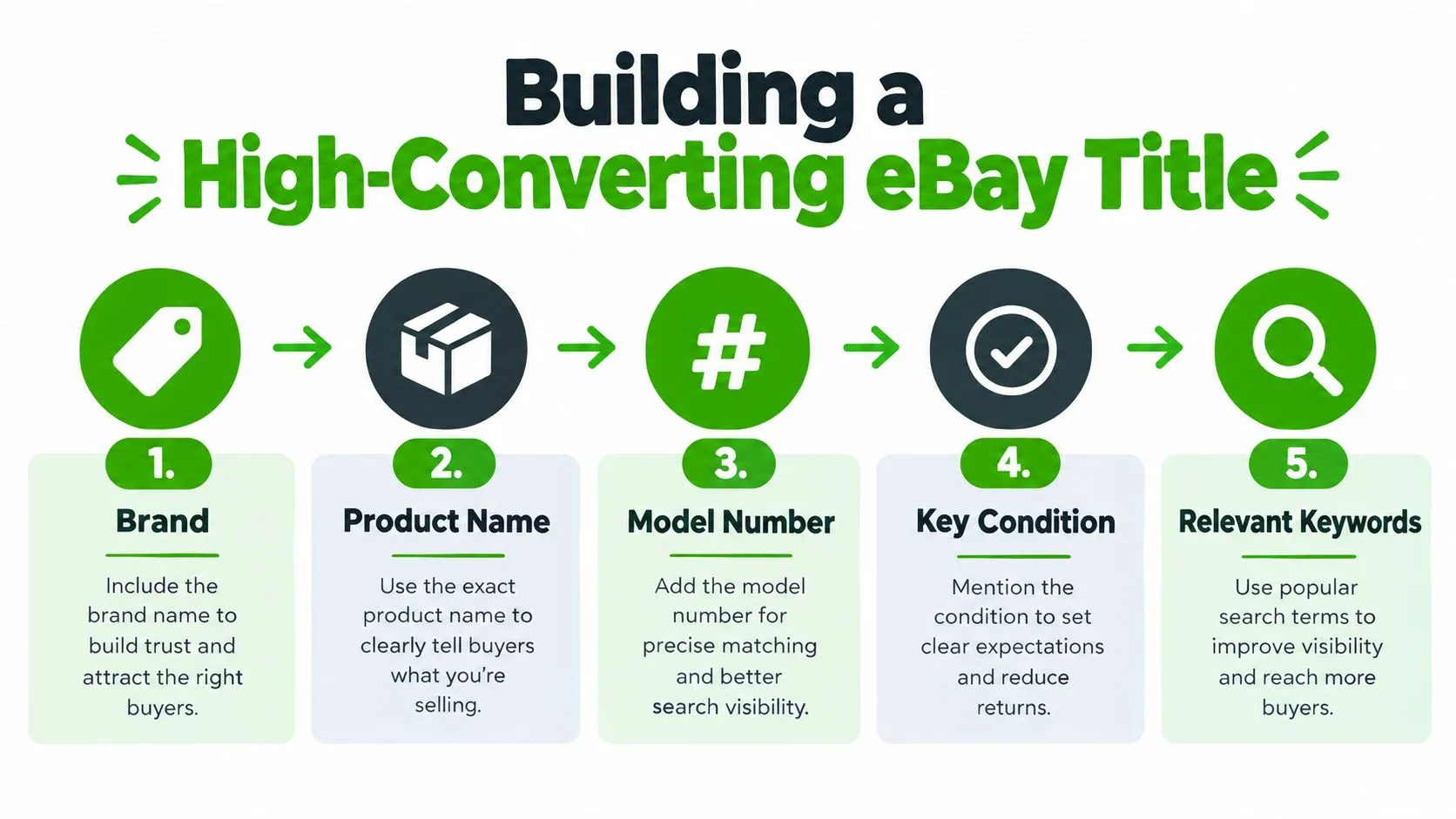
A dependable structure for second-hand goods is:
Brand + product name + model number or pattern + key variant + condition or feature + additional buyer keyword
This order works because it moves from identity to verification. A buyer often needs to know who made the item, what it is, which version it is, and whether the specific variant fits their search.
Start with the strongest identifying term
Put the brand or product identity first, unless a different term clearly dominates buyer searches in your category. For a used camera, “Canon EOS 80D DSLR Camera” gives shoppers a much stronger opening than “Used Camera Canon.” For a collectible, the character or franchise name may come before the maker if that’s how buyers describe the object.
Keep the primary keyword inside the first 20 characters where possible. This also protects the title from mobile truncation. If the title is cut after the opening, shoppers should still see the core product rather than a string of condition adjectives.
Use a compact attribute stack:
- Brand: Nike, Sony, Levi’s, Pyrex, Braun
- Product name: running shoes, headphones, jeans, mixing bowl
- Model or pattern: Air Max 90, WH-1000XM4, 501, Butterprint
- Variant: size, color, capacity, fit, compatibility
- Condition: vintage, sealed, tested, pre-owned, or another accurate qualifier
- Feature: wireless, leather, replacement part, limited edition, when relevant
Decide what belongs in the title
Not every fact needs to be forced into the 80-character field. eBay notes that variation attributes may be indexed automatically, so you shouldn’t crowd out stronger search terms by repeating every available variation detail. Put the most important buyer language in the title, then use item specifics and the description for supporting information.
A useful title feels compressed, not crowded.
Avoid all caps, repeated terms, decorative symbols, and punctuation that adds no meaning. “WOW,” “L@@K,” “AMAZING,” and “BEST” consume space without improving product identification. Seller-centric wording is another common waste. “Great for a gift” may be true, but “Sony WH-1000XM4 Wireless Headphones” is more useful to the person searching.
Here’s the difference in practice:
- Weak: “AMAZING Nike Shoes WOW Size 10”
- Stronger: “Nike Air Max 90 Men’s Size 10 Black Running Shoes”
The stronger version gives eBay and the buyer concrete terms. It also remains readable, which matters when someone scans several similar results.
Real eBay Title Examples and Templates for Second Hand Items
Templates are useful only when they reflect the way buyers search for a particular category. A sneaker buyer may lead with the model and size. A vintage clothing buyer may care about the brand, garment type, era, and tagged size. An electronics buyer may search by model number or compatibility before caring about appearance.
The examples below show the pattern. They aren’t claims about guaranteed performance, and you shouldn’t copy them without checking the actual item.
Weak vs Optimized eBay Titles by Category
| Category | Weak Title | Optimized Title |
|---|---|---|
| Sneakers | Nice Nike Shoes Size 10 | Nike Air Max 90 Men’s Size 10 Black Running Shoes |
| Vintage clothing | Vintage Men’s Jacket | Barbour Bedale Wax Jacket Navy Men’s Size Large |
| Electronics | Used Sony Headphones | Sony WH-1000XM4 Wireless Noise Canceling Headphones Black |
| Collectibles | Old Pyrex Bowl | Vintage Pyrex Butterprint Cinderella Mixing Bowl 443 Blue |
| Game hardware | Nintendo Console | Nintendo Switch Lite Turquoise Console HDH-001 Tested |
| Camera equipment | Used Canon Lens | Canon EF 50mm f/1.8 STM Lens Auto Focus EF Mount |
The weak versions aren’t necessarily dishonest. They’re incomplete. “Used Sony Headphones” doesn’t tell the buyer whether the item is a WH-1000XM4, a wired model, or an older version. “Old Pyrex Bowl” loses the pattern and form terms that a collector might enter.
What changes in the optimized versions
The improved titles use recognizable nouns and identifiers early. The model or pattern appears close to the product name, while size, color, mount, or testing status follows when it helps distinguish the item.
For mobile visibility, read only the first portion of each title. “Nike Air Max 90 Men’s Size 10” already communicates the product and key variant. “Canon EF 50mm f/1.8 STM Lens” identifies the lens before the shopper reaches the mount detail. That’s the standard to apply to your own inventory.
For additional category ideas, this guide to what sells most on eBay can help you think in terms of actual product groups rather than one universal title formula.
Don’t force every attribute into every title. If color, size, or variation is already captured accurately in structured fields and doesn’t distinguish the search, reserve space for the model, compatibility phrase, pattern, or condition detail that buyers are more likely to use.
How to Test and Improve Titles Without Keyword Stuffing
The most reliable title research comes from the marketplace itself. Before writing, inspect comparable Sold listings and note the language that repeats among items that match yours. Look for model numbers, compatibility phrases, condition terms, pattern names, fit wording, and localized size language.
You can use eBay’s Sold items workflow to study those completed listings. Don’t just copy the first title you see. Separate the product’s fixed identity from optional seller wording, then compare several relevant results.
Build a query cluster before you write
A single product can have several search paths. A buyer may search for a model number, while another uses a compatibility phrase. Someone shopping for clothing may use the tagged size, a numeric size, or a fit term. Your job is to identify the terms that describe the same item and decide which ones deserve title space.
Use this quick process:
- Collect matching listings: Remove results for different versions, sizes, or conditions.
- Mark repeated identifiers: Record model names, pattern names, product nouns, and compatibility language.
- Separate intent from decoration: Keep words that identify or qualify the item. Drop “rare,” “cool,” “great,” and similar opinions unless they describe a recognized collectible term.
- Choose the opening: Place the strongest identity and highest-intent attribute before secondary details.
- Keep alternatives elsewhere: Put useful but lower-priority wording in item specifics or the description when appropriate.
eBay’s guidance also indicates that keywords in both the title and description are indexed, while variation details may be indexed automatically. That means stuffing every related phrase into the title is unnecessary and can make the result harder to read.
After publishing, test one meaningful change at a time when your listing has enough comparable activity to judge. You might replace a generic product noun with the exact model, move a compatibility phrase earlier, or swap an ambiguous condition term for a precise one. Keep the rest of the listing stable so you can understand what changed.
For bulk inventory, apply the same decision to a group of similar items, then review which title patterns attract useful engagement and which produce irrelevant clicks. Don’t chase impressions alone. A title that brings the wrong shoppers creates messages, returns, and wasted handling time.
Your Repeatable Workflow for Titles That Keep Selling
A batch of listings can look complete while still losing mobile shoppers. Before publishing each title, inspect the opening 50 characters. That visible portion should identify the item and its strongest buyer query, not spend space on filler.
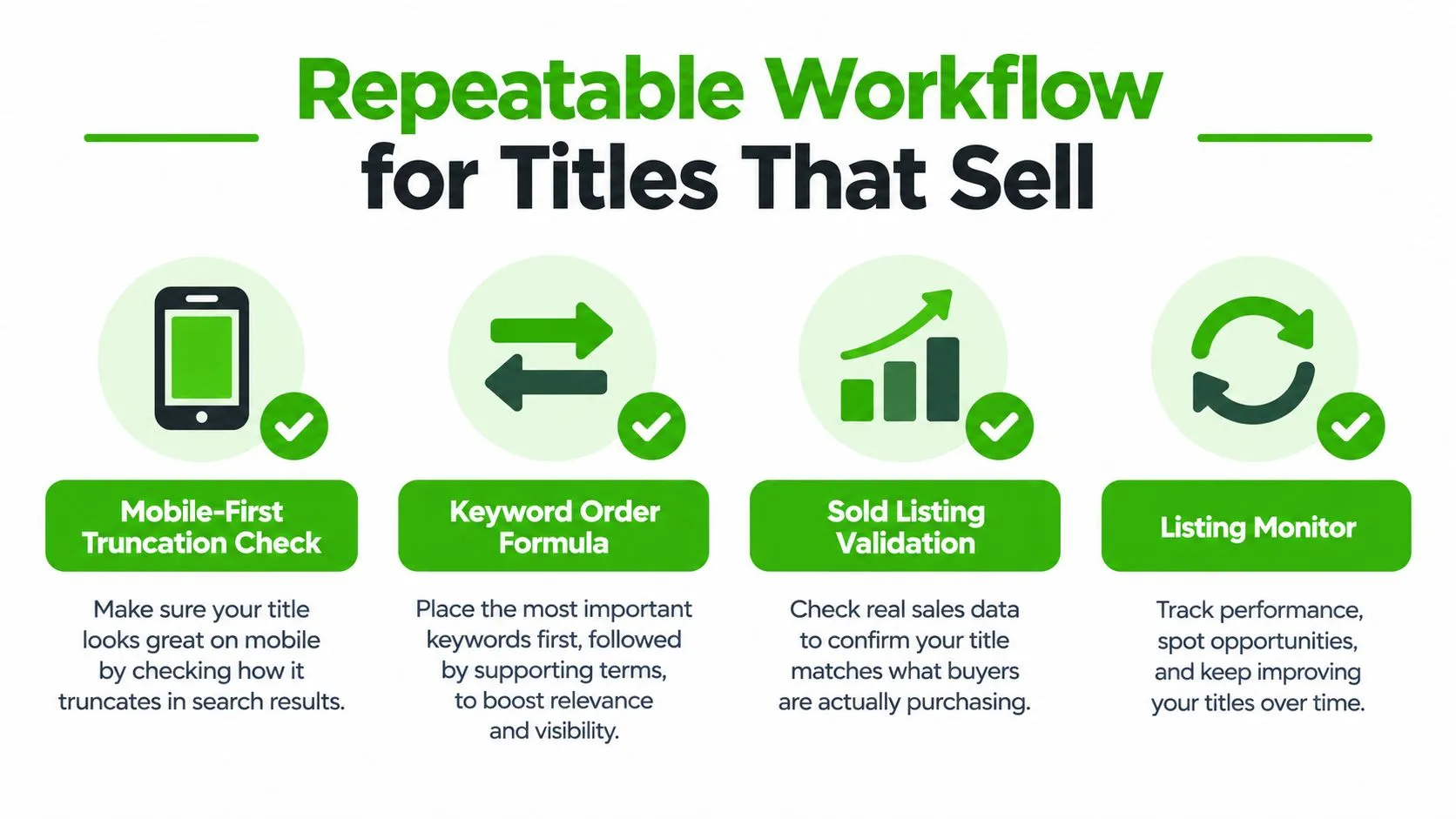
The four checks
- Mobile-first truncation check: Read only the opening as it may appear on a phone. Can a shopper recognize the brand, product, model, or strongest search term immediately?
- Keyword order check: Build a clear identity stack, then remove opinions that add no product information.
- Sold listing validation: Compare matching completed listings. Record the phrases buyers repeatedly use for this exact category and variant, including query clusters rather than isolated synonyms.
- Listing monitor: Revisit weak performers and change one title element at a time. Keep proven wording in a shared template library.
For teams handling multiple channels, title-generation tools can speed up a first draft, but every field still needs factual review. An automated draft may confuse a model, invent a feature, or favor a broad category phrase over the exact identifier. Check each term against the item before publishing.
Make the workflow practical at volume
Create a source record for the brand, exact product name, model or pattern, size, color, condition, compatibility, and category-specific identifier. Generate the title only from verified fields. Then review the first 50 characters before using the remaining allowance for secondary attributes. This prevents batch listings from opening with low-value wording because the full title fits the limit.
A centralized multichannel system can reduce duplicate entry when the same inventory appears across marketplaces. For broader operational ideas, review these eBay store scaling tips. The title still needs marketplace-specific review because each channel presents product information differently.
Run this daily audit:
- Is the item recognizable from the opening words?
- Is the exact model, pattern, or compatibility term present when relevant?
- Is the important size or variant visible early?
- Have subjective filler and unnecessary punctuation been removed?
- Does the title remain readable aloud?
- Are supporting details in item specifics or the description instead of crowding the opening?
Start with existing inventory. Sort listings with vague or weak titles, rewrite the first 50 characters first, then add verified secondary attributes. That turns title editing into a repeatable merchandising habit rather than a last-minute publishing task.
Frequently Asked Questions
How many characters can an eBay listing title have?
eBay allows a maximum of 80 characters, including spaces and punctuation. An analysis of 961,668 eBay titles found that listings using 75 or more characters performed best, so keep the title near the limit when every added term describes the item or reflects a buyer query.
How much of my title do buyers see on mobile?
Mobile results may show roughly 50 characters, while desktop results can show about 65 to 70, depending on letter width. Spend the first 50 characters on the product identity and the strongest buyer search term, and keep the primary keyword within the first 20 characters where possible.
What is the best keyword order for an eBay title?
A dependable structure for second-hand goods is brand, product name, model number or pattern, key variant, condition or feature, then an additional buyer keyword. It moves from identity to verification, so a buyer can confirm who made the item, what it is and which version it is.
Which words should I leave out of an eBay title?
Leave out all caps, repeated terms, decorative symbols and filler such as “WOW,” “L@@K” or “AMAZING.” Seller-centric wording like “Great for a gift” also wastes space. Put supporting details in item specifics and the description instead of crowding the opening.
How do I find the keywords buyers actually use?
Inspect comparable Sold listings that match your item and note the language that repeats: model numbers, compatibility phrases, condition terms, pattern names and size wording. After publishing, test one meaningful change at a time so you can understand what changed.
Ruit centralizes eBay listing creation and bulk publishing, including titles, descriptions, photos, prices, quantities, and item specifics. It can trim titles to eBay’s 80-character limit when needed. If you manage second-hand inventory across several channels, visit Ruit to see how its unified workflow can help create, publish, and maintain listings without repeated product-data entry.