Export Vinted Listings: What You Can Download in 2026

Table of Contents
- TL;DR
- What “exporting” means on Vinted
- How to export Vinted listings step by step
- What is inside the export
- Your options compared
- Back up photos before you delete anything
- Rebuilding your listings on eBay
- Check each listing before you repost on Vinted
- Using the export for your tax records
- Privacy: who should see your export
- The risk after you copy listings across
- Our view: list once, don’t migrate
- Where Ruit fits
- A practical routine for sellers
- Frequently Asked Questions
- Sources
- Recommended
To export Vinted listings, request a copy of your account data from Settings, then Privacy settings, then Manage account data. Vinted emails a ZIP archive with your listings, photos and more, but it is not a ready-made spreadsheet you can upload to eBay. This guide shows what the file contains, how to get the most from it and how to rebuild your listings elsewhere without breaking marketplace rules.
TL;DR
- Vinted has no “export listings” button. The route is a data request: profile icon, Settings, Privacy settings, Manage account data, Request data.
- The result is a ZIP of HTML files, photos and PDFs, not a CSV, and it can take from a few minutes to 30 days to prepare.
- Treat the export as a backup and a reference. To publish the same items on eBay or other channels, you recreate them as new listings and check each one against that marketplace’s rules.
- Once an item is live on two channels, stock must stay in sync, or you risk selling it twice.
What “exporting” means on Vinted
Sellers often look for a button that turns a wardrobe of 200 items into a tidy CSV. Vinted does not offer one. What it offers is a right to receive a copy of your personal data, and your listings are part of that data. Vinted’s UK help page on receiving a copy of your account data describes the request, and its privacy rights page lists the copy of account data among the controls available to you.
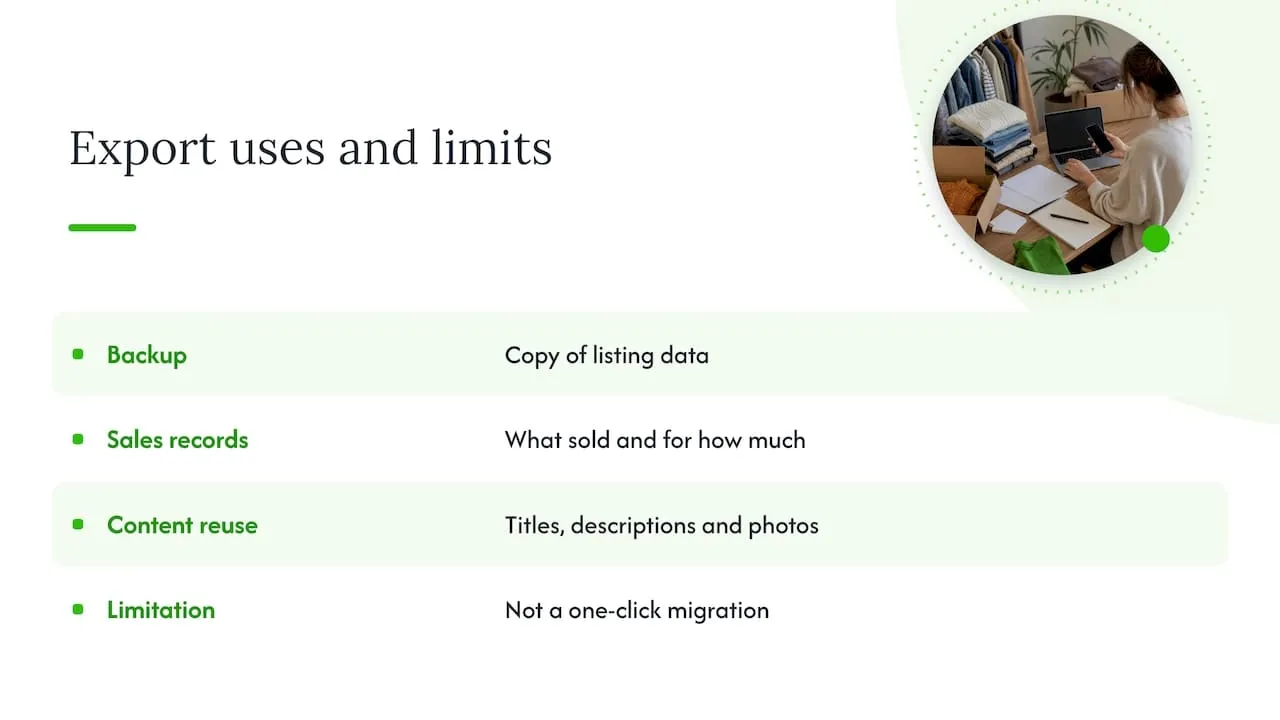
That distinction matters. The file is designed to show you what Vinted holds about you, not to feed another marketplace. You can use it very well as a backup, a record of what you sold and for how much, and a source of titles, descriptions and photos to reuse. You cannot treat it as a one-click migration.
How to export Vinted listings step by step
The steps below follow Vinted’s UK help page, checked on 8 November 2026. Menu wording can change, so if a label differs, look for the same route under Settings.
- Open Vinted on the app or website and tap your profile icon.
- Go to Settings, then Privacy settings.
- Choose Manage account data, then Request data.
- Open the confirmation email Vinted sends you and click the link. According to Vinted, that link expires after 24 hours, so do this promptly.
- Wait for the archive. Vinted says preparing it usually takes a few minutes but can take up to 30 days.
- Download the ZIP and save it somewhere you control, not only on your phone.
If you sell often, put a reminder in your calendar to repeat the request every few months. Each export is a snapshot, so an old one will not include items you listed afterwards.
What is inside the export
Vinted says the archive includes your profile details, listed items, messages and a wide range of other account information, delivered as HTML files, photos and PDFs. A third-party analyser that reads these exports describes the sub-folders as covering orders, active listings, deleted items, boosts, feedback, income reports and payouts.
In practice, that gives you the following.
| Part of the export | What it is useful for |
|---|---|
| Active listings | Titles, descriptions, prices and photos to reuse elsewhere |
| Deleted items | Reference for items you removed or that sold, so you can relist similar stock |
| Orders and payouts | Sales records for your own bookkeeping |
| Income reports | A starting point when you total up a tax year |
| Feedback | A record of buyer ratings |
| Messages | Evidence of agreements with buyers, handy if a dispute comes up later |
Because the main files are HTML, you will probably open them in a browser and copy what you need. For a small wardrobe that is fine. For several hundred items it becomes slow, which is where a spreadsheet workflow helps. Our guide to bulk uploading on Vinted shows how to keep titles, conditions and prices in one sheet so you are not retyping details every time.
Your options compared
The official export is not the only way to keep a copy of your listings. Each route has a different purpose.
| Method | What you get | Best for | Watch out for |
|---|---|---|---|
| Vinted account data request | ZIP with HTML, photos and PDFs | An official, complete backup | Not a CSV, can take up to 30 days |
| Copying details into your own spreadsheet | Clean, structured data you control | Reusing listings on eBay and other channels | Manual work on large wardrobes |
| Open-source downloader scripts | Item details and photos saved locally | Technically confident sellers | Not guaranteed to work on UK domains or give full-size photos |
| Creating each listing once in a crosslisting app | The same item published on several channels | Sellers who list on more than one marketplace | You set up the item once in the tool rather than importing it |
A note on downloader scripts
Developers publish free scripts that save item data and photographs. One browser extension on GitHub states it will not work on the UK domain, which rules it out for most readers here. A companion Python script explains that full-resolution photos are not guaranteed, though previously saved full-size links can keep working after an item sells. If you use anything like this, run it only against your own account and never share your login details with a tool you do not fully trust.
Back up photos before you delete anything
Photos are the part of a listing that takes longest to recreate. Before you delete, hide or let a listing lapse, make sure the images are saved. Vinted lets you hide, edit or delete listings from the app or website, and says it keeps some data for up to 6 months after deletion before removing it permanently. That is not a backup you can rely on, because you cannot retrieve photos from it yourself.
A simple habit works well:
- Keep one folder per item, named with your own stock number.
- Save the original photos from your phone, not screenshots of the listing.
- Keep a spreadsheet row per item with title, brand, size, condition, cost price and asking price.
- Back up the folder to a second location once a month.
This also solves a common problem: the Vinted export gives you photos in whatever form Vinted stored them, while your originals are usually sharper.
Rebuilding your listings on eBay
This is where most sellers hit trouble. The export holds the content of a listing, but eBay needs its own structure: category, item specifics, postage, returns and a price format. Expect to rebuild rather than import.
Work through each item in this order:
- Title. eBay buyers search by brand, item type, size and colour. Reorder your Vinted title to lead with those.
- Description. Keep the factual details, such as measurements, material and flaws. Remove anything that only makes sense on Vinted.
- Item specifics. Fill in brand, size, colour and condition fields fully, because eBay uses them for search filters.
- Photos. Reuse your originals, ideally in the same order.
- Price and postage. eBay fees and postage options differ from Vinted’s buyer protection model, so reprice rather than copying the number across.
- Country of origin. If you sell internationally, eBay’s UK Seller Centre says you must specify the country of origin on applicable listings. Listings with no valid country or marked “Unknown” may not be eligible for US buyers or for eBay’s managed shipping programmes.
If you resell vintage and clothing, this country of origin field is easy to miss, because the label often says nothing useful. Check the garment tag before you list.
Check each listing before you repost on Vinted
You may also export to move items between Vinted accounts or to repost after a clear-out. Vinted removes or hides listings that break its rules, so check the basics. According to Vinted’s help page on hidden or removed listings, your description must not promote another marketplace, and the price, condition, size and hashtags must be accurate and not misleading. The category must be correct and the photos of good quality.
The Catalogue Rules add more points that matter when you copy text from elsewhere:
- One listing per item.
- Listings and profile descriptions must not contain references or links to external websites or online platforms.
- The maximum item value is £30,000.
- Items must be lawfully placed on the EEA market, and they cannot enter it for the first time by being sold through Vinted, including items imported from the UK.
The external link rule is the one that catches people who reuse eBay descriptions. A line such as “also on my eBay shop” can get a listing hidden.
Also allow for the automated check. Vinted says a new upload may be checked automatically, usually within seconds but sometimes taking 3 to 4 days, and during that time the item cannot be hidden or deleted. If you are reposting in bulk, do not assume everything is live straight away.
Using the export for your tax records
The export is more than a listing backup. Vinted offers no “download my sales” button, so if you need figures for a tax return, the account data is where you start. Sort sales by UK tax year, which runs from 6 April to 5 April, rather than by calendar year.
The GOV.UK page on tax-free allowances for trading income sets out the £1,000 trading allowance and how it applies. Whether your selling counts as trading depends on your circumstances, so if you sell regularly for profit and are unsure, ask HMRC or a qualified accountant. For a walk-through of lining up your export with the tax year, see the section on exporting your Vinted data and aligning it with the tax year in our analytics guide.
Privacy: who should see your export
The ZIP contains messages, addresses and payout details. Treat it like a bank statement.
- Store it in an encrypted folder or a password-protected cloud drive.
- Open it on your own device rather than uploading it to a website you do not know.
- If you use a tool to read it, check whether it processes the file in your browser or sends it to a server. Some tools state that all processing happens on your device, and that is the sort of claim worth looking for.
- Delete old exports you no longer need.
The risk after you copy listings across
Once the same item is live on Vinted and eBay, a sale on one channel does not remove it from the other. Copying a listing, however you do it, does not keep stock in sync. If a jacket sells on Vinted while it is still live on eBay, you must pull the eBay listing yourself, quickly. Miss it and you either cancel on a buyer, which hurts your seller rating, or you scramble for a replacement.
For a handful of items, a routine of checking both accounts after every sale works. Past a few dozen items it becomes a daily chore, and that is exactly the gap a crosslisting app is built to close.
Our view: list once, don’t migrate
We talk to Vinted and eBay sellers all the time, and the same pattern comes up. They export their data, spend a weekend retyping it into eBay, and a month later they have two wardrobes that drift apart.
We think the better question is not how to move listings out of Vinted, but how to avoid doing the work twice. With Ruit you create an item once and publish it on Vinted and eBay at the same time, plus Wallapop, todocoleccion, Shopify, WooCommerce and PrestaShop. When it sells on one channel, stock updates and the listing comes down from the others, so the same item is not sold twice.
Keep your export as the safety net it is good at being, and let the routine work be automated. That is the whole idea behind Ruit.
Luis
Where Ruit fits
If you are exporting because you want your stock on more than one marketplace, Ruit is built for that job. You list an item once and it is published on Vinted, eBay, Wallapop, todocoleccion, Shopify, WooCommerce and PrestaShop. Sold items are removed from the other channels. AI drafts titles and descriptions, which saves time when you rewrite a Vinted description for another audience.
Two more things help day to day. Ruit can relist items automatically on Vinted and Wallapop, and it brings Vinted and Wallapop buyer messages into one inbox. You can see the plans on our pricing page. To get started, head to Ruit.
A practical routine for sellers
Here is a routine that suits a UK reseller with a growing wardrobe.
- Monthly: request your Vinted data and save it with the date in the file name.
- Per item: keep your original photos and a spreadsheet row with cost, size, condition and price.
- Before reposting: read the description for external links and for marketplace names, and fix the category.
- Before listing on eBay: fill in every item specific and, where relevant, the country of origin.
- After every sale: remove the item from every other channel the same day, or let a tool do it.
- Each April: total your sales for the tax year just ended and keep the records.
None of this is glamorous, but it is the difference between a hobby that leaks time and a small business that scales. If you are still deciding how far to take it, our piece on what seller metrics Vinted shows you is a good next read.
Frequently Asked Questions
Can I export Vinted listings to a CSV file?
Not directly from Vinted. Its official route is the account data request, which delivers a ZIP of HTML files, photos and PDFs. You can copy the details you need into your own spreadsheet, which then works as your CSV for other channels.
How long does a Vinted data export take?
Vinted says preparing the archive usually takes a few minutes, but it can take up to 30 days. The confirmation link in the email expires after 24 hours, so click it as soon as it arrives.
Will exporting my listings delete them from Vinted?
No. Requesting your account data only gives you a copy. Your listings stay live until you hide, edit or delete them yourself, or they sell.
Can I upload my Vinted export straight to eBay?
No, you should plan to recreate each item as an eBay listing, using the export for titles, descriptions and photos. eBay needs its own category, item specifics, postage and pricing. Publishing from one tool to both marketplaces saves you from doing that twice.
Sources
- How to receive a copy of your account data | Vinted
- Privacy rights | Vinted
- Hiding, editing, or deleting listings | Vinted
- Listing was hidden or removed | Vinted
- Catalogue Rules | Vinted
- Customs requirements | eBay UK Seller Centre
- Tax-free allowances on property and trading income | GOV.UK
- boberle/vinted-downloader-firefox-addon | GitHub
- boberle/vinted-downloader | GitHub
- Vinted export analyser | VintedCRM