eBay Offers Strategy for UK Sellers: Best Offer Settings

Table of Contents
- TL;DR
- How offers work on eBay UK
- Start with your floor price, not your asking price
- Building your eBay offers strategy step by step
- A worked example
- Using offers to buyers on stalled listings
- When to switch offers off
- Perspective: what we see from sellers who list on several channels
- Tax: when offers and regular selling become trading
- Common mistakes with eBay offers
- Keeping offers safe when you sell in more than one place
- Sources
- Frequently Asked Questions
- Recommended
A good eBay offers strategy means pricing each item with a planned gap between your Buy It Now price and the lowest price you will take, then letting eBay’s automatic accept and decline limits do the first round of haggling for you. Set the gap per item, not per shop, and use offers to watchers to close sales that have stalled.
This guide covers how the tools work on eBay UK, how to choose your limits, how to counter, and what to remember about tax when you sell regularly. Everything about eBay’s tools was checked against eBay’s own help pages on 18 October 2026, and eBay changes its menus often, so check your own Seller Hub if a button has moved.
TL;DR
- Price above your floor, switch on Best Offer, and set an auto decline limit so you never read an offer you would never take.
- Set an auto accept limit only on items you are happy to sell at that price on the spot, such as slow stock or duplicates.
- Send offers to watchers and cart abandoners on listings that have stalled, rather than cutting the price for everyone.
- Offers are a pricing tool, not a substitute for knowing your costs. Work out fees, postage and your profit first.
- If you sell regularly, keep records: platform reporting to HMRC does not mean you owe tax, but you should know where you stand.
How offers work on eBay UK
There are two separate offer tools, and a strategy needs both.
Best Offer sits on your Buy It Now listing. A buyer proposes a price below your asking price, and you can accept, decline or counter. According to eBay’s help page on adding Best Offer, an offer you do nothing about expires automatically after 24 hours or when the listing ends, whichever comes first. Buyers can generally make up to three offers per item in most categories, and in most cases they must pay immediately when the offer is accepted.
Offers to buyers work the other way round. You reach out to people who have already shown interest. eBay’s Seller Centre says eligible listings are items a buyer is watching or has added to their cart, and that you can filter for them in Seller Hub or send offers in bulk from the Active Listings page.
| Tool | Who starts it | Best used for | Control you have |
|---|---|---|---|
| Best Offer | The buyer | Items where buyers expect to haggle | Accept, decline, counter, or set automatic limits |
| Auto accept and auto decline | You set the limits once | Busy listings and duplicates | Upper and lower price limits per listing |
| Offers to watchers and carts | You | Listings that get views but no sales | Discount, message and duration of the offer |
| Rule-based automatic offers | You, once, by rule | Larger catalogues | Category, price range and item condition |
The last row is limited. Per the same Seller Centre page, rule-based automatic offers are for eBay Store subscribers, and you set them up from the Buyer Groups section of the Marketing tab in Seller Hub.
Start with your floor price, not your asking price
Most offer mistakes begin before a buyer types a number. The seller has priced the item without knowing the lowest figure that still makes the sale worth doing.
Work backwards for each item:
- Cost of the item, whether that is what you paid or the value of the stock you are clearing.
- eBay fees on the sale. Our guide to eBay fees in the UK walks through them.
- Postage and packaging, including anything you absorb if you offer free delivery.
- Your minimum profit, in pounds, not as a vague hope.
The total is your floor. Every limit you set sits above it. If you are unsure how to set the starting price in the first place, the eBay pricing strategy guide covers it in more depth.
Building your eBay offers strategy step by step
Here is a workable structure that suits most UK sellers, from a private seller clearing a wardrobe to a small business with a few hundred listings.
Step 1: decide which items get Best Offer
Not everything should. Switch it on where buyers expect negotiation: used items with no single market price, collectables, bulky goods, and anything you have in a quantity of one that has sat for weeks. Leave it off where you are already the cheapest listing for a standard item, because you will only invite offers you have to decline.
Step 2: price in a buffer
If you want £30 for an item and expect to be offered less, list it above £30. How far above depends on the category and how comparable listings are priced, so check recent sold listings for the exact item. A buffer that is too wide stops people clicking; one that is too narrow leaves you with no room to counter.
Step 3: set the auto decline limit
In the advanced listing tool, go to the Pricing section, switch Allow offers on, then add a minimum offer amount, an auto accept amount, or both, as eBay describes. Buyers do not see your limits. An offer below the lower limit is declined automatically with an email to the buyer, who can then bid higher or receive a counteroffer from you.
Set the lower limit at or just above your floor. This one setting saves most of the time that offers otherwise cost.
Step 4: set the auto accept limit selectively
The upper limit must be below your Buy It Now price. An offer at or above it is accepted automatically, and eBay emails you and the buyer to say the buyer should pay. Use this on items where speed is worth more than the last few pounds: duplicates, seasonal stock, anything that is costing you shelf space.
On items you only have one of, and which might fetch more, leave auto accept off and make the call yourself.
Step 5: counter, do not just accept
Offers between your lower and upper limits are where your judgement matters. A counter that splits the difference between the offer and your asking price is a reasonable starting habit. Counters keep the buyer engaged, and the buyer still has to pay promptly once you agree.
A worked example
These numbers are illustrative, not eBay averages. Say you are selling a used jacket you want to sell for £40 at the very least, after all costs have been counted.
| Setting | Amount | Reasoning |
|---|---|---|
| Buy It Now price | £54.00 | Leaves room to haggle and still reach your target |
| Auto decline below | £40.00 | Your floor: nothing lower is worth your time |
| Auto accept at or above | £48.00 | A price you would gladly take immediately |
| Offers between £40 and £48 | Counter manually | Meet in the middle, for example at £46 or £47 |
The point is the structure: a ceiling the buyer sees, a floor they cannot see, and a middle band in which you decide.
Using offers to buyers on stalled listings
A listing with views and watchers but no sale is telling you something. Rather than cutting the price for everyone, you can reward the buyers who have already shown interest.
On the Active Listings page in Seller Hub, use the filter for offers-eligible items, then send an offer to the people watching or holding the item in a cart. eBay also lets you save the offer so it goes to future interested buyers at the same discount, though you stay in control either way.
A few habits make this work:
- Keep the discount modest and specific. A genuine small saving prompts action; a huge one teaches buyers to wait for it.
- Offer to watchers only after a listing has had a fair run. Sending offers on day one trains you to discount before you know whether the price was wrong.
- Check your margin first. An offer is a discount, and a discount applies to your profit, not your turnover.
- Review what sells. If most sales come through offers at the same level, your asking price was probably too high. Lower it and simplify.
When to switch offers off
Some sellers move to firm pricing with offers off, and that can be a sensible choice. It works when your prices are already competitive, your stock moves quickly, or you are tired of low offers on cheap items. Fixed prices keep listings simple, and you avoid the back and forth over a few pounds.
The trade-off is that you lose buyers who will only buy after negotiating. If you find that half of your messages are offers at your floor, firm pricing is probably a better fit. If offers are rare and sensible, leave the tool on.
A mixed approach is often best: firm prices on fast, standard items, and offers on unique, slow or higher-value ones.
Perspective: what we see from sellers who list on several channels
The sellers who get the most from offers are rarely the most aggressive negotiators. They are the ones who know their numbers before the first message arrives.
We built Ruit for people who sell on more than one marketplace, and the pattern is consistent. Once you list the same item on Vinted and eBay, the price you set has to work on both. Vinted buyers expect to haggle in a different way, so the eBay price and your floor need thinking about together, not separately. Decide the floor once, then set your eBay limits around it.
The second thing we notice is the cost of a mistake. An offer accepted on eBay for an item that is also live elsewhere is a race: if you do not take the other listing down quickly, you can sell the same thing twice. That is why we sync stock, so when an item sells on one channel it is removed from the others. Auto accept is much safer to use when you trust that the rest of your listings will clear themselves. If you sell on both platforms, our guide to cross listing on eBay explains how to avoid double sales.
Our view: use offers to speed up sales you were going to make anyway, and protect your floor with automatic limits. Use manual counters for the items that matter.
- Luis
Tax: when offers and regular selling become trading
Haggling affects your income, and your income affects your tax position. This is general information; for your own circumstances speak to HMRC or a qualified accountant.
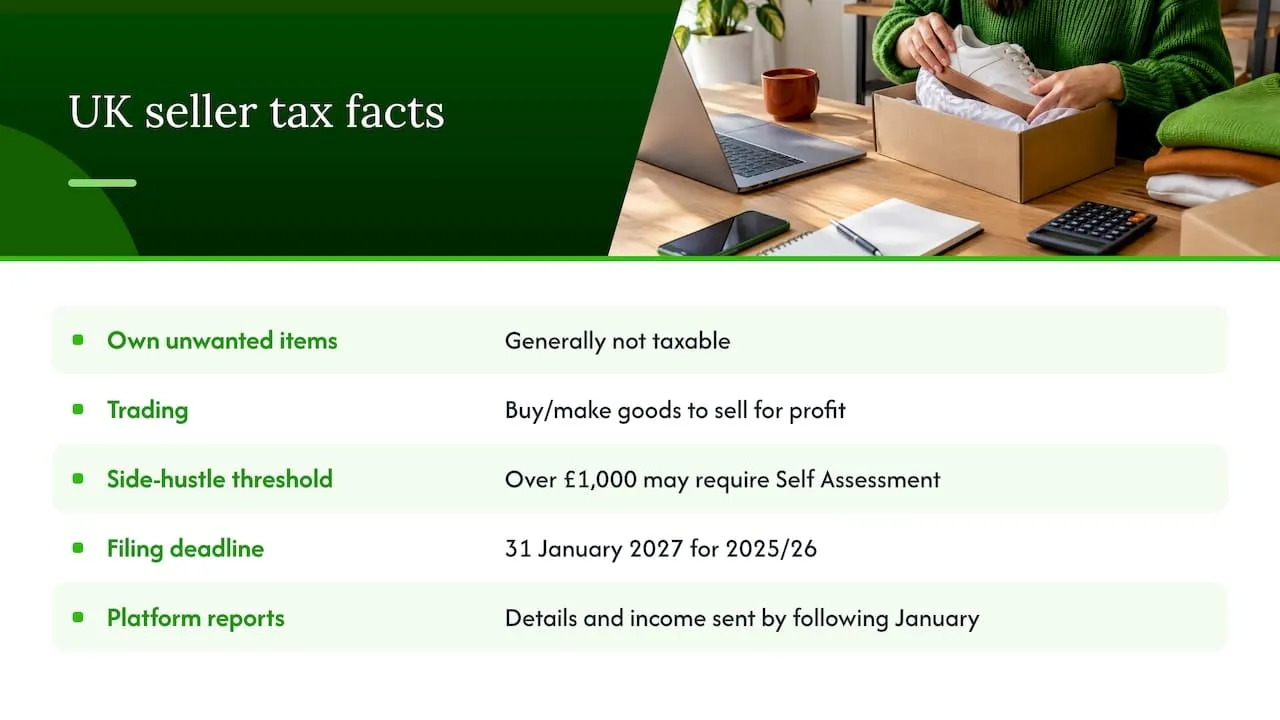
HMRC’s guidance says selling your own unwanted items is generally not taxable, while buying or making goods to sell for profit is trading. The GOV.UK announcement on side hustle tax, dated 21 July 2026, says someone who earned more than £1,000 from a side hustle in a tax year may need to complete a Self Assessment return. The tax-free allowances page explains the £1,000 trading allowance. The same announcement gives 31 January 2027 as the deadline to file and pay for the 2025/26 tax year.
Platforms also report to HMRC. GOV.UK’s guidance for sellers says UK platform operators collect your details and income each year and send them to HMRC by the following January. A report is not a bill. If you want a plain-language explanation of that distinction from another market, this French-language guide to platform reporting for card sellers in Belgium covers the same idea, though Belgian rules differ from UK ones.
To check your own position, use HMRC’s guide to telling HMRC about online platform income. If you do trade regularly, Making Tax Digital for Income Tax means keeping digital records and sending quarterly updates using compatible software. It applies in stages, so check whether your income level brings you in.
Why does this belong in an offers guide? Because the price you actually accept is your income. Keep a record of the final sale price, fees, postage and what the item cost you. Our eBay fees guide shows how those pieces fit around the £1,000 threshold.
Common mistakes with eBay offers
- Setting the floor from memory. If you do not know your fees and postage, you can accept an offer that loses money.
- Auto accept on one-off valuable items. A fast sale is not always a good sale.
- Ignoring expiry. An offer lapses after 24 hours, so a slow reply can lose a buyer who was ready to pay.
- Offering free postage on top of a discount. Each is a reduction, and together they can erase your margin. Our guide to free shipping on eBay shows how to price it in.
- Using offers to fix a bad listing. If photos or titles are weak, a discount will not repair them.
- Forgetting other channels. An item accepted on eBay but still live elsewhere can be sold twice.
Keeping offers safe when you sell in more than one place
Offers add pressure to the oldest problem in multichannel selling: speed. A buyer accepts your counter, pays, and your item is still listed on another site. Whoever buys second has to be refunded, and that costs time and sometimes a bad review.
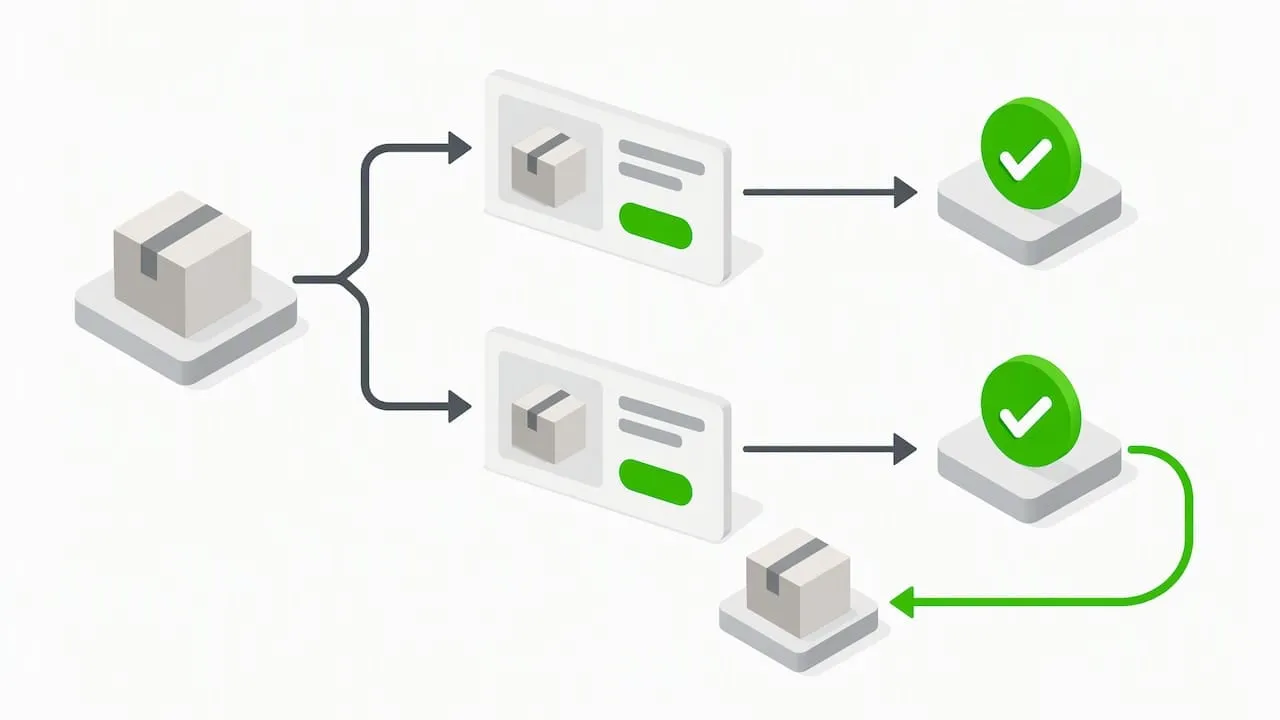
With Ruit you list once and publish to Vinted, eBay, Wallapop, todocoleccion, Shopify, WooCommerce and PrestaShop. When an item sells on one channel, stock updates and the listing is removed from the others. Ruit can also relist automatically on Vinted and Wallapop, bring Vinted and Wallapop buyer messages into one inbox, and draft titles and descriptions with AI. If you already have listings elsewhere, you can import your listings into one inventory, and you can see the marketplaces we work with. To see the whole toolset, take a look at the features overview, or start with Ruit when you are ready.
Sources
- eBay help: Adding Best Offer to your listing and sending offers to buyers
- eBay UK Seller Centre: Offers to Buyers and Best Offer
- GOV.UK: Say ‘I do’ to getting your side hustle tax right
- GOV.UK: Tax-free allowances on property and trading income
- GOV.UK: Selling goods or services on a digital platform
- GOV.UK: Check if you need to tell HMRC about your income from online platforms
- GOV.UK: Understanding Making Tax Digital for Income Tax
Frequently Asked Questions
Is it worth making offers on eBay?
Yes, on items where listings are not priced to the penny, such as used goods, collectables and one-offs. A reasonable offer costs you nothing, and the seller can accept, decline or counter. Check sold listings first so your offer is credible rather than insulting.
How much should I offer on eBay’s Best Offer?
There is no fixed percentage. Look at what comparable items have actually sold for, then offer a little under that figure, leaving room for a counter. Sellers often set automatic limits, so an offer that is far too low may be declined at once, and you only get up to three offers on most items.
How long does a Best Offer last?
An unanswered offer expires automatically after 24 hours or when the listing ends, whichever comes first, according to eBay’s help page. If you are the seller, reply within the day. If you are the buyer and you are accepted, expect to pay straight away.
Can I set eBay to accept or decline offers automatically?
Yes. When you add Best Offer in the advanced listing tool, you can enter a minimum offer amount, an auto accept amount, or both. Buyers cannot see these limits, and the auto accept limit must be below your Buy It Now price.
Can I send offers to people watching my items?
Yes. Eligible listings are those a buyer is watching or has added to their cart. Use the offers-eligible filter in Seller Hub, then send offers individually or in bulk. eBay Store subscribers can also create rules that send offers automatically by category, price range and condition.
Do I pay tax on money from selling on eBay?
Not necessarily. Selling your own unwanted items is generally not taxable, but buying or making things to sell for profit is trading. If your trading income passes the £1,000 allowance in a tax year, you may need to register for Self Assessment, so check GOV.UK or ask an accountant.