Unified inbox for ecommerce: a guide for Vinted and eBay sellers

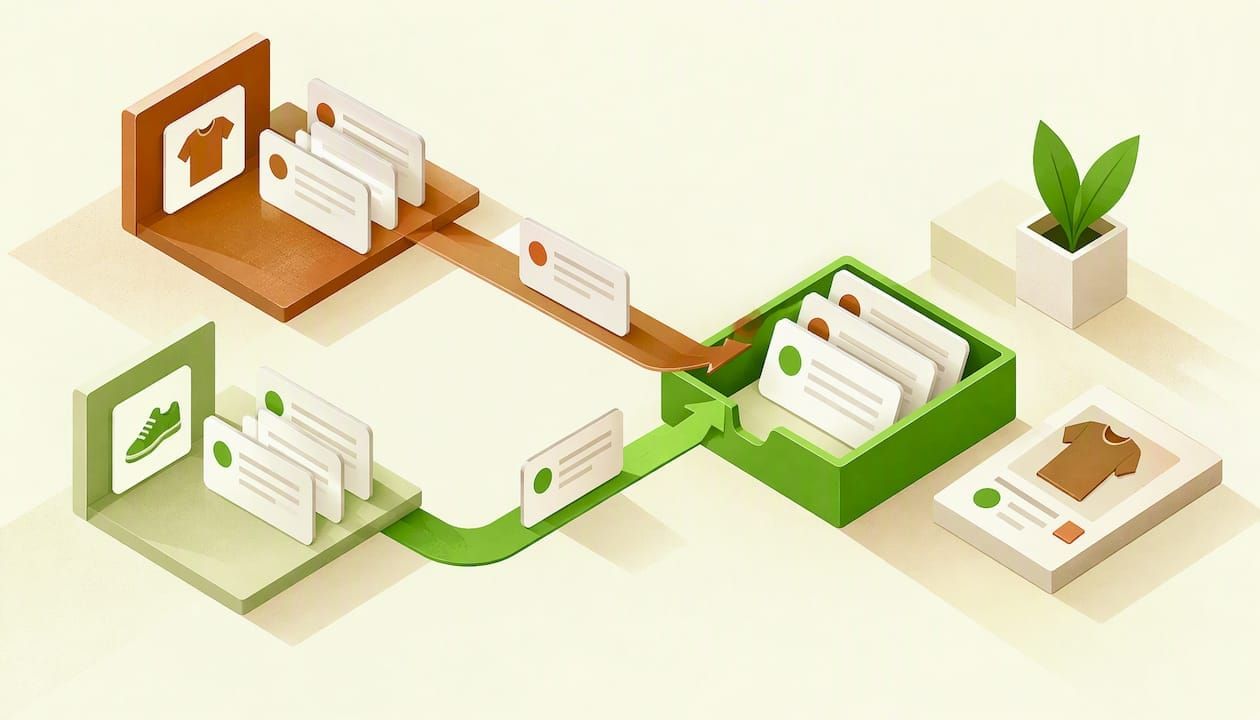
Table of Contents
- TL;DR
- What a unified inbox does for an online seller
- Why Vinted and eBay messages pile up
- What each marketplace lets you do with messages
- Unified inbox ecommerce: what to check before you choose one
- Three ways to set up a shared inbox
- A daily routine with one inbox
- Common mistakes
- Our perspective
- How Ruit handles messages
- What to do next
- Sources
- Frequently Asked Questions
- What is a unified inbox for ecommerce?
- Can I read Vinted and eBay messages in one place?
- Is it against the rules to answer messages through a third-party tool?
- How long does eBay keep my messages?
- Do I need a unified inbox if I only sell on Vinted?
- Can a helper manage my eBay messages without my password?
- Recommended
A unified inbox for ecommerce puts buyer messages from several selling channels into one place, so you reply faster and stop missing sales. For UK sellers on Vinted and eBay, how far that goes depends on the rules each marketplace sets for where conversations happen, so check those rules before you pick a tool.
TL;DR
- A unified inbox brings messages from marketplaces, webstores and email into one queue. It saves you switching between apps and tabs.
- eBay already groups messages by buyer and listing inside its own Messages area, so the gain comes when you sell on more than one channel.
- Vinted asks members to keep conversations on Vinted, and eBay restricts what you can say in messages. Any tool you use has to work within both.
- Judge a tool on which channels it really connects, how it shows context, whether a team can share it and how it treats your message history.
- Ruit brings Vinted and Wallapop buyer messages into one inbox, and eBay messages stay in eBay’s own Messages area.
What a unified inbox does for an online seller
If you sell in one place, you have one inbox: the app or site where you sell. The trouble starts when you add a second or third channel. Vinted messages arrive in one app, eBay messages in another, your webstore enquiries land in email, and a question about a coat sits unanswered for a day because you were checking the wrong place.
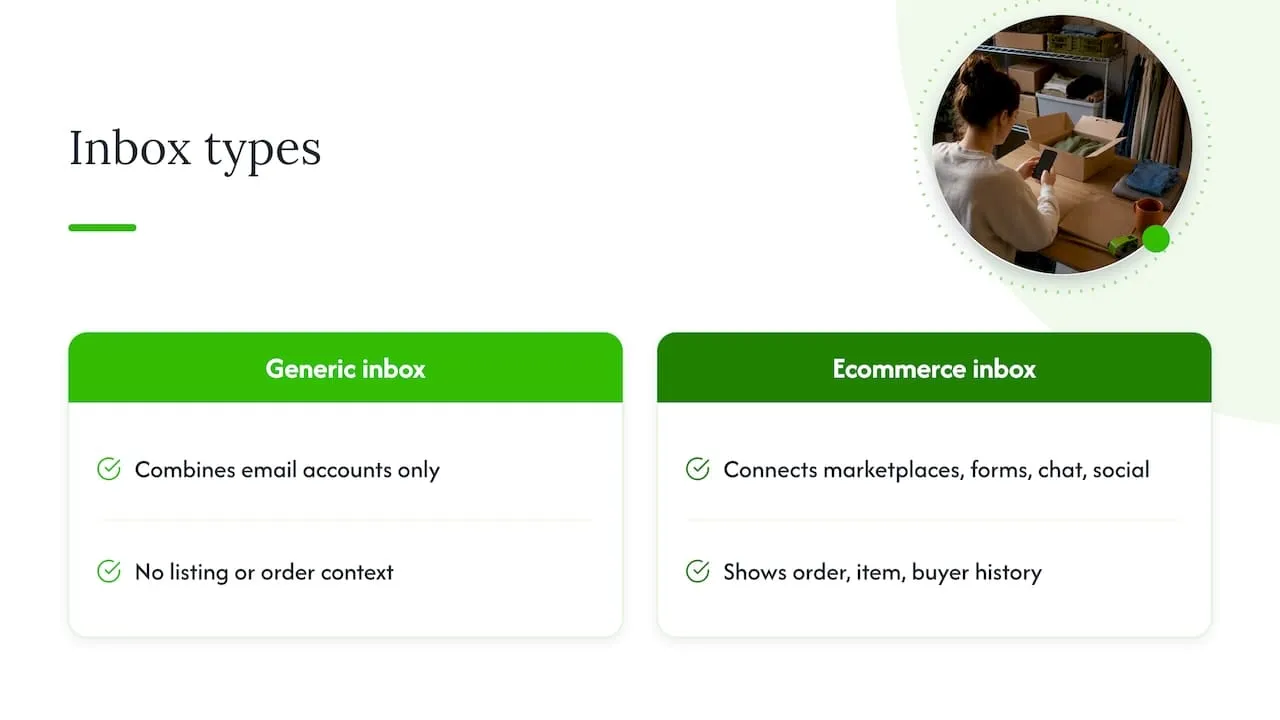
A unified inbox fixes that by collecting conversations in one queue. Tools differ in what they connect. Some combine email accounts only. Others connect marketplaces, webstore contact forms, live chat and social messages. The better ones show the order, the item and the buyer’s history beside the message, so you do not have to open another tab to remember what the buyer bought.
That last point separates a real ecommerce inbox from a generic one. A generic unified inbox merges email accounts. It does not know that a message is about a particular listing, or that the buyer already paid. For a reseller, the listing and the order are the context that makes a reply quick.
Who actually needs one
You probably do not need one if you sell a few items a month on a single marketplace. You probably do if:
- you list on Vinted and eBay at the same time and answer the same questions twice;
- you run a Vinted Pro account or a small resale business and someone else helps with replies;
- you sell vintage or second-hand clothing, where buyers ask about measurements, condition and postage before almost every purchase;
- you sell through a Shopify, WooCommerce or PrestaShop store as well as marketplaces.
If you want the wider picture on handling several channels, our guide to multi-channel customer support covers the principles beyond marketplaces.
Why Vinted and eBay messages pile up
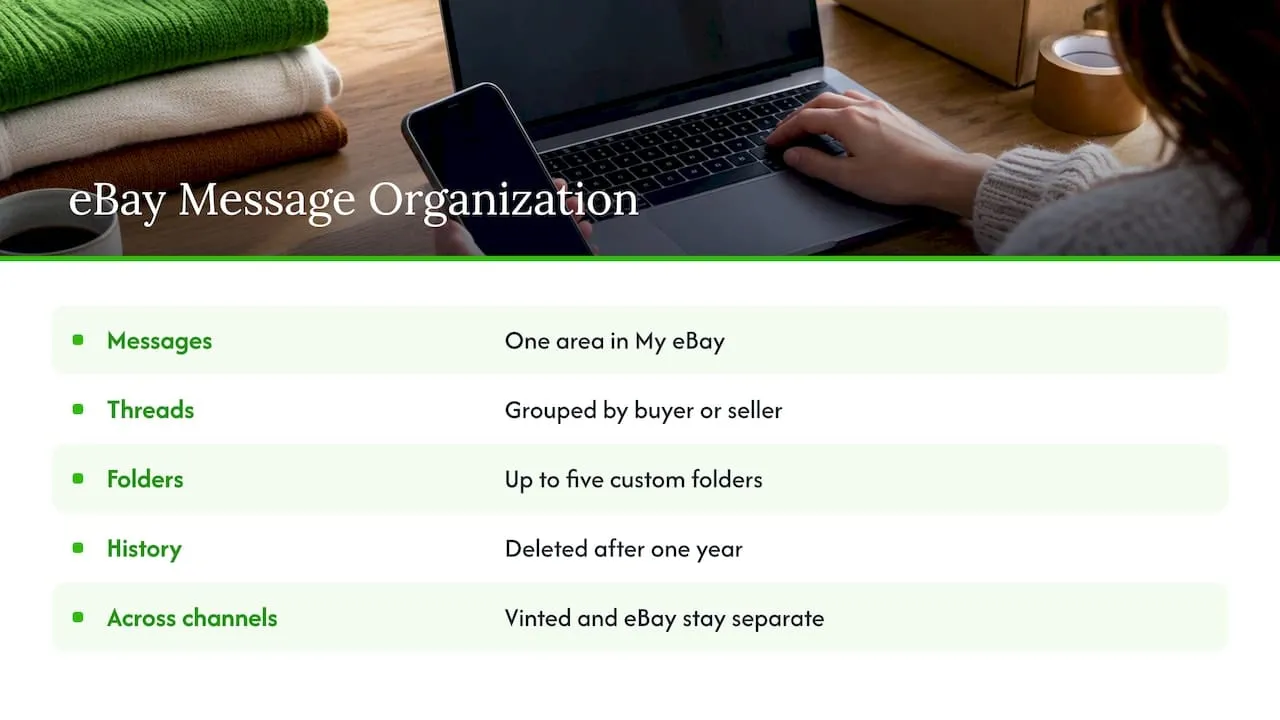
Both marketplaces have decent messaging on their own, which is worth knowing before you add anything. eBay UK says buyers’ and sellers’ messages, along with important eBay emails, sit in one Messages area in My eBay. Its newer experience groups messages from the same buyer or seller into one threaded conversation and allows up to five custom folders.
eBay Seller Centre also explained in its September 2022 announcement that messages are grouped by buyer and listing, which makes conversations easier to follow. A February 2022 Seller Centre post adds that both sides of a conversation show in order on one screen, and that messages in the new experience are kept for one year and then deleted automatically.
That last detail matters for resellers. If a dispute or a return comes up more than a year after a conversation, eBay will no longer hold the thread. If you rely on message history as a record, keep your own copy of anything important, such as an agreed postage change or a condition note.
So eBay on its own is tidy. The mess comes from the combination: each channel is organised internally, and none of them knows about the others. A buyer who asks on Vinted whether a jacket is still available and on eBay whether you do combined postage gets two answers from you, in two places, at two different times.
What each marketplace lets you do with messages
Before you connect any tool, read what the marketplaces say about conversations. The table summarises the points UK sellers most often need.
| Channel | What the official help says | What it means for your inbox |
|---|---|---|
| eBay UK | Messages, plus important eBay emails, sit in one Messages area in My eBay (eBay help) | Your eBay conversations already have a home, with threads by buyer and listing |
| eBay UK | Member-to-member contact policy bans off-eBay offers, spam, and swapping email addresses, phone numbers, payment details or social links (eBay policy) | Saved replies and templates must not push the buyer off eBay |
| eBay UK | eBay may monitor messages for fraud, abuse, spam and policy breaches, and may remove content, restrict activity or suspend an account | Careless automation is a risk to your account |
| Vinted UK | Members are told not to move conversations to another app or SMS and not to share personal information (Vinted help) | Keep buyer talk about the order on Vinted |
| Vinted UK | Stay on Vinted throughout an order, use Vinted checkout and shipping, and avoid links or requests for personal or payment data (Vinted help) | Never put payment links or bank details in a reply |
The common thread is that both marketplaces want the conversation to stay inside their system, and both treat off-platform contact as a scam signal. A unified inbox is fine when it is a better window onto the same conversation. It is not fine when you use it to steer buyers elsewhere.
Unified inbox ecommerce: what to check before you choose one
With a keyword as broad as this, most of what you will find online is aimed at large support teams with ticketing and helpdesk software. A one-person Vinted and eBay business needs a shorter checklist.
1. Which channels does it connect natively?
Ask for the exact list, not “marketplaces”. Does it include Vinted? eBay UK? Wallapop? Your webstore? A tool that covers Amazon and Shopee but not Vinted is of little use to a clothing reseller. Also check whether each channel is read and reply, or read only.
2. Do replies go back through the marketplace?
The reply should arrive in the buyer’s marketplace conversation as a normal message from you. A reply that falls back to email breaks the thread and can leave the marketplace thinking you never answered. Ask the provider how replies are sent.
3. Can you see the item and the order?
Beside each message you want the listing, the price, whether it has sold, and the buyer’s earlier orders. Without it, you still hop between tabs and the saving is small.
4. Does it respect marketplace rules?
Read the provider’s explanation of how it connects. Marketplaces limit what you can send, and replies through a tool may be plain text only or have length limits. Check that the tool does not ask you to share login details in a way the marketplace forbids, and that it does not encourage off-platform contact.
5. Can more than one person use it?
If a partner or helper answers messages, look at both sides. eBay UK Team Access lets an account owner give a team member permission to manage messages while keeping personal, business, bank and account-administration information restricted. A 2024 Seller Centre update says multi-user access lets authorised users manage the seller’s inbox. Use those controls rather than sharing one password.
6. What happens to your history?
With eBay deleting threads after a year, a tool that keeps a searchable record can be useful. Ask where the data is stored and whether you can export it.
Three ways to set up a shared inbox
There is no single right answer. Pick by how many channels you sell on and how many people reply.
| Approach | Best for | Strengths | Limits |
|---|---|---|---|
| Email forwarding into one mailbox | A seller with one marketplace and a webstore | Free, quick to set up | Replies often go out as email, not marketplace messages; no item context |
| Ecommerce helpdesk with ticketing | Larger teams with high message volume | Assignments, service targets, order data | Built for support departments, more setup than a small reseller needs |
| Inbox inside your listing tool | Resellers who list and sell on several channels | Messages sit beside the stock and the listings | Coverage depends on which marketplaces the tool supports |
For a reseller, the third option tends to fit best because messages are already tied to the listings you manage. If you also run a webstore, our page on messages, orders and sales in one place shows how that looks in practice.
A daily routine with one inbox
The tool matters less than the habit. This is a routine that works for a seller handling a few dozen messages a day.
- Reply to open questions first. A “still available?” message is usually a buyer ready to pay. Answer it before anything else.
- Handle order issues next. Vinted directs order-specific help through Profile, My orders and the relevant order’s help option, with general help through Help Centre articles and Contact us, as set out on the Vinted Help Centre. Send buyers there rather than trying to solve a dispute in chat.
- Use saved replies for the repeat questions. Measurements, postage, combined orders, condition. Write each once, in your own words, and keep them free of links, phone numbers and payment details.
- Check that sold items are gone elsewhere. A message asking about an item that has sold on another channel is a sign your stock is out of sync. Fix the cause, not just the reply.
- Archive once a week. Save anything you may need as evidence before the marketplace deletes it.
Common mistakes
- Treating the inbox as a way to leave the platform. Moving a buyer to WhatsApp or email to “settle quickly” breaks both Vinted’s and eBay’s rules and removes your protection if something goes wrong.
- Copy and pasting one reply everywhere. Vinted buyers expect a short, friendly chat. eBay buyers often expect a fuller answer. Adjust the tone by channel.
- Ignoring stock sync. The busiest inbox is the one full of “sorry, that one has sold”. Fewer double sales means fewer apologies.
- Sharing a password with a helper. Use the account permissions the marketplace provides.
Our perspective
We built Ruit because the real problem for resellers is rarely the message itself. It is that the same item exists in three places, and each place generates its own questions. A unified inbox helps, but it works best when it sits next to the listings and the stock, because then a question about an item arrives with the item attached.
Our view is that you should be careful about promises. No tool should claim to handle every marketplace’s messages in the same way, because the marketplaces set the rules, and those rules differ and change. We would rather say plainly what we cover: Vinted and Wallapop messages in one inbox. eBay messages stay in eBay’s own Messages area, which is already well organised.
The second part of our view is about order. Get listing and stock right first. When a sold item disappears from the other channels by itself, a large share of your messages never get written. The inbox then handles the questions that really need a human.
- Luis
How Ruit handles messages
Ruit is a crosslisting app for second-hand sellers and small resale businesses in the UK and Europe. You list an item once and publish it on Vinted, eBay, Wallapop, todocoleccion, Shopify, WooCommerce and PrestaShop. When it sells on one channel, Ruit updates stock and removes the listing from the others, so you do not sell the same item twice.
On messages, Ruit brings Vinted and Wallapop buyer messages into one inbox. It also relists automatically on Vinted and Wallapop, and its AI drafts titles and descriptions for you. If you sell on Vinted and eBay together, you answer Vinted and Wallapop chats in one place and keep using eBay’s Messages area for eBay buyers.
You can see how this works on the messages and sales page, or start with Ruit and try it on your own listings.
What to do next
Start small. List the channels you sell on and count how many places you check each day. If it is more than two, a shared inbox will pay for itself in time saved. Then check each marketplace’s help pages, choose a tool that connects the channels you use, and keep every reply inside the marketplace it came from.
If you also sell through your own store, it is worth reading about connecting it to marketplaces. We have guides on how to connect Shopify to Wallapop, Vinted and eBay and on the order fulfilment process for resellers, which covers what happens after the message.
Sources
- Messages | eBay UK help
- Messaging | eBay UK Seller Centre, September 2022
- New Messaging Experience | eBay UK Seller Centre, February 2022
- Member-to-member contact policy | eBay UK
- Chatting with another member | Vinted UK
- How to avoid and report phishing messages and scams | Vinted UK
- Team Access | eBay UK Seller Centre
- Seller protection | eBay UK Seller Centre, February 2024
- How to use Help Centre and contact support? | Vinted UK
Frequently Asked Questions
What is a unified inbox for ecommerce?
It is one queue where messages from your marketplaces, webstore, email and sometimes chat or social accounts arrive together. A good one also shows the item and order beside each message. That context is what makes it useful for resellers, rather than just a merged email account.
Can I read Vinted and eBay messages in one place?
That depends on the tool, because each marketplace controls how others can connect. eBay already keeps your messages together in the Messages area of My eBay. Ruit brings Vinted and Wallapop messages into one inbox, while eBay messages stay in eBay.
Is it against the rules to answer messages through a third-party tool?
The marketplaces care about where the conversation happens and what is said, not only the window you use. Vinted asks members to keep chats on Vinted and not to share personal information, and eBay bans off-eBay offers and swapping contact details. Read the help pages above and keep every reply inside the marketplace.
How long does eBay keep my messages?
eBay UK Seller Centre says messages in its newer messaging experience are kept for one year and then deleted automatically. If you may need a conversation as evidence later, save a copy before then.
Do I need a unified inbox if I only sell on Vinted?
Probably not at first. The benefit grows with the number of channels and people involved. If you add eBay, a webstore or Wallapop, or someone helps with replies, a single inbox starts to save real time.
Can a helper manage my eBay messages without my password?
Yes. eBay UK Team Access lets the account owner give a team member permission to manage messages while restricting access to personal, business, bank and account-administration information. It is safer than sharing your login.