WooCommerce Wallapop Integration: A Guide for UK Sellers

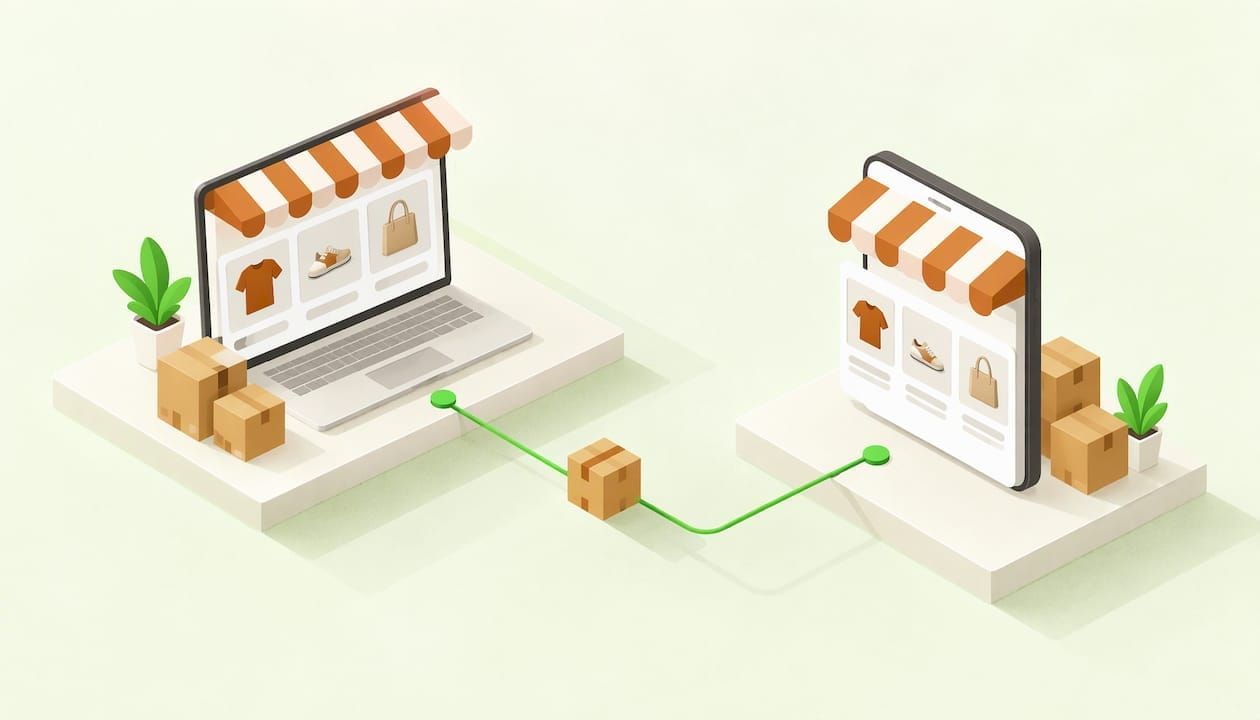
Table of Contents
- TL;DR
- What a WooCommerce Wallapop integration actually does
- How Wallapop lets other software connect
- How sold items are detected
- What UK sellers need to know about Wallapop first
- Wallapop, Vinted and eBay side by side
- Setting up a WooCommerce and Wallapop workflow
- Testing before you rely on it
- Listing quality matters more across channels
- Our view: why one inventory beats juggling channels
- Where Ruit fits
- Frequently Asked Questions
- Sources
- Recommended
A WooCommerce Wallapop integration works by connecting your shop’s product catalogue to Wallapop through its Connect API, usually via a listing tool, so one stock count runs across both channels. For a UK reseller who already sells on Vinted and eBay, the simplest route is to list an item once in Ruit and publish it to WooCommerce, Wallapop, Vinted and eBay together, with sold items removed from the other channels automatically.
TL;DR
- Wallapop has a documented Connect API for professional sellers and integrators. It covers listings, transactions, delivery, disputes and webhooks, and this is what any WooCommerce link is built on.
- Wallapop’s own integrated shipping service covers Spain, Italy and Portugal only, so plan fulfilment around that before you list.
- The real risk in any multi-channel setup is selling one item twice. Stock sync and automatic removal of sold listings are the features that matter most.
- In Ruit you list once and publish to Vinted, eBay, Wallapop, todocoleccion, Shopify, WooCommerce and PrestaShop, with stock kept in sync.
- Test with a handful of items first, then scale up.
What a WooCommerce Wallapop integration actually does
WooCommerce is the WordPress plugin that turns a website into a shop. Wallapop is a Spanish marketplace for second-hand goods, with a UK site for local classified ads. An integration joins the two so that a product you create once can appear on both, and so that a sale on one channel is reflected on the other.
For a UK reseller, that matters because the same item might now sit in four places: your WooCommerce shop, Vinted, eBay and Wallapop. Without a link between them, you are checking each channel by hand every time something sells. With one-off vintage pieces, where you have exactly one of each, a missed update means a cancelled order and an unhappy buyer.
A working integration needs to do four things:
- Create the listing on the marketplace from your product data (title, description, photos, price, category).
- Update or remove the listing when the stock changes.
- Tell you when something sells, and on which channel.
- Pass on delivery information so the order can be fulfilled.
The rest of this guide covers how Wallapop makes that possible, where the limits sit for a UK seller, and how to set up a sensible routine.
How Wallapop lets other software connect
Wallapop publishes a Connect API aimed at professional sellers and the third-party tools that serve them. According to a profile of the API, it lets integrators publish and manage listings, accept shipping requests, track transactions and receive signed webhooks. Access is secured with OAuth 2.0 using the Authorization Code flow with PKCE, a standard way of letting you approve a tool’s access to your account without handing over your password.
The same profile describes six separate APIs:
| API | What it handles |
|---|---|
| Categories | The category tree your listings must map to |
| Items | Creating and managing listings |
| Transactions | Sales and shipping requests |
| Delivery | Delivery details for a transaction |
| Disputes | Problems raised on an order |
| Webhooks | Automatic notifications of events |
There are two practical points here for a WooCommerce seller.
First, categories. Your WooCommerce categories will not match Wallapop’s, so every product needs mapping to a Wallapop category. A tool that does this for you saves a lot of repetitive work on a catalogue of hundreds of items.
Second, access. The API is designed for professional sellers and integrators, not for pasting a few lines into a plugin and hoping. In practice, most sellers reach it through a tool that has already done the integration work.
How sold items are detected
Stock sync depends on knowing quickly that something has sold. Wallapop’s webhooks do this. Per the webhooks catalogue, they send signed HTTPS notifications, verified with an HMAC-SHA256 signature in the X-Wallapop-Signature header, for events including SALE_COMPLETED, ITEM_OUT_OF_STOCK, TRANSACTION_CREATED and DISPUTE_CREATED.
In plain terms: when a sale completes on Wallapop, a message is pushed to the connected tool, which can then reduce the stock count in WooCommerce and take the item down elsewhere. The signature is there so the tool can confirm the message really came from Wallapop.
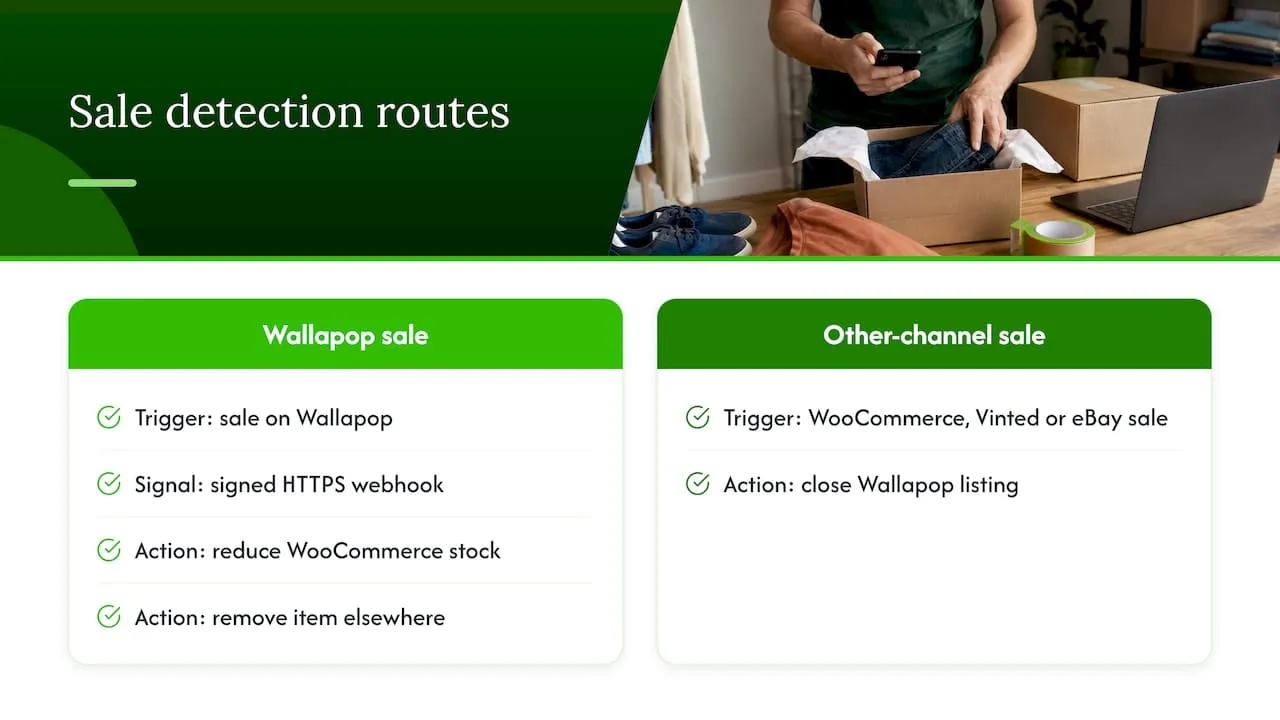
The flow in the other direction matters just as much. When a customer buys from your WooCommerce shop, or an item sells on Vinted or eBay, the listing on Wallapop should be closed. That is the half sellers tend to forget to test.
For the WooCommerce side of this, our practical guide to stock synchronisation for WooCommerce walks through how a single stock count is kept accurate.
What UK sellers need to know about Wallapop first
Wallapop is built around Spain, with the UK served by a local classifieds site. That shapes what is realistic for a UK business.
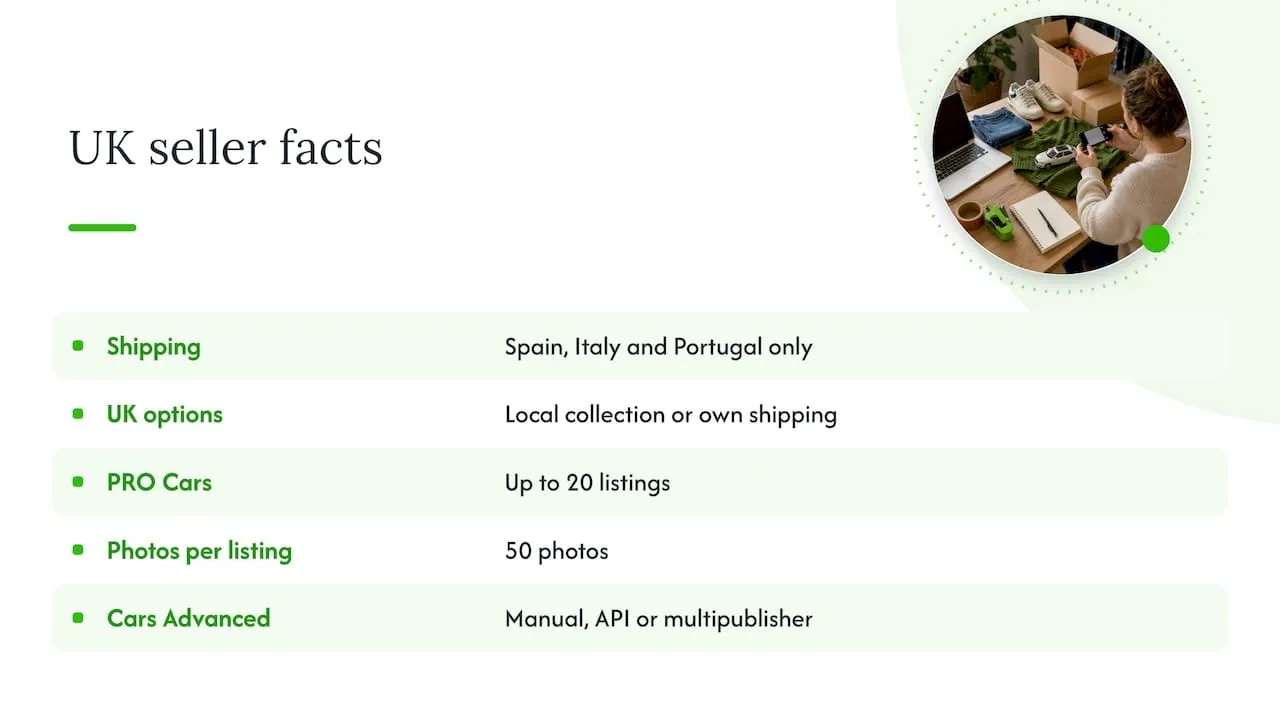
Shipping. According to a 2026 guide for UK buyers, Wallapop’s integrated shipping service covers Spain, Italy and Portugal only, under terms updated on 24 July 2026, with no delivery beyond those three countries. If you sell from the UK, think about who your buyer is and how the parcel will reach them before you publish anything. Local collection and your own shipping arrangements remain the practical options for items listed from the UK.
Professional plans. Wallapop’s UK site offers a PRO Cars plan for small and medium businesses, with up to 20 listings, 50 photos per listing, no expiry date and buyer chat. A custom Cars Advanced plan allows the catalogue to be updated manually, by API or through a multi-channel listing tool. That is a motor trade plan, so it matters mainly if you sell vehicles, but it shows how Wallapop treats professional accounts differently, and why API access sits with business sellers.
Language. Buyers on Wallapop mostly browse in Spanish. Titles and descriptions written in clear, simple language, with measurements and condition stated plainly, travel better than clever copy.
Wallapop, Vinted and eBay side by side
Most UK resellers reading this already sell on Vinted or eBay, so the useful question is how Wallapop fits alongside them.
| Vinted | eBay UK | Wallapop | |
|---|---|---|---|
| Typical use | Clothing, accessories, home items | Everything, including rare and collectable items | Local second-hand sales, strongest in Spain |
| Buyer base | Large UK base for fashion | Broad UK and international | Mainly Spanish-speaking |
| Shipping | Marketplace-integrated labels | Seller-chosen carriers | Integrated shipping covers Spain, Italy and Portugal |
| Best for | Quick turnover on wardrobe pieces | Higher-value and niche items | Extra reach for items you can fulfil locally or send yourself |
For a deeper look at fees and margins, our comparison of what sells better on each platform and the user experience and app differences are worth reading before you decide which items to put where.
The point of adding Wallapop is not to replace Vinted or eBay. It is to give the same stock one more place to be found, without adding hours of admin.
Setting up a WooCommerce and Wallapop workflow
There is no single button that does everything, but the routine is straightforward. Here is the order we would follow.
1. Clean up your WooCommerce catalogue
Before connecting anything, check that each product has a clear title, a full description, good photos, a price and an accurate stock quantity. Whatever you publish elsewhere is only as good as this source data. Common faults are missing sizes, vague conditions and duplicated products.
2. Decide which items go to Wallapop
Not every item suits every channel. Heavy, bulky or low-value pieces may not justify the effort of fulfilling to a Spanish buyer. Lighter, distinctive items that you can ship yourself are better candidates. Start with a small set.
3. Connect your accounts
You authorise the tool to act for your accounts. Because Wallapop uses OAuth 2.0 with PKCE, you approve access through Wallapop itself rather than sharing a password. Connect WooCommerce, Wallapop, Vinted and eBay in the same place so that one inventory feeds all of them.
4. Map categories and publish
Match your product categories to each marketplace’s own. Then publish. In Ruit you list the item once and publish it to Vinted, eBay, Wallapop, todocoleccion, Shopify, WooCommerce and PrestaShop at the same time. Our page on cross-listing for Vinted, eBay and online stores shows how that works, and the WooCommerce page covers running a shop from one inventory.
5. Switch on stock sync
This is the step that prevents double sales. When an item sells on one channel, stock updates and the listing is removed from the others. See how stock is synced across marketplaces.
6. Handle messages and relisting
Buyer questions arrive from several places. Ruit brings Vinted and Wallapop messages into one inbox, and it relists automatically on Vinted and Wallapop, so older listings keep returning to the top without you republishing each one.
Testing before you rely on it
Set aside a short trial period before you move your whole catalogue. A sensible test routine looks like this:
| Check | What to look for |
|---|---|
| Publish five items | Titles, photos, prices and categories appear correctly on each channel |
| Sell one item on each channel | The others close the listing and the WooCommerce stock count drops |
| Edit a price | The change reaches every channel |
| Receive a buyer message | It lands in the right place and you can reply |
| Send a test parcel | You know the cost, the carrier and the timing before a real order |
If all five pass with a small batch, scale up in stages. Keep a note of anything that needed manual correction, because those are the points where your routine, rather than the software, needs tightening.
Listing quality matters more across channels
Publishing in more places raises the cost of a bad listing, because the same weak description now appears four times. A few habits keep it strong:
- Lead the title with brand, item type and size, the words buyers actually search.
- State condition honestly and mention flaws. It reduces returns and disputes on every channel.
- Use the same clear, well-lit photos across all channels, with the first image showing the whole item.
- Include measurements, not just labelled sizes, as sizing varies between brands and countries.
Ruit’s AI drafts titles and descriptions for you, which is a quick way to get a consistent first version that you then check and adjust. It is especially useful when you are listing in bulk after a sourcing trip.
Our view: why one inventory beats juggling channels
We built Ruit for sellers who are tired of doing the same job four times. A vintage jumper is one item. It should be listed once, and when it sells, it should vanish from everywhere else.
The reason an integration like WooCommerce and Wallapop is worth having is not the novelty of another channel. It is that your stock count stays honest. Every double sale costs you a refund, a cancelled order and some goodwill, and it is entirely avoidable when sales on any channel update the rest.
Our advice to UK sellers is to start from the channels you already know, Vinted and eBay, add your own shop on WooCommerce, and then add Wallapop for items you are happy to send or hand over locally. Keep the routine simple: list once, sync stock, relist automatically, and answer buyers from one inbox.
That is the whole idea behind Ruit, and it is what lets a small resale business grow without hiring someone just to keep spreadsheets in order.
Luis
Where Ruit fits
If you sell on Vinted and eBay and want WooCommerce and Wallapop in the same routine, Ruit is built for exactly that: list once, publish across channels, and let stock sync remove sold items elsewhere. You can compare the available plans on the pricing page, and if you already run Wallapop PRO, see how to pause and reactivate Wallapop PRO listings or manage several units per listing.
If your shop runs on Shopify rather than WooCommerce, the guide to connecting Shopify to Wallapop, Vinted and eBay covers the same ground, and for clothing resellers the WooCommerce to Vinted guide shows the other half of the picture.
Ready to try it? Start with Ruit and put your first items live in one go.
Frequently Asked Questions
Does Wallapop have an API that WooCommerce can use?
Yes. Wallapop’s Connect API covers categories, items, transactions, delivery, disputes and webhooks, and uses OAuth 2.0 for access, according to a public profile of the API. It is aimed at professional sellers and integrators, so most sellers use it through a tool that connects to it for them.
Can I sell on Wallapop from the UK?
Wallapop runs a UK site for local classified ads, and professional plans exist for UK businesses. Its integrated shipping, however, covers only Spain, Italy and Portugal, so check how you will deliver before you publish.
How do I stop selling the same item twice?
Use one inventory that feeds every channel. When an item sells on any one of them, stock updates and the listing is taken down from the others. In Ruit, this is how stock sync works across Vinted, eBay, Wallapop and your WooCommerce shop.
Can I handle Vinted and Wallapop messages in one place?
Yes. Ruit brings Vinted and Wallapop buyer messages into a single inbox, so you reply from one screen instead of switching between the two.
Should I list everything on Wallapop?
Start with a small batch of lighter, distinctive items that you are happy to send yourself or hand over locally. Check that titles, prices and stock behave correctly on every channel, then widen the range in stages.
Sources
- Wallapop UK
- Wallapop PRO Cars, UK
- Wallapop Connect API profile
- Wallapop Webhooks Catalog
- Wallapop shipping to the UK guide