Stock and sync
6 features available
- Delist on sale
- Automatic sync
- Synced reservations
Stock and sync
Closed the deal by message or in person? Mark it as sold or reserved.
Available on Wallapop, Vinted, WooCommerce, PrestaShop, and IberLibro
Ruit acts as it would with a detected sale.
It takes one unit off, records the sale in your transactions, updates the quantities and, if the stock reaches zero, removes the other listings. On IberLibro, the quantity only changes on the books you listed from Ruit.
Ruit reserves it on Wallapop and Vinted and sets one unit aside.
On Vinted it does so by hiding the listing. It also reserves the sibling listings on Wallapop and Vinted, and removing the reservation undoes it.
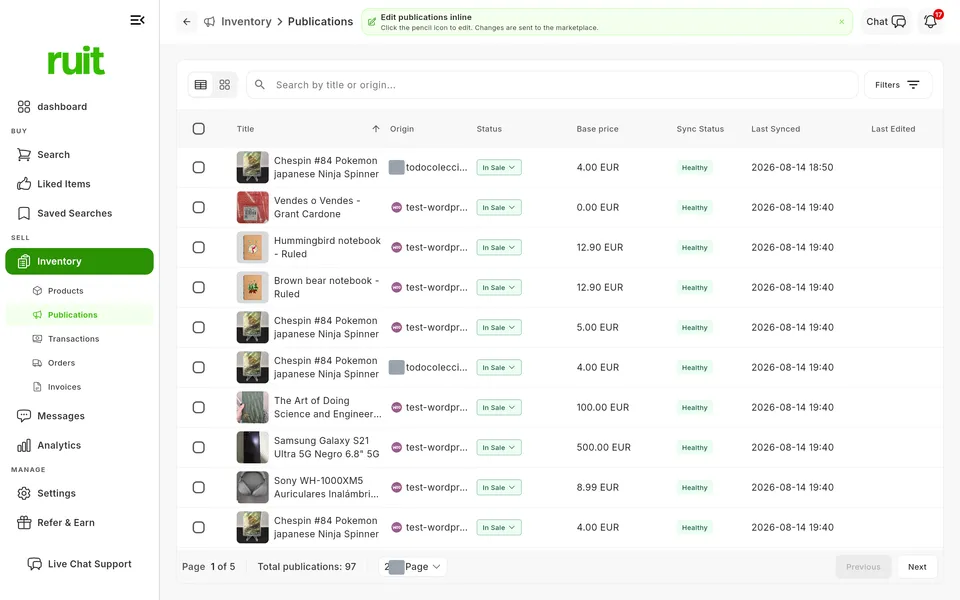
Mark one from its status, or several rows at once.
In Inventory, Publications, the status of a listing on sale or reserved is a menu with its actions.
The marketplaces where this feature is available today.
| Feature | Wallapop | Vinted | eBay | WooCommerce | Shopify | PrestaShop | Todocolección | IberLibro |
|---|---|---|---|---|---|---|---|---|
| Stock and sync | ||||||||
| Mark as sold or reserved Mark a listing as sold or reserved from Ruit. | Available | Available | Not available | Available | Not available | Available | Not available | Available |
Mark as sold or reserved
Mark a listing as sold or reserved from Ruit.
The plans that include this feature. What each one costs is on the pricing page.
| Feature | Free | Starter | Plus | Pro | Business | Enterprise |
|---|---|---|---|---|---|---|
| Stock and sync | ||||||
| Mark as sold or reserved Mark a listing as sold or reserved from Ruit. | Available | Available | Available | Available | Available | Available |
Mark as sold or reserved
Mark a listing as sold or reserved from Ruit.
In Inventory, Publications, find its row, or select several.
Open the status and choose Mark as sold or Mark as reserved, or use the selection bar.
Confirm if Ruit asks you to.
Reserving only exists on Wallapop and Vinted; on WooCommerce, PrestaShop and IberLibro, the status only changes in Ruit. An out-of-stock listing on a store with quantities accepts none of these actions, and the sibling listings depend on automatic delisting.
When a product is reserved on one marketplace, it is marked as reserved on the other supported marketplaces too.
See the feature : Synced reservationsWhen you sell on one marketplace, the product is removed from the others.
See the feature : Delist on saleGather the transactions from your sales and the ones you add by hand.
See the feature : TransactionsRemove a published listing from the marketplace, from Ruit.
See the feature : Delist listings6 features available
Create your account, connect your marketplaces and try these features with your inventory.