Can You Block a Buyer on eBay? the Complete Seller Guide

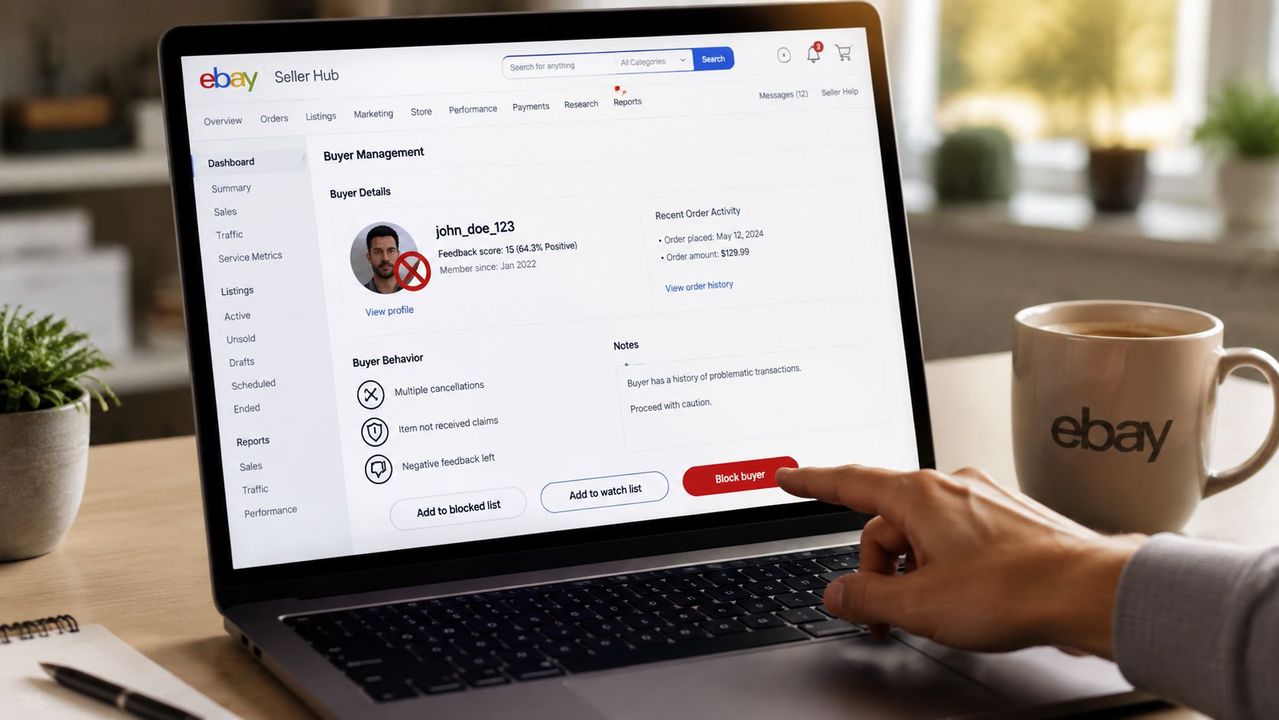
Table of Contents
- Table of Contents
- Why Blocking Problematic Buyers Protects Your Business
- How to Block a Buyer on eBay Step by Step
- The Messaging Loophole Most Sellers Miss
- Using Buyer Requirements to Filter Risky Accounts
- Alternatives to Blocking and When to Use Them
- Managing Buyer Issues Across Multiple Marketplaces
Yes, you can block a buyer on eBay, and eBay lets you keep a blocked-buyer list of up to 5,000 usernames directly in your account settings. If you’re dealing with the kind of buyer who burns your time with unpaid orders, abusive messages, or constant return drama, that block list is one of the few controls eBay gives you that works inside the selling workflow itself.
The mistake most sellers make is treating blocking like a last-minute cleanup step. In practice, it’s part of day-to-day risk management, especially when one buyer can keep draining attention while your inventory, feedback, and margins are on the line.
Table of Contents
- Why Blocking Problematic Buyers Protects Your Business
- How to Block a Buyer on eBay Step by Step
- The Messaging Loophole Most Sellers Miss
- Using Buyer Requirements to Filter Risky Accounts
- Alternatives to Blocking and When to Use Them
- Managing Buyer Issues Across Multiple Marketplaces
Why Blocking Problematic Buyers Protects Your Business
A bad buyer usually doesn’t announce themselves in a neat, obvious way. They win auctions and ghost, hammer you with questions after ignoring the description, or start a return thread that turns into a mess you have to unwind later. When that pattern shows up, blocking is a normal seller control, not a personal reaction.
What the block actually does
eBay’s help page says you can block individual buyers or use buyer requirements, and a blocked buyer can’t bid or buy from you until you remove them from the list. That matters because the block is built into eBay’s own selling tools, not some workaround outside the platform. The same page also confirms the list can hold up to 5,000 usernames in one account, which is plenty for sellers who deal with repeat trouble across lots of listings and long sales cycles. eBay’s blocked-buyer help page
Practical rule: if the buyer is clearly recurring risk, block first, then decide whether to report, cancel, or escalate.
When blocking is the right move
Blocking makes sense when the pattern is repeat behavior, not a one-off misunderstanding. If a buyer is abusive, manipulative, or chronically disruptive, letting them stay in your orbit just creates more work. The cost isn’t only the sale you might lose, it’s the time spent answering messages, managing disputes, and dealing with the emotional drag that comes with toxic back-and-forth.
There’s also a judgment call here. If the issue is a simple address problem, a payment failure, or a listing error, a block may be too blunt. If the issue is harassment, repeat non-payment, or obvious bad faith, blocking is usually the cleaner choice.
What blocking doesn’t solve by itself
Blocking doesn’t magically fix every buyer problem. It stops that buyer from purchasing from you, but it doesn’t automatically erase the history of the dispute, and it doesn’t replace reporting when someone crosses a policy line. That’s why strong sellers use it as one tool inside a tighter process, not as a substitute for all other enforcement.
How to Block a Buyer on eBay Step by Step
The fastest way to block someone is to start with their exact eBay username. Pull it from the order details or the message thread, because a small typo or the wrong account name can make the block miss the person you meant to exclude.
The basic click path
Go to your account settings, find the blocked-buyer list or the buyer-blocking area under selling preferences, and open the edit screen. Enter the buyer’s username exactly as it appears in eBay, then save or submit the change. eBay’s help page makes clear that the block lives in your seller controls, and the buyer can’t bid or buy from you once the update is in place. eBay’s blocking workflow
If you’re dealing with multiple bad accounts, batch them carefully. The blocked list supports up to 5,000 usernames, so scale isn’t the limitation, accuracy is. A sloppy paste job, an extra space, or a mistaken alias can leave the wrong account active.
Keep a clean record of exact usernames, not nicknames or message headers. That saves you from blocking the wrong person and wondering why the problem didn’t stop.
What to verify after you save
After you submit the change, check that the name appears on your blocked list. That quick verification matters because “I thought I saved it” is a common failure point, especially when sellers are moving fast between orders, messages, and listings.
Three mistakes cause most avoidable misses:
- Wrong username format: copy the exact seller-facing username from eBay, not a display name you inferred.
- Forgotten save step: the block doesn’t count until you submit the change.
- Half-finished cleanup: blocking one account while leaving a known duplicate untouched.
If you’re handling a batch of recurring issues, build the habit of logging usernames as soon as the pattern becomes obvious. That makes later block management much easier, especially when the same buyer keeps resurfacing under slightly different profiles.
The Messaging Loophole Most Sellers Miss
Blocking a buyer from purchasing doesn’t automatically shut down their messages. That’s the gap that catches sellers who think one block action covers every kind of contact, then spend the next week clearing out the inbox anyway.
Why the separation matters
eBay seller guidance treats buying and messaging as separate controls. The blocked-buyer list stops the account from bidding or buying, but the messaging restriction lives in Buyer Management and selling preferences. If you leave that toggle off, the buyer can still contact you even though they can’t complete a purchase. 3Dsellers’ guide on blocking and messaging
That separation matters in real seller operations. A buyer can be blocked from commerce and still keep sending hostile or exhausting messages, which means the inbox becomes the place where the problem lives. For a reseller managing multiple listings, that’s a time sink you don’t want.
How to close the loophole
The approach is simple. First, add the buyer’s exact username to the blocked list. Then go into your account’s buyer-management or selling-preferences area and enable the option that stops blocked buyers from contacting you on active and future listings. The practical failure mode is assuming the purchase block also covers communication. It doesn’t, unless you turn on the separate contact restriction.
A complete block should look like this:
- Identify the exact username from the order or message thread.
- Add it to the blocked-buyer list.
- Save the change.
- Check buyer-management settings.
- Enable the messaging restriction.
- Verify the account is covered on active and future listings.
Leaving the messaging side open keeps the seller exposed to more than annoyance. It can turn into a slow drain on support time, emotional energy, and team attention, especially when the buyer keeps trying to reframe the same dispute through messages.
A block that still allows contact is only half a boundary. For abusive accounts, half a boundary usually means the conversation continues.
Using Buyer Requirements to Filter Risky Accounts
Manual blocks are useful, but the cleaner move is to keep risky buyers out before they ever reach your order queue. eBay’s buyer requirements give you that filter layer, so you’re not waiting for trouble to show up before acting.
What to filter first
The most practical filters are the ones tied to behavior and shipping fit. eBay’s seller controls can be used to restrict buyers based on account history and where they’re registered, so you can avoid a chunk of bad-fit traffic before it becomes an order. If you know certain countries aren’t in your shipping footprint, buyer requirements should reflect that. If you’ve had repeated issues with unpaid items or low-trust accounts, those are also reasonable places to tighten the gate. eBay’s blocked-buyer and buyer-requirements help
How experienced sellers use them
High-volume sellers usually don’t rely on a single filter. They combine buyer requirements with listing-level clarity, then reserve manual blocks for the outliers that slip through. That’s a better workflow than trying to police every bad interaction after the fact.
A practical setup looks like this:
- Shipping limits first: match buyer eligibility to where you ship.
- Behavior filters next: exclude the kinds of accounts that repeatedly create friction.
- Manual blocks last: use them for specific buyers who already proved they’re a problem.
That setup reduces the number of one-off decisions you have to make during a busy day. It also keeps the list of blocked usernames focused on problematic accounts instead of being cluttered with every minor annoyance.
For sellers who also operate on other platforms, cross-referencing buyer behavior matters even more, because a problem account on one marketplace can turn into a repeated headache somewhere else. Managing multi-channel selling workflows fits naturally into that broader process.
Alternatives to Blocking and When to Use Them
Blocking is strong medicine, and not every issue needs it. A buyer who asks a clumsy question, misses a detail, or opens a basic support conversation doesn’t always belong on a permanent exclusion list.
Match the action to the issue
Use reporting when the buyer breaks policy, threatens feedback abuse, or clearly violates platform rules. Use order cancellation when the transaction can’t be completed, such as an address mismatch or another hard fulfillment problem. Use a temporary restriction when you need distance but not a permanent ban, especially if the issue came from a misunderstanding that might be resolved later.
If the problem is policy-breaking, report it. If the problem is operational, fix the order. If the problem is repeated bad faith, block it.
Don’t overuse the block list
A block list works best when it stays sharp. If you add everyone who asks extra questions, you start confusing ordinary pre-sale friction with real risk. That can make later review harder, because the list stops telling you who caused damage.
A simple decision rule helps:
- One-off confusion: answer the buyer or clarify the listing.
- Operational failure: cancel or correct the order.
- Repeat bad actor: block and, if needed, report.
That approach preserves buyer relationships where they’re still salvageable and saves the block list for the cases that deserve it. It’s also cleaner for your own records, because you can see which buyers were a genuine threat and which were just a mismatch for the listing.
If you’re handling disputes across channels, order-level process matters too, especially when the same customer can show up again in another store or marketplace. Centralized order management workflows are useful for keeping that from turning into a manual scramble.
Managing Buyer Issues Across Multiple Marketplaces
Most professional resellers don’t sell only on eBay. They’re moving inventory across Vinted, Wallapop, Todocolección, WooCommerce, or PrestaShop too, which means a blocked buyer on one site can try to keep the conversation alive somewhere else.
Why a single-platform block isn’t enough
eBay’s block list solves a specific problem inside eBay. It doesn’t create a business-wide memory for the same buyer’s behavior across other marketplaces. That’s where sellers get stretched thin, because the problem isn’t only access, it’s repetition. The same account name, the same complaint pattern, or the same tone in messages can show up again under a different storefront.
A centralized workflow helps because it gives you one place to see the history, the conversation, and the operational response. A unified inbox also keeps the response speed consistent, which matters when a difficult buyer is trying to force a long thread or pull support into an argument.
What a scalable workflow looks like
The cleanest setup is a shared buyer record, a shared message trail, and a clear rule for what gets blocked, reported, or ignored. If you’re managing several channels, that record should travel with the business, not sit inside one marketplace account.
That’s where connected tooling becomes practical. A platform like Ruit is built for sellers who need one operational view across channels, so buyer history, messaging, and order handling don’t live in separate silos. Its cross-channel structure is especially useful for teams that want to move faster without losing context, and its marketplace connections are relevant if you’re already juggling eBay, Vinted, Wallapop, or your own store. Connect Shopify, Wallapop, Vinted, and eBay
The best habit is simple: document the username, record the issue type, and apply the same rule every time. That keeps the operation calm, even when the buyer isn’t.
If you’re ready to make buyer management easier across eBay and the rest of your selling stack, take a look at Ruit. It helps professional resellers keep messaging, orders, and marketplace activity in one place so blocked buyers, repeat issues, and cross-channel conversations don’t get lost.