CSV Templates for Listings: A UK Seller's Guide for 2026

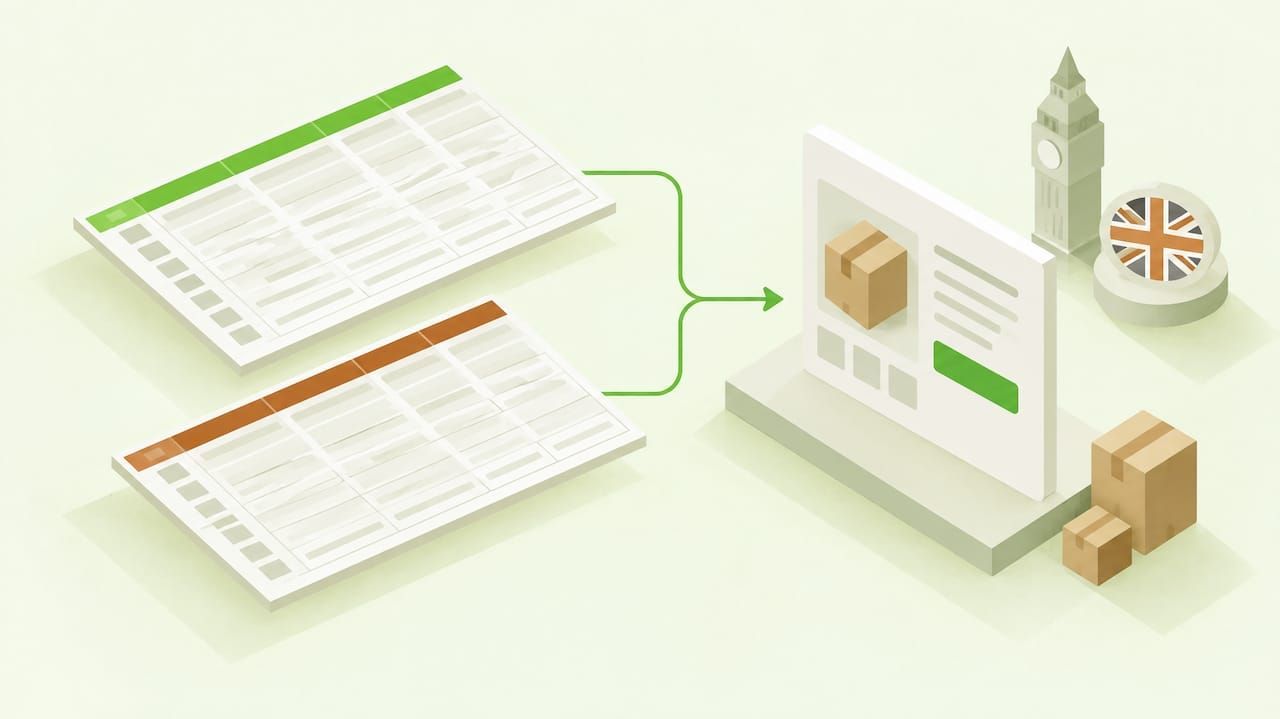
Table of Contents
- TL;DR
- What a CSV listing template is
- How to get the eBay UK template
- Fields to fill for second-hand and vintage clothing
- Formatting rules that prevent import errors
- Variations: sizes of the same item
- What about Vinted?
- Keeping Vinted and eBay consistent
- Our view: a sheet is a start, not the finish
- Bringing your spreadsheet into Ruit
- Common mistakes with listing CSV files
- Sources
- Frequently Asked Questions
- Recommended
CSV templates for listings are spreadsheet files you fill in once and upload to eBay UK to create many listings in one go, and you get the official template from Seller Hub Reports. Vinted works differently: its documented upload flow is item by item, so a good master sheet is mainly what you use to prepare eBay uploads and keep your Vinted details consistent.
This guide shows where to find the template, which fields matter for second-hand and vintage clothing, how to avoid the errors that stop an upload, and how to keep one stock list across both marketplaces.
TL;DR
- On eBay UK, open Seller Hub, go to Reports, choose Upload, then Get template. You can upload the file as .csv or .xlsx.
- Keep the template’s own headers, use its accepted values, and write image links that start with https:// and end in an image extension such as .jpg or .png.
- Use the Create drafts template if your photos are not hosted online yet. You can leave the image column blank and add pictures later.
- Vinted’s upload steps ask for photos, title, description, category, condition, price and parcel size per item, and duplicate listings are prohibited.
- Keep one master sheet with a unique SKU per item so your stock stays accurate on every channel.
What a CSV listing template is
A CSV file is plain text with one row per item and one column per detail, separated by commas. Any spreadsheet app opens it, and so does a text editor. A listing template is a CSV with the headers a marketplace expects already in place. You fill the rows, save, and upload.
eBay describes its template as a structured file that you complete with listing data and upload again, which can help you create high-volume listings quickly (eBay Inventory Onboarding guide, 10 June 2021). The same guide says eBay recommends the .CSV format for advanced sellers because it gives more flexibility and lays information out as a table.
The saving is real once you list in volume. Typing the same fields forty times is slow. Copying a row, changing the size and the photo link, and uploading the whole batch is much quicker. It also leaves you with a record of everything you have listed.
When a CSV is worth it
| Situation | Is a CSV worth it? |
|---|---|
| Listing 3 to 5 items a week | Usually not. Listing one by one is fine. |
| A bag of 30 to 50 items from a car boot or clearance | Yes. Prepare it as a batch. |
| Selling the same stock on Vinted and eBay | Yes, as a master sheet that holds every item once. |
| Changing prices or quantities on many live listings | Yes, if you use the revise templates. |
These thresholds are our own rule of thumb, not an eBay rule. The more rows you handle, the more a template pays back.
How to get the eBay UK template
The steps come from eBay’s own help page for Seller Hub Reports (eBay UK, Seller Hub Reports):
- Open Reports in Seller Hub.
- Select Upload.
- Click Get template.
- Choose Listings as the source.
- Pick a template type, such as Create new listings or Create drafts.
- Download the file.
You can then edit it in any application that reads CSV, such as a spreadsheet app or a text editor. eBay accepts .xlsx or .csv when you upload it back.
How long an upload takes
eBay says uploads usually take less than 15 minutes, though very large files can take longer. Do not upload the same file twice because it seems slow. A duplicate batch is a bigger headache than waiting.
Create new listings or Create drafts?
The two templates suit different moments:
| Template | Best for | Image column |
|---|---|---|
| Create new listings | Stock that is photographed, priced and ready to go live | Needs image links |
| Create drafts | Stock you are still photographing or checking | Can be left blank, with pictures added later when you turn drafts into listings |
The blank-image option for drafts comes from the same eBay help page. For most clothing resellers, drafts are the sensible first step: upload the text and prices on the day you source the stock, then add photos as you shoot them.
Fields to fill for second-hand and vintage clothing
eBay’s template carries many columns, and some change by category. The Inventory Onboarding guide documents the following, which matter most for a clothing seller:
| Field | What eBay’s guide says | What we suggest |
|---|---|---|
| Custom label (SKU) | Optional, an alphanumeric string that identifies the item uniquely | Always fill it. It is how you match a row to a physical item later |
| Title | Required, text, maximum 80 characters | Lead with brand, item type and size, then era or material |
| Item photo URL | Required in Seller Hub Reports, up to 12 images per listing | Use all the angles you have: labels, flaws, measurements |
The Custom label is the field most sellers skip and later regret. Give each item a short code that you also write on the hang tag or the bag. When something sells, you find it in seconds.
Writing the 80 characters
A good clothing title packs in what a buyer searches for: brand, garment, size, colour, and one useful word such as “vintage” or “wool” if true. Count the characters before you upload, since a spreadsheet will not warn you. Our guide to title optimisation for Vinted covers the thinking behind choosing those words, and most of it carries over to eBay.
Details that belong in your sheet even when the template does not ask
Some columns are for you, not for the marketplace. We suggest keeping these in your master sheet:
- Where and when you sourced the item
- What you paid
- Measurements (pit to pit, length, inside leg)
- Any flaws, written exactly as you will describe them
- Location in your storage, such as a rail or box number
Strip these columns out before you upload, or paste the relevant data into the template. The point is that your sheet holds the truth about each item, and the marketplace files are exports of it.
Formatting rules that prevent import errors
Most failed uploads come from small formatting slips. The eBay guide gives these rules:
- Use the template’s defined headers and its accepted field values. Do not rename a column or invent a value.
- Image URLs should start with https:// and end with an image extension such as .jpg or .png.
- Replace any spaces in a URL with %20.
A few habits from our side keep files clean:
- Save as CSV, not as a spreadsheet file with a CSV name. Use the save-as option and pick the CSV format.
- Do not add extra header rows or notes above the headers. Keep your notes in a separate tab or file.
- Watch commas in descriptions. A good spreadsheet app will quote them correctly on export, but a hand-edited text file may not.
- Check prices as plain numbers. Do not add currency symbols if the template expects a number.
- Open the saved file once before uploading to check nothing shifted.
Hosting your images
The template wants a link to each photo, not the photo itself. That means your pictures must be online at an address you control or can copy. If that sounds like a hassle, this is exactly where the Create drafts template helps: upload the text first, add pictures in eBay afterwards.
Variations: sizes of the same item
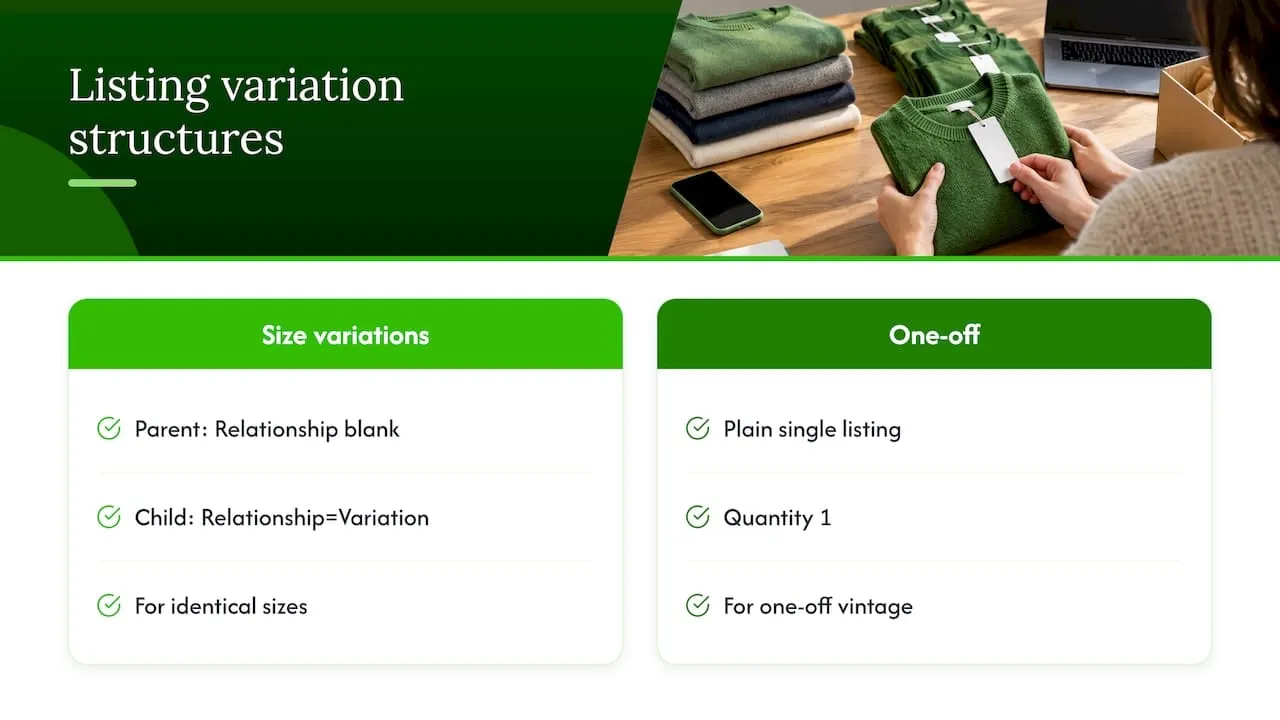
If you sell the same design in several sizes, eBay’s guide describes a parent and child structure. You enter Variation in the Relationship column for child rows and leave it blank for the parent row. Relationship details, quantity, start price and P:UPC are listed as field dependencies, so check each is filled consistently across the group.
For second-hand stock, variations are rarer, because most pieces are one-offs. They matter if you buy job lots of identical new-with-tags items, such as a dozen of the same T-shirt in different sizes. A one-off vintage jacket should be a plain single listing with quantity 1.
What about Vinted?
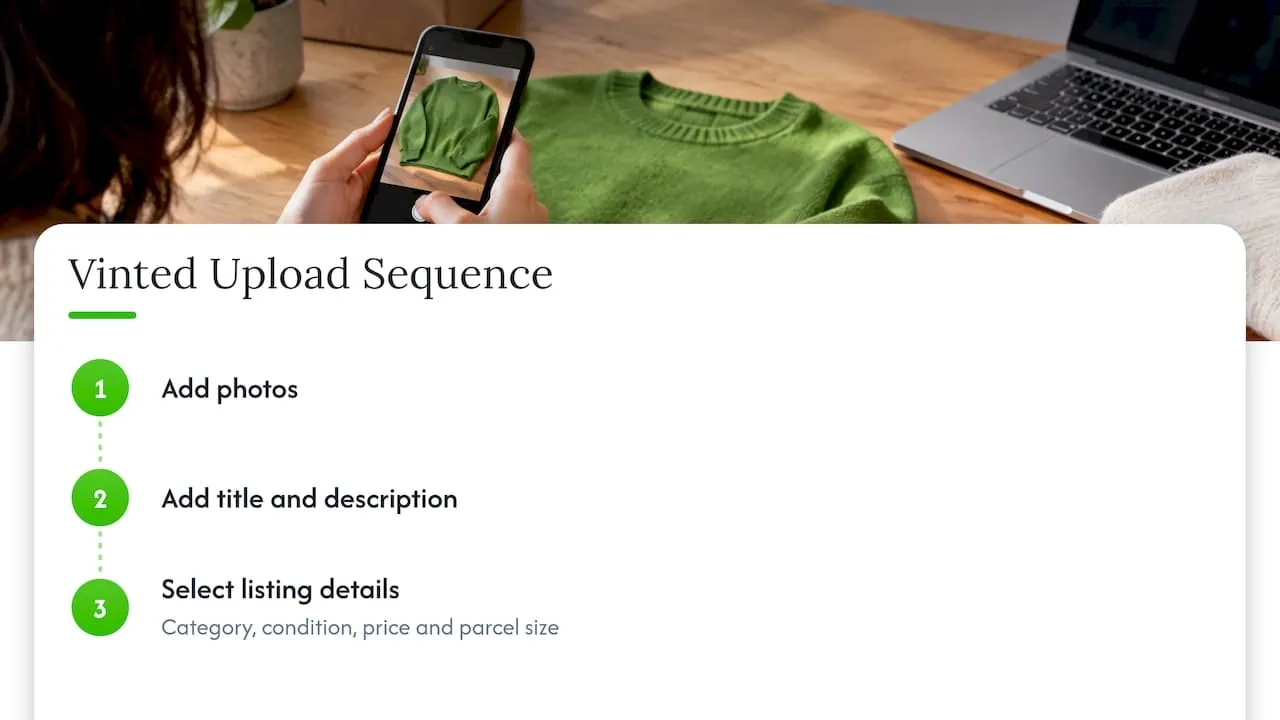
Vinted’s help page on uploading describes a step-by-step flow: you add photos, a title and description, then select a category, condition, price and parcel size (Vinted UK, uploading step by step). That is the route Vinted documents for private sellers, so a CSV is not the way to publish there in the same sense as on eBay.
Your sheet is still useful. When every title, description, condition and price sits in one row, listing on Vinted becomes copying and pasting rather than rewriting. Our walk-through on bulk uploading to Vinted sets out safer steps for UK sellers who want to move faster without risking their account.
Rules to build into your sheet
Vinted is firm about duplicates. Its guidance on uploading listings prohibits duplicate listings and asks you to handle several items of the same type by stating quantities in the description or using detailed photos for variations (Vinted UK, uploading listings).
For Pro sellers, Vinted says it may remove listings that use stock photos, pictures from the internet or from other members, the same pictures across listings, duplicate listings, or incorrect or misleading brand names (Vinted UK, what you can sell as a Pro seller).
Practically, that means:
- One row per physical item, with your own photos
- A photo column that points to pictures of that exact item
- A brand column you check against the label, not against what sounds better
- A quantity noted in the description when you truly have several identical pieces
Keeping Vinted and eBay consistent
The hard part of selling on two marketplaces is not writing listings. It is remembering to take one down when the other sells. A master sheet with a SKU and a status column (in stock, listed on Vinted, listed on eBay, sold) gets you most of the way, if you update it every time.
Here is a column layout we suggest:
| Column | Purpose |
|---|---|
| SKU | Your unique code, also used as eBay’s Custom label |
| Title (80 characters or fewer) | Written for eBay, and shortened for Vinted if you want |
| Description | One honest text, including measurements and flaws |
| Condition | Use the wording each marketplace accepts |
| Price | One column per channel if you price differently |
| Photo links | Up to 12 for eBay |
| Status | In stock, listed, sold |
| Sold on | Which channel, and the date |
It works, but it is manual. Our posts on bulk uploading to eBay and on keeping inventory in sync across channels show where the manual approach starts to creak as your stock grows.
A weekly routine that works
- Source and tag items with their SKU the same day.
- Photograph in batches, name files by SKU.
- Fill the master sheet.
- Upload drafts or listings to eBay, and list on Vinted from the same rows.
- When an item sells anywhere, mark it sold in the sheet and remove it elsewhere that day.
Step 5 is where most double sales happen. If you ever find yourself managing it from memory, that is a signal to automate it.
Our view: a sheet is a start, not the finish
We built Ruit because we watched sellers keep one spreadsheet for eBay, another for Vinted, and a notes app to remember what had sold where. A CSV template is a very good way to get your stock into order, and we would always tell you to start with one.
But the sheet only knows what you tell it. The moment an item sells, someone has to go and remove it from the other channels, and that someone is you, usually at the worst time. That is the gap we care about.
With Ruit you list an item once and publish it on Vinted, eBay, Wallapop, todocoleccion, Shopify, WooCommerce and PrestaShop. When it sells on one channel, stock is updated and the listing is removed from the others, so you do not sell the same item twice. It relists automatically on Vinted and Wallapop, brings your Vinted and Wallapop buyer messages into one inbox, and drafts titles and descriptions with AI, so the writing step shrinks too.
Our advice: keep your SKU discipline, keep your honest descriptions, and let software carry the repetitive parts.
Luis
Bringing your spreadsheet into Ruit
If you already have a sheet of stock, you do not need to throw it away. Ruit lets you list once and publish across your channels, and our page on bringing an eBay CSV file into Ruit explains how a file you already have fits in. If you sell on both Vinted and eBay, bulk listing in a single job shows the idea in practice.
When you are ready to see it with your own stock, take a look at Ruit and try it on a small batch first.
Common mistakes with listing CSV files
| Mistake | Result | Fix |
|---|---|---|
| Renaming template headers | Upload rejected or fields ignored | Keep eBay’s headers exactly as downloaded |
| Spaces in image URLs | Pictures fail to load | Replace spaces with %20 |
| Image links without https:// or an extension | Image errors | Use full links ending in .jpg or .png |
| Titles over 80 characters | Title problems on eBay | Trim to 80 or fewer |
| No SKU | You cannot match sold items to rows | Fill Custom label for every item |
| Stock photos or copied pictures | Vinted may remove Pro listings | Photograph each item yourself |
| Listing the same item twice on Vinted | Breaks Vinted’s duplicate rule | One listing per item, quantities in the description |
Sources
- eBay Inventory Onboarding guide (UK), 10 June 2021
- Seller Hub Reports, eBay UK help
- Uploading step by step, Vinted UK help
- Uploading listings, Vinted UK help
- What you can sell as a Pro seller, Vinted UK help
Frequently Asked Questions
Where do I download the eBay UK CSV template?
Open Reports in Seller Hub, select Upload, then click Get template. Choose Listings as the source, pick a template type such as Create new listings or Create drafts, and download it. eBay accepts the finished file as .csv or .xlsx.
Can I upload listings to Vinted with a CSV file?
The upload route Vinted documents is item by item: photos, title, description, category, condition, price and parcel size. A CSV is therefore best used as a master sheet that you copy from. Keep one listing per item, because Vinted prohibits duplicates.
Do I need photo links in my eBay CSV?
The Item photo URL field is required in the Seller Hub Reports template, with up to 12 images per listing. If your pictures are not online yet, use the Create drafts template instead. You can leave the image column blank and add photos when you convert drafts to listings.
How long does an eBay CSV upload take?
Ebay says uploads usually take less than 15 minutes, although very large files can take longer. Wait for the result before you resubmit, so you do not create duplicates.
How do I stop selling the same item twice on Vinted and eBay?
Give every item a unique SKU and update its status the moment it sells anywhere. A sheet works if you are disciplined. With Ruit, you list once, and when an item sells on one channel the listing is removed from the others automatically.