Definition for Allocated Inventory: What It Means


Table of Contents
- Table of Contents
- The Moment a Seller Runs Out of Stock They Thought They Had
- What Allocated Means in Everyday Language
- How Inventory Systems Use Allocation
- Real Examples of Allocated Stock in Action
- Why Allocation Matters for Fulfillment and Reporting
- Allocation as a Capacity and Cost Decision
- How to Set Up Allocation Rules in Your System
- Frequently Asked Questions About Allocated Inventory
You’re packing a sold jacket when another order notification arrives for the same item. The jacket is still on your shelf, but you can’t promise it to another buyer. That gap between physically present and available to sell is where understanding allocation becomes essential.
Table of Contents
- The Moment a Seller Runs Out of Stock They Thought They Had
- What Allocated Means in Everyday Language
- How Inventory Systems Use Allocation
- Real Examples of Allocated Stock in Action
- Why Allocation Matters for Fulfillment and Reporting
- Allocation as a Capacity and Cost Decision
- How to Set Up Allocation Rules in Your System
- Frequently Asked Questions About Allocated Inventory
The Moment a Seller Runs Out of Stock They Thought They Had
Consider a hypothetical resale workflow. You list a vintage jacket across marketplaces, accept an order, and leave the other listings active while you finish packing. Another buyer checks out before you remove them.
You haven’t misplaced the jacket. You’ve promised the same physical item to different buyers because its allocation status wasn’t reflected across your listings. What looked like stock on hand was already committed.
The shelf doesn’t tell the whole story
A shelf answers a physical question: where is the item? Your order records need to answer a different question: who, if anyone, has a claim on it?
When those answers aren’t connected, you may have to cancel an order, explain the mistake, and spend time correcting records instead of shipping. For a second-hand seller handling unique goods, finding an interchangeable replacement might not be an option.
Practical rule: Before promising an item, check its commitments, not just its location.
A useful investigation starts with the handoff between sale and fulfillment:
- Order acceptance: Identify when your business considers an item committed.
- Listing updates: Check how that commitment reaches every place the item is advertised.
- Exceptions: Decide who handles cancellations, payment problems, and manual customer holds.
The bookkeeping side deserves attention too. For background on organizing ecommerce financial records alongside sales activity, HireAccountants’ practical ecommerce accounting guide is a useful companion resource.
Allocation isn’t just warehouse vocabulary. It’s a way to make your promises explicit, then carry those promises through picking, shipping, and reporting. The important question isn’t whether an item exists. It’s whether you’re still free to assign it somewhere else.
What Allocated Means in Everyday Language
The simplest definition for allocated is assigned or set aside for a particular purpose, person, or group. “Allocated” is the past tense and past participle of “allocate,” whose meanings include distributing resources for specific purposes and earmarking them for a defined use, as explained in Merriam-Webster’s definition of allocate.
Think about a household budget. Money set aside for rent may still be in your bank account, but you wouldn’t treat it as freely spendable grocery money. You’ve given it a job before it physically leaves the account.
Assignment comes before use
The same reasoning applies to inventory. An item can remain in your possession after you’ve assigned it to a customer or order. Allocation describes the assignment, not necessarily movement, payment, or completion.
This concept map connects the everyday meaning with its inventory use.
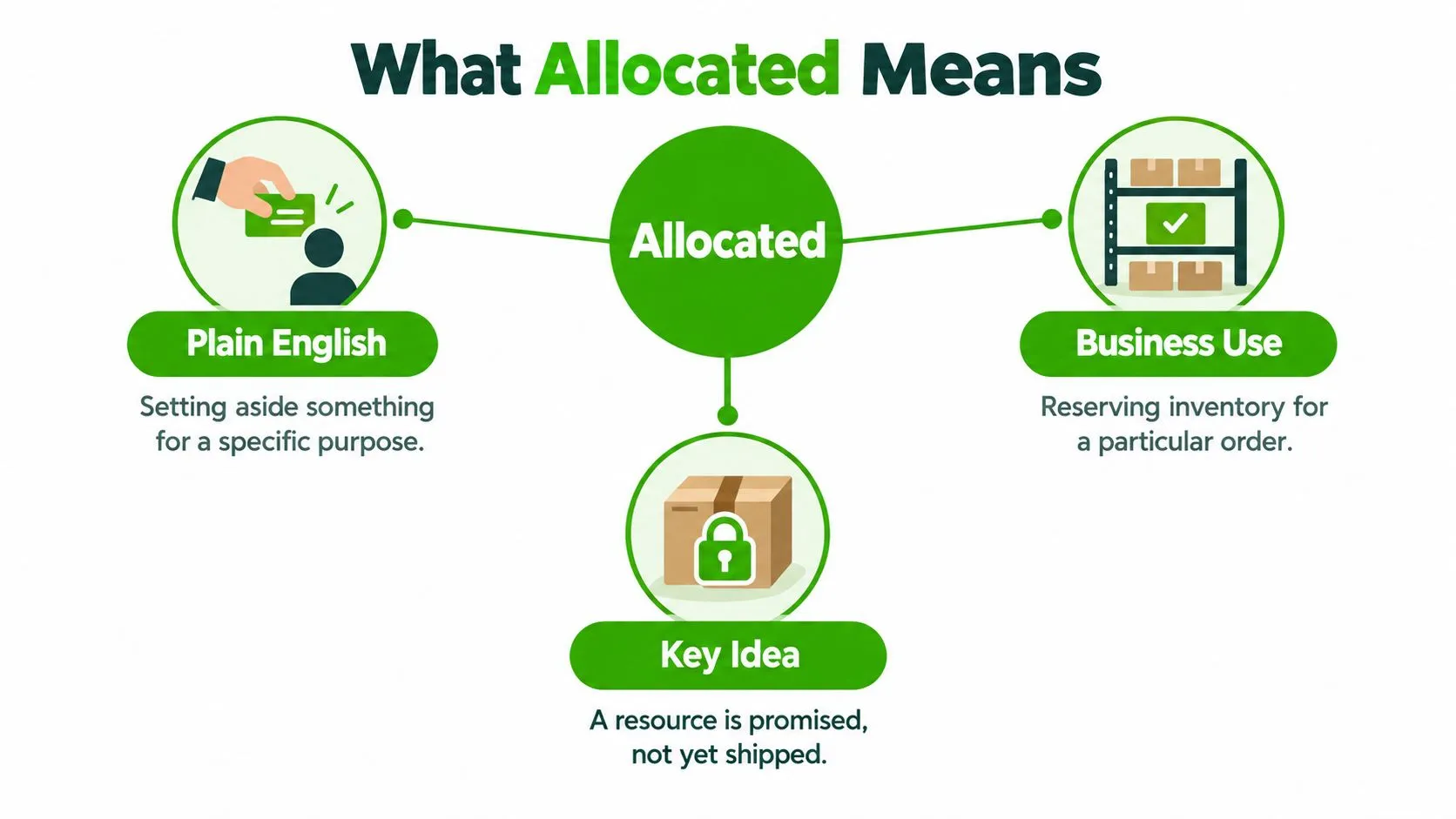
The related noun allocation can describe the act of assigning something or the resulting share. A budget allocation, for example, is the portion assigned to an activity.
| Resource | What an allocation identifies |
|---|---|
| Money | The department or purpose receiving a budget |
| Staff | The responsibilities employees are assigned |
| Time | The activity receiving a scheduled period |
| Inventory | The order, customer, or channel receiving stock |
The word’s history reinforces that meaning. Collins traces allocate to Medieval Latin roots meaning to place or allot, which fits the modern idea of putting a resource into a designated place or category.
For daily selling decisions, remember the intentional element. An item isn’t allocated merely because someone moved it onto another shelf. There needs to be an identifiable assignment, whether a person makes it manually or software applies a rule you’ve chosen.
How Inventory Systems Use Allocation
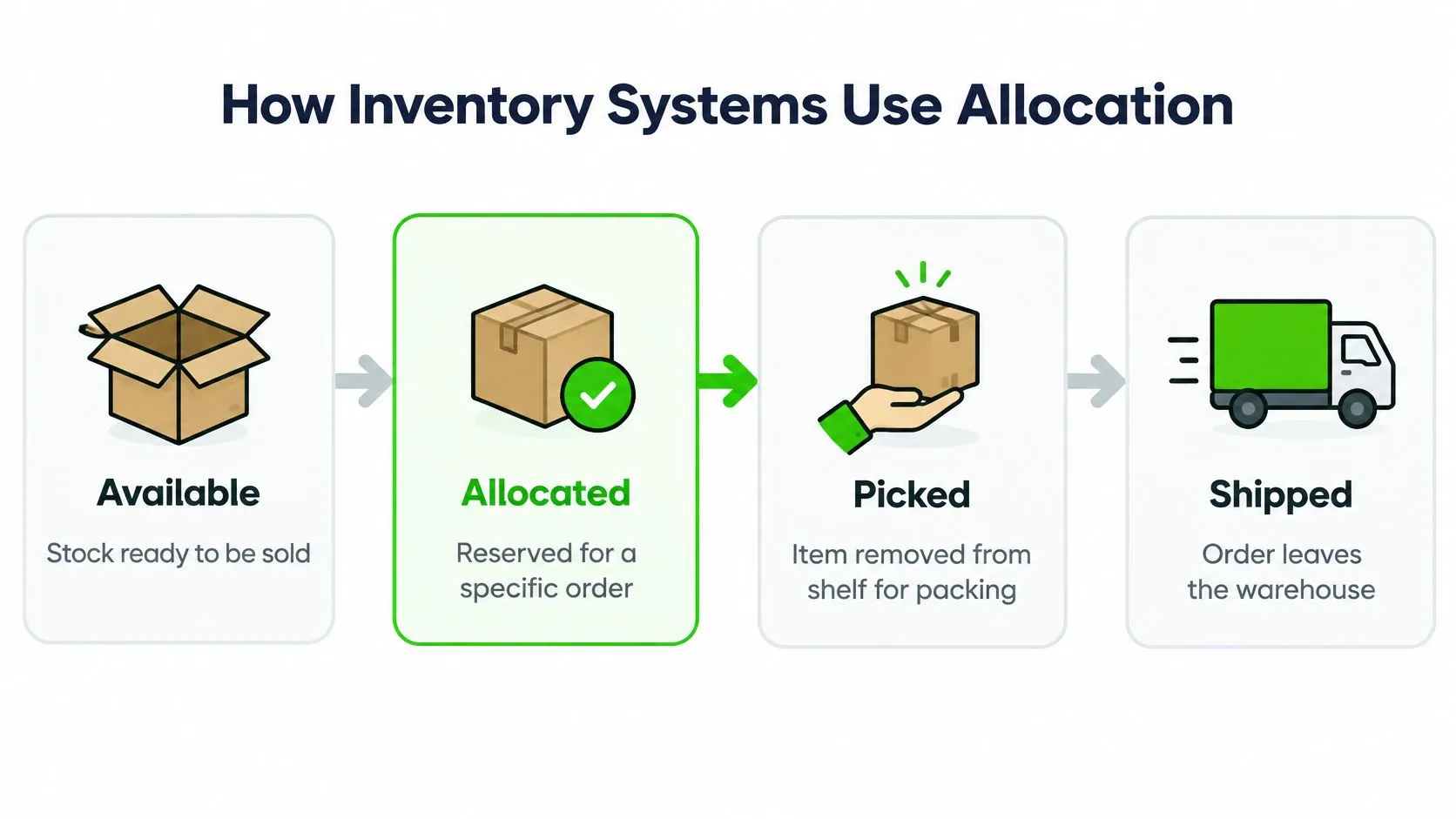
A useful inventory workflow separates availability, commitment, and physical fulfillment. Your software’s labels may differ, so check what each status changes rather than relying on its name.
The flow below shows a practical model for following an item from sellable stock through dispatch.
Give each status a clear job
| Status | Operational question |
|---|---|
| Available | Can we accept a new commitment for this stock? |
| Allocated | Which order or recipient has been assigned this stock? |
| Picked | Has someone retrieved the assigned item for packing? |
| Shipped | Has the item left through the dispatch process? |
Sold needs particular care. Depending on your workflow, it might describe an accepted purchase rather than a dispatched parcel. Don’t assume “sold” and “shipped” mean the same event.
For automatic allocation, choose a clear trigger, such as an accepted order or confirmed payment. For manual allocation, record who authorized the hold and why. These are configuration decisions, not interchangeable settings.
- Order allocation: Connect stock to a specific customer purchase.
- Customer hold: Set stock aside while a buyer completes an agreed action.
- Channel allocation: Restrict stock to a chosen selling destination.
For the broader channel workflow, consult this guide to multi-channel inventory management. If Amazon is part of your operation, see agentcentral’s Amazon inventory guide as an additional planning resource.
Use the accompanying video as a prompt to compare the workflow with your own process.
The main control to test is the connection between the allocation record and selling availability. Recording a commitment internally isn’t enough if another channel can still accept an incompatible order.
Real Examples of Allocated Stock in Action
The following hypothetical examples show how a reseller might apply allocation rules. They’re workflow illustrations, not reports of measured business results.
A jacket advertised across marketplaces
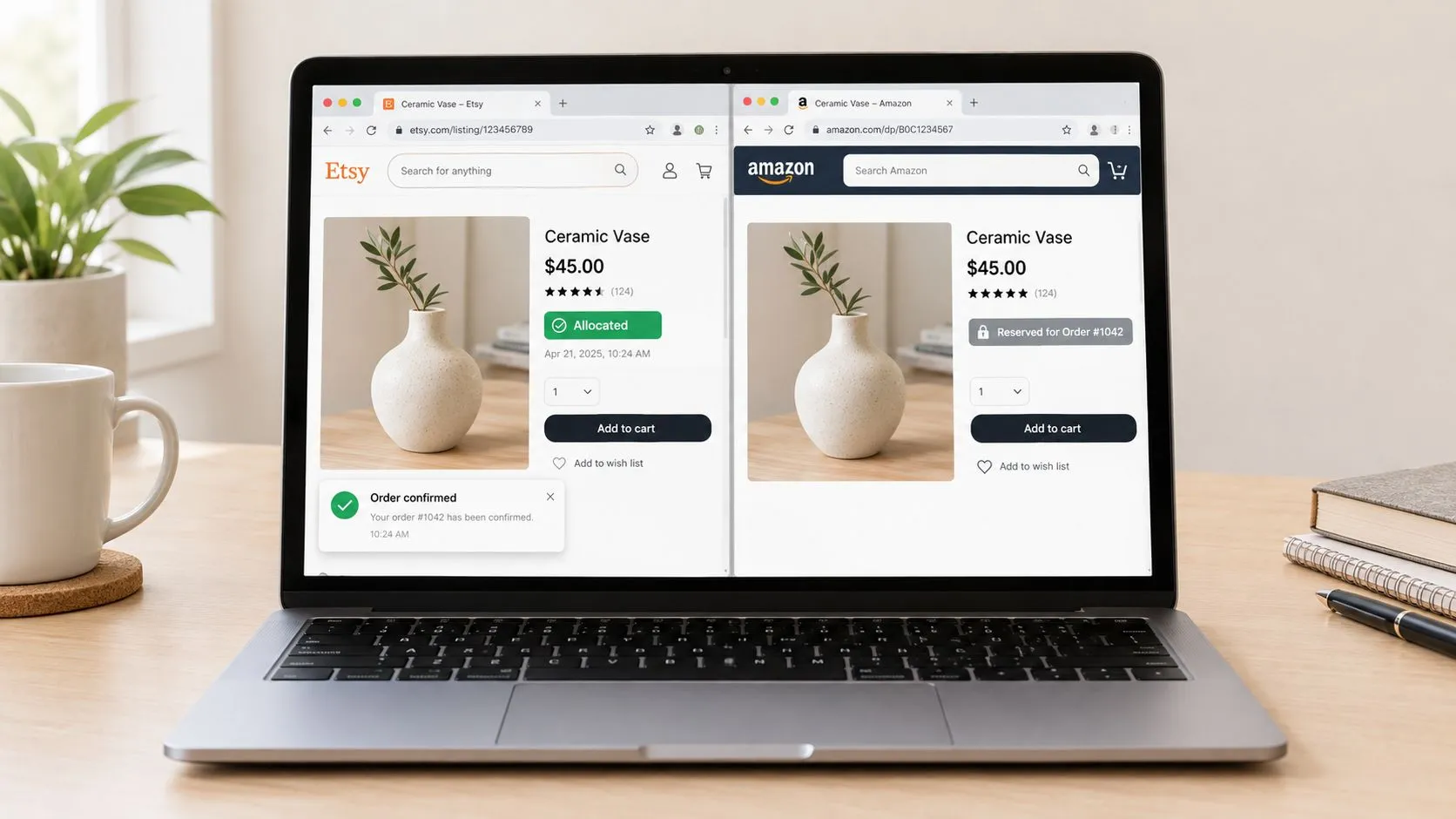
Suppose you advertise a distinctive jacket on eBay and Vinted. Your intended workflow accepts the eBay order, assigns the jacket to that order, and removes its availability elsewhere through the connected listing process.
The allocation identifies the commitment. The listing update communicates it. Those are separate actions, so test both rather than assuming that creating an order guarantees every listing has changed.
This visual illustrates the cross-channel availability question.
A camera held for a repeat customer
A regular buyer asks you to hold a collectible camera while they confirm a purchase. You agree to reserve it and record the customer’s name, the reason for the hold, and the release condition.
There may be no completed sale yet. Nevertheless, your decision restricts what other buyers can purchase. Without a clear release condition, you could leave desirable stock unavailable after the customer has stopped responding.
Similar lamps with different conditions
Suppose a batch contains similar lamps, but their condition and shelf locations differ. A buyer selects the lamp shown with a particular shade and surface mark.
Allocating a generic lamp description won’t identify the correct item. Assign the specific inventory record that matches the listing, including its condition notes and location.
A workable allocation should let the person packing the parcel identify the promised item without guessing.
These examples call for different controls: channel updates for the jacket, hold expiry for the camera, and item-level identification for the lamps. Choose the control that matches the promise you’ve made, rather than treating every allocation as an identical reservation.
Why Allocation Matters for Fulfillment and Reporting
An order on your dashboard is a promise. The allocation record turns that promise into a physical instruction: which unit, on which shelf, for which buyer. Record the inventory identifier and storage location so retrieval never depends on memory or a search through marketplace messages.
Reserving the unit is only half the job. Dispatch still depends on a workable picking process, packaging capacity, and someone clearly responsible for exceptions. This pick-and-pack walkthrough covers that operational side in more detail.
Read stock reports by purpose
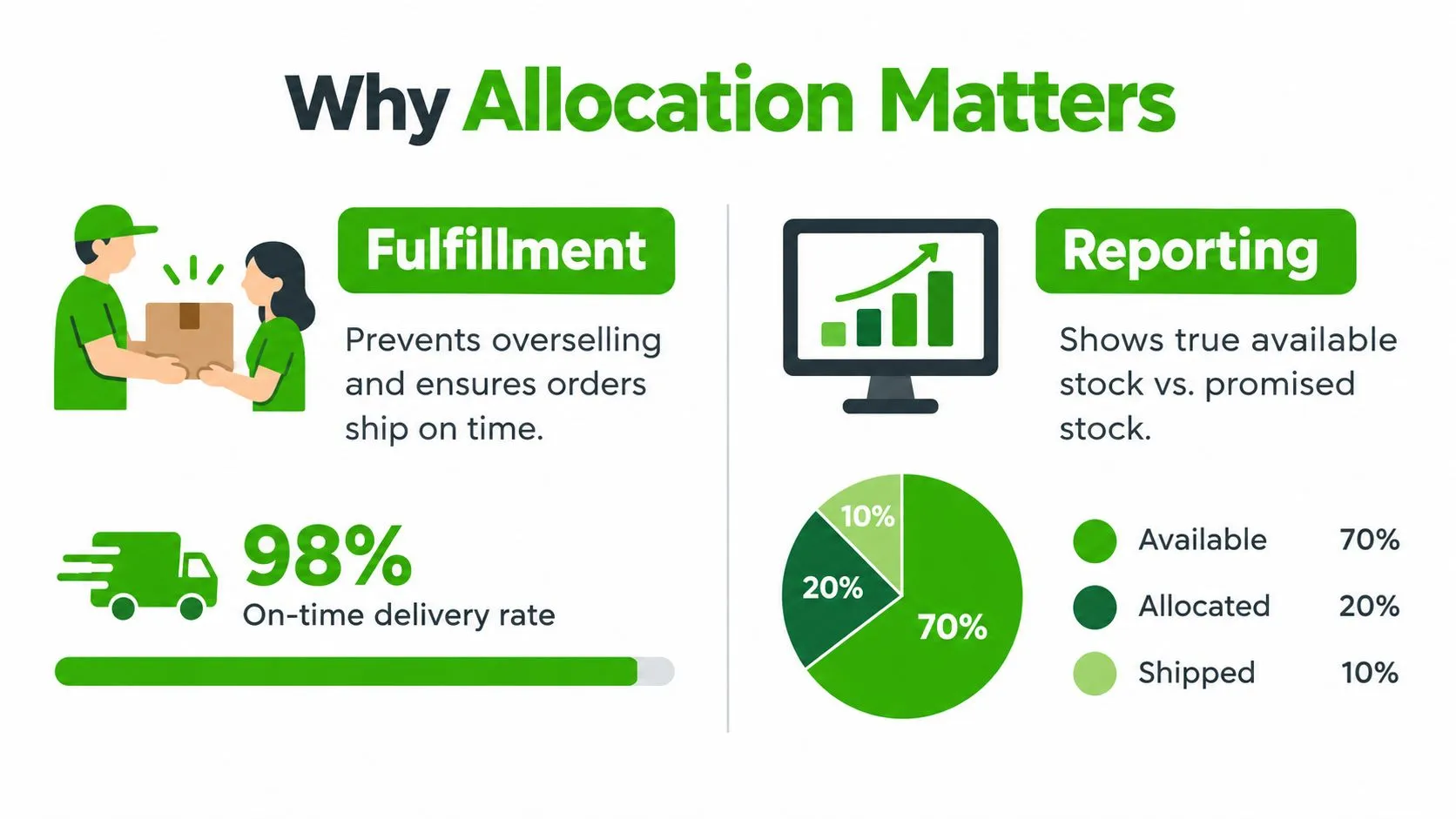
A physical stock report and a selling-availability report answer different questions. An item awaiting dispatch may belong in your physical count without belonging in the quantity you offer to new buyers. Confusing the two is how resellers oversell a channel they believed was healthy.
The visual below illustrates that distinction. Treat any percentages shown within it as illustrative, not as verified delivery results or benchmarks.
For a useful operational report, distinguish:
- Physical holdings: Items still in your custody.
- Open commitments: Stock assigned to orders or approved holds.
- Fulfillment progress: Whether assigned items have been picked or dispatched.
Cost allocation answers a different question
In accounting, an allocated cost is assigned to a cost objective, such as an order, department, or product. The federal definition of allocation describes assignment based on a reasonable proportion of benefit received or another equitable relationship.
For illustration, €10,000 in monthly shared costs divided across 2,000 processed orders produces €5 per order, applying that same cost-assignment principle. That figure is arithmetic for the example, not a performance benchmark.
A flat per-order rate creates a consistent model, yet it can misrepresent orders whose handling needs differ substantially. Changing the basis shifts reported margins by item or channel while total spending stays the same. A different distribution of costs is not a change in the total cost itself.
Allocation as a Capacity and Cost Decision
Assigning a jacket to an order is relatively concrete. Assigning warehouse rent or shared processing labor requires judgment because several activities may benefit from the same expenditure.
Consider a bulky cabinet and a compact collectible. Dividing storage expense equally between them is simple, but it may not represent their use of space. Dividing processing labor by selling price may also be unhelpful if the cheaper item required more cleaning and testing.
Match the rule to the decision
| Shared cost | Possible allocation basis | Question to test |
|---|---|---|
| Storage | Occupied space and storage duration | Does this reflect capacity used? |
| Processing labor | Recorded processing time | Does this reflect staff effort? |
| Order administration | Order count | Are orders sufficiently similar? |
These are possible analytical choices, not universal accounting prescriptions. Keep directly identifiable purchase costs separate from assumptions used to distribute shared expenditure.
IFRS educational guidance on inventory says fixed production overhead should be allocated using normal production capacity. Abnormal idle capacity must not inflate inventory cost, and unallocated overhead is expensed in the period incurred.
That guidance concerns production inventory, so don’t automatically apply it as a valuation rule for resale goods. Its practical lesson is to examine capacity assumptions before loading unused capacity onto the items you happen to sell.
Decision check: Would this allocation help you choose what to source, store, or stop selling, or would it merely spread the bill?
Document the basis, apply it consistently, and retain the underlying driver. For related context, use this inventory management and accounting guide.
Above all, keep operational allocation separate from financial allocation. A customer reservation should not, by itself, redefine the accounting value of an item.
How to Set Up Allocation Rules in Your System
Start with the decisions you need your records to support, not with every setting your software offers. A spreadsheet can make a commitment explicit; a connected inventory platform can help carry that commitment across workflows.
Configure the commitment and its release
- Choose the trigger. Decide whether an accepted order, confirmed payment, or staff approval creates the allocation. Match the trigger to your payment and cancellation process.
- Identify the recipient. Store the order reference, customer, or channel receiving the stock. A status without a recipient is difficult to investigate.
- Define release conditions. Specify what happens after cancellation, failed payment, or an expired hold. Assign responsibility for exceptions.
- Connect channel availability. Check which listings should change when an allocation occurs, and how staff will notice an unsuccessful update.
For unique second-hand goods, use item-level identifiers rather than relying on product titles. Similar names don’t establish that physical items are interchangeable.
Keep financial rules auditable
Maintain separate fields or records for shared costs, their allocation bases, and the resulting assigned amounts. Someone reviewing an order margin should be able to distinguish its purchase cost from a share of storage or administrative expense.
Before relying on the setup, run controlled tests:
- Complete a normal order: Follow the item from acceptance through dispatch.
- Cancel before dispatch: Verify the commitment is released appropriately.
- Create and end a manual hold: Confirm staff can see its owner and expiry.
- Check an exception: Review what happens when a listing update fails.
Avoid reserving stock merely because a buyer asks a question. Define what constitutes an agreed hold so casual inquiries don’t unnecessarily restrict sales. Review unresolved allocations during routine order checks, especially when the physical item is present but the associated transaction has stalled.
Frequently Asked Questions About Allocated Inventory
What happens when an allocated order is canceled?
Your cancellation process should remove the order’s commitment, but check the item before returning it to selling availability. It may already be packed, awaiting inspection, or subject to another legitimate hold.
Don’t assume an order-status change has also updated every listing. Verify that the release reached the places where buyers can purchase.
Should allocated stock count as available in reports?
Not in a report intended to show what you can promise to new buyers. Keep the report’s purpose explicit so staff don’t confuse a physical inventory count with sellable availability.
For purchasing decisions, review the relevant commitments alongside the physical stock rather than treating either figure as a complete picture.
Is allocated stock different from reserved stock?
The terms can overlap in inventory workflows. Some businesses use “reserved” for temporary customer holds and “allocated” for stock assigned to accepted orders, but don’t assume that distinction applies to your software.
Check the practical consequences of each status:
- Sales control: Does it prevent another commitment?
- Recipient: Does it identify a particular customer or order?
- Release: Does it expire automatically or require approval?
Can allocation apply to services?
Yes. The everyday meaning covers assigning staff and time as well as physical goods. A reseller might allocate workshop time to restoring furniture or staff capacity to a cataloging task.
The useful question is what capacity remains for other work after that assignment. Treat an employee’s scheduled time as a commitment to an activity, not as unlimited capacity because they’re still present in the workplace.
Ruit brings inventory, multichannel listings, orders, accounting calculations, and analytics into a shared platform for professional second-hand sellers. Visit Ruit to explore how connected stock management and automatic listing removal after a sale can support clearer availability decisions in your resale workflow.