eBay Price Tracking That Actually Works for Resellers

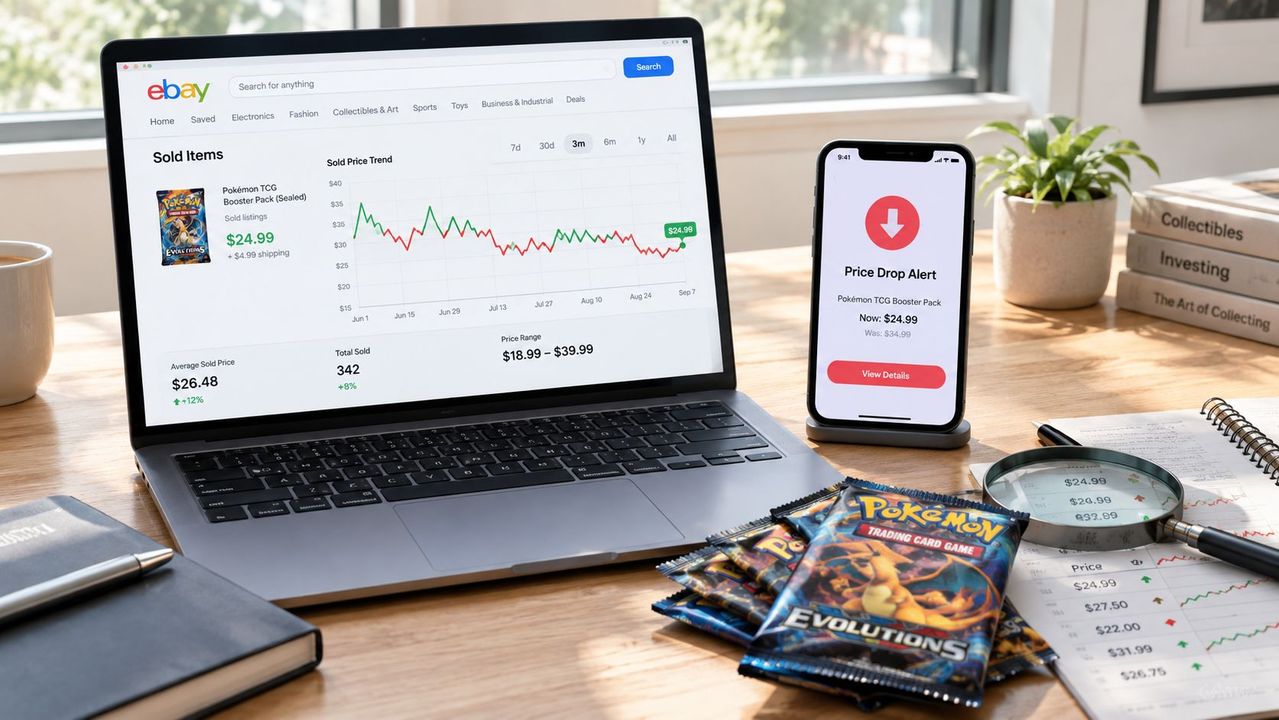
Table of Contents
- Table of Contents
- The Reseller Moment That Made Tracking Non-Negotiable
- What eBay Price Tracking Actually Means
- The Anatomy of a Real Sold-Price Data Point
- Four Methods Resellers Use to Track eBay Prices
- How to Read Price History Like a Chart, Not a Number
- Turning Sold Prices into Buy and Sell Triggers
- The Access Gap Most Tracking Guides Miss
- Your Repeatable Weekly Tracking Workflow
- Frequently Asked Questions
At 11 p.m., a reseller sees a sealed Pokémon Base Set booster box on Facebook Marketplace for $480. Recent eBay sales looked higher, but memory is unreliable and the seller wants an answer within about 90 seconds. Is it a genuine market dip, a damaged box, a typo, or a price that only looks cheap because the comparison set is wrong?
That decision is the practical reason eBay price tracking matters. You aren’t trying to memorize what sold last month. You’re trying to know whether an item is cheap right now, after accounting for condition, shipping, format, timing, and your own margin. A one-off sold-list lookup gives you a gut check. A tracking workflow gives you a repeatable buy or walk-away decision.
Table of Contents
- The Reseller Moment That Made Tracking Non-Negotiable
- What eBay Price Tracking Actually Means
- The Anatomy of a Real Sold-Price Data Point
- Four Methods Resellers Use to Track eBay Prices
- How to Read Price History Like a Chart, Not a Number
- Turning Sold Prices into Buy and Sell Triggers
- The Access Gap Most Tracking Guides Miss
- Your Repeatable Weekly Tracking Workflow
- Frequently Asked Questions
The Reseller Moment That Made Tracking Non-Negotiable
A sealed Pokémon booster box appears on a local marketplace below the eBay prices a reseller remembers. The photos show the expected packaging, and the listing looks like a quick buy. That impression can fail once the comparison set includes resealed products, damaged boxes, incomplete bundles, or accepted offers attached to similar listings.
The reseller checks completed eBay sales. Some results support the opportunity. Others are cheaper, while several show different editions or visibly different condition. The useful question becomes, “Which sales match this box?”
That question marks the gap between casual sold-list browsing and workflow-grade tracking. Standard eBay searches expose roughly the last 90 days of sold-item history, and signed-out users may face access friction before they can review enough context. Sellers who need older records are directed to eBay’s research tools. Product Research can provide up to 3 years of sold-price data and additional sales metrics, as documented in eBay’s Product Research guidance.
Practical rule: A cheap listing is only cheap relative to a clean comparison set.
For this box, the reseller must separate sealed inventory from opened stock, authentic products from questionable ones, and single boxes from lots. A recent median can establish the normal range. A longer history can show whether the apparent dip reflects seasonal demand or a sustained weakening in prices.
Tracking changes the decision under pressure. A reseller who has already logged comparable sold prices can compare the new listing against a defined range, then account for fees, shipping, and margin. Someone relying on memory has to reconstruct that context during the buying window and may overpay.
The useful system does not remove judgment. It turns sold results into recurring buy and sell triggers, so each future listing can be checked against recorded evidence instead of a one-off lookup.
What eBay Price Tracking Actually Means
eBay price tracking means monitoring completed and sold transactions over time, rather than watching active asking prices. An active listing shows what a seller wants. A sold listing shows what a buyer paid, making completed sales the starting point for pricing decisions. eBay’s Seller Center research tools provide marketplace price trends and sales data, including statistics, graphs, and charts that sellers can use when reviewing listings.
A workable tracking routine has five steps:
- Search for the exact product or a tightly defined variant.
- Apply the sold or completed filter.
- Remove different conditions, bundles, grades, and formats.
- Compare realized prices, sale dates, and shipping terms.
- Save the benchmark for future buying and listing decisions.
Access friction changes how useful a quick search becomes, especially for signed-out users. A casual lookup may answer one pricing question, but it rarely supplies enough history to distinguish a temporary dip from a recurring pattern. For a seasonal category, an off-season sale can make inventory look cheap. A longer record may show that demand reliably rises later, supporting a buy decision at today’s lower price and a higher sell target when the category returns to season.
Sold-price windows and their practical use
| Window | Access | Typical use | Limitation |
|---|---|---|---|
| Recent sold results | Standard eBay search | Fast comp check before buying or listing | Short history and limited trend context |
| Extended research history | Signed-in seller workflow | Seasonal analysis, category research, and price baselines | Requires seller-side access and deliberate filtering |
The window is only one part of the workflow. A search for “Pokémon booster box” can combine sealed products, damaged packaging, regional releases, and lots. Sold data does not make unlike items comparable. Check shipping treatment, condition, grading, and bundle structure before calculating an average or median.
A useful tracker records more than a headline price. It ties a defined product to a selected period, then converts the observed range into repeatable rules. For example, a reseller might flag a comparable listing for purchase when its total cost falls below the recorded buy range, then list inventory when recent demand supports the chosen sell range.
“Sealed English Base Set booster box, domestic shipping included, comparable completed sales across the selected period” is a usable reference. “This item sold for $X” is not. That distinction turns sold-price browsing into recurring buy and sell triggers instead of one-off lookups.
The Anatomy of a Real Sold-Price Data Point
A sold record is evidence from one transaction, not a market value. Its usefulness depends on what changed hands, when it sold, and how the deal was structured. Treating every result as comparable turns a useful dataset into a misleading headline number.
The fields that change the decision
Final price is the starting point because it reflects a completed transaction rather than the seller’s original asking price. Auction results, Buy It Now purchases, and accepted offers can appear together. Inspect the sale type before using the result as a comparable.
Date determines how much weight to assign the sale. A recent transaction may reflect current demand, while an older one may come from a different supply situation. A large sample can still mislead if many records belong to a market phase that no longer applies.
Shipping changes the comparison. An item with free shipping and one with a separate shipping charge may cost the buyer roughly the same while showing different item prices. eBay’s research tools include shipping-related measures, such as average shipping and the share of sales with free shipping, which can help set a more consistent benchmark, as described in eBay’s seller research overview.
Condition often creates the largest price split. New, used, refurbished, damaged, and professionally graded items should not share one average because their titles contain the same model name. For collectibles, graded and raw cards usually need separate tracking groups.
Why the median beats the memorable sale
Seller count, lot size, bundle structure, and listing format also affect the result. An unusually high transaction can attract attention, but it should not determine your buy price. A low sale may represent a damaged unit, a partial bundle, or an accepted discount.
A practical tracker groups comparable records into a median, a price band, and a direction of movement. The median describes a typical transaction. The band shows how widely prices vary. The trend indicates whether comparable sales are stable, rising, or falling.
A casual sold-list check may produce one memorable number. A workflow-grade record preserves the product definition, selected period, condition, shipping treatment, and sale structure. That detail matters when the same item must be evaluated again weeks later.
A sold line is evidence, not a verdict.
Before using a result, verify what changed hands, when it sold, how shipping was handled, and whether the condition matches your inventory. Then convert the observed range into rules, such as buying below a defined cost threshold or listing when recent sales support a chosen sell range. That turns sold-price browsing into recurring buy and sell triggers instead of one-off lookups.
Four Methods Resellers Use to Track eBay Prices
A sold-list search answers one question quickly: what did comparable items sell for recently? A repeatable tracking system must answer more. It should preserve the comparison set, show changes over time, and create an action when a buy or sell condition appears. Choose the method according to the work, not the tool’s feature list.
Start with the native sold filter
The standard eBay search is still the fastest option at a flea market, while reviewing a local listing, or checking one ordinary item with enough comparable sales. It costs nothing and shows completed transactions directly. For the basic process, follow this guide to how to view sold items on eBay.
Its practical limits appear when tracking becomes recurring. Signed-out access can be inconsistent, filters may need to be rebuilt, and the results do not automatically become a watchlist, alert, or buying rule. Save the useful details yourself: item condition, sale format, shipping treatment, and the date you checked.
Use Product Research for deeper decisions
Product Research is the better fit when a quick sold search cannot support a sourcing decision. It is designed for seller-side analysis and can expose measures such as average sold price, price range, sales trends, shipping information, and seller counts. The official eBay’s Product Research documentation explains its available research features.
Use it for seasonal collectibles, long-tail inventory, and categories where a short run of sales could mislead you. The trade-off is setup time. You still need to define comparable items carefully, because a broader result set can combine conditions, bundles, and versions that should be priced separately.
Add a third-party tracker when recurrence matters
Tools such as Vendoo, ZIK Analytics, and RevCascade are useful when the same search must be checked repeatedly. Saved searches, watchlists, alerts, and listing workflows reduce manual checking, but alert coverage depends on the provider, marketplace access, refresh timing, and the fields it can match. An alert may identify a candidate. It does not prove that the item is comparable or still available at the displayed terms.
Check how long the tool retains history, whether alerts cover sold or active listings, and how often results refresh. Some plans focus on listing research rather than a durable sold-price record. Others may track a broad keyword set without reliably separating condition, bundle structure, or shipping. Test those limits before connecting alerts to purchase decisions.
Use APIs or custom collection for scale
The Finding API, Browse API, and Marketplace Insights can support bulk pulls, spreadsheets, integrations, and webhooks when manual checking becomes repetitive. A custom workflow can flag an item below a target cost or send sold-price references into an inventory system.
Automation requires upkeep. APIs have access rules and rate limits. Scraping can create terms-of-service exposure, and page changes can leave a collector with stale or incomplete results. Use it for decisions that repeat often enough to justify maintenance, then log the source and comparison rules with each record.
| Method | Data window | Automation | Best for |
|---|---|---|---|
| Sold-list filter | Recent history | Low | Fast manual checks |
| Product Research | Extended history | Moderate | Serious seller research |
| Third-party tracker | Varies by provider | High | Saved monitoring and alerts |
| API or custom workflow | Depends on access and storage | Very high | Bulk analysis and integrations |
Resellers building a broader acquisition system can also review ecommerce SEO tools for AI search when product discovery and marketplace visibility overlap. Assign each tool one job. The strongest workflow records the evidence, applies the same comparison rules, and turns a changed price into a defined buying or listing action.
How to Read Price History Like a Chart, Not a Number
A sold-price chart only helps when its comparison set is clean. Begin with the median, which usually stays closer to a typical comparable sale. The mean can shift sharply after one unusually high transaction, making demand look stronger than the underlying market supports.
Four questions to ask before trusting the curve
Does the timing match? Collectibles, sneakers, and electronics can react to releases, gifting periods, and supply changes. A peak in one season may fade later. Product Research’s longer history helps compare multiple periods, rather than treating a recent high as a permanent baseline. Casual sold-list browsing often shows a short window, so signed-out access can leave you reading a spike without seeing the older pattern.
Does the condition match? Graded and raw cards, sealed and opened products, or working and faulty electronics belong to different comparison groups. Combining them creates a misleading line. Filter by condition, completeness, authenticity, and relevant variations before interpreting movement.
Is there enough comparable activity? A small group of sales can suggest a range, but it cannot establish a dependable trend. Look for at least 30 comparable sales before treating the curve as a usable market signal. If the history is thinner, record the uncertainty and avoid turning one lookup into a recurring buying rule.
Can you explain the outliers? Check unusually high and low results individually. A premium may come from a rare variant, exceptional condition, or bundled accessories. A low sale may reflect damage, missing contents, or a rushed listing.
Chart-reading rule: A clean line is only as credible as the filters behind it.
Use the median for a normal expectation, the surrounding range for risk, and the timing pattern to separate recurring behavior from noise. Save those observations in your tracking workflow so each new sale can update a buy or sell trigger, rather than ending as a one-off price check.
Turning Sold Prices into Buy and Sell Triggers
A sold-price reference earns its place when it changes the next decision. Build two rules: one for buying incoming stock and another for repricing inventory already listed.
Build a buy threshold
Start with the median from a defined comparison group, using a recent period that fits the item’s sales frequency. Deduct your required margin, expected shipping, platform costs, preparation time, and a reserve for mistakes.
Target buy price = comparable sold-price median minus your required margin and operating costs.
Set the ceiling lower when condition is uncertain, accessories are missing, demand is weak, or testing takes time. A clean, authenticated item can support a different purchase price from an untested unit, even when both listings use similar titles. This is the point where used-item resale pricing guidance helps turn a market reference into a decision that includes real operating costs.
The rule should also account for how quickly you expect to sell. A thin market may justify a wider safety margin because capital can remain tied up longer.
Build a sell threshold
A sell rule tests whether the current listing still clears your floor after fees and shipping.
Target sell price = comparable sold-price median minus fees, shipping, and your profit floor.
If the listing sits well below the comparable range, inspect the title, photos, condition notes, and shipping settings before reducing the price. The problem may be presentation rather than demand. If the listing is above the range without a defensible difference, reprice or relist before stale visibility costs more time.
Connect the rule to an alert
Use the method that matches your volume and access:
- Saved searches: Filter by product, condition, location, and maximum price, then receive notifications for matching listings.
- Tracker watchlists: Save target items and receive alerts when an observed price or listing crosses the threshold.
- Spreadsheet checks: Record the benchmark and compare new observations during a scheduled review.
- API or webhook logic: Send permitted data to a rule that emails you or creates a task when the condition is met.
Automation only works when “comparable” is defined first. Otherwise, alerts mix damaged units, bundles, foreign listings, and keyword matches with the stock you want.
Review missed and irrelevant alerts every week. Tighten filters when notifications lack usable opportunities. Raise or lower the benchmark when suitable purchases repeatedly fall outside it. That review turns one-off sold-price lookups into recurring buy and sell triggers.
The Access Gap Most Tracking Guides Miss
A reseller can check a sold listing, get a useful number, and still lack the access needed for repeatable tracking. eBay presents different levels of history and detail depending on whether you are signed out, signed in, working through seller tools, or collecting data through another service.
Signed-out browsing creates the first obstacle. Some sold and completed results redirect visitors to a login screen, so a quick check becomes an account-access task. A signed-in user can usually perform recent item checks, but that workflow remains better suited to occasional research than to maintaining a broad price history.
The distinction matters when the job extends beyond one SKU. Seasonal comparisons, category monitoring, and recurring sourcing decisions require a dataset that can be revisited and organized. Third-party tools may expose fields such as sold price, date, shipping, condition, and location, though their coverage, freshness, and permitted use depend on the provider, as described in recent coverage of eBay sold-price checkers.
| Account type | Access pattern | Use-case fit | Limits |
|---|---|---|---|
| Signed-out visitor | Some sold results may redirect to login | Occasional browsing | Access friction and limited visibility |
| Standard signed-in user | Recent sold-result checks | Quick item validation | Difficult to maintain a long-running dataset |
| Seller using Product Research | Seller-side research workflow | Seasonal, category, and pricing analysis | Requires the appropriate seller workflow |
| Automated or third-party user | Provider-specific access and fields | Recurring monitoring and data workflows | Coverage, freshness, and compliance vary |
The practical split is between looking up a price and operating a tracking system. Casual visitors may only need a directional benchmark. Signed-in sellers can investigate individual items. Automated users can support recurring checks, provided the source and collection method are permitted and the records remain comparable.
Treat sold-price history as working infrastructure once it affects sourcing, repricing, relisting, or a cross-marketplace decision. Record the item definition, condition, format, and date with each observation. A current sold baseline then supports a repeatable buy or sell decision instead of relying on a remembered result or an ambitious active listing.
Your Repeatable Weekly Tracking Workflow
A weekly tracking system should turn sold prices into recurring actions, not another page visited occasionally. Use the same four-part loop, with each tool handling a defined job.
Watch
Start with saved products in Product Research or your tracker. For every active SKU, compare recent results with the longer history available to your workflow. Flag items where the current buying range challenges your threshold, and keep condition, completeness, and format groups separate. A signed-out lookup may provide a quick clue, but it is a poor foundation for recurring monitoring because access can interrupt the record.
Decide
Classify each flagged item as buy, hold, or relist. Choose buy only when a comparable listing sits below your target ceiling after condition and selling costs are considered. Choose hold when the price is near the benchmark but the margin does not cover the risk. Choose relist when your item no longer matches comparable sold listings.
Act
Pursue qualifying purchases through alerts, then record the decision in a spreadsheet or inventory system. For listed stock, change the title, photos, shipping, price, or listing format only when the evidence identifies a correctable issue. Connect the record to managing eBay inventory so pricing decisions remain tied to stock status.
Review
At week’s end, compare decisions with outcomes. Which alerts produced viable buys? Which listings sold near the benchmark? Which items stayed unsold because condition, shipping, or presentation weakened demand? Adjust a threshold after identifying the cause, not because one transaction surprised you. Keep the observation date and item definition with the result, so a ninety-day snapshot does not get mistaken for a three-year pattern.
Product Research can establish a benchmark, a tracker can manage watchlists and alerts, and a spreadsheet or API can preserve decisions. Ruit can centralize sourcing, inventory, listings, and repricing across supported channels for professional second-hand sellers. Use the smallest setup you will maintain, then let the loop create repeatable buy and sell triggers.
Frequently Asked Questions
How far back can I see sold prices on eBay?
A standard eBay search exposes roughly the last 90 days of sold-item history. That is enough for a quick comparable check before a purchase, but too short to tell a seasonal dip from a sustained decline. Product Research can provide up to 3 years of sold-price data, which is what you need when the decision depends on comparing several periods rather than one recent window.
Should I price from the average or the median sold price?
Use the median. A single unusually high transaction pulls the mean away from the main group and makes demand look stronger than the underlying market supports, while the median stays closer to a typical comparable sale. Keep the surrounding price band as your measure of risk, and read the direction of movement as a separate signal.
How many comparable sales do I need before I trust a price trend?
Look for at least 30 comparable sales before treating a curve as a usable market signal. A small group of results can suggest a range, but it cannot establish a dependable trend. When the history is thinner than that, record the uncertainty rather than turning one lookup into a recurring buying rule.
Can I check eBay sold prices without signing in?
Sometimes, but not dependably. Some sold and completed results redirect a signed-out visitor to a login screen, so a quick check becomes an account-access task. Signed-out browsing can still give you a directional read while you are standing in front of an item. It is a poor foundation for a price record you intend to revisit every week, because the access can interrupt the record itself.
How do I turn a sold-price median into a maximum buy price?
Start from the median of a clean comparison group, then deduct your required margin, expected shipping, platform costs, preparation time, and a reserve for mistakes. Set the ceiling lower when the condition is uncertain, accessories are missing, or testing takes time. A thin market deserves a wider safety margin, because capital can stay tied up far longer than the comparable price alone suggests.
If you want to connect sourcing, inventory, and multichannel resale operations, visit Ruit to review the platform’s workflow. Start with products already under observation, define buy and sell thresholds, and record each weekly decision.