Inventory
6 features available
- Inventory
- Import from a file
- Bulk price editing
Inventory
Each listing you tick becomes a product ready to publish elsewhere.
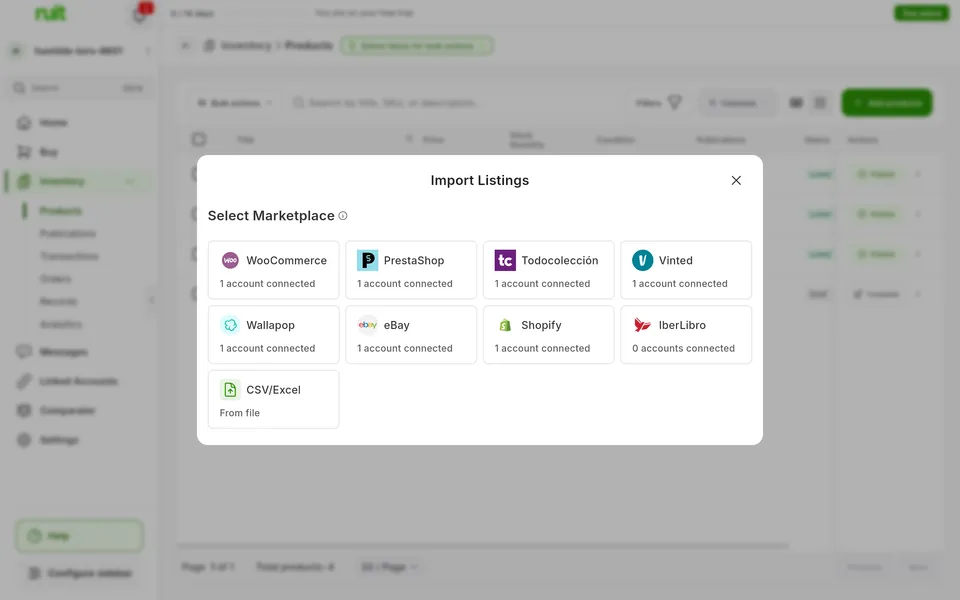
Available on Wallapop, Vinted, eBay, WooCommerce, Shopify, PrestaShop, and Todocolección
Title, description, price, condition, shipping and photos.
Ruit downloads and stores the photos. From Wallapop and Vinted, the product arrives with one unit and a SKU generated by Ruit. Category is not imported: in Ruit you pick it when you publish on each marketplace.
A listing already in Ruit is updated instead of duplicated.
Ruit recognizes each listing by its ID on the marketplace, across your whole organization. And a new listing that is a product you already have can be linked to it.
The import carries on even if you close the window.
When it ends you get an email with the summary. Depending on the marketplace, you can filter, search or select all your listings at once.
The marketplaces where this feature is available today.
| Feature | Wallapop | Vinted | eBay | WooCommerce | Shopify | PrestaShop | Todocolección | IberLibro |
|---|---|---|---|---|---|---|---|---|
| Inventory | ||||||||
| Catalog import Bring into Ruit the listings you already have on a marketplace. | Available | Available | Available | Available | Available | Available | Available | Not available |
Catalog import
Bring into Ruit the listings you already have on a marketplace.
The plans that include this feature. What each one costs is on the pricing page.
| Feature | Free | Starter | Plus | Pro | Business | Enterprise |
|---|---|---|---|---|---|---|
| Inventory | ||||||
| Catalog import Bring into Ruit the listings you already have on a marketplace. | Available | Available | Available | Available | Available | Available |
Catalog import
Bring into Ruit the listings you already have on a marketplace.
In the inventory, click Add and choose Import listings.
Open an account and tick the listings to bring in.
New listings are created as products or linked to one of yours.
Only one import of yours runs per account at a time. On Wallapop and Vinted it uses the extension: if it disconnects, what came over stays and you just run it again.
Load products into your inventory from a file.
See the feature : Import from a fileWhen you sell on one marketplace, the product is removed from the others.
See the feature : Delist on sale6 features available
Create your account, connect your marketplaces and try these features with your inventory.