Vinted UK Shipping Options: Fix Missing Carriers Before Sales Stall


Table of Contents
- Which carriers appear on Vinted UK and what each one looks like
- Why a postage option might be unavailable
- Parcel sizes and weight limits per carrier: quick reference
- How buyers choose shipping and what happens when a label is purchased
- Manage your shipping options in Vinted: a step-by-step checklist
- If a shipping label won’t work or a carrier is unusable
- Practical seller workflow improvements that cut shipping friction
- A seller-centred routine beats chasing every carrier
- A simpler way to manage listings across Vinted and beyond
- FAQ
- Sources
- Recommended
Buyers on Vinted UK usually see Royal Mail, Evri, InPost and DPD at checkout, with Relay, AnyVan and DHL Express appearing for larger or cross-border items. When one of these shipping options vinted uk sellers expect goes missing, the cause is almost always one of three things: a postage toggle switched off in seller settings, a carrier’s size or territory limit, or Vinted restricting availability for that item or route. Whatever label the buyer pays for, you must use it exactly as issued.
TL;DR:
- Check Profile > Settings > Postage and confirm packed dimensions and weight; limits vary by service, while InPost requires locker coverage at both ends.
- A missing option may reflect disabled settings, postcode exclusions in Scottish islands, the Highlands, or Northern Ireland, or mandatory verification routing for certain items.
- After checkout, the buyer’s carrier choice determines the prepaid label; use that exact Vinted label, since another service can trigger cancellation or complaints.
- If a label fails, try another location for that carrier and contact the buyer; unresolved issues require cancellation and repurchase using another option.
Which carriers appear on Vinted UK and what each one looks like
The shipping options vinted uk sellers see at checkout vary by parcel size, buyer location and item type, but a handful of carriers cover most orders.
Evri is the most common default. Buyers and sellers get a QR code for parcel shop drop-off or a printable label for home collection, and it suits small to medium parcels at low cost. Royal Mail offers tracked and signed-for services through a post office, a Collect+ point or a locker, and tends to appear for higher-value items where buyers want proof of delivery. InPost works through parcel lockers and some home delivery, but only where both the buyer’s and seller’s postcodes sit within InPost’s locker network, so it will not show for every order even when both parties are UK based.
DPD routes through parcel shops and has some territorial exceptions, excluding a handful of Scottish islands and parts of the Highlands depending on the service. Relay and AnyVan tend to appear for bulkier or irregularly shaped items that do not suit a standard parcel network, while DHL Express shows up mainly on cross-border or international orders rather than domestic UK sales. None of these are universal: a carrier only appears when its coverage matches both ends of the journey and the parcel fits its limits.
| Carrier | Typical drop-off / collection | Best suited to |
|---|---|---|
| Evri | Parcelshop (QR code) or home collection | Small to medium parcels, most categories |
| Royal Mail | Post office, Collect+ or locker | Higher-value items needing tracking or signature |
| InPost | Locker pick-up or home delivery | Buyer and seller both near a locker network |
| DPD | Parcel shop drop-off | Standard parcels, with some island/Highland exceptions |
| Relay / AnyVan | Collection or scheduled delivery | Larger or awkwardly shaped items |
| DHL Express | Courier collection | Cross-border or international orders |
According to Vinted’s shipping guidance, the provider a buyer sees at checkout depends on which services are active on your account and whether the parcel meets that carrier’s requirements for the route.
Why a postage option might be unavailable
If a carrier you expected is not showing, work through these checks before assuming something has broken.
- Check whether the provider is switched off under your postage settings, since a toggled-off carrier will not appear at checkout.
- Confirm the parcel’s packed dimensions and weight against the carrier limits listed by Vinted, because an oversized or overweight parcel can silently remove a provider from the list.
- Check for territorial exceptions: some carriers exclude Scottish islands, the Highlands or Northern Ireland, so a buyer’s postcode can rule out an otherwise active service.
- Consider whether the item triggers Vinted’s Item Verification or Electronics Verification routing, which sends certain categories through a fixed inspection process rather than direct carrier choice.
- Remember that Vinted can temporarily adjust which providers are offered, so an option might reappear later even with no change on your end.
Some settings also behave oddly from the buyer’s side: a provider you have disabled can occasionally still show in checkout if the buyer’s location effectively requires it, according to Vinted’s notes on managing shipping options. If you are stuck, try measuring the actual packed parcel rather than the item alone, and test the listing with a different sample postcode to see whether location is the limiting factor.
Parcel sizes and weight limits per carrier: quick reference
Vinted suggests a parcel size automatically when you create a listing, based on the category and your description, but that suggestion is only a starting point. Pack the item first, measure the box, and adjust the listing if the real parcel is bigger than the one Vinted guessed, since an oversized parcel can block certain carriers from appearing at all or stop the listing publishing with postage attached.
| Carrier | Max dimensions (cm) | Max weight (kg) | Drop-off / collection | Territorial exceptions |
|---|---|---|---|---|
| InPost (locker) | 64 x 38 x 41 | 2 | Locker pick-up | Requires locker coverage at both ends |
| Evri | Varies by service | Varies by service | Parcelshop or home collection | None specified |
| Royal Mail | Varies by service | Varies by service | Post office, Collect+ or locker | None specified |
| DPD | Varies by service | Varies by service | Parcel shop | Excludes some islands and Highland postcodes |
The exact figures for Evri, Royal Mail and DPD differ by the specific service selected rather than a single flat limit, which is why Vinted’s parcel size help page lists limits per service rather than per carrier. Always check the packed parcel against the smallest limit that could apply to your route, not the largest one you have seen quoted elsewhere.
How buyers choose shipping and what happens when a label is purchased
Once a buyer taps “Buy now” and selects an integrated carrier, Vinted charges them for that service immediately and generates a prepaid label or QR code tied to the order. You never choose the carrier yourself at this stage: the buyer’s selection, filtered by what your settings and the parcel allow, decides which service is used.
- The label or QR code appears in the conversation screen attached to that order, ready to download or scan at drop-off.
- You must use the Vinted-generated label exactly as issued. Buying your own postage or using a different carrier is not a substitute.
- Swapping the label for another service typically leads to automatic order cancellation or puts you at risk of a buyer complaint, according to Vinted’s shipping guidance.
- Items routed through Item Verification or Electronics Verification follow a separate fulfilment path, where the parcel goes to Vinted’s inspection point first rather than straight to the buyer, which changes which label you see.
This rigidity exists because the buyer has already paid Vinted for that specific service, including its tracking and any insurance built into the price. Using an unapproved carrier breaks that chain and removes the protection both sides are relying on.
Manage your shipping options in Vinted: a step-by-step checklist
Setting your postage preferences properly cuts down on unexpected carriers and reduces the chance of a buyer picking a service you cannot fulfil.
- Go to Profile > Settings > Postage and review which carriers are currently active on your account.
- Choose whether you ship from your address or from a drop-off point, since this affects which services are offered to buyers.
- Toggle providers on or off based on which drop-off points or collection services you can realistically reach.
- Note that some default options may appear greyed out and cannot be disabled, and that any change you make applies only to future orders, not ones already placed.
- Test a nearby drop-off point in person so you know a QR code will scan correctly before a buyer pays.
- Update your listing’s packaging size whenever you change how you pack an item, so the size shown at checkout matches reality.
Pro Tip: Keep one or two reliable carriers active rather than all of them, and photograph each parcel before it leaves your hands so you have a record if a dispute comes up later.
If a shipping label won’t work or a carrier is unusable
A label that fails to scan or a carrier that refuses a parcel does not have to end in a cancelled sale.
- Try a different drop-off point for the same carrier first, since a single location refusing a parcel does not mean the label itself is broken.
- At a staffed counter, show the QR code on your phone or hand over a printed label rather than relying on self-service scanners that sometimes misread codes.
- If no drop-off point will accept the label, message the buyer to explain what has happened before doing anything else.
- When the issue cannot be resolved, Vinted’s guidance on failed labels recommends cancelling the order and suggesting the buyer repurchases with a different shipping option.
- Keep timestamped photos of the parcel and any screenshots of error messages, since these support your case if the buyer leaves unfair feedback.
Pro Tip: Always message the buyer before cancelling. A cancellation that comes with no explanation is far more likely to trigger a complaint than one you have already flagged.
Practical seller workflow improvements that cut shipping friction
Selling across more than one marketplace multiplies the chances of mixing up orders, labels and messages, which is where a lot of shipping problems actually start.
- Centralising buyer messages into one inbox makes it easier to spot a shipping query before it turns into a cancellation.
- Auto-relisting removes the manual step of recreating a listing after a sale falls through, which is often when sellers forget to re-check packaging details.
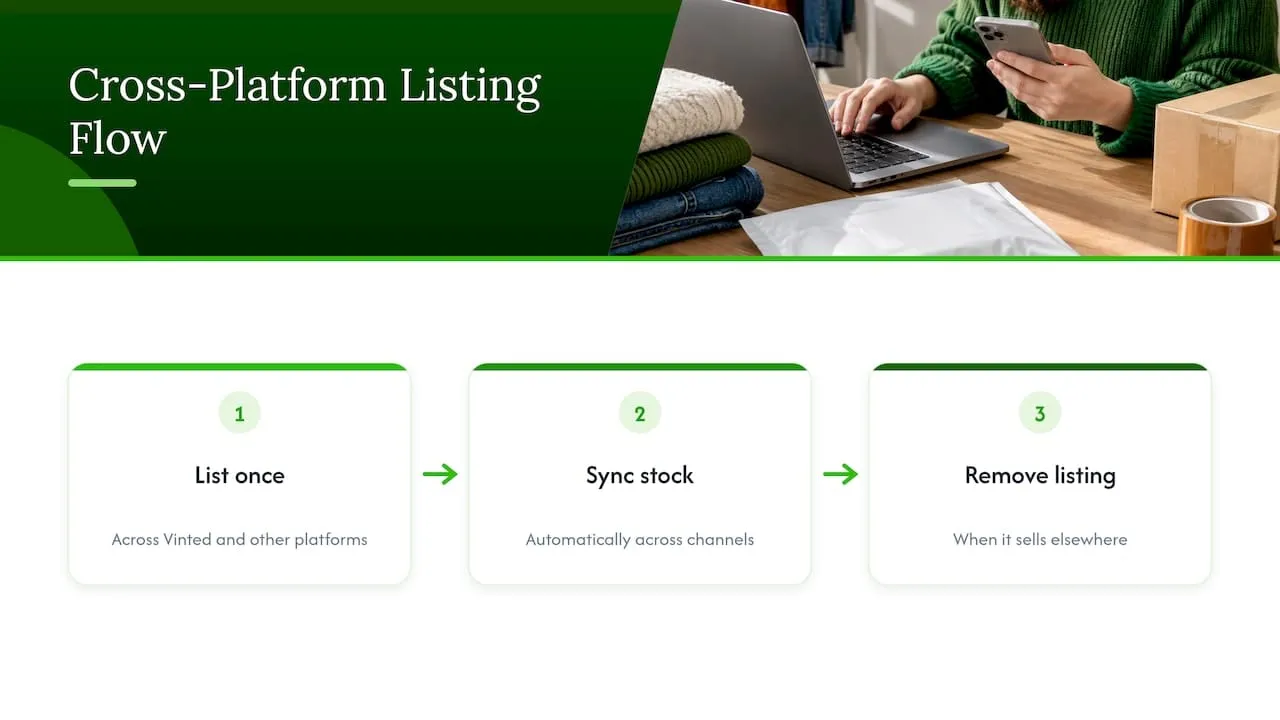
- A workflow that lists once on multiple marketplaces, syncs stock, and removes an item from other channels once it sells reduces the risk of a buyer paying for something that has already gone.
- Drafting listings with AI assistance cuts down on inconsistent descriptions that can lead to disputes over size or condition once a parcel has shipped.
Standardise how you measure a parcel before you list it, and keep a habit of photographing packed items. It costs a minute and saves a lot of back-and-forth when a carrier questions a parcel’s size later.
A seller-centred routine beats chasing every carrier
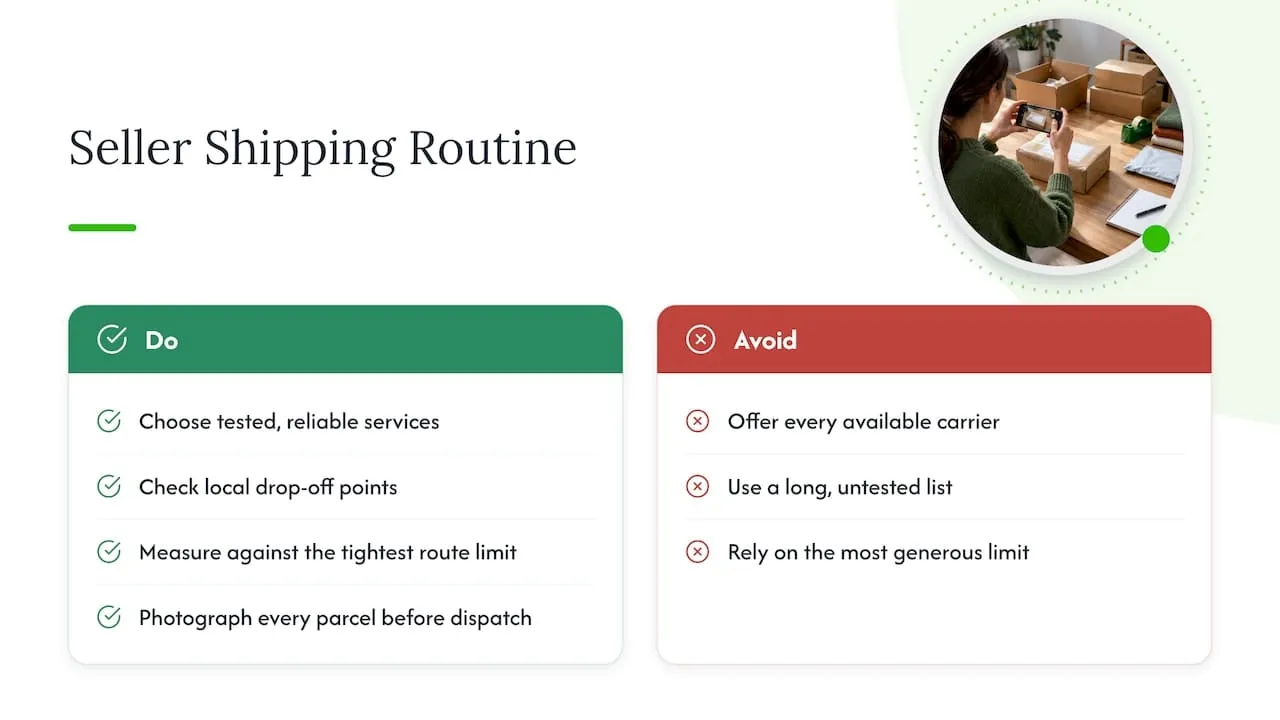
Most sellers assume offering every available carrier maximises sales. In practice, a smaller set of carriers you have personally tested tends to cause fewer problems than a long list you have never used.
Pick one or two reliable services, check your local drop-off points work before you need them, and measure parcels against the tightest limit on your route rather than the most generous one you have read about. Photograph every parcel before it leaves your hands. When a label fails, message the buyer immediately rather than waiting to see if the problem resolves itself. None of this is complicated, but it is the difference between a smooth sale and a cancelled one with a frustrated buyer on the other end.
- Luis
A simpler way to manage listings across Vinted and beyond
Shipping problems often start before the parcel ever gets packed, back when a listing was duplicated across platforms or a message got missed in a separate inbox. We built our platform so you can list an item once on Vinted, eBay, Wallapop, todocoleccion, Shopify, WooCommerce and PrestaShop, with stock syncing automatically and the listing removed from every other channel the moment it sells.
That alone removes one of the most common causes of shipping disputes: a buyer paying for an item that sold somewhere else minutes earlier. Auto-relisting on some marketplaces keeps your active listings current without manual re-entry, and a single inbox for messages means a shipping query never gets lost. AI drafts your listing titles and descriptions too, which helps keep size and condition details consistent across multiple marketplaces you sell on.
If you are managing stock across more than one platform, see how this works in practice on our website.
FAQ
What are the dimensions of a small parcel on Vinted?
Size limits vary by carrier and service rather than a single fixed figure across Vinted. InPost lockers, for example, accept parcels up to 64 x 38 x 41 centimetres and 2 kilograms, according to Vinted’s parcel size guidance, while other carriers set their own limits for small parcels.
Does Vinted exist in the USA?
This question falls outside what this article covers for UK sellers, and the shipping rules described here apply specifically to the UK market. Check Vinted’s own help pages for details on markets outside the UK.
Why is Vinted making me pay for shipping?
Buyers pay for shipping at checkout because that payment covers the prepaid label Vinted generates for the chosen carrier, as described in Vinted’s shipping help page. Sellers do not pay for postage themselves under the integrated shipping system, since the buyer’s payment funds the label directly.
What should I check before choosing which carriers to offer?
Measure your typical packed parcel against each carrier’s size and weight limits, and confirm your postcode and your usual buyers’ postcodes fall within that carrier’s coverage. Review your toggles under Profile > Settings > Postage regularly, since Vinted’s guidance on managing shipping options notes that some settings only affect future orders.
Do I need to tell HMRC about my Vinted sales?
Under Gov, platforms including Vinted must report seller details to HMRC when a seller makes 30 or more sales in a calendar year or receives more than €2,000, with reporting due by 31 January following that year. Being reported does not automatically create a tax bill, since the £1,000 trading allowance still applies to occasional sellers.