Your first steps in RUIT
Your first minutes in RUIT: the welcome that starts the 14-day trial, the Home screen and the task list for selling or for buying.
In this tutorial you complete the RUIT welcome, start your 14-day trial and learn to use Home and its First steps list, which is the script for your first few days. It takes five minutes.
You need a freshly created account. If you do not have one yet, start with creating your account.
1. Complete the welcome
The moment you come in, a card appears over Home with the label INITIAL SETUP and the title Welcome aboard. Press Get started. It is six questions, it takes under a minute and it cannot be closed with a cross: you finish it, and it never comes back.
| Question | What it is for |
|---|---|
| How did you hear about us? | Knowing where it is worth RUIT showing up |
| Had you used Ruit before? | Not repeating what you already know if you are coming back |
| What kind of things do you sell? | Getting the app ready for your categories (you can tick several) |
| What will you use us for? | Choosing which modules switch on in your dashboard (several too) |
| How do you handle it today? | Deciding where to start with you: by hand, in a spreadsheet, another tool… |
| When do you want to start? | How much of a hurry we are in with your first listing |
The single-answer questions move on by themselves once you pick; the multiple-answer ones have a Continue button. As you answer, a preview of your Home builds itself on the right out of what you have told us.
-
Answer the six questions.
-
Decide whether you want browser notifications. RUIT shows you what it would tell you (an unanswered message, a sale to pull from somewhere else, a listing that failed) and asks for permission with Turn notifications on. You can press Not now and turn them on later.
-
Press Start the 14-day trial on the Your Ruit is built screen. The trial starts here, not when you created the account.
2. Get to know your Home
With the welcome out of the way, Home is in plain sight: the greeting with your name and the trial label, and below it the sections you are going to use every day.
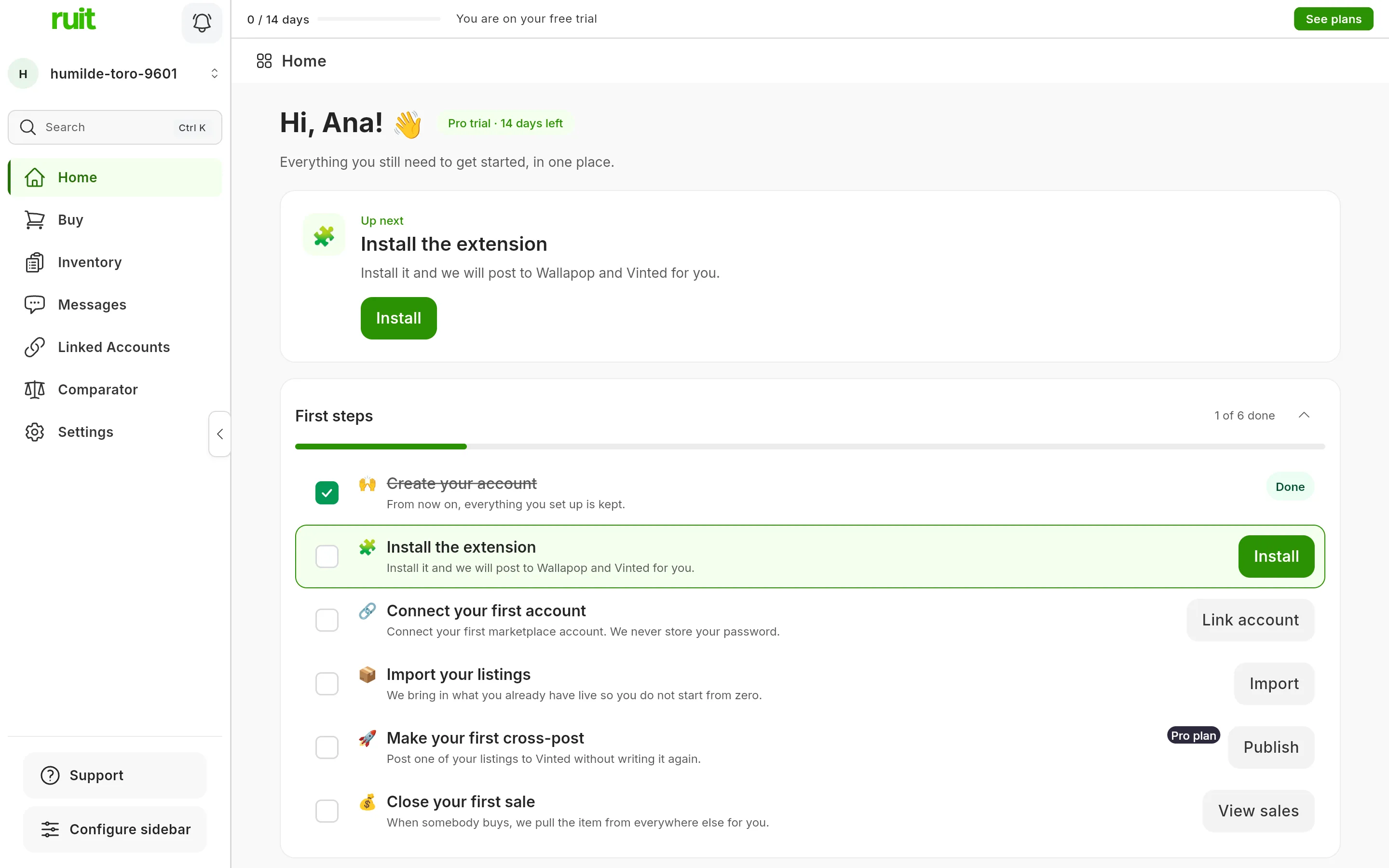
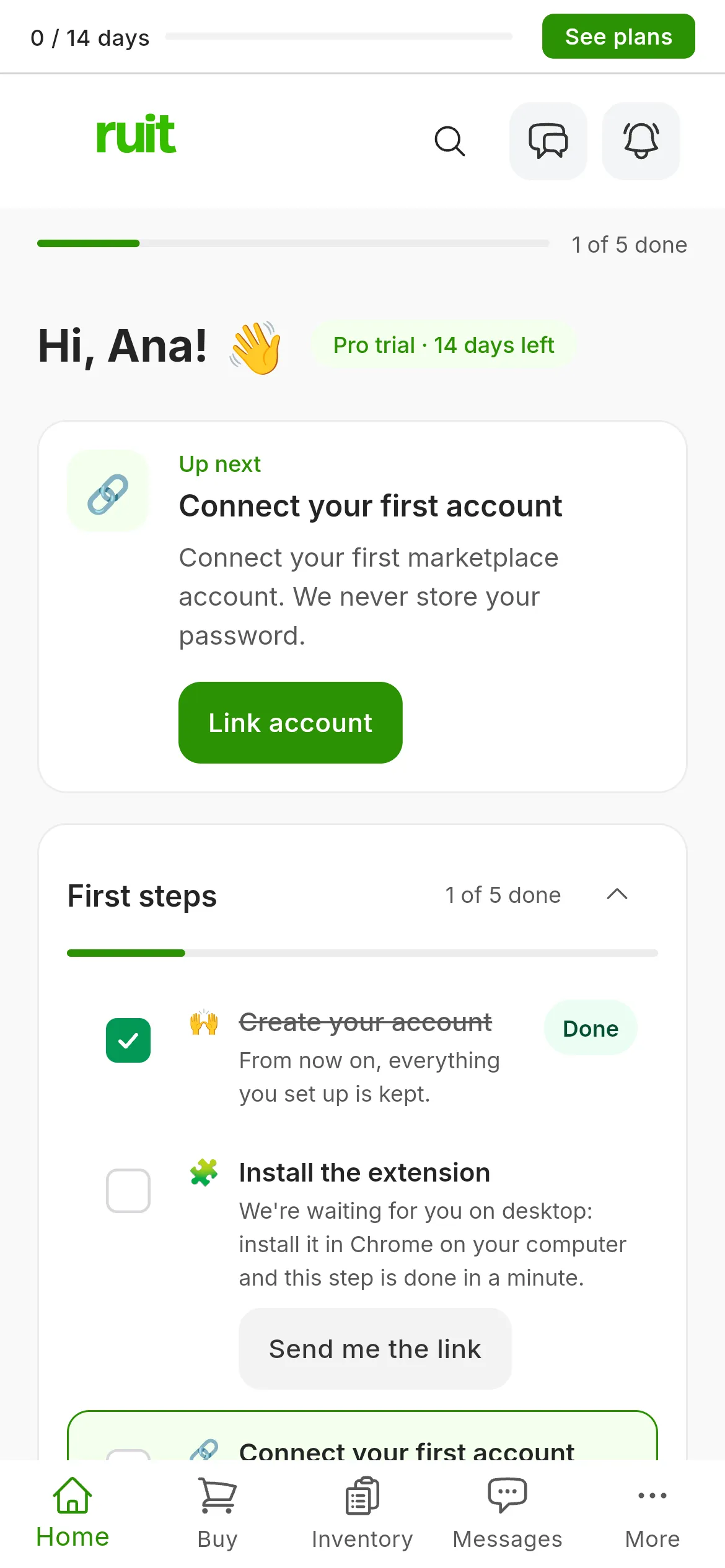
Home on day one: one task done out of six, and the next one highlighted at the top.
- Up next: the first pending task, with its button. It is the place to come back to when you do not know what is next.
- First steps: the full list, with a counter of tasks done and a progress bar. Each task has its button, which takes you to the screen where it is done and points you at the exact control with an on-screen prompt.
- Referrals: your link for inviting other sellers. You earn a commission on every subscription they pay.
- Needs your attention: it shows up as soon as you connect a marketplace account. That is where you will see unanswered messages, listings that never went out, and anything that sold in one place and is still live in another. Until then it shows an example.
- Your saved searches: if you are here to buy, how many new things have come in under your ceiling since you last looked.
Video not recorded yet: Home and the first-steps list
3. Work through the first-steps list
The list depends on what you answered at sign-up. If you are here to sell, it is six tasks, in the order it makes sense to do them: each one sets up the next.
| Task | What ticks it off |
|---|---|
| Create your account | Already done: it ticks itself off as you come in |
| Install the extension | Having the Chrome extension connected to your account |
| Connect your first account | Connecting an account on any marketplace |
| Import your listings | Bringing in the ads you already have live |
| Make your first cross-post | Publishing one of your ads on a second marketplace. It counts against your plan’s publication quota |
| Close your first sale | RUIT recording your first sale from a connected marketplace |
If you are here to buy, it is five: create the account, run your first search, save it, turn on your first alert (from Starter) and get the first notification. If you are here for both, you see the two lists together.
You can collapse the list with the arrow in the title without losing anything, and the three-dot menu has Hide the list to take it off Home. When you finish every task, RUIT celebrates with Everything is up and running! and sends you to your inventory, which is where your work lives from then on.
What you have achieved
Your 14-day trial is running, your dashboard is built out of what you told us, and you know where to look each day: Up next for the next task and First steps for the whole route.
Next step: installing the extension, which is what connects Wallapop and Vinted to your account. If you are only going to sell on marketplaces with an API (eBay, Shopify, WooCommerce, PrestaShop or Todocolección), go straight to connecting your first account.
If something is off
- The list is empty and says “No steps for you yet”. RUIT does not know whether you are here to buy or to sell; press Choose and it gets the list ready.
- The trial runs out. Nothing is deleted: your products, your connected accounts and your saved searches are all still there. What you stop being able to do is publish and get the alerts from your searches. In the last few days, Home warns you with Your trial ends in N days and the Choose my plan button.
- You closed the welcome without turning notifications on. You can turn them on later from Settings; in the meantime the important things reach you by email and you see them when you come in.
Did this article help?
Thanks for telling us.