Connect Todocolección to RUIT
Connect Todocolección to RUIT: ask Todocolección for the API key and your user ID through its contact form and paste them into RUIT when they arrive.
In this tutorial you connect your Todocolección account to RUIT. Todocolección connects with two pieces of information, an API Key and your User ID, and it has a quirk that no other marketplace shares: you do not generate them yourself. You ask Todocolección for them through its contact form, they reach you by email and you paste them into RUIT. Your part takes five minutes; the wait depends on Todocolección.
You need a seller account on Todocolección and a verified phone, because without it the connection wizard does not open.
1. Ask Todocolección for the API key and user ID
Sign in to your Todocolección account and open its
business information form. The
website only exists in Spanish, so its labels are given here as they appear, with their meaning.
Fill in your name and email, choose Otros motivos (other reasons) under Asunto (subject) and,
in Motivo de la consulta (reason for your query), ask for your account’s API key and user ID. For
example: “Good morning, I would like to request the API key and the user ID of my account so that I
can connect it to external management tools. Thank you.” Press Enviar consulta (send query) and
note down the query number they give you.
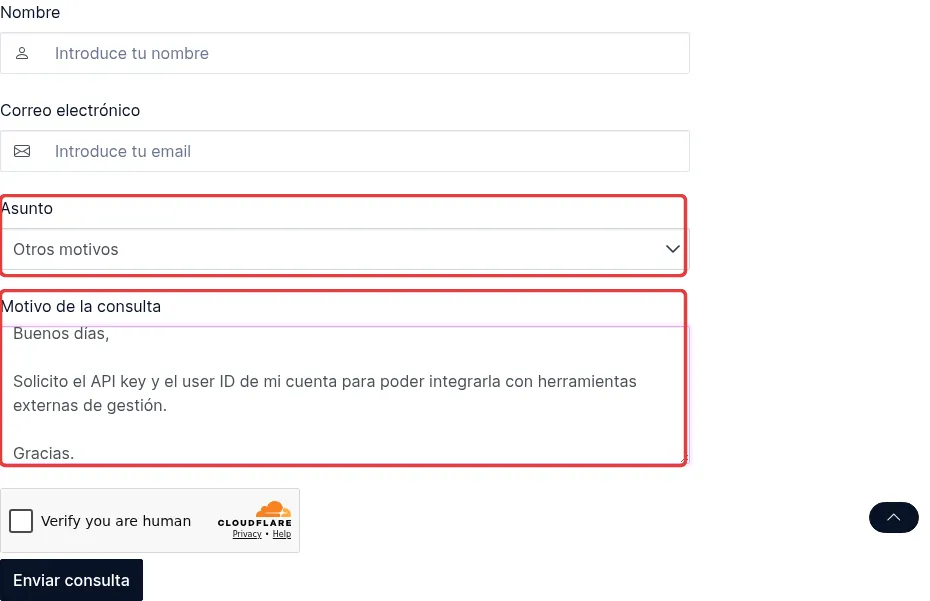
The form, already filled in. What matters are the two marked fields: the subject and the message.
2. Wait for Todocolección’s reply
Todocolección replies by email, and the two pieces of information come in that reply. In the
meantime you can see how your query is going on its
contact page: type the number under
Consulta frecuente (acceso directo) (frequent query, direct access) and press Continuar
(continue).
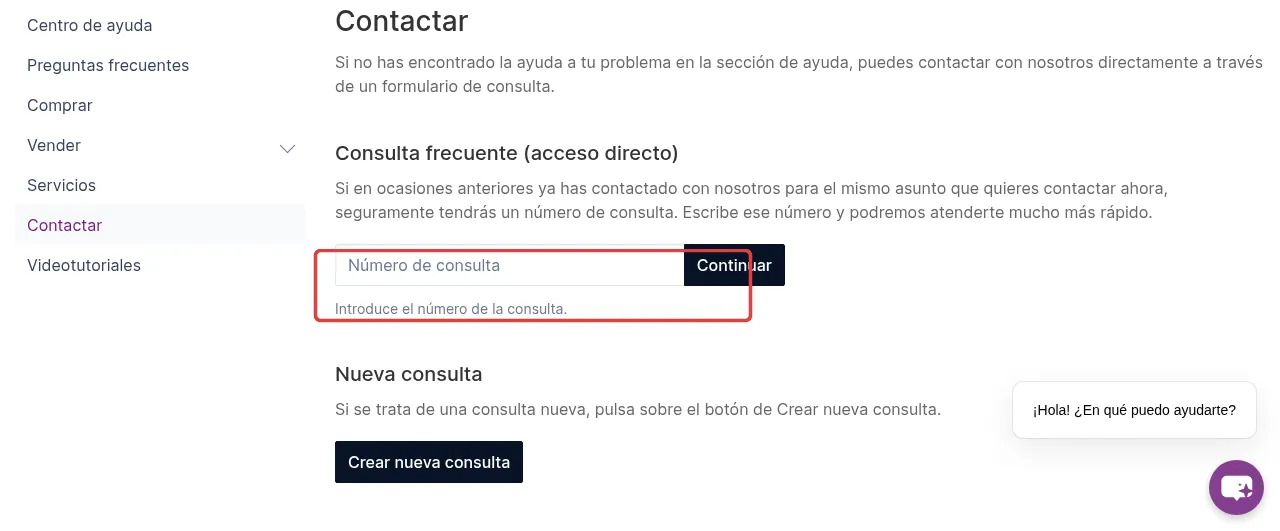
The shortcut for following up a query you have already sent.
3. Paste the two details into RUIT
Go to Settings → Accounts, press Connect Account and pick Todocolección. Paste the key into API Key and your identifier into User ID, and press Connect. There is no address to type: the store is not yours, it is a marketplace.
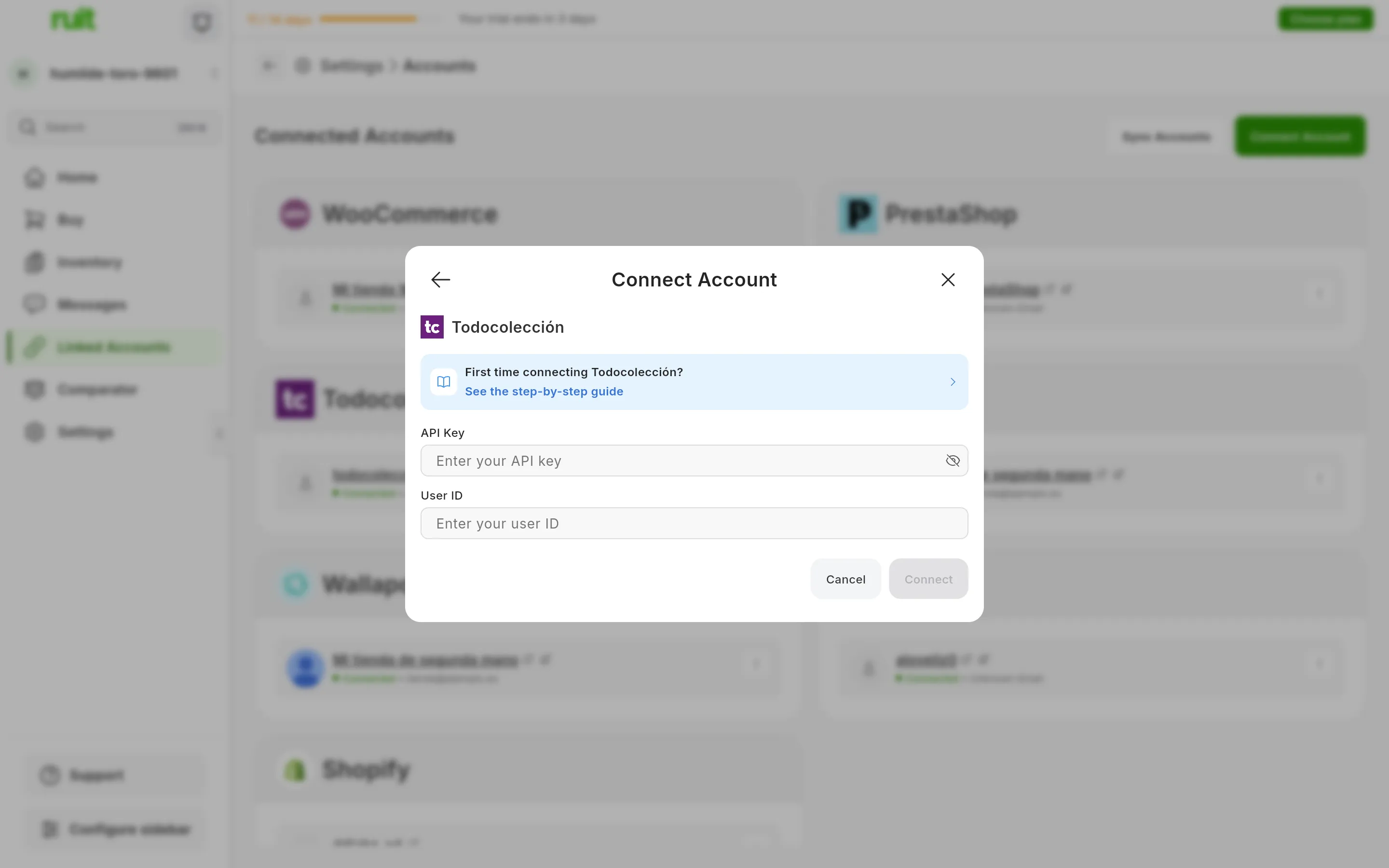
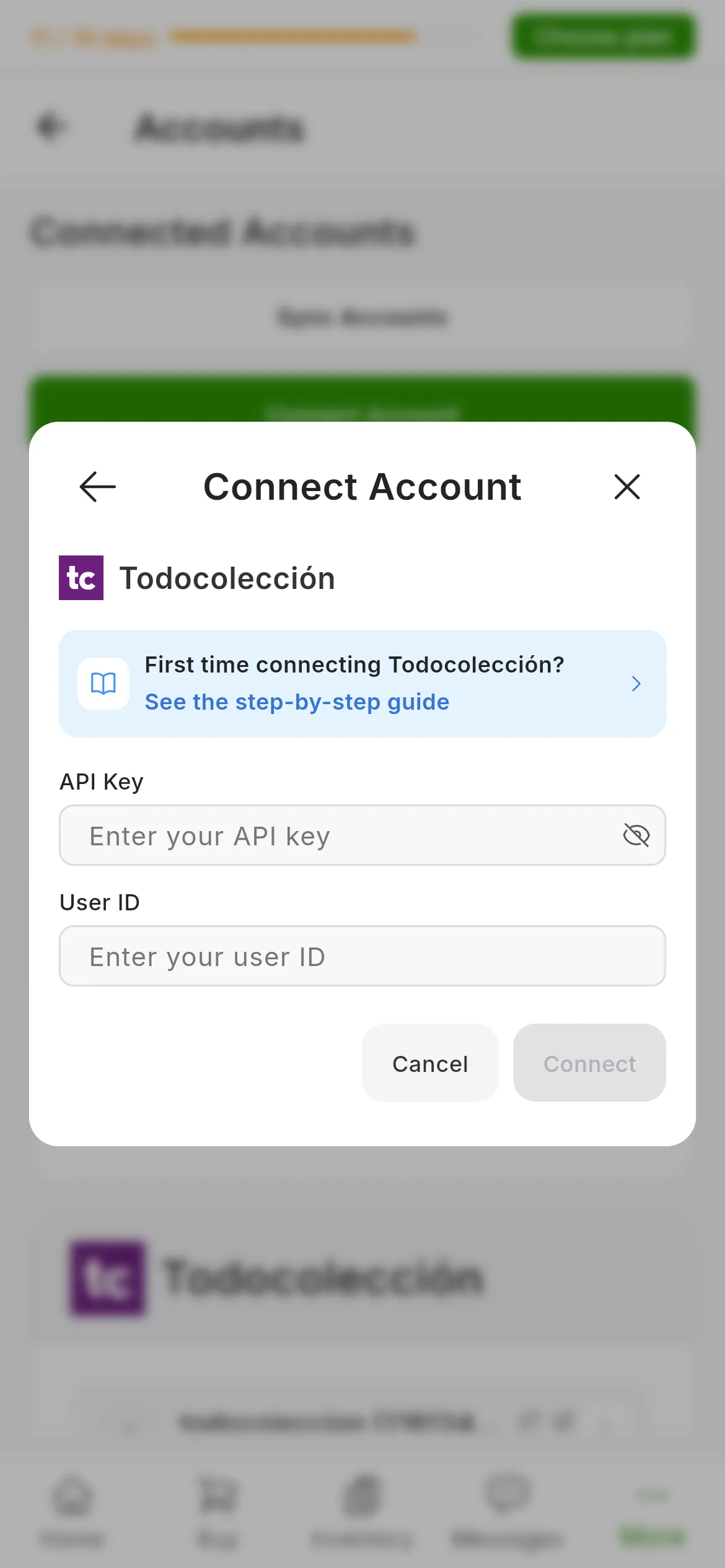
The Todocolección dialog. The numbers mark API Key and User ID. The eye icon shows the key while you check it.
RUIT tests the credentials by asking Todocolección for a product from your account. If they are rejected, it tells you right there instead of leaving the account half set up.
What you have achieved
Your account appears under Connected Accounts with its Todocolección card, which carries your user ID. The credentials do not expire, so the card does not have the Reconnect button that Wallapop and Vinted do: the connection lasts as long as Todocolección keeps the key valid.
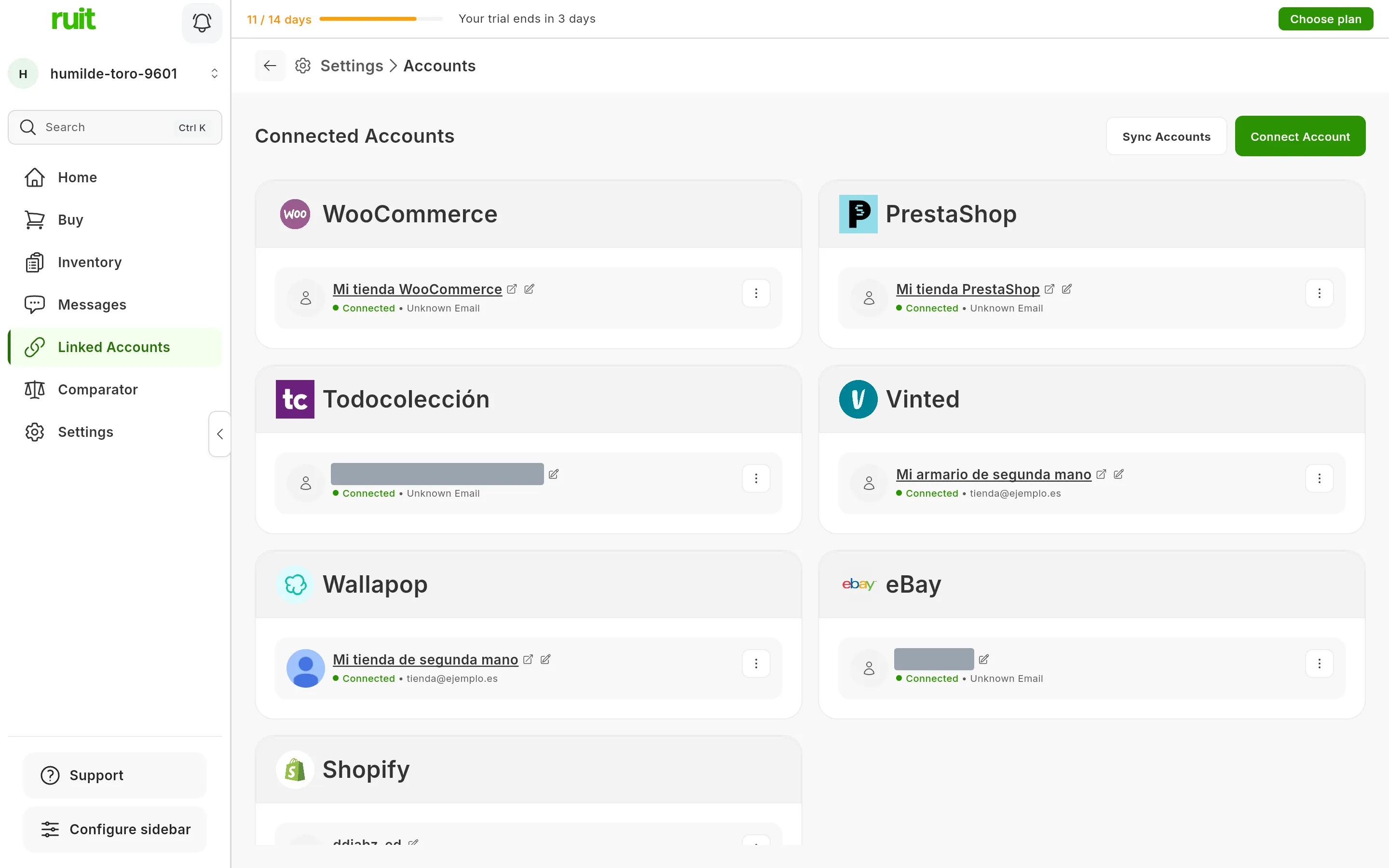
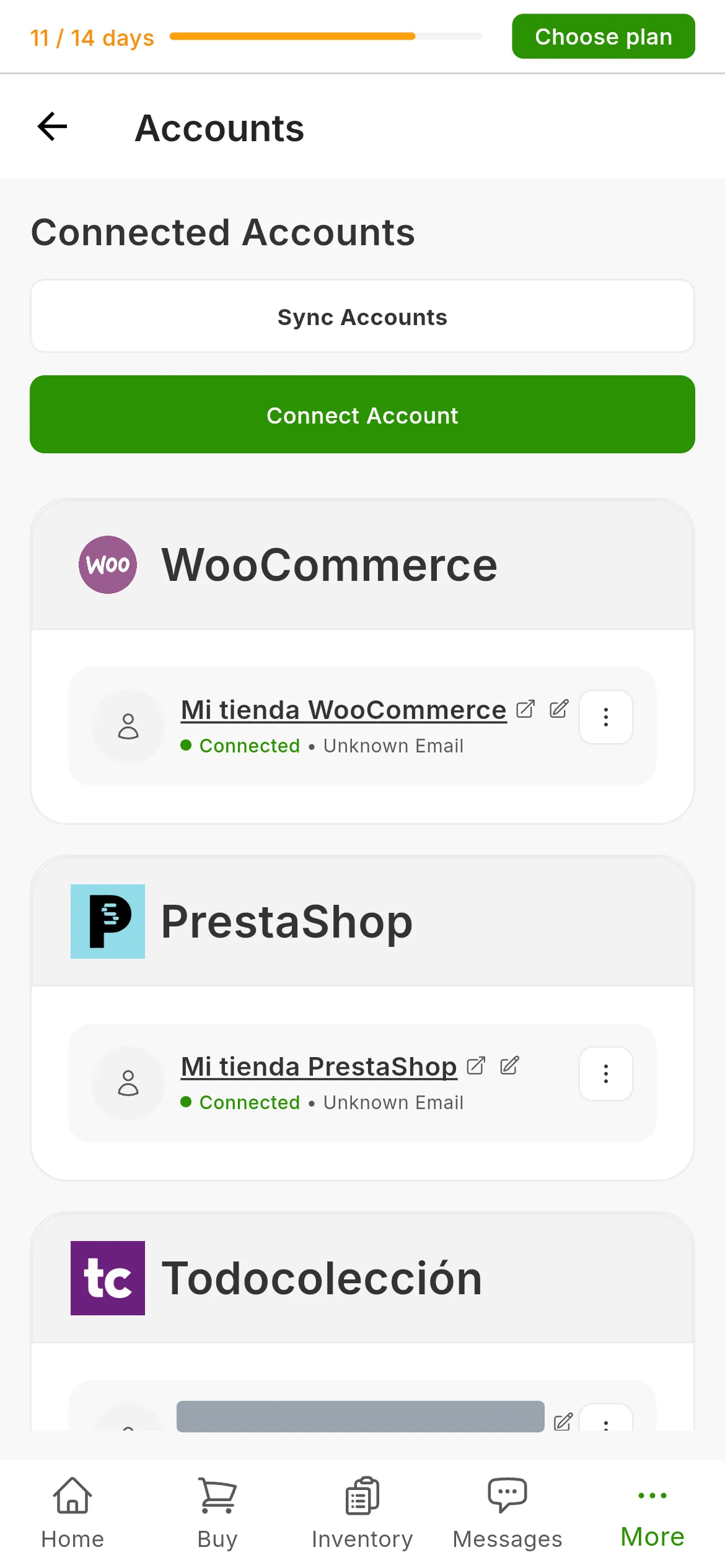
The Todocolección account among the connected accounts. Its name carries the user ID, hidden here.
Next step: importing from a marketplace to bring in the lots you already have on Todocolección, or publishing your first listing.
If something is off
- “Failed to verify credentials. Please check your API keys and store URL.” Todocolección has rejected the details. The message mentions a store URL that does not exist here; what you need to check is the key, copied in full and with no spaces, and the ID.
- You cannot find your user ID in the email. It is the same one that appears in the address of
your public profile,
todocoleccion.net/usuario/<your-id>. - Later on, RUIT says “We need to validate your session again. Please link the account again.” Todocolección has stopped accepting the key. Ask it for a new one and repeat step 3.
Video
Video not recorded yet: Connecting a Todocolección account
Did this article help?
Thanks for telling us.