Renew a listing
How to renew a listing that is still live, one at a time or several at once: what changes and what RUIT does on Wallapop, Vinted and Todocolección.
Renewing replaces a listing that is still live with a new one, with a different title and description. The photos are handled as when publishing on that account, as What gets sent to each marketplace explains. RUIT publishes the new one and deletes the old one, and the new one has its own link. You can renew on Wallapop, Vinted and Todocolección, one at a time or several at once. Renewing is available from the Starter plan up.
If you only want to change the price or the title, there is no need to renew: Edit changes the listing without creating another one. And if the product has already sold, relisting it is a different feature, explained in the Sales section.
Renewing a listing
On Wallapop and Vinted, renewing goes through the extension, so it has to be connected. Todocolección does not need it.
- In Inventory → Publications, press Renew on the listing’s row. It is also on the product page: on the listing’s card, under Publications, next to Edit. It only appears on Wallapop, Vinted and Todocolección listings that are neither sold nor deleted.
- Wait for the preview. The Renew Publication window asks the AI for a new title and description and prepares the photos.
- Expand Images Preview to check the photos that are going to be published.
- Choose the price. Keep price keeps the current one, although you can type a different one. Modify price raises or lowers it by a percentage or an amount, with the rounding you choose, or replaces it with another one with Set to.
- Go over the New Title and the New Description. You can correct them by hand or ask for another version with Regenerate. To guide the AI, first write what it has to respect in Instructions for the AI, such as your keywords: it uses them when you press Regenerate.
- Press Renew Now.
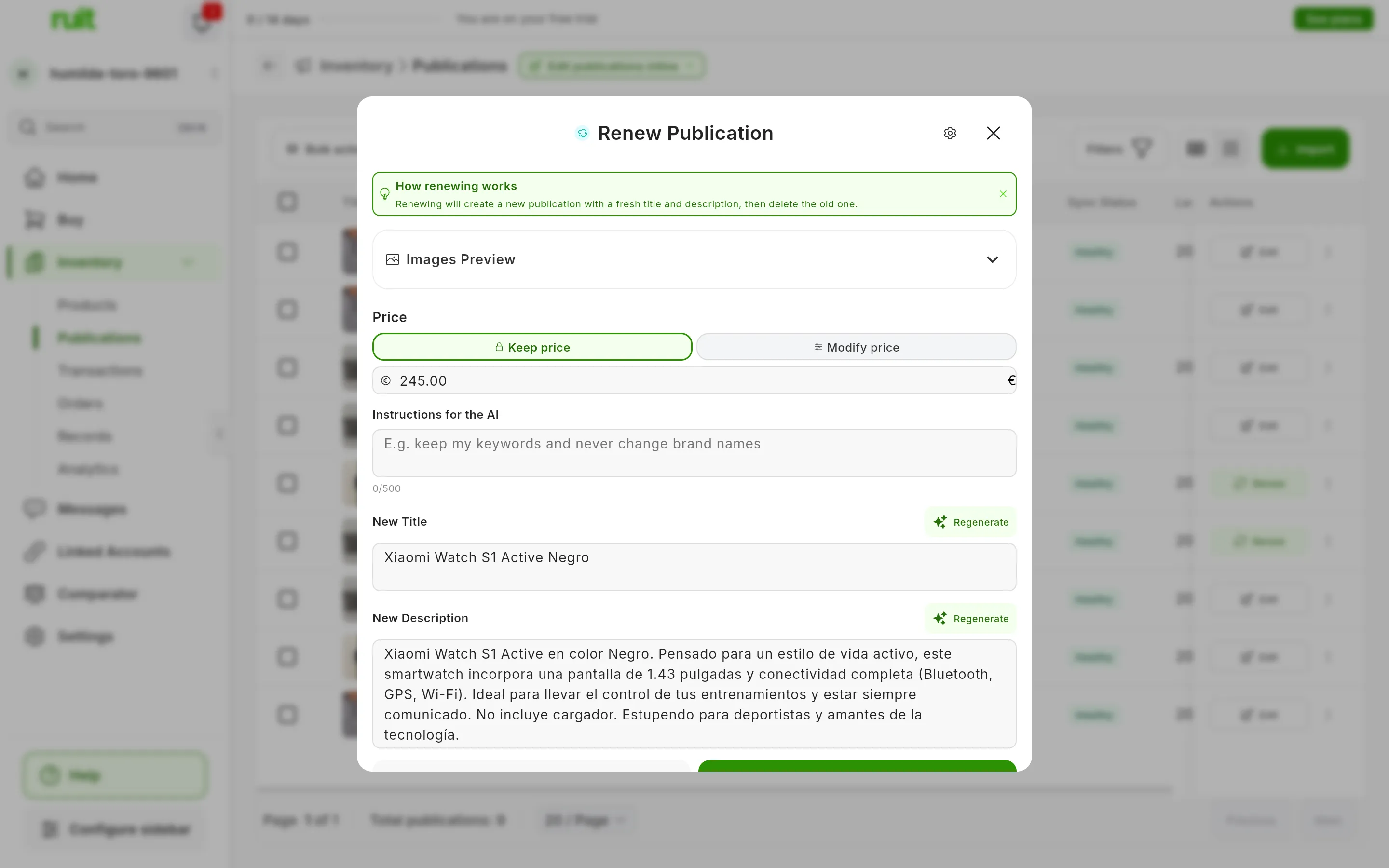
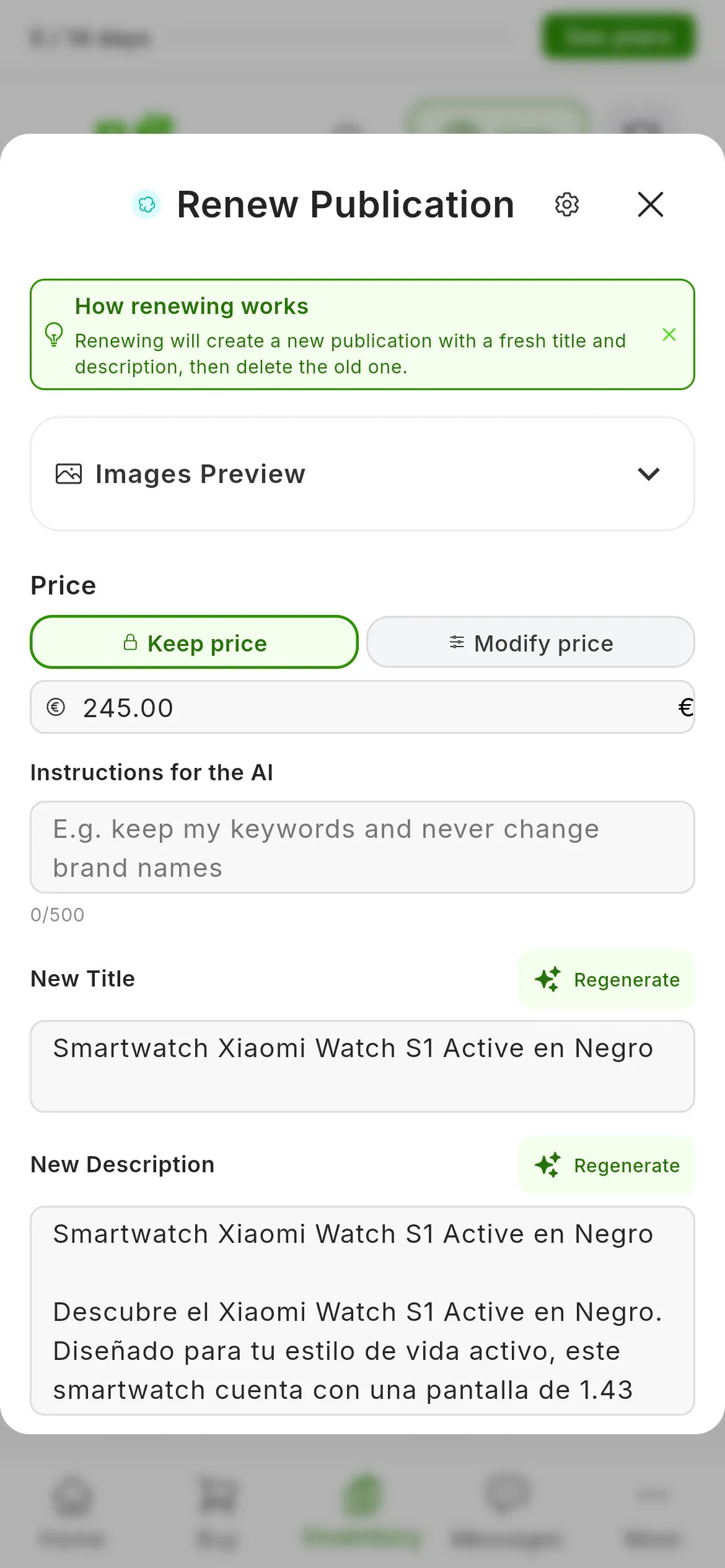
Images Preview (1) expands the photos and Modify price (2) changes the price. The title and the description arrive already written by the AI.
The window shows the progress step by step. You do not need to wait: Continue in background closes it and the renewal carries on by itself. When it finishes you get a notification, Renew Completed or Renew Failed with the reason. If you stay in the window, you will see Renew Completed! and the View button, which opens the new listing.
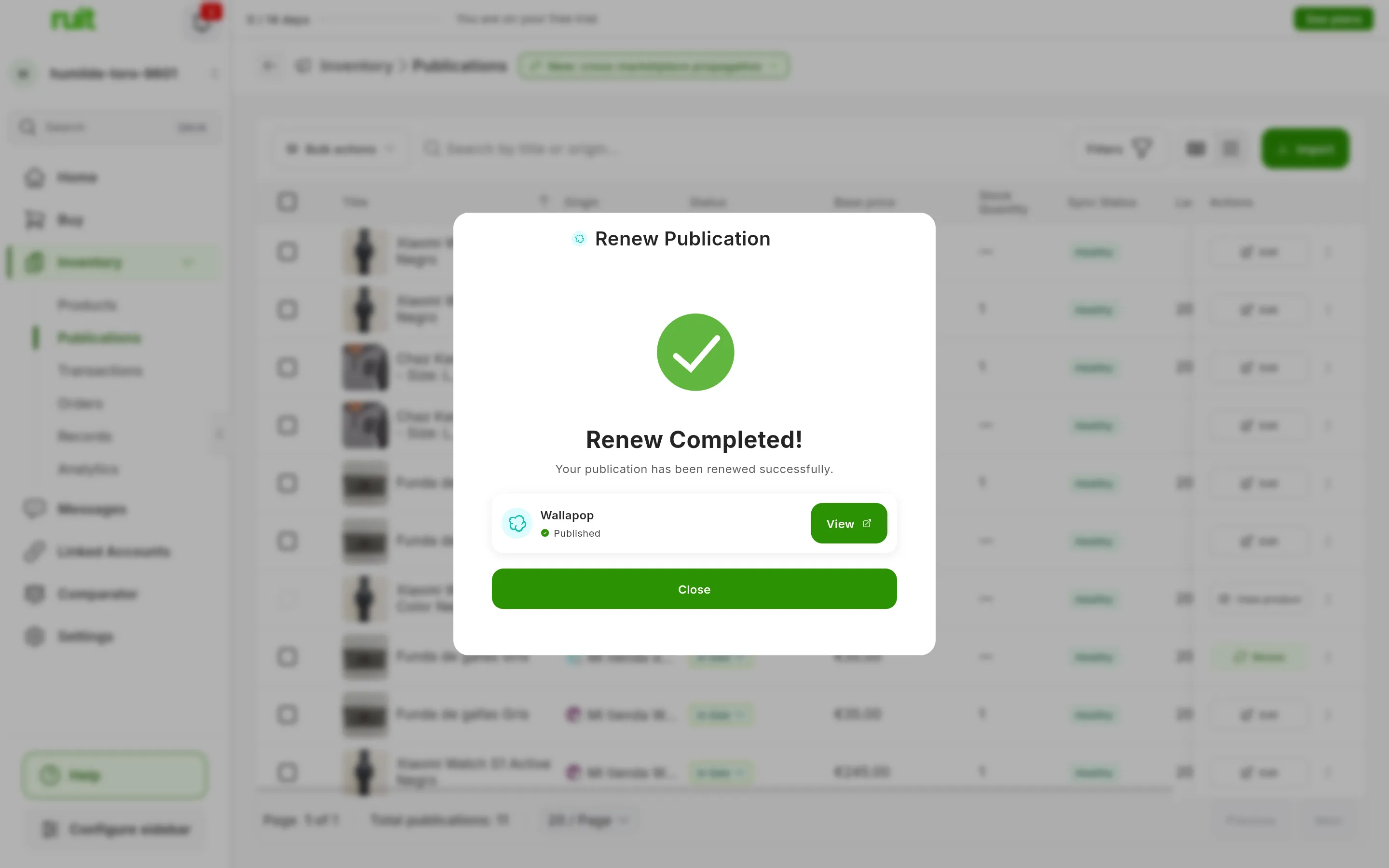
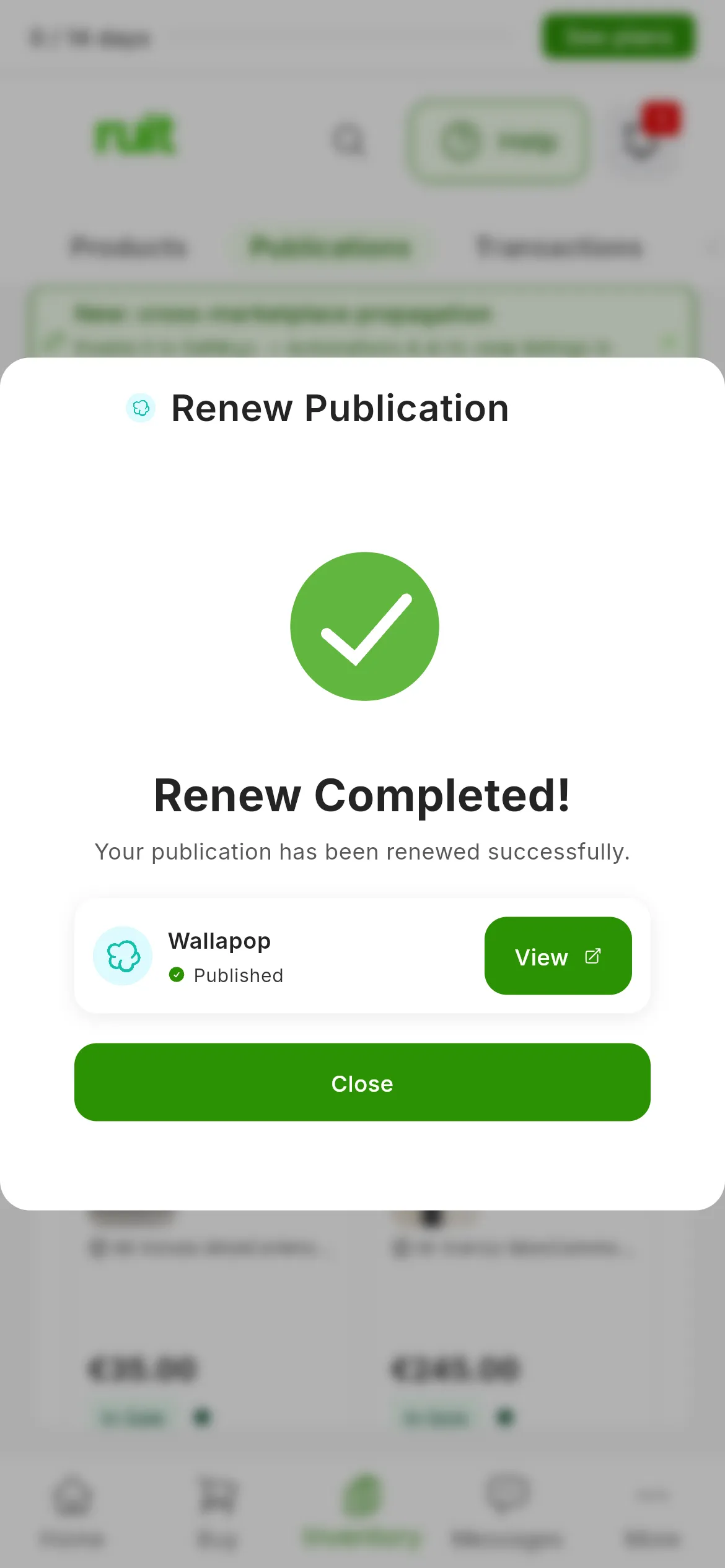
In Publications, the old listing becomes Deleted and the new one appears in its own row.
What changes when you renew
The title and the description
The AI rewrites them from the listing and your product, and fits them to each marketplace’s character limit. It also follows your renewal settings, explained further down.
The photos
If that account modifies photos when publishing, RUIT also modifies them when renewing, so that the marketplace does not take the new listing for a duplicate of the old one. The changes are small: making the photo a little smaller, rotating it, changing its brightness or color, cropping it, flipping it or adding a frame, among others. The combination changes with each renewal. If the account does not modify photos, they go out as they are. Either way, the new photos carry no metadata.
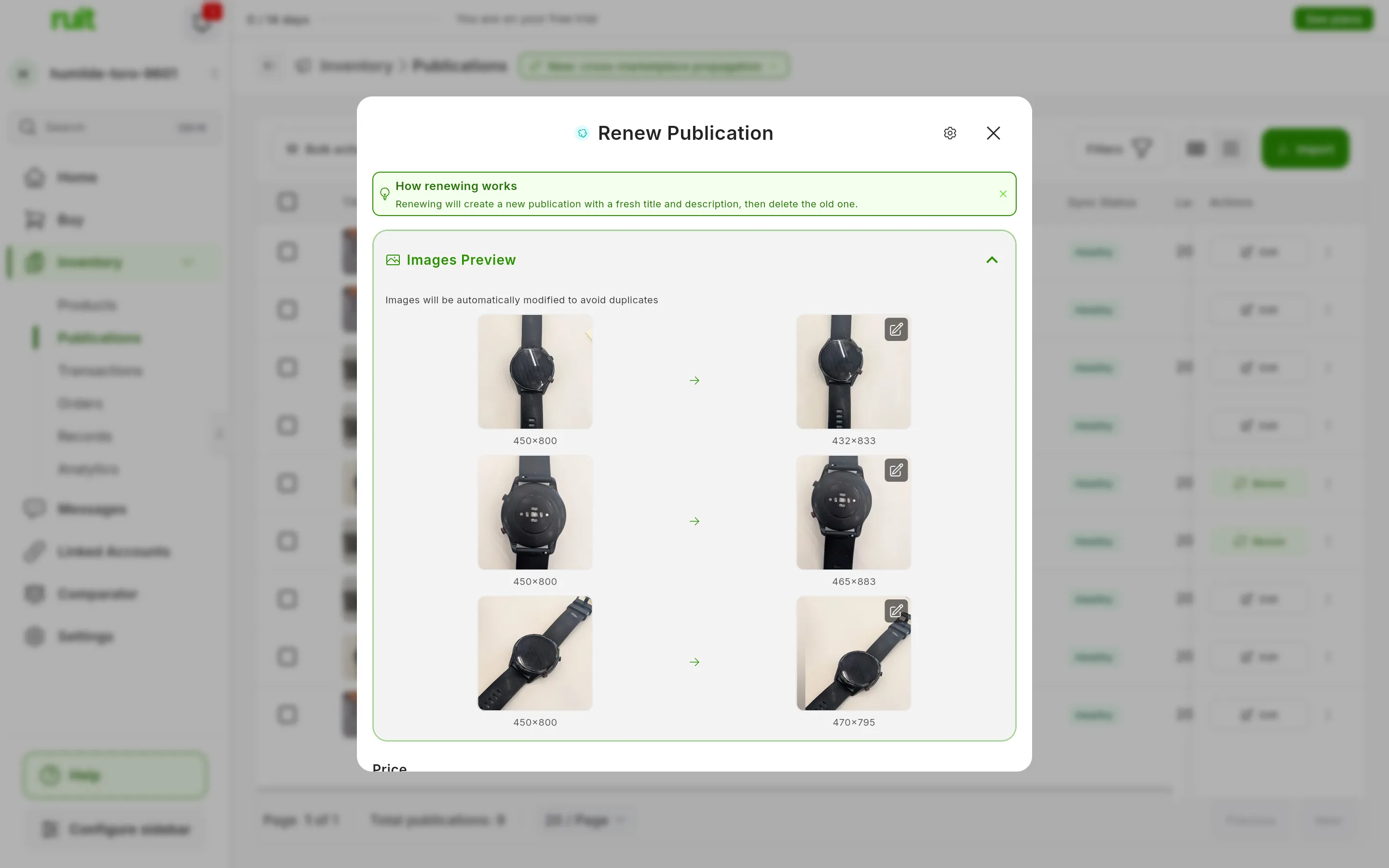
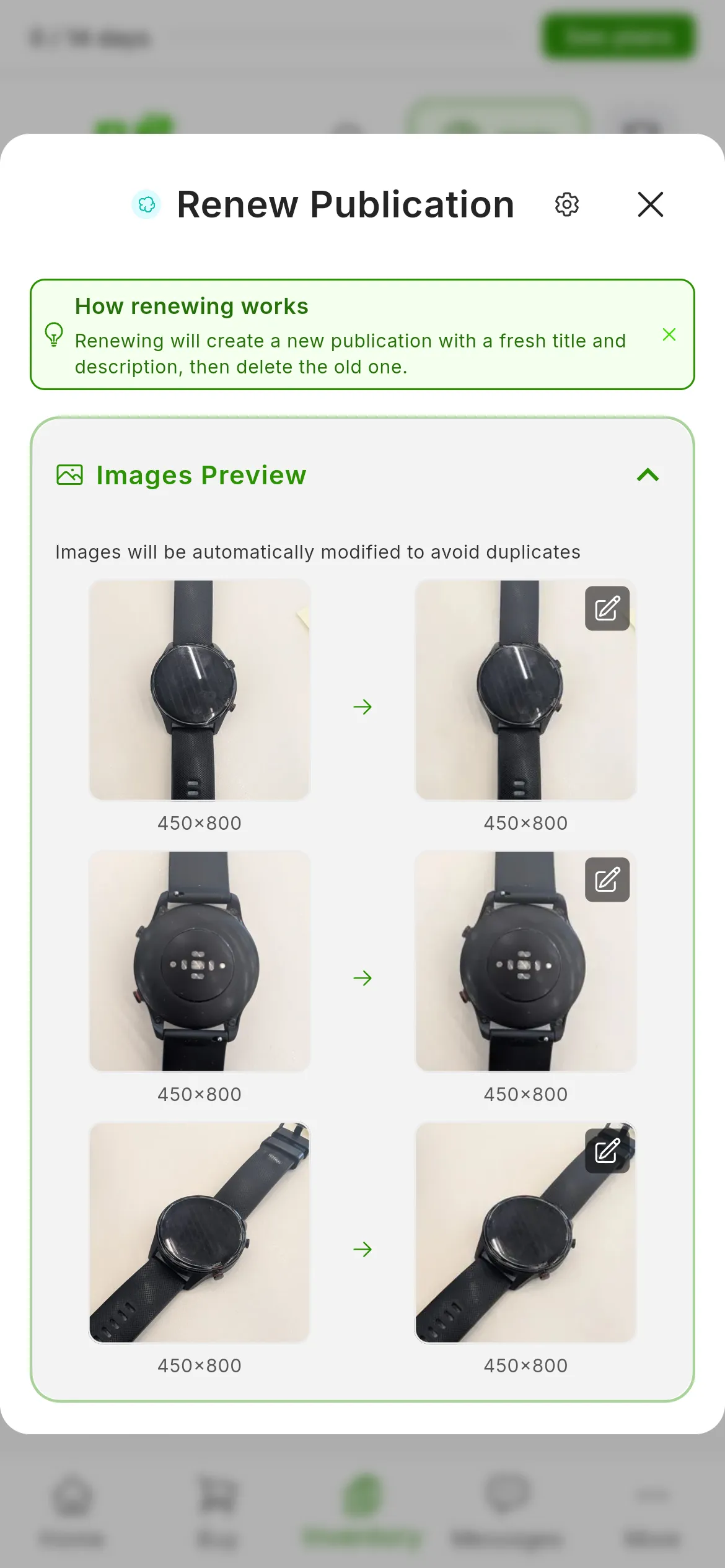
Each photo, on the left as it is and on the right as it will be published.
You choose which accounts modify their photos in Settings.
Your renewal settings
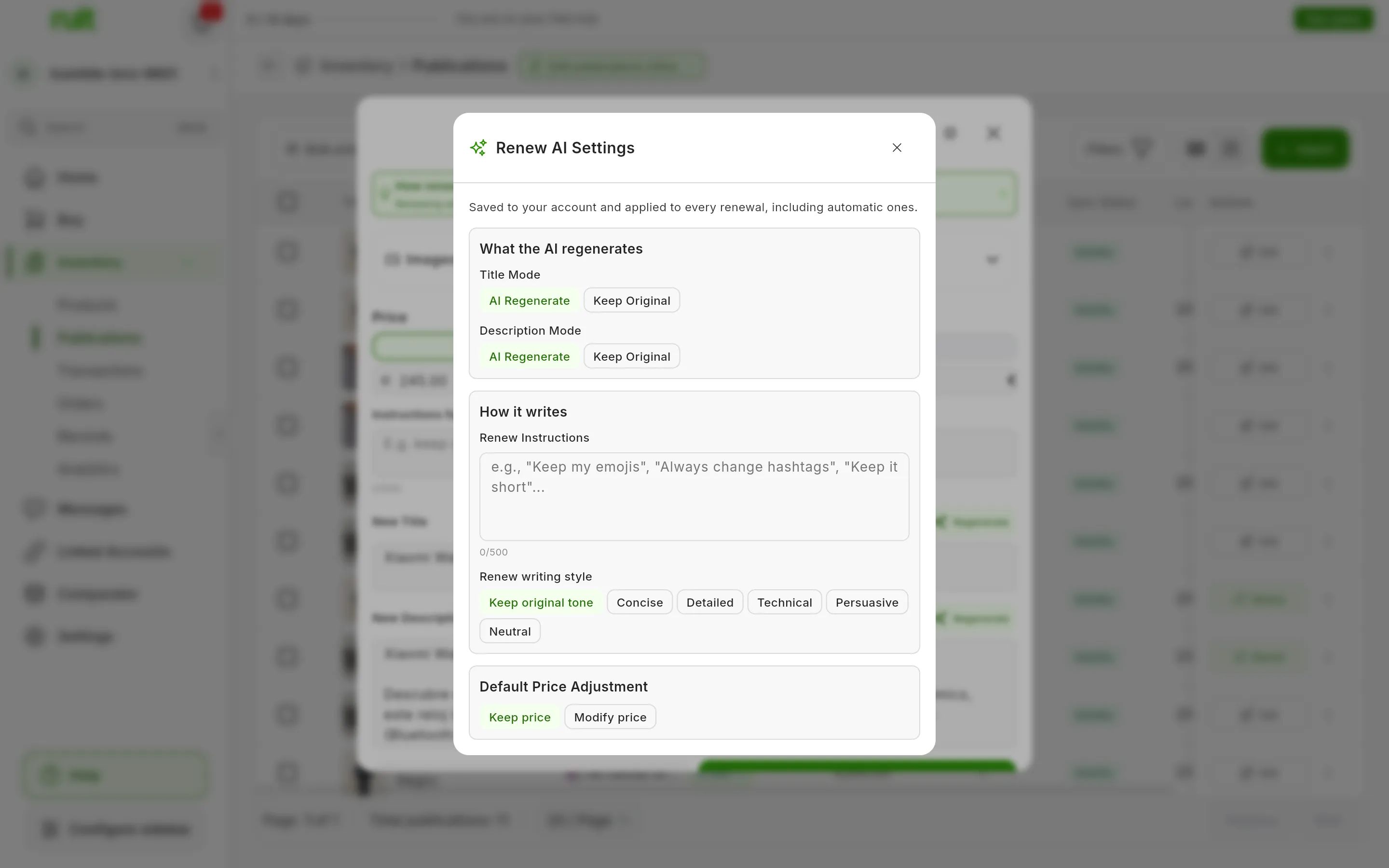
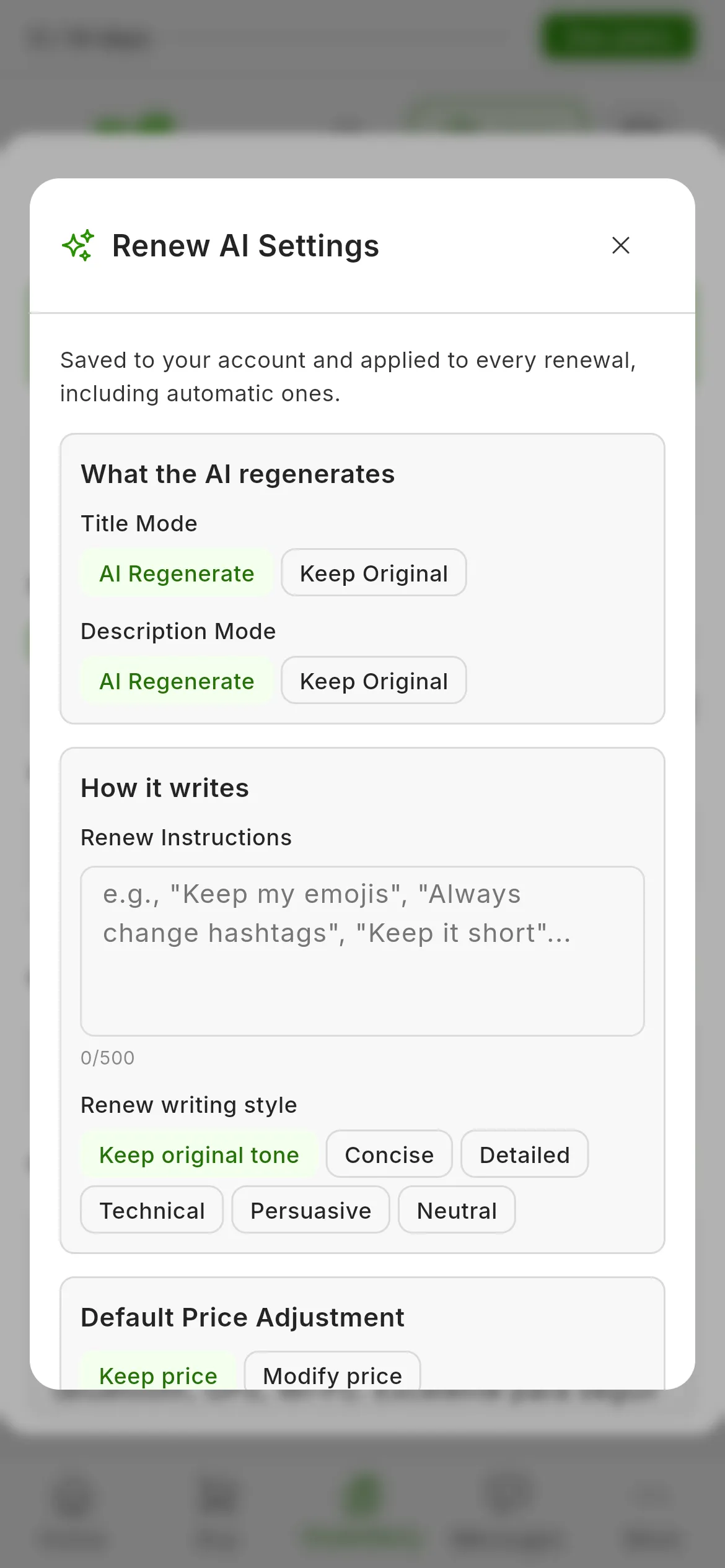
The Renew AI Settings gear, at the top of the window, saves to your account what you want for all your renewals:
- What the AI regenerates: whether it rewrites the title and the description, with AI Regenerate, or leaves them as they are, with Keep Original.
- Renew Instructions: what the AI must always bear in mind, for example that the text should be short.
- Renew writing style: the tone it writes in. Keep original tone keeps yours.
- Default Price Adjustment: a price change that comes already set in Modify price every time you renew a listing. In bulk renewal, the price is chosen separately.
Whatever you write in Instructions for the AI within a renewal applies only to that one, and is added to your saved instructions.
Renewing several listings at once
- In Inventory → Publications, tick the listings. On a phone, switch to Table first.
- Press Bulk actions → Renew; on a phone, Bulk actions is the button with the layers icon. If you have ticked only one, the single-listing window opens.
- In Bulk renew options you decide how they are renewed this time. Regenerate titles with AI and Regenerate descriptions with AI come switched on; if you switch one off, each listing keeps its own. Price adjustment (optional) applies the same price change to all of them, and whatever you write in Instructions for the AI is added to your saved instructions. At the top, Persistent settings opens your renewal settings. Press Next.
- In Schedule, choose the Delay between publications, which is the minimum time between two renewals on the same account. The default is Auto · 2 min. If you like, limit the renewals to certain Activity hours or load a schedule with Select preset, just as when scheduling a bulk publishing job. Press Next.
- Check the Estimated duration and the Estimated completion, and press Start Bulk Renew.
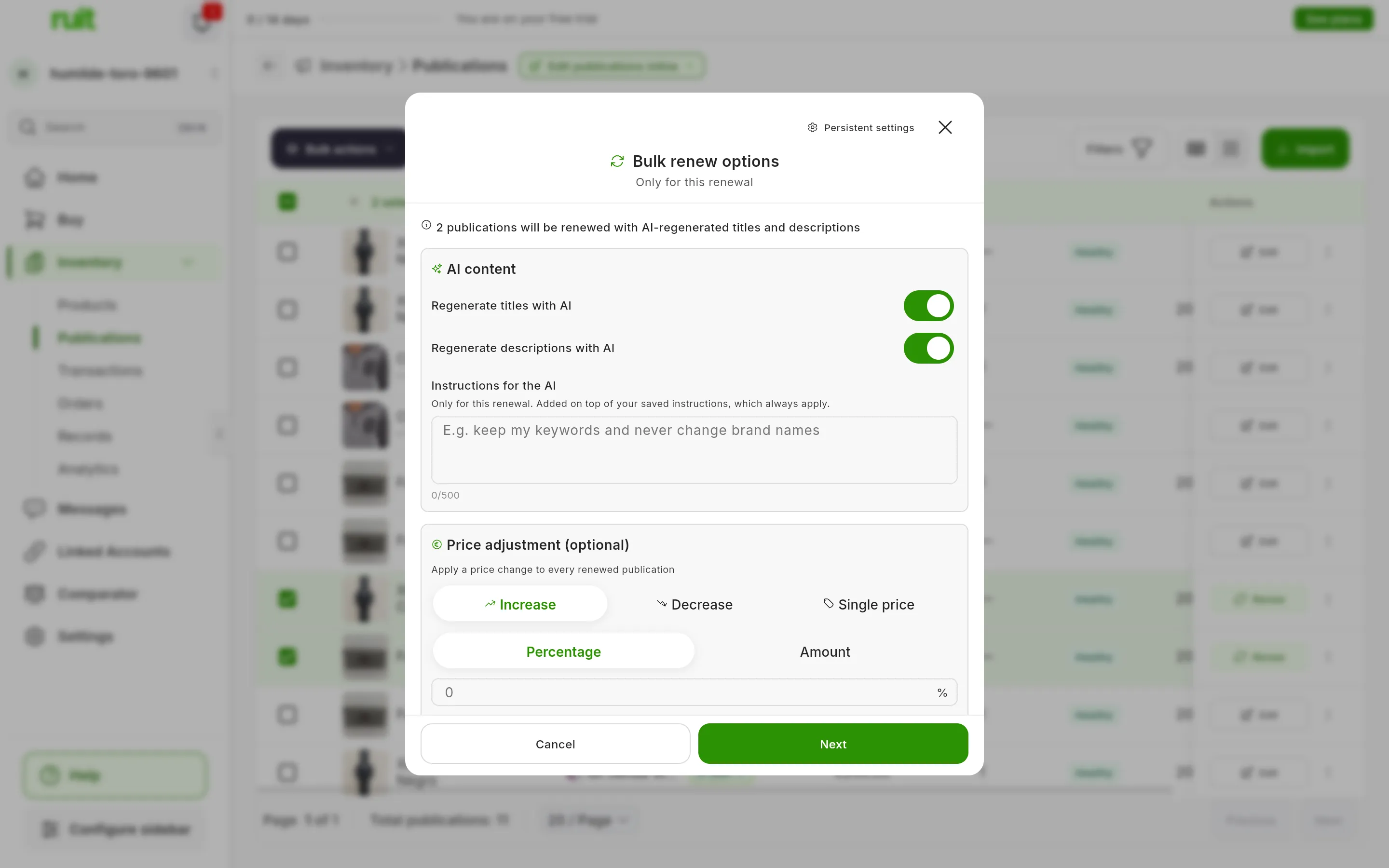
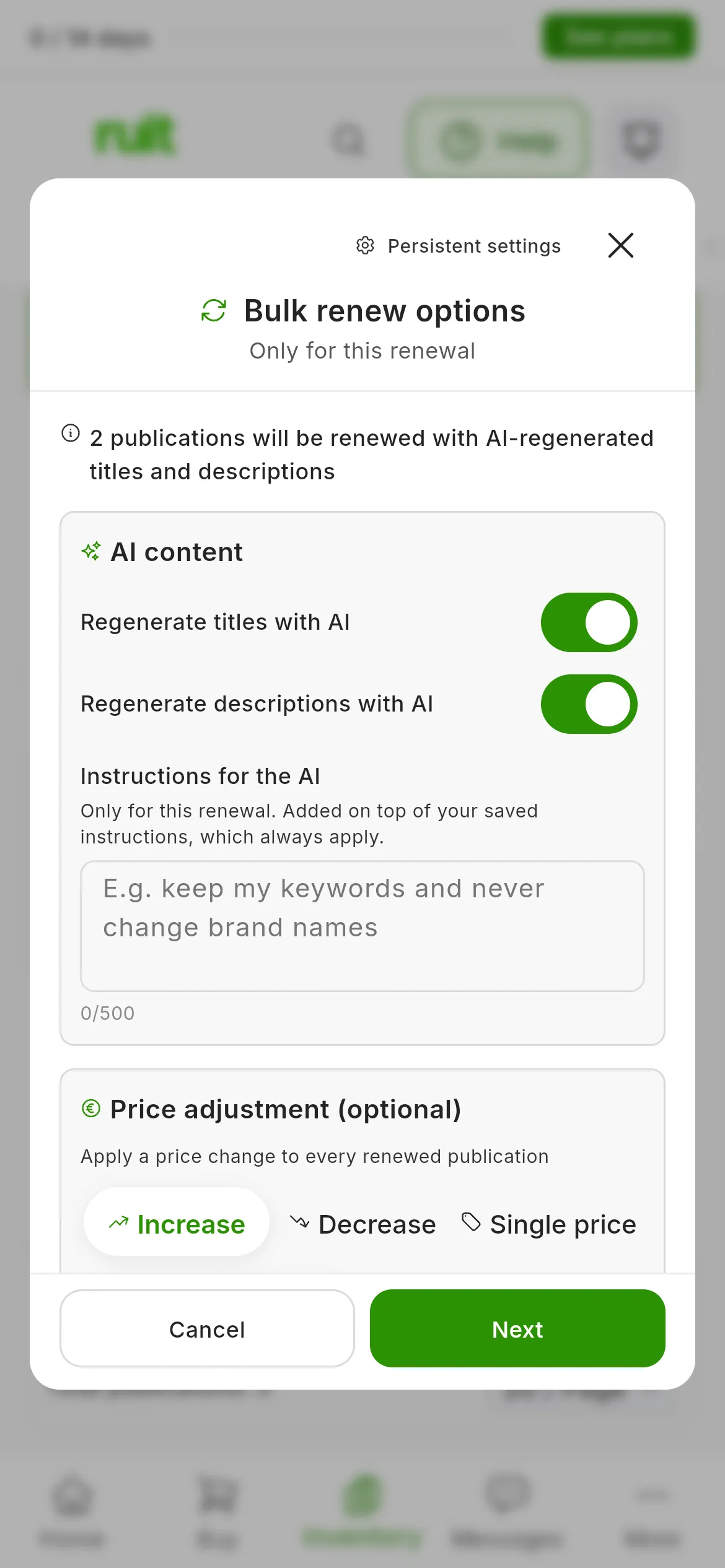
The first step, Bulk renew options, with two listings ticked.
A batch holds 50 listings: if you tick more, the first 50 are renewed and the rest are left for the next one. Those that cannot be renewed are left out, and the first step tells you which ones and why. On Wallapop and Vinted, leave the browser open with the extension connected until it finishes.
Follow the progress in the Activity Center, on the Bulk renew card. While it runs, Cancel stops it. If some listings have failed once it finishes, Retry failed tries them again, and View details shows you the result for each listing.
What each marketplace does
| Marketplace | How it renews | Title, at most | Description, at most |
|---|---|---|---|
| Wallapop | Publishes the new listing and then deletes the old one | 50 characters, no emojis | 640 characters |
| Vinted | Saves the new one as a draft, deletes the old one and then publishes the new one | 100 characters | 2,000 characters |
| Todocolección | Publishes the new listing and then deletes the old one | 100 characters | No limit |
On eBay and IberLibro you cannot renew yet. Nor on WooCommerce, Shopify and PrestaShop, and there is no need: they are your online stores, and there the product neither expires nor loses its position.
When you cannot renew
- If the product already has another live listing on the same account, RUIT does not renew it, so as not to leave two: the renewal ends in Renew Failed with that reason.
- If the title contains a character the marketplace does not accept, such as an emoji on Wallapop, the window says Cannot Renew and shows you which one it is.
- If Vinted has restricted selling on that account, Renew Now appears disabled until the restriction ends. In a bulk renewal, those listings are skipped.
- If the description contains a link to another website, the window warns you below it. Wallapop rejects those listings, so the renewal would fail; Vinted and Todocolección may moderate them.
Video
Video not recorded yet: Renewing a listing that has been sitting idle
Did this article help?
Thanks for telling us.