Your first listing
Tutorial for publishing a product on your marketplaces: choose the accounts, review the fields the AI fills in, press Confirm and follow your listings.
In this tutorial you publish a product from your inventory on your marketplace accounts, from start to finish: you choose where, review what RUIT fills in for you, confirm and follow your listings. It takes about five minutes.
You need a product in your inventory that is not in Draft, that is, one with at least one photo, a title, a price above zero, a condition and a shipping method. If you do not have one yet, create it or import your listings. You also need at least one marketplace account connected to RUIT and a verified phone; if it is not verified yet, RUIT asks you to do it when you confirm. For Wallapop and Vinted you also need the extension connected and the browser open while you publish.
1. Open the wizard
Everything happens on a single screen, Publish to marketplaces. You can open it from three places:
- In Inventory → Products, with the Publish button on the product’s row. On a phone, the button sits under its card.
- On the product page, with Publish on all Linked Markets. It opens the same screen with no account ticked: you choose them in the next step.
- When you create a product: when you press Create Product, the screen moves on to the wizard by itself, with the Product created successfully! notice for a few seconds.
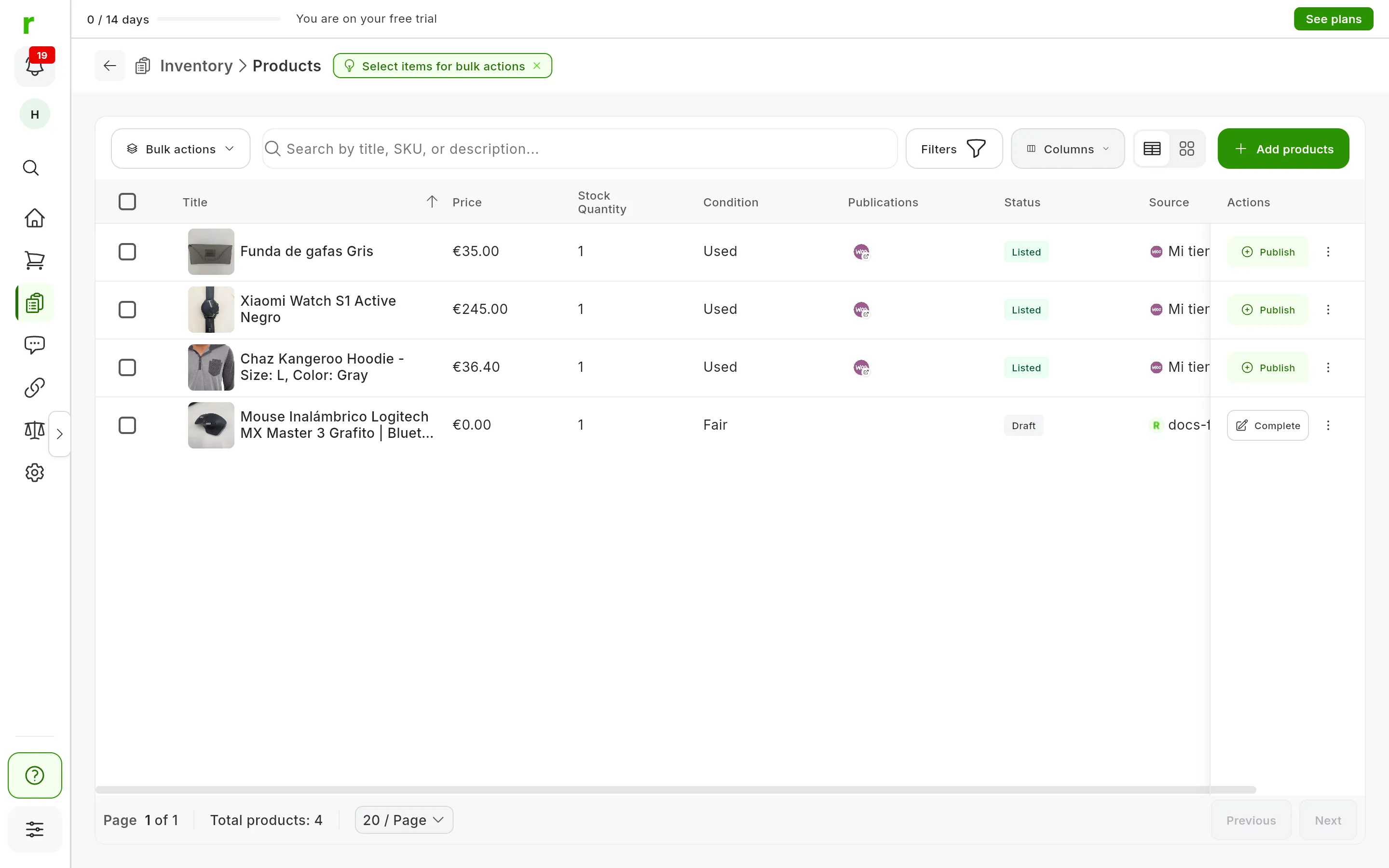
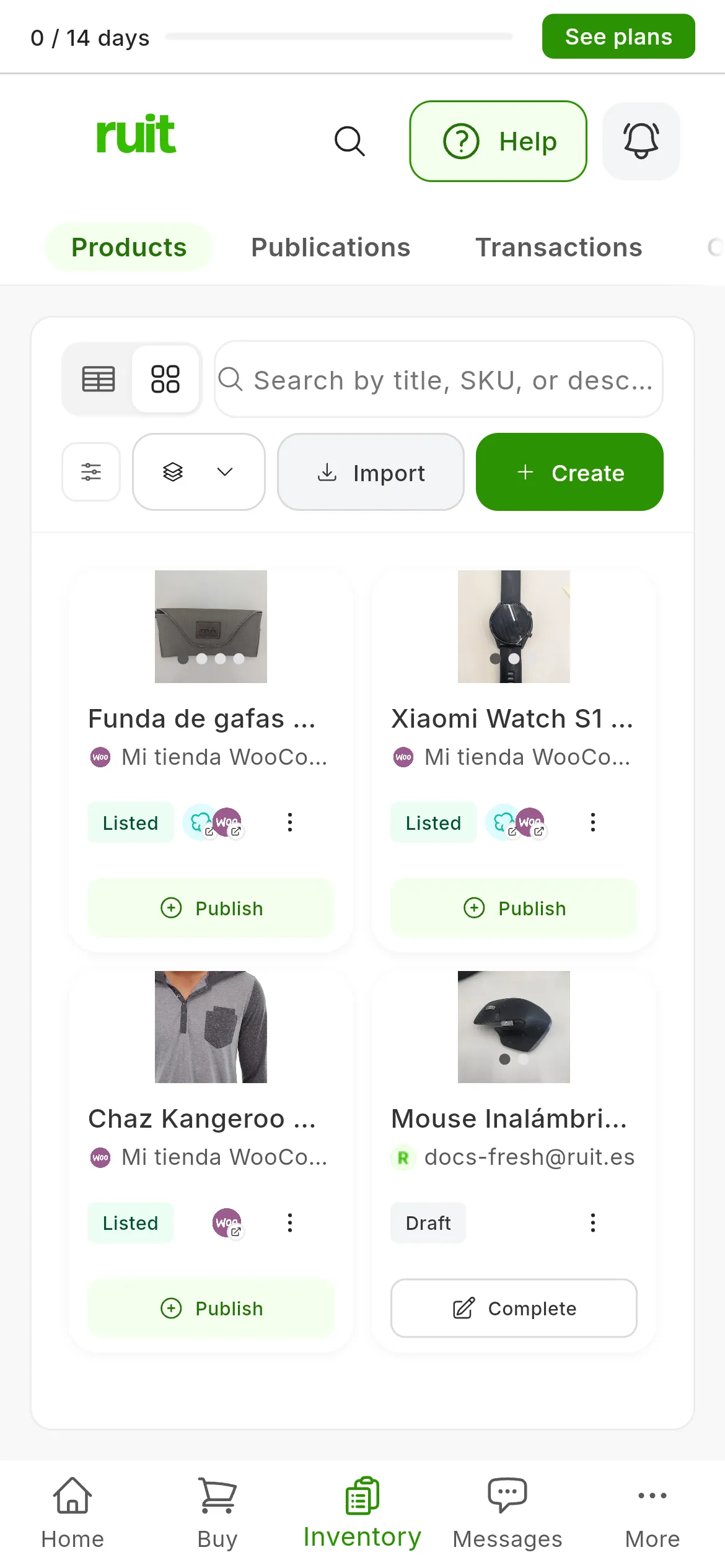
Publish (1) on a complete product and Complete (2) on one in Draft.
If the product is in Draft, its button in Products says Complete instead of Publish, and RUIT first shows you the product form, whichever way you come in. Fill in whatever is missing, the price included, and press Create Product: the screen then moves on to the wizard. If Create Product is grayed out, hover over it and it tells you what is missing.
2. Choose the accounts
Under Select marketplaces there is a card for each connected account. Press the accounts you want to publish on; pressing one again deselects it. If one is missing, Connect Account connects it without leaving this screen.
Each account you tick opens its panel under Publications, step 2 of the screen, and RUIT starts preparing it.
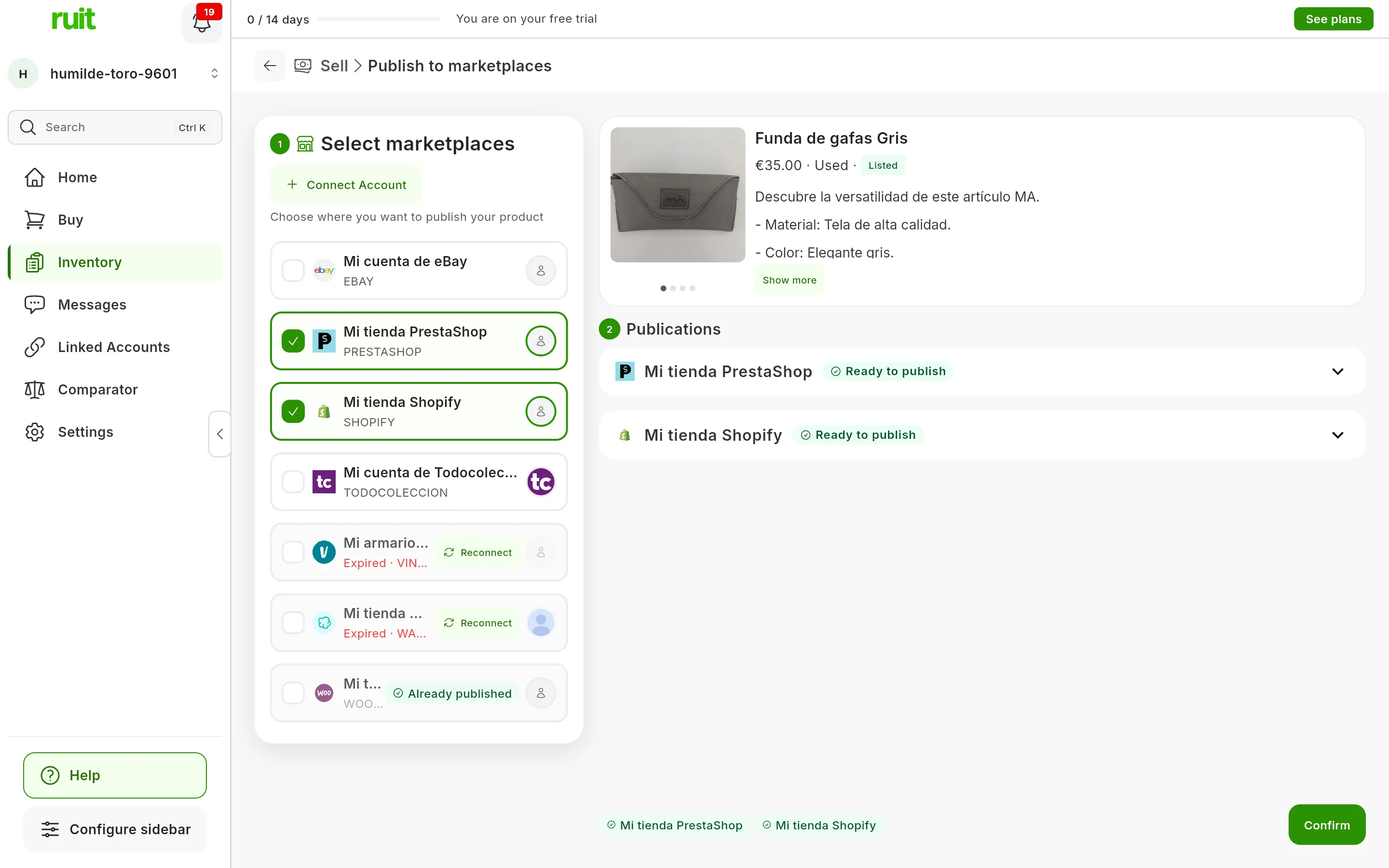
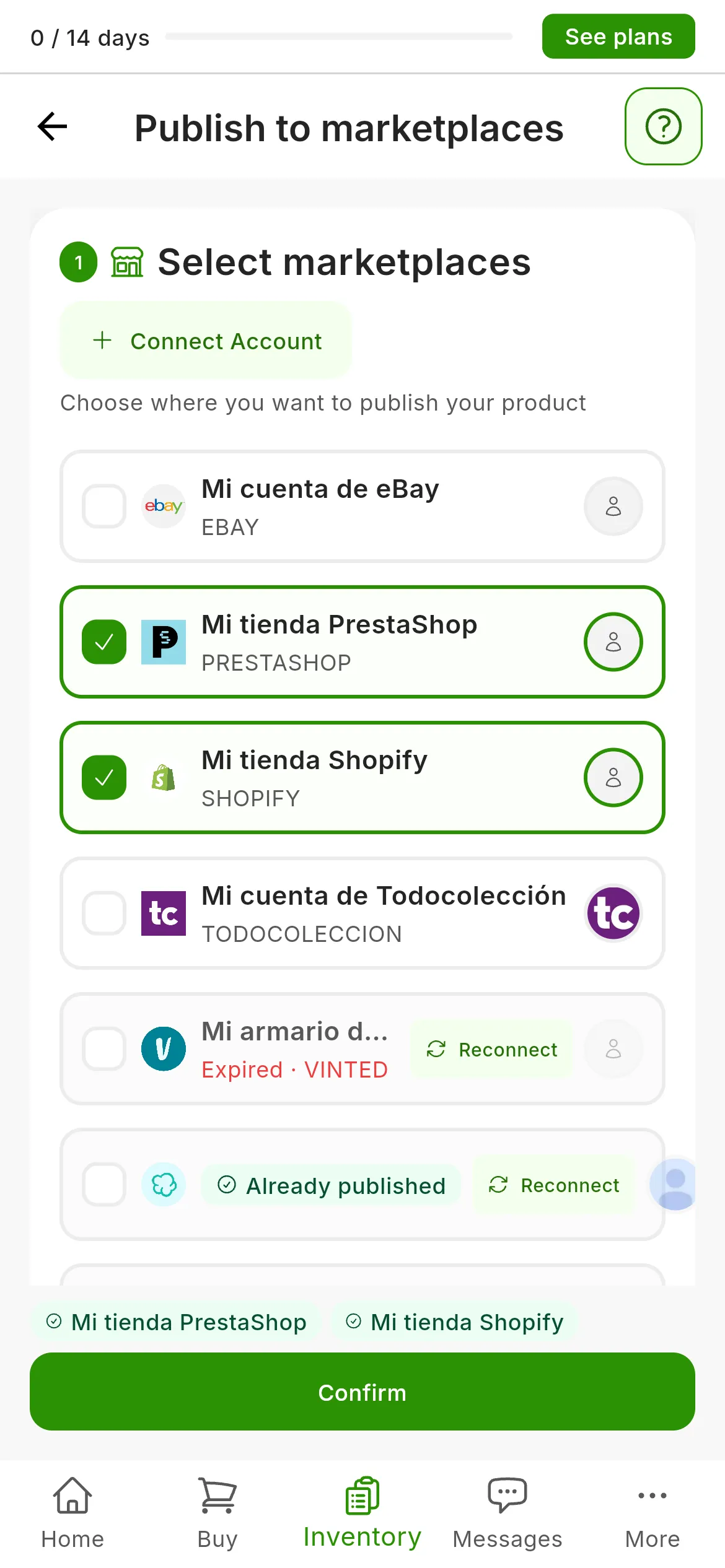
Two accounts ticked. The others say why they cannot be ticked: Already published (1) or Expired (2).
Some cards cannot be ticked, and they say why:
- Already published: this product already has a listing on that account. RUIT publishes a single listing per product on each account.
- Expired, on the second line of the card: RUIT cannot use the account right now. Press Reconnect; on Wallapop and Vinted, with the extension’s browser open. What happens when a marketplace session expires explains it.
- A sentence about what an eBay account is missing, such as eBay needs the postal code you ship from., with the Fix it button. It is step by step in Connect eBay.
- Restricted, on Vinted: Vinted has restricted selling on that account, and the card says until when.
If the product has already sold or been deleted on an account, its card says Relist. That case is covered in the Sales section.
With the stock at 0 you will see This product is out of stock. It is only a warning: you can publish it anyway.
3. Review each account’s fields
Each panel carries the marketplace’s logo, the account name and a label with its status. While RUIT prepares it, the panel cannot be touched: it uploads the photos, the AI chooses the category and RUIT fills in the fields with your product’s details. The AI works out some of the missing ones from the photos.
When it finishes, the panel’s label says one of these things:
- Ready to publish: nothing is missing. The panel stays collapsed; press it if you want to review it.
- 1 field pending, 2 fields pending or however many there are: the panel opens and shows only those fields, each on its own card. Fill them in: each card disappears once it is complete.
- Ready (1 adjustment): it is complete, but RUIT has corrected a value so that the marketplace accepts it, such as a price below its minimum. Hover over the label to see which one.
- AI couldn’t categorize: press Select category and choose it yourself. The Search category… box and, when there are any, the Suggestions help you find it.
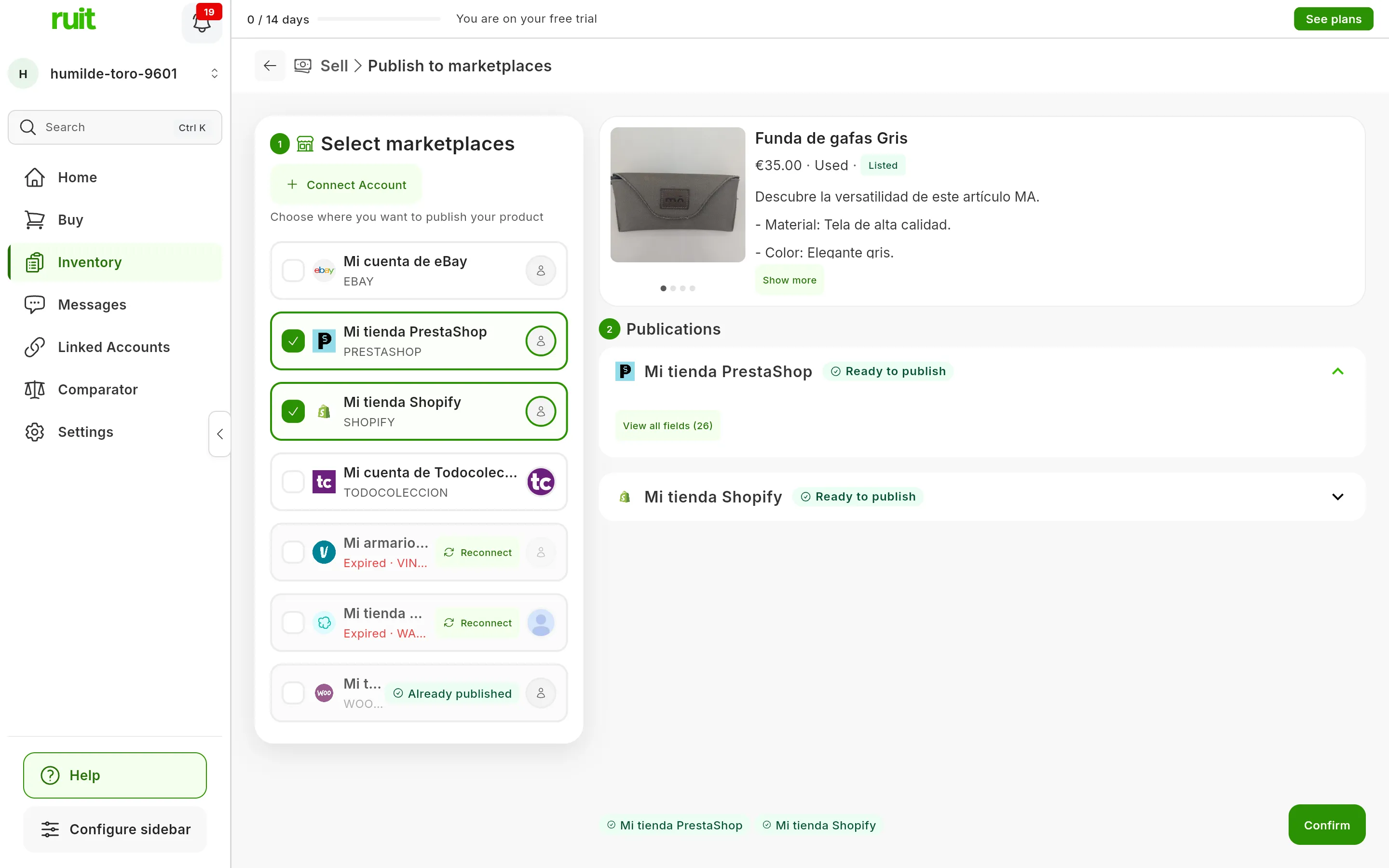
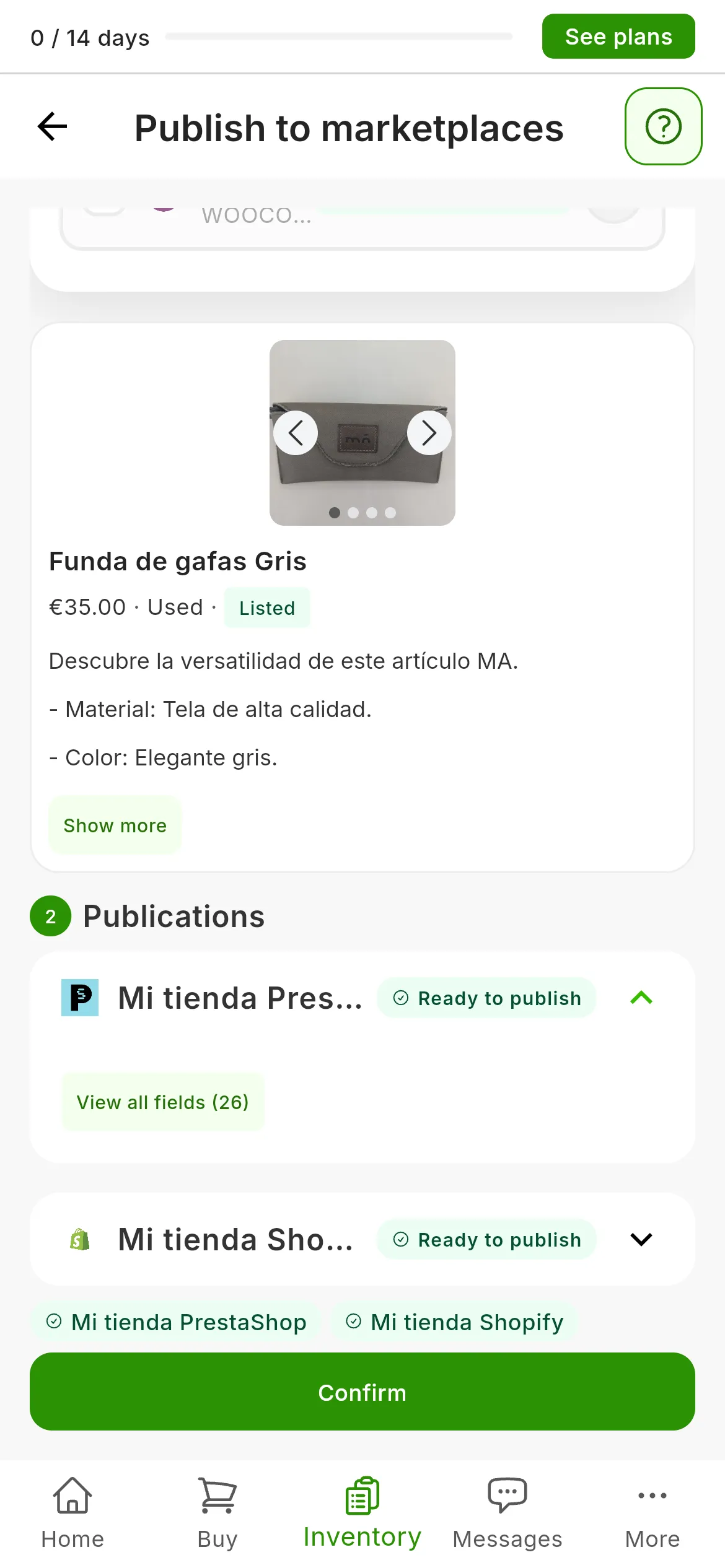
Both accounts, Ready to publish. View all fields (1) opens the window explained just below, and Confirm (2) already works.
View all fields opens All fields, with three blocks: CATEGORY, where you can change it, REQUIRED and OPTIONAL. The optional fields can only be seen there. Go over what the AI has filled in before publishing, because that is what gets sent, and close it with Done. What each marketplace asks for and where each piece of data comes from is in What gets sent to each marketplace.
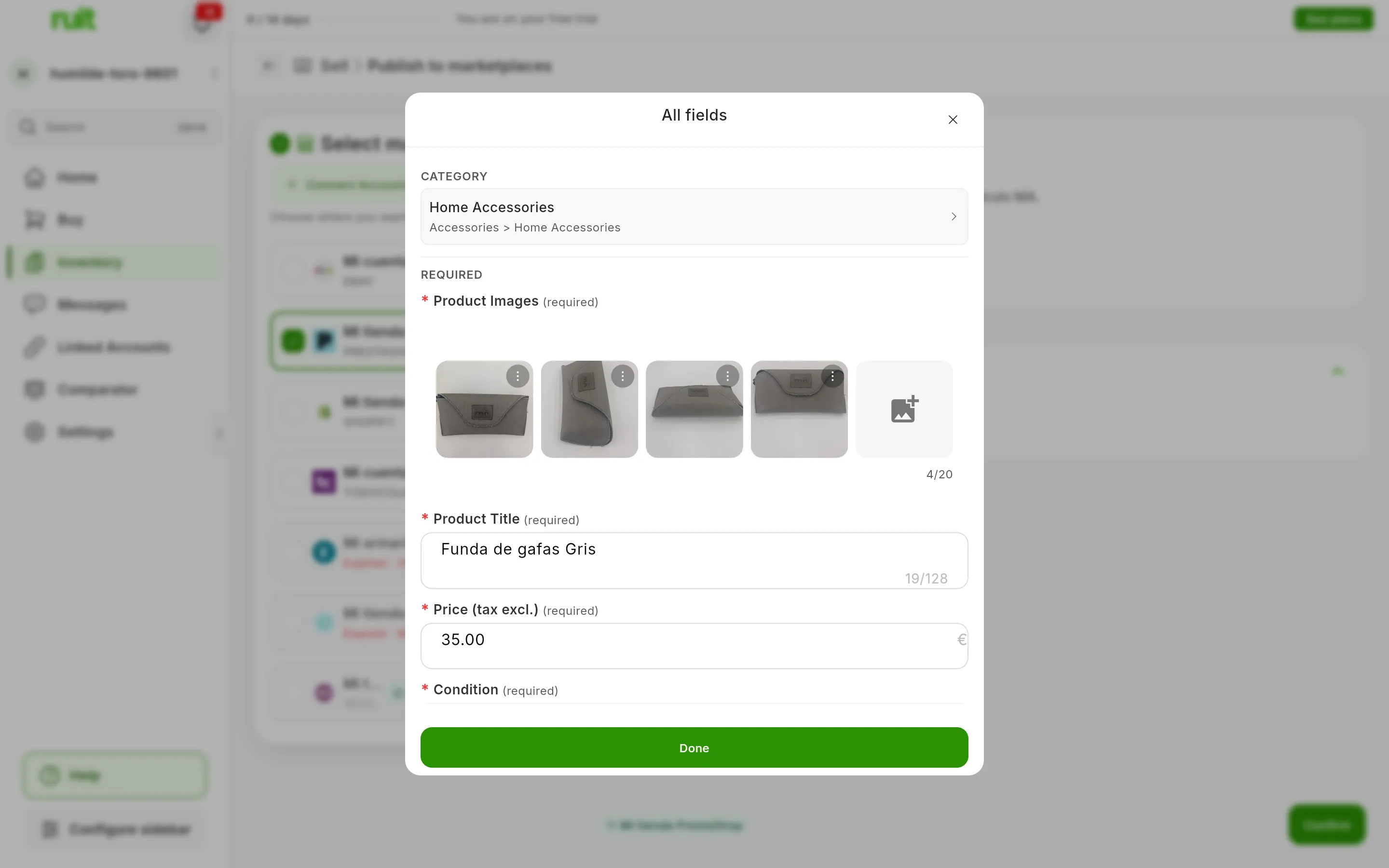
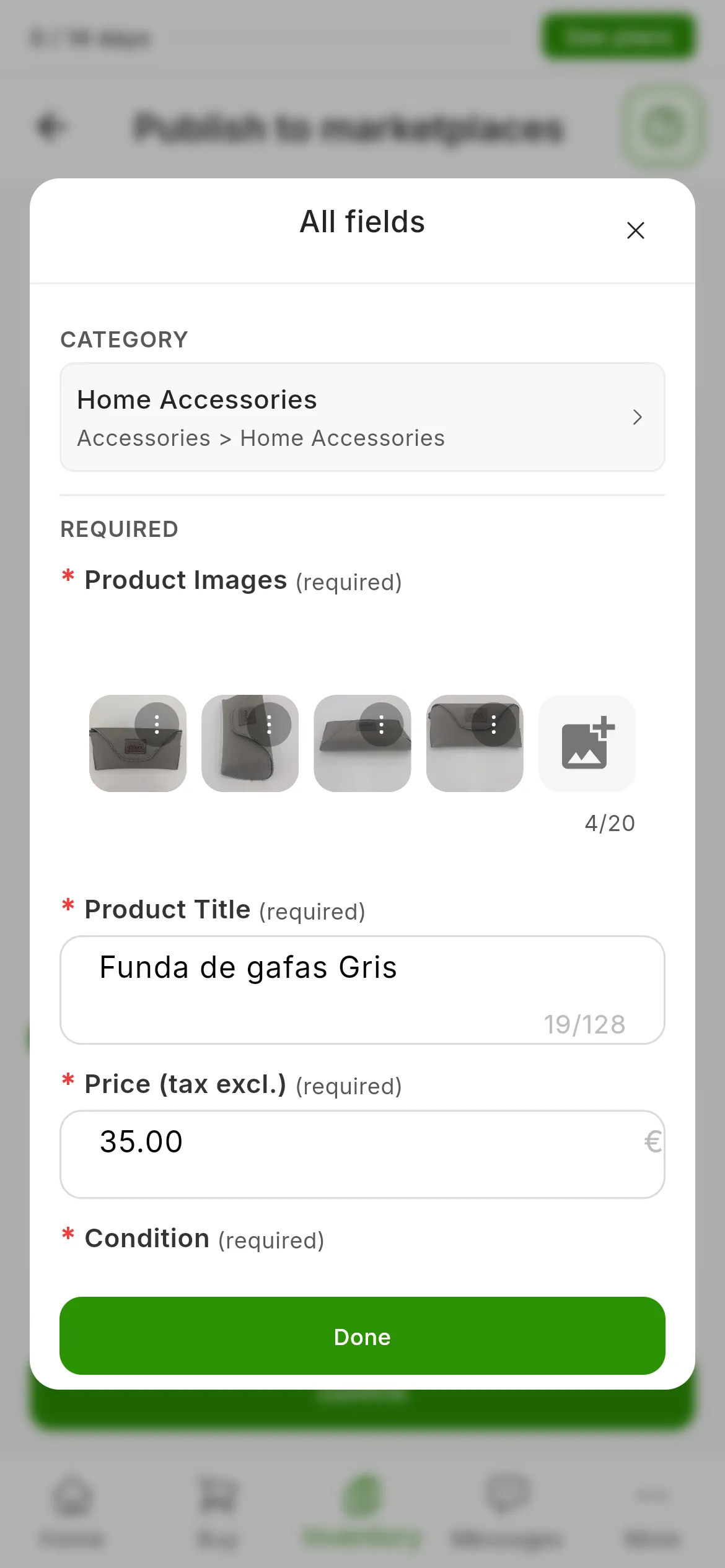
The OPTIONAL fields come further down, in the same window.
4. Press Confirm
Confirm becomes active when every ticked account is ready. If one is missing something, it stays grayed out even if the others are ready: hover over it and you will see Complete the following fields: with what is missing on each account. Complete it, or deselect that account and publish on it later.
Press Confirm. If you have not verified your phone yet, Just one more step! opens: verify it and publishing carries on by itself. If you close that window without verifying, nothing is published.
RUIT publishes on all the accounts at once. Each panel changes to Publishing… and can no longer be edited while RUIT waits for its marketplace’s answer. If one turns the listing down, the others carry on.
On Wallapop and Vinted it is the extension that publishes, from your browser and with your marketplace session. To do so it uses a marketplace tab pinned in the browser, with the Ruit is using this tab notice; if you do not have it open, the extension opens it. Do not use or close it while it is publishing: if you want to look at the marketplace, open it in another tab.
5. Read the result
When all the marketplaces have answered, a window opens with the result:
- Published!: it has gone out on every account. Under Published in: there is a row per account with View listing, which opens the listing in another tab. The window’s only button is Go to Inventory.
- Listings created: it has gone out on some accounts and not on others. Under Could not publish on: is each account that failed, with its reason.
- Publication Error: it has not gone out on any of them, and the window gives the reason for each account.
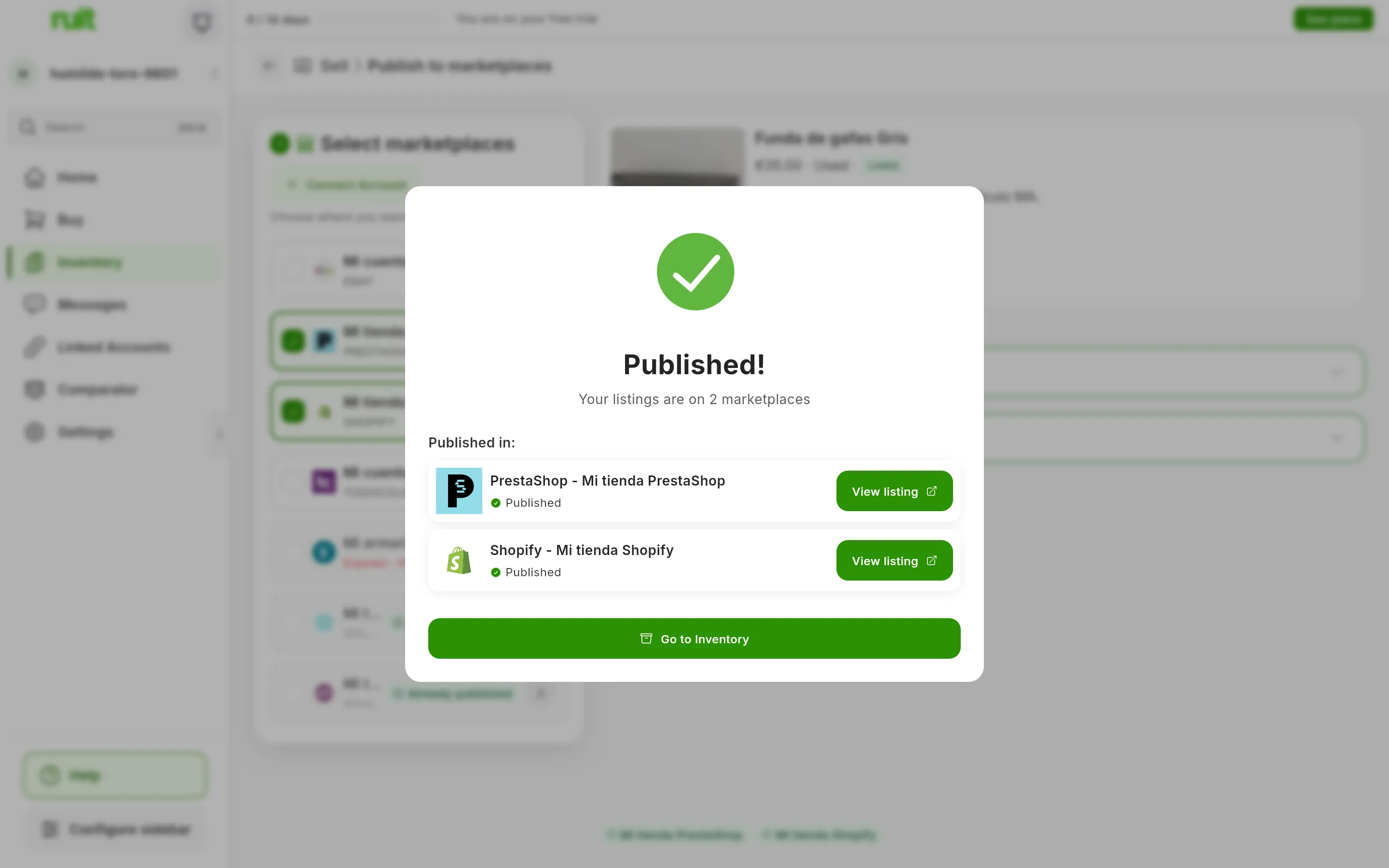
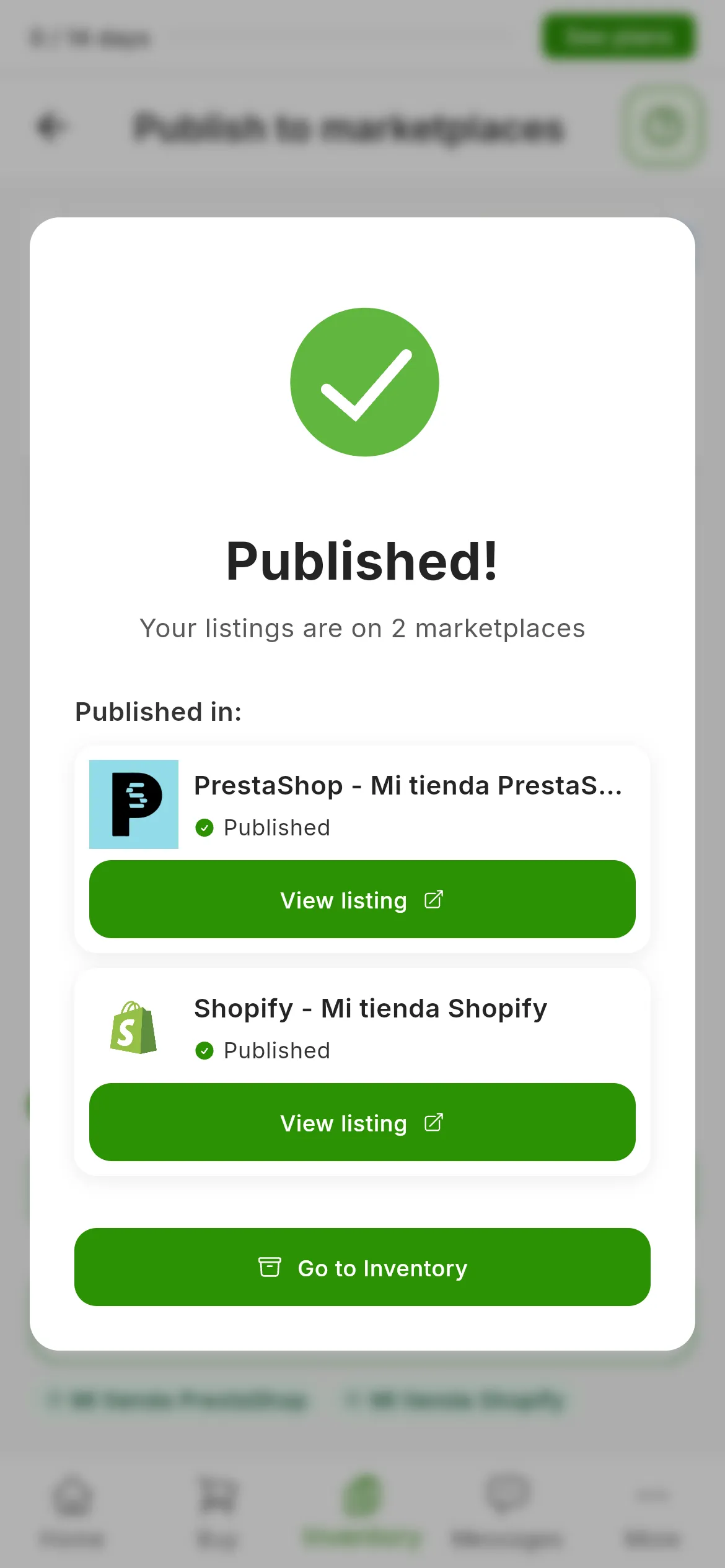
If something has failed, the window offers Retry 1 failed, or however many there are, which tries again only on those accounts. Read the reason first. If it is fixed by changing a detail, close the window with the X, correct it in that account’s panel, which stays red with Publication failed, and press the button at the bottom again: the accounts where it has already been published are not touched.
On IberLibro, the window warns you that the listing takes a few minutes to appear in its search.
6. Follow your listings in Publications
Go to Inventory takes you to Products, where your product now shows as Listed. Listings have their own tab: in the menu, Inventory → Publications. There is one row per listing, across all your products, with the most recent at the top. To see only one product’s listings, choose View publications in the ⋮ menu of its row in Products, or on the product page.
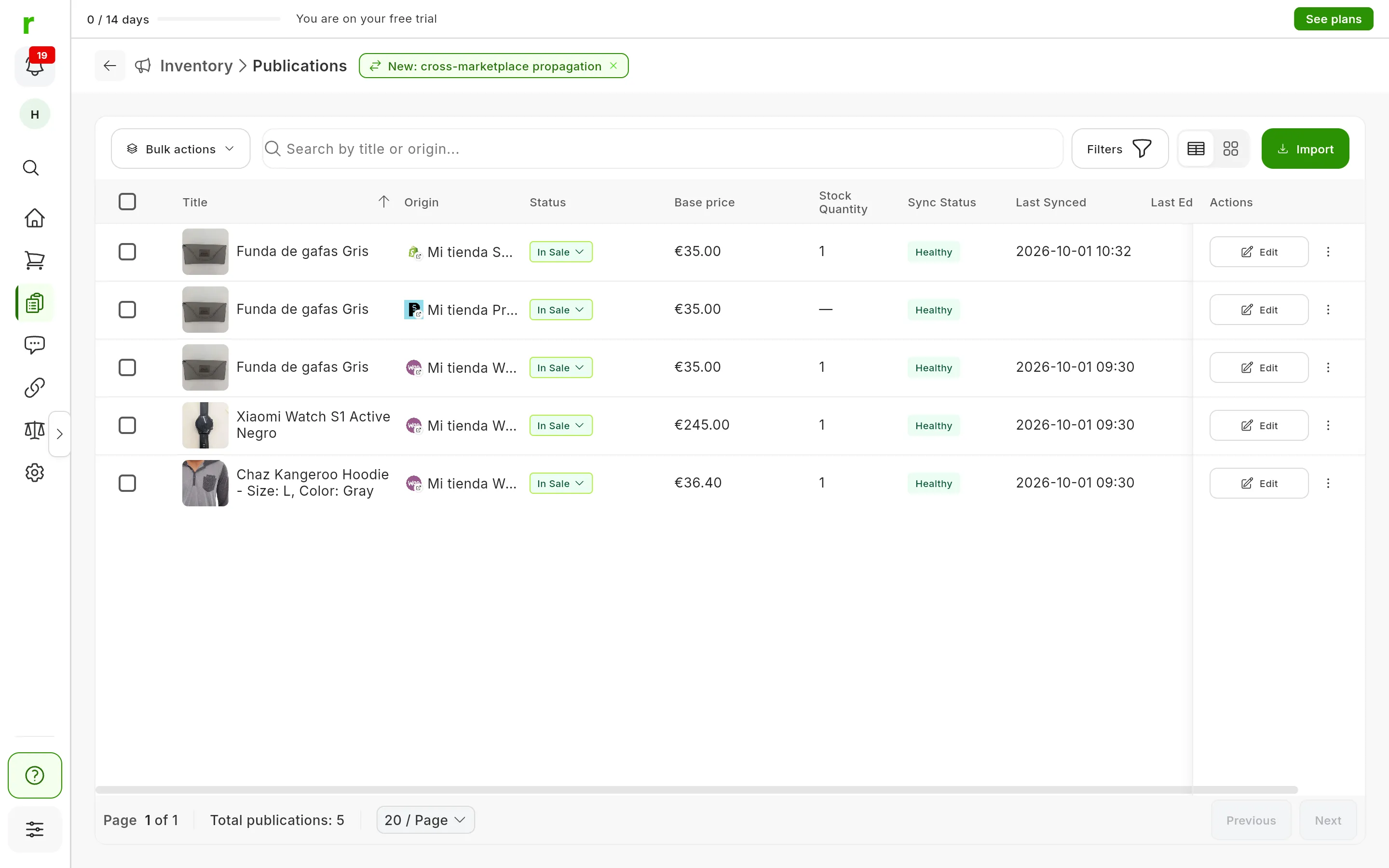
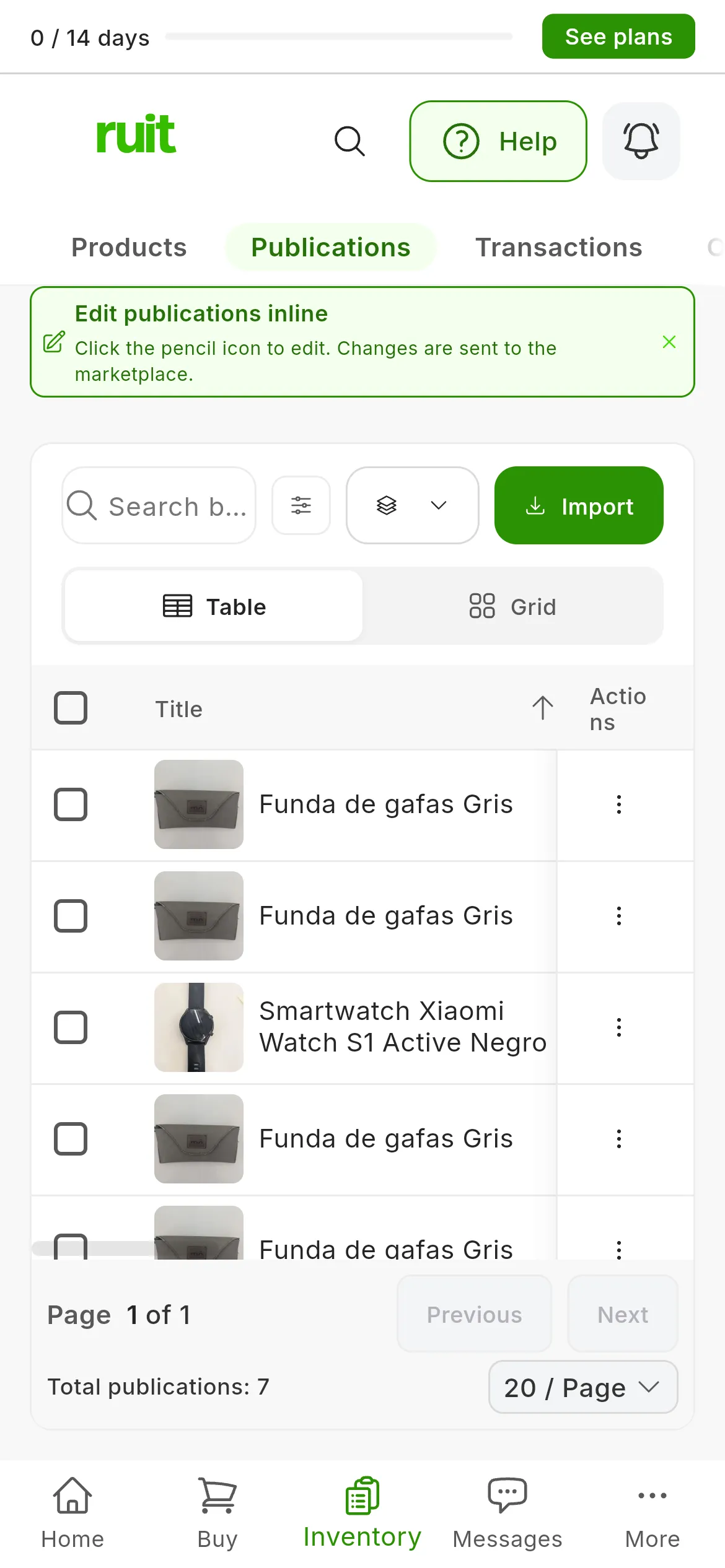
The two new listings, at the top.
On a phone, Publications opens as cards: switch to Table and swipe the table sideways to see the rest of the columns.
| Column | What it shows |
|---|---|
| Title | The listing’s photo and title |
| Origin | The marketplace and the account. Pressing it opens the listing |
| Status | The listing’s status on the marketplace, such as In Sale |
| Base price | The listing’s price on that marketplace |
| Stock Quantity | The listing’s units. There is no number on single-unit marketplaces, such as Vinted or Wallapop without PRO |
| Sync Status | Whether RUIT is up to date with the listing. Right after publishing it says Healthy |
| Last Synced | The last time RUIT checked the listing on the marketplace |
| Last Edited | The last time you edited the listing from RUIT |
What each listing status means, and each Sync Status value, is explained in Product and listing statuses.
At the end of each row there is a button with the main action and the ⋮ menu with the rest. The button is usually Edit, which changes the listing. On live Wallapop, Vinted and Todocolección listings it is Renew, which replaces the listing with a new one, with a refreshed title and description: Renew a listing explains it. The ⋮ menu also has View product, which opens the product, and Open URL, which opens the listing. The dropdown in the Status column changes the listing’s status, and to take it off the marketplace there is Delist a listing.
At the top, the search box finds listings by their title or their marketplace, and Filters lets you see only those of one marketplace, one account or one status. If you tick several rows, Bulk actions acts on all of them at once.
What you have achieved
Your product has a listing on each account you chose, and in Products it shows as Listed. Each listing has its own status, price and link, and you follow them from Publications. What happens when you sell is explained in “What happens in RUIT when you sell something”.
Next step: when you have several products ready, bulk publishing takes them to your accounts in one go. It is available from the Plus plan up.
If something is off
- An account cannot be ticked. Its card says why: it already has a listing for this product, it has expired, eBay is missing something or Vinted has restricted selling. It is all in step 2.
- Confirm stays grayed out. One of the ticked accounts is missing a field or has not finished preparing. Hover over the button to see what is missing, or deselect that account.
- A panel turns red before publishing, with Initialization error or Upload failed. RUIT could not prepare it: press that panel’s Retry icon.
- “Extension Issue” on Wallapop or Vinted. The extension was not connected or did not answer. Open the browser where you have it and try again. Check that the extension is connected explains each case.
- Vinted asks for a “Quick Verification”. Vinted wants you to verify your account. Press Open Vinted, create a draft there as the window tells you, then come back and press Done, retry.
- “Your eBay account is not set up to publish yet.” It is missing a policy or the location you ship from. Press Go to Accounts and finish setting it up, as Connect eBay explains.
- A marketplace turns the listing down. The reason appears in the result window, and on the panel when you hover over Publication failed. What each one means is explained in “Publishing errors”.
Video
Video not recorded yet: Creating a product in the inventory
Video not recorded yet: Choosing which accounts it is published on
Did this article help?
Thanks for telling us.