What gets sent to each marketplace when you publish
Title, description, photos, price, condition, shipping, stock and SKU: what each of the eight marketplaces receives when you publish from RUIT.
Your product lives only once in RUIT, but each marketplace asks for different things. When you publish, RUIT prepares each one’s version, with its title length, its price and its fields. This page sets out, topic by topic, what each of the eight receives.
When you publish a product, the wizard shows you each marketplace’s form already filled in with all of this, and you can change whatever you want before sending it. When you publish in bulk, which is available from Plus up, RUIT fills in those same forms on its own: with the product’s details and, where they are missing, with AI.
Whatever RUIT adapts stays in the listing. Your product keeps its title, its description and its photos.
Title and description
RUIT only rewrites the text on Vinted. On the others, the only thing it adjusts is the length. In the last column, “the chosen one” is the description you pick in the Marketplace description setting, explained further down.
| Marketplace | Title | Description | Which description it receives |
|---|---|---|---|
| Wallapop | 3 to 50 characters | 10 to 640 | The chosen one, as plain text |
| Vinted | 5 to 100 | 10 to 2,000 | The chosen one, as plain text and without email addresses |
| eBay | Up to 80 | No maximum | The chosen one |
| Shopify | 3 to 255 | No maximum | The chosen one |
| WooCommerce | Up to 200 | Up to 50,000 | The full one, and the short one in its Short Description field |
| PrestaShop | 3 to 128 | Up to 21,844 | The full one, and the short one, up to 800, in its Short Description field |
| Todocolección | 20 to 100 | No maximum | The chosen one, as plain text |
| IberLibro | Up to 750 | Up to 4,000 | The full one; when bulk publishing, the chosen one |
When you open the wizard, the title already comes trimmed to each marketplace’s maximum, and so does the description on Wallapop, Vinted and WooCommerce. RUIT cuts at the last space that fits and adds ”…”, and those dots count towards the limit. In the Vinted title it cuts the same way, but without the dots, because Vinted does not accept them. You see it before sending and you can rewrite it. If you go over the maximum or stay below the minimum, the field warns you and does not let you publish.
When bulk publishing, RUIT trims any title or description over the maximum, without asking you to confirm. What it cannot fix is a text that is too short: that publication fails with the reason “Fields with an invalid length”, and you have to lengthen it in the product form. It happens above all with Todocolección, which asks for a title of at least 20 characters: “Nike T-shirt M” falls short.
Wallapop has the shortest title, so put the important part at the beginning. Its description stays at 640 because Wallapop accepts more when you create a listing, but not when you edit it: that way you can keep editing it afterwards.
Only the title and the description are trimmed. Codes, such as the EAN, the ISBN or the SKU, are never trimmed: if one does not fit in the marketplace’s field, that publication does not go out until you correct it.
While you write a product’s Title and Description, under each of them there is a badge for every marketplace with a limit, which counts your characters against its maximum. It turns amber when you get close and red when you go over.
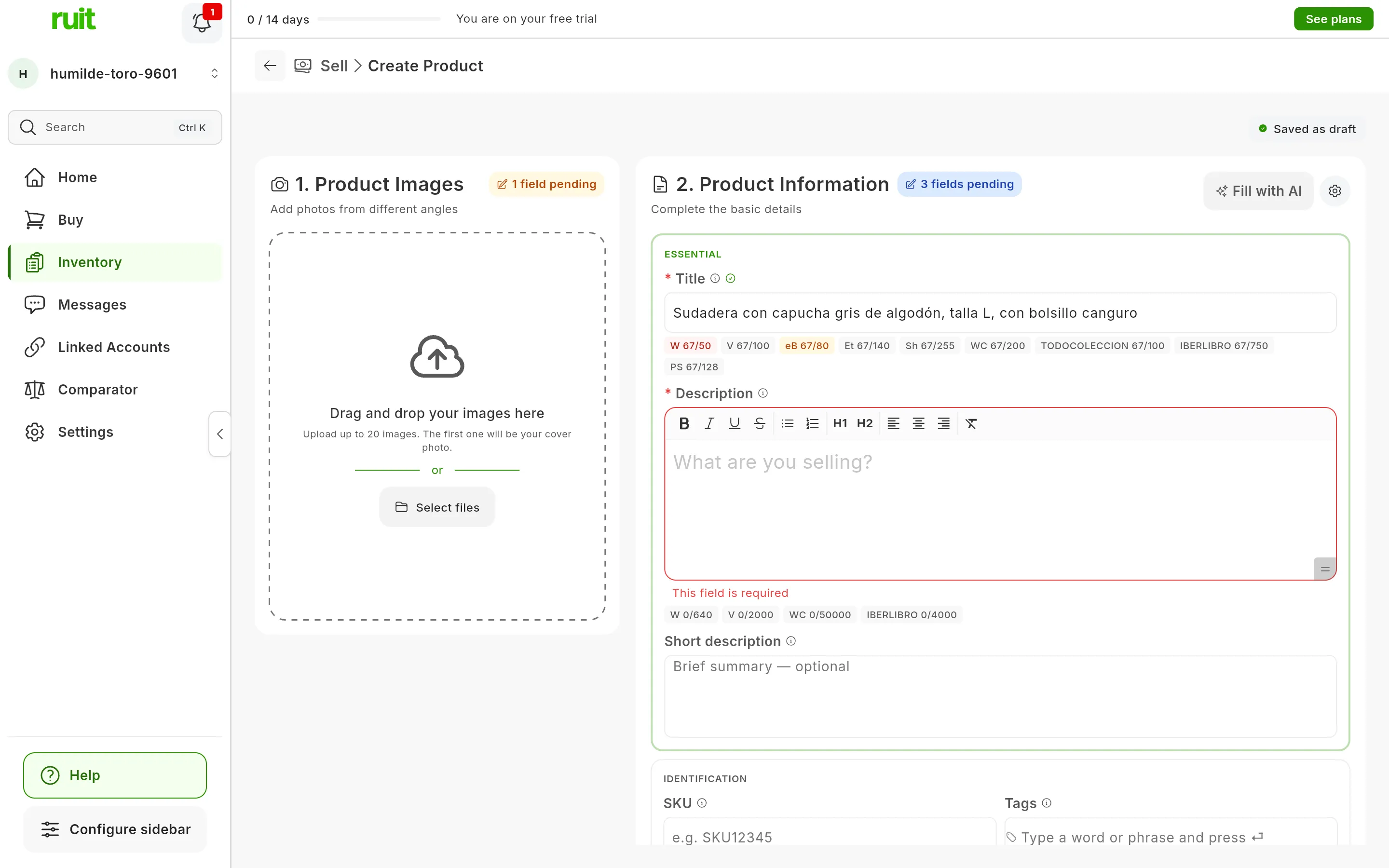
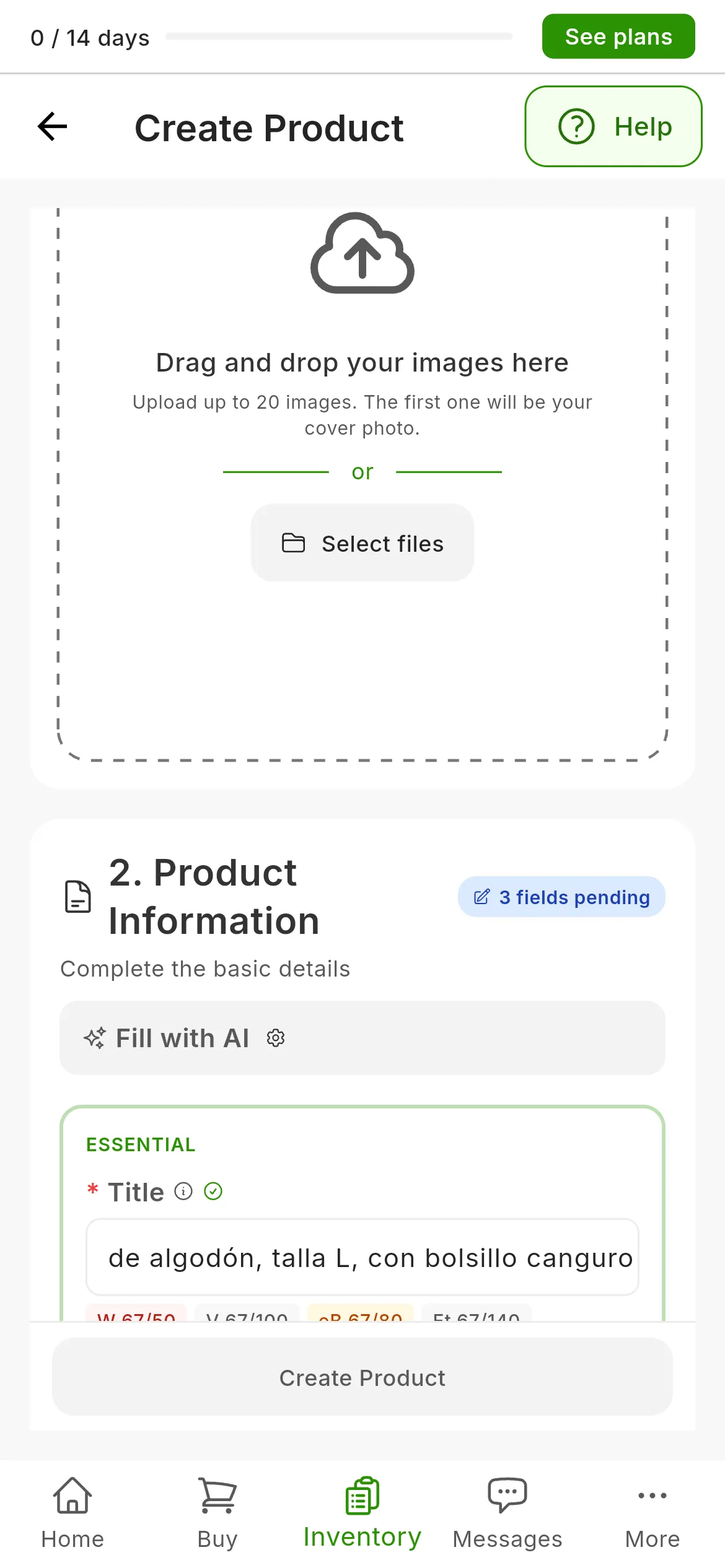
At 67 characters, the title goes over Wallapop’s maximum, in red, and gets close to eBay’s, in amber.
The description that gets published
Your product has a full description and a short one, but almost every marketplace has a single slot. You decide which of the two fills it, in Settings → Automations & AI → AI writing. In the Description preferences card, the Marketplace description setting offers Full description, which is the default, and Short description. If you choose the short one and a product does not have one, the full one goes instead: no listing goes out without a description.
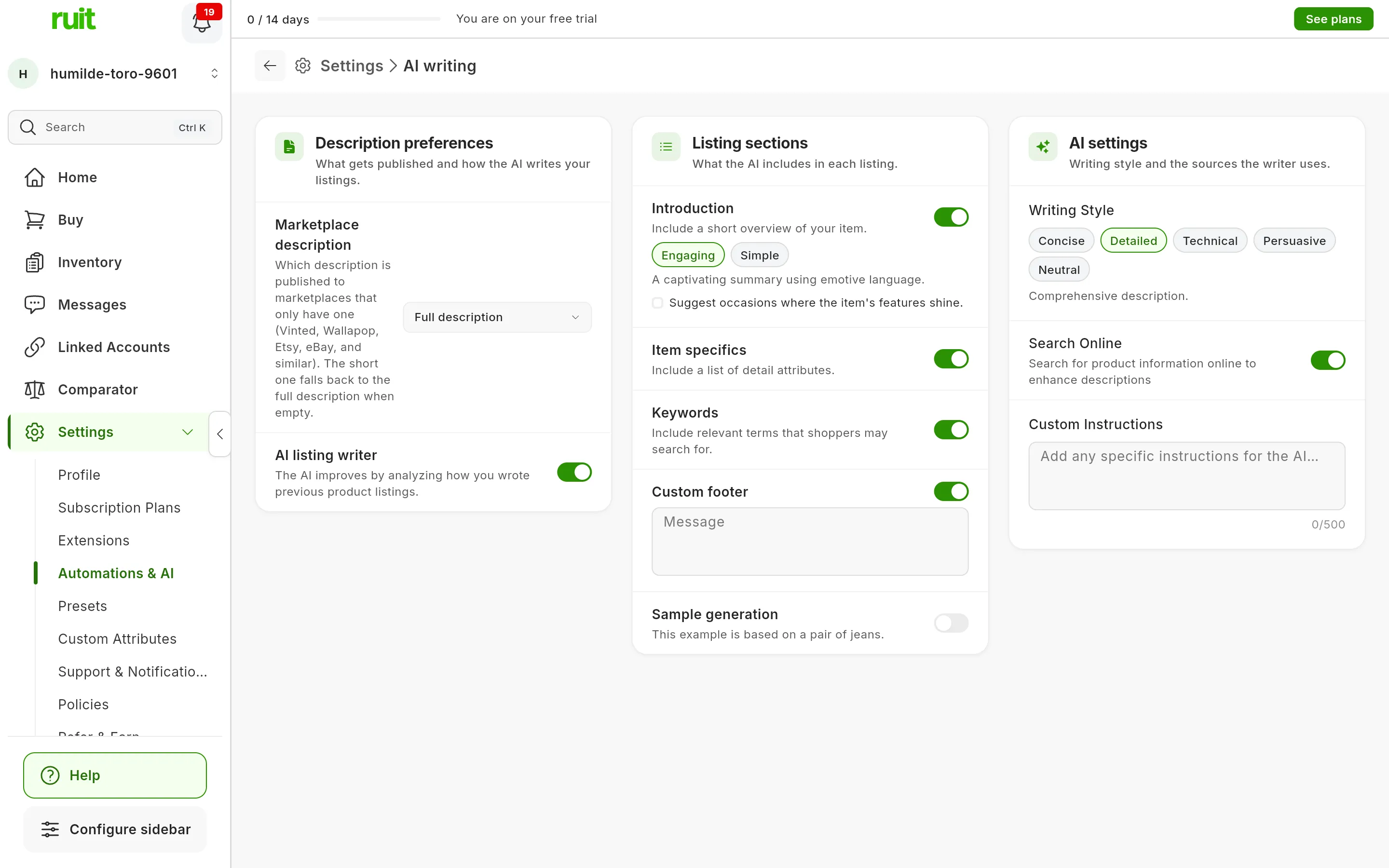
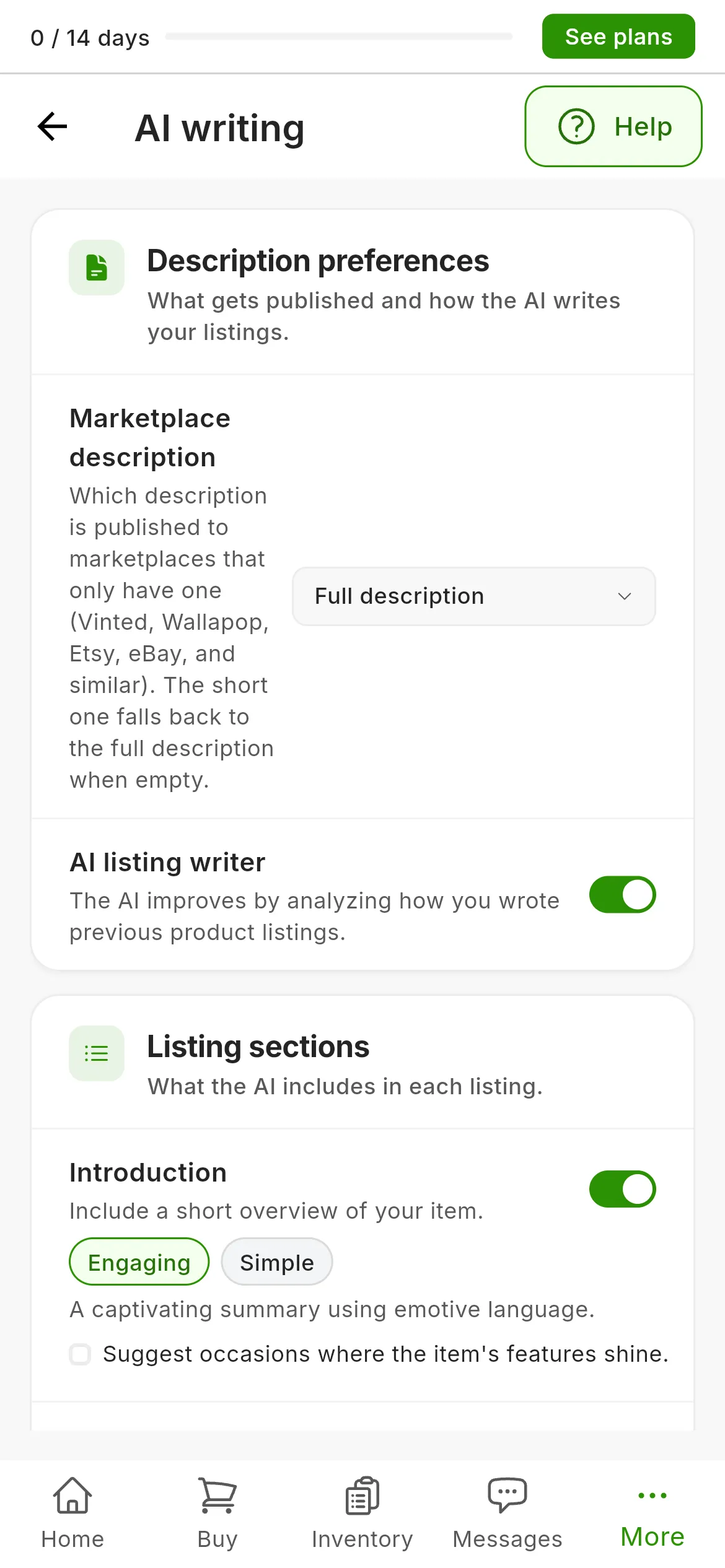
In the Description preferences card (1), Marketplace description decides which description the marketplaces with a single slot receive.
The setting applies on Wallapop, Vinted, eBay, Shopify and Todocolección, and on IberLibro when bulk publishing. WooCommerce and PrestaShop have both slots: they always receive the full one and, in their Short Description, your product’s short one. If your product has no short description, that field goes empty: RUIT does not make one up.
Wallapop, Vinted and Todocolección receive the description as plain text. Paragraphs and lists, with bullets, are kept, but bold and italics are lost.
The Vinted cleanup
Vinted rejects a title with certain characters, with more than two symbols or six capital letters in a row, or with an email address. It does not accept email addresses in the description either. So that it does not reject your listing, RUIT rewrites the text when sending it:
| What changes | Example |
|---|---|
| Email addresses are removed, from both the title and the description | If the address was on a line of its own, the whole line goes |
| ”¡”, ”¿” and ”✨” are removed | “✨Leather bag✨” → “Leather bag” |
| The ellipsis is removed | “Book bundle…” → “Book bundle” |
| No more than two symbols in a row are left | “New T-shirt!!!” → “New T-shirt!!” |
| A title written entirely in capitals is changed to a capital only at the start of each word | CAMISETA NIKE TALLA XL → Camiseta Nike Talla XL |
| In a normal title, a word with four or more capitals keeps only its initial capital | Zapatillas NIKE Air Max → Zapatillas Nike Air Max |
| There are never more than six capitals in a row, even across different words | Televisor TV LED HD → Televisor TV Led HD |
| Three or more identical lowercase letters in a row are cut down to two | Vestido preciosooo → Vestido preciosoo |
Common acronyms, such as XL, TV, USB or HD, Roman numerals and codes with digits, such as
A650GL, are respected. Links and phone numbers are not touched.
The cleanup is applied when sending: also to whatever you write in the wizard and to the edits you make later from RUIT.
Photos
Each marketplace receives the product’s photos in the gallery order, with the first one as the cover. A photo that is still being processed is left out. IberLibro receives up to 20.
When publishing on Vinted, RUIT slightly modifies the photos so that the marketplace does not take them for duplicates. On Wallapop and Todocolección you can turn it on yourself. On the other marketplaces, and in your stores, the photos go out untouched.
The retouch combines several small changes, chosen for each listing:
- It shifts the photo diagonally inside a new frame, just enough for the systems that compare images to see it as different. The gap it leaves is filled with the colors of that edge and, on the opposite side, only background is cropped, 15% at most.
- It tilts it very slightly, 2 degrees at most.
- It changes the brightness, the contrast or the color by 1.5% at most, and adds a little grain.
- It shrinks it to between 93 and 96% of its size and saves it as JPEG, with no metadata, not even the camera data.
Your photos in RUIT do not change: the retouch only goes into the copy the marketplace receives. You turn it on or off in Settings.
Price
The price comes from your product’s Base Price and its Discount. Each marketplace receives it like this:
| Marketplace | Which price it receives | Minimum |
|---|---|---|
| Wallapop | Your price, with the discount applied | €0.01 |
| Vinted | Your price, with the discount applied | The one Vinted sets for your account: in euros, €1 |
| eBay | Your price, with the discount applied | None |
| Shopify | Price: with the discount applied. Compare-at Price: the price without the discount, only if there is a discount | None |
| WooCommerce | Regular Price: without the discount. Sale Price: with it | None |
| PrestaShop | Price (tax excl.): without the discount, which arrives separately, as a specific price for the product | None |
| Todocolección | Your price, with the discount applied | €0.01 |
| IberLibro | Your price, with the discount applied | €0.01 |
On Vinted, Todocolección and IberLibro, the wizard does not let you publish below the minimum. In the product form, under the Base Price, you can see the minimum for all three.
VAT. RUIT stores the price without VAT, and almost no product carries VAT: only those imported from PrestaShop, which bring your store’s VAT with them. For those, Wallapop, Vinted, eBay, Todocolección and IberLibro receive the price with the VAT added. Shopify adds it only if your store works with taxes included in prices, and WooCommerce and PrestaShop receive it without VAT.
Currency. RUIT does not convert prices: it sends the same number, and each marketplace puts it in its own currency. Wallapop, Todocolección and IberLibro publish in euros; Vinted, in your account’s currency; eBay, in that of your account’s site; and the stores, in their own.
Condition, category and attributes
Your product has a Condition: Brand New, Like New, Used, Fair or Poor. The category is not part of the product: it is chosen on each marketplace when publishing.
| Marketplace | Condition | Category | Attributes |
|---|---|---|---|
| Wallapop | The Wallapop one closest to your condition | Wallapop’s | Those the category asks for |
| Vinted | The closest Vinted one | Vinted’s | Those the category asks for |
| eBay | The closest eBay one | eBay’s, which has to be a last-level category | The category’s item specifics |
| Shopify | None | Your store’s Collections | The brand, as Vendor/Brand, and the EAN, as Barcode |
| WooCommerce | None | Your store’s Product Categories, one or more | The brand, the EAN or the ISBN, the model and your store’s attributes, each in its own dropdown |
| PrestaShop | Its Condition field: New, Used or Refurbished | Your store’s | The brand, the EAN, the ISBN and the model |
| Todocolección | Brand New → Excellent, Like New → Good, Used → Fair, Fair → Some defects, Poor → Defective | The section, which has to be a last-level one | None |
| IberLibro | The book’s, on the AbeBooks scale, if it is in your attributes | None: it carries Product Type and Keywords | The book’s details: author, publisher, ISBN, binding, edition, year, language… |
- The closest condition. On Wallapop, Vinted and eBay, RUIT picks, among the conditions the category allows, the one closest to yours. If none fits, the AI picks one from the photos. On eBay, a category without conditions publishes without one. And if the condition is a used or refurbished one and you leave Condition Details empty, RUIT writes a standard description.
- The category. In the wizard, RUIT chooses it with AI from the title, the description and the photos, and you can change it. If it does not find a suitable one, you choose it. When bulk publishing, the AI chooses it.
- The attributes come from your product’s attributes. If one of
those chosen from a list is missing, the AI works it out from the photos. The AI never sets the
price or the codes, such as the EAN, the
UPCor the ISBN: those always come from your product. - Vinted. The ISBN goes in 13 digits: a 10-digit one is converted, and one with neither 10 nor 13 digits is not sent. When bulk publishing, if RUIT cannot find the brand, it publishes with Publish without a brand.
- eBay. Without a required item specific, it does not publish. An EAN or a
UPCwith a wrong check digit is not sent and, if the category requires one,Does Not Applygoes instead. - WooCommerce also receives your custom attributes, which do not reach any other marketplace.
- IberLibro. Yes-or-no details, such as With Dust Jacket, First Edition or Signed, are left blank if you do not have them, instead of being guessed.
Shipping, stock and SKU
| Marketplace | Shipping | Stock | SKU |
|---|---|---|---|
| Wallapop | Shipping Options: the weight band Wallapop suggests or, if it does not suggest one, the one the AI works out. No shipping if your product is By hand or Pickup | One unit. With Wallapop PRO, in the categories that ask for it, your stock, up to 200 | None |
| Vinted | Package Size: the one Vinted suggests or, if it does not suggest one, the one the AI works out from the photos | None | None |
| eBay | Your Shipping Policy, your Payment Policy, your Return Policy and your Inventory Location, with the first of each list selected. No weight or dimensions | Your stock, at least 1 | A new one for each listing, starting with RUIT- |
| Shopify | Requires Shipping, ticked | Your stock, if the product has Manage Stock turned on: when it runs out, the store stops selling it. Otherwise, no stock tracking | Your SKU |
| WooCommerce | The product’s weight and dimensions. Shipping Class, not chosen | Manage Stock and Stock Quantity, as in your product, with Backorders set to Do not allow | Your SKU |
| PrestaShop | The product’s weight and dimensions | Your stock | The one in the wizard’s SKU field |
| Todocolección | Shipping Type: Según mi configuración de Todocoleccion (according to my Todocoleccion settings) comes selected, with your account’s shipping rates | Your stock, at least 1 | External Reference: RUIT suggests one starting with TC-, and you can enter your own |
| IberLibro | None | Your stock, at least 1 | One from RUIT, starting with R so it does not clash with your references |
With Wallapop PRO, if your account has free shipping in that category, the Free Shipping field appears, ticked if your product has its own Free Shipping option turned on. What changes with a PRO account is covered in selling on Wallapop with a PRO account.
On Todocolección you can also choose Todocoleccion Envíos, with its Shipping Weight, or Other, with the Shipping Cost you charge. A By hand or Pickup product also goes out with shipping, because Todocolección does not accept listings without it: it carries your account’s shipping rates.
Video
Video not recorded yet: How the title and description are adapted for each site
Did this article help?
Thanks for telling us.