Connect IberLibro to RUIT
Connect your IberLibro bookshop to RUIT: copy your user ID, generate the API key on AbeBooks and paste them into RUIT with your bookshop's address.
In this tutorial you connect your IberLibro bookshop to RUIT. IberLibro connects with three pieces of information from your bookseller account: your user ID, an API key and your bookshop’s address. There is no extension to install and no browser to keep open. It takes five minutes and you only do it once.
You need an approved bookseller account on IberLibro, which is the same account as on AbeBooks, and a verified phone, because without it the connection wizard does not open.
1. Copy your user ID
IberLibro’s menus are in Spanish, so their labels are given here as they appear, with their
meaning. In the IberLibro members menu, go to Mi información personal (my personal information)
and open Información de mi cuenta (my account information). Press Detalles de su librería
(your bookshop’s details): the ID de usuario (user ID) field is at the bottom of the page. Copy
it. It is always in uppercase, with no spaces.
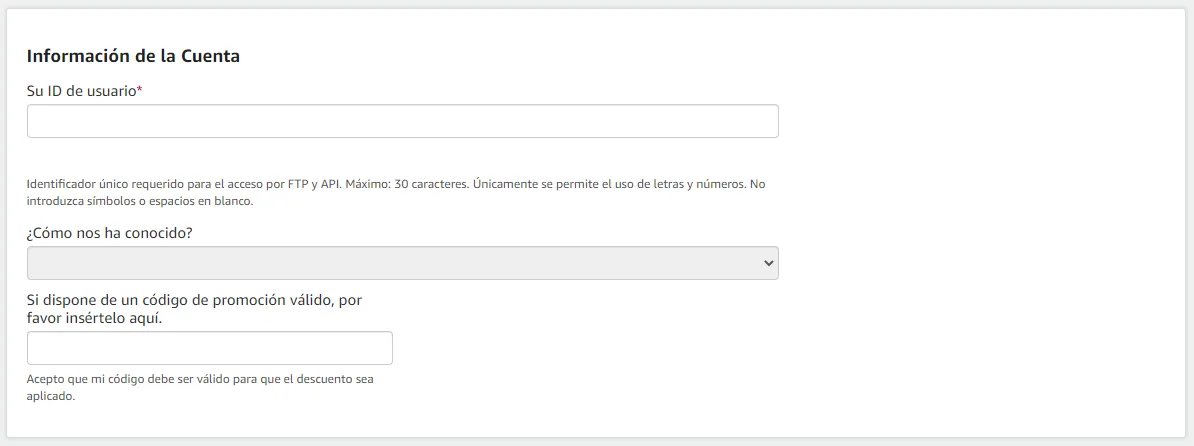
The field as shown in IberLibro’s Spanish help. The box marks Su ID de usuario (your user ID).
2. Generate your API key
You generate the key in the AbeBooks API key tool, signing in with the same bookseller account.
IberLibro’s guide,
in Spanish, links to the tool. There, press Generate New Key and choose the Classic (hashed key)
type. Tick both services, Inventory Update API and Order Update API, give it the label
Ruit - Third-Party Integrator and press Generate. Copy the key right away: it is only shown
once.
3. Copy your bookshop’s address
Open IberLibro, go to your bookshop, start browsing your books and
copy whatever is in the browser’s address bar. It looks like
https://www.iberlibro.com/buscar-libro/vi/12345678/, with your bookshop’s number instead of that
one. It does not matter which page you are on or which sort order you have chosen. The address of
your storefront, the one ending in /sf, also works, and so does the one behind the
Buscar en los libros de esta librería (search this bookshop’s books) link.
4. Connect the account in RUIT
Go to Settings → Accounts, press Connect Account and pick IberLibro. Paste the ID into User ID (client PIN), the key into API Key and the address into Link to your shop, and press Connect.
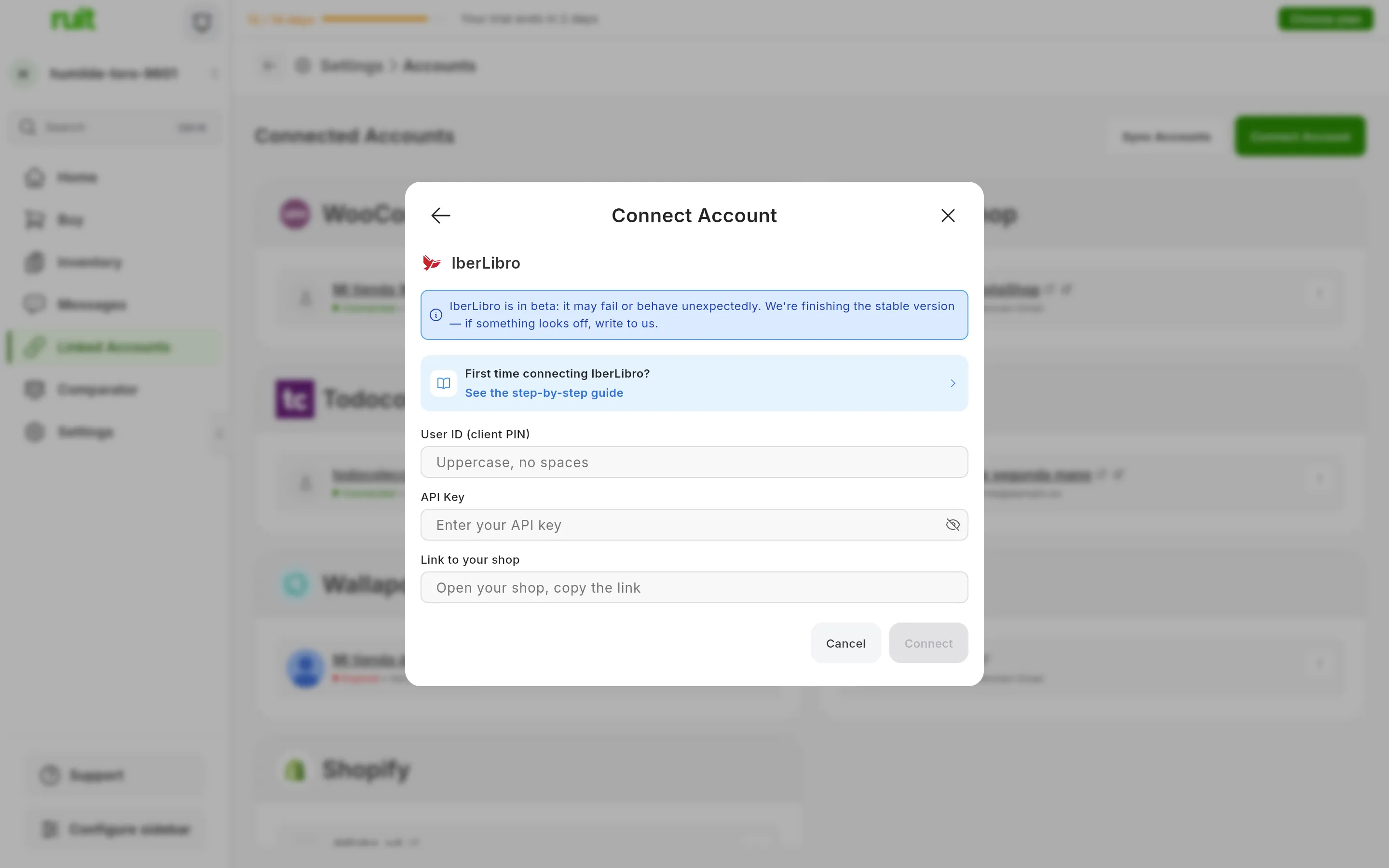
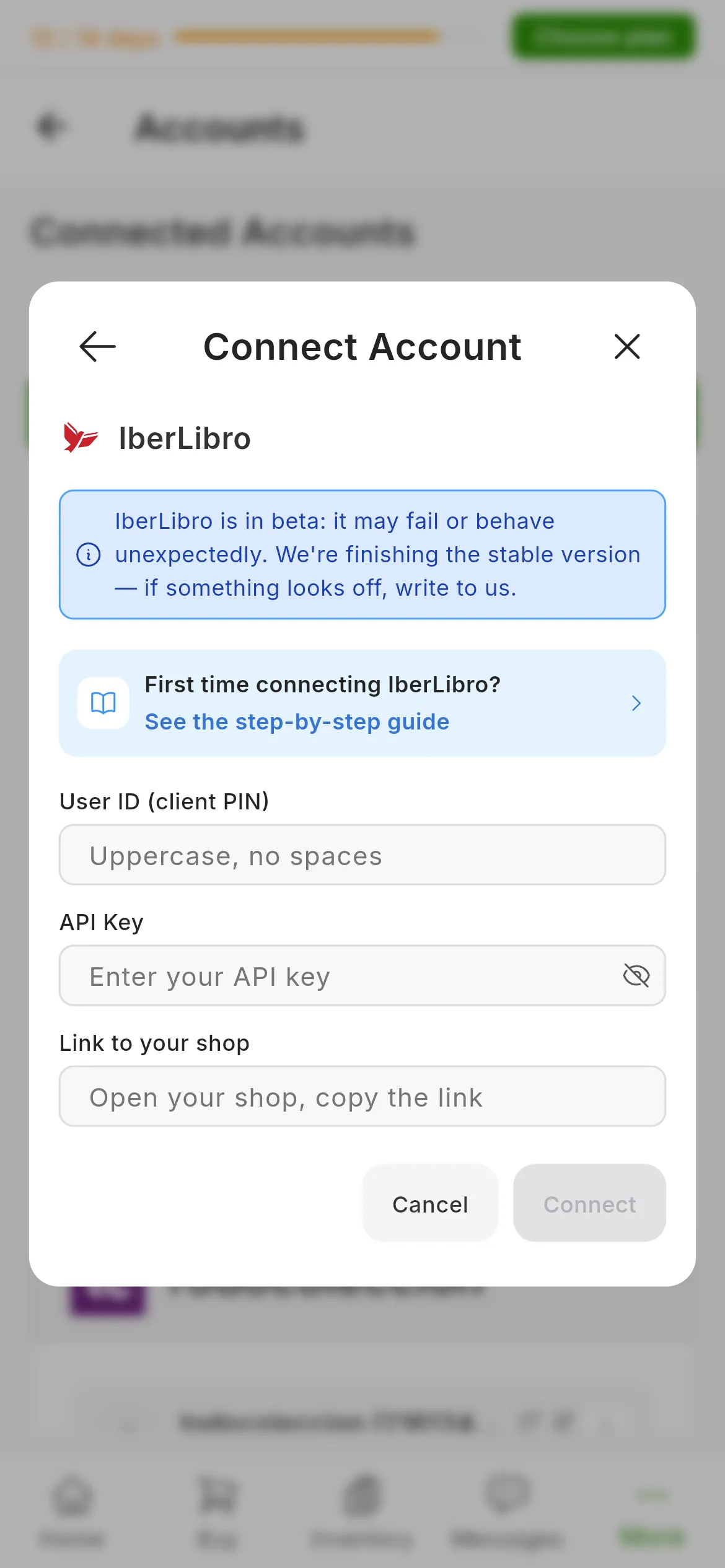
The IberLibro dialog. The numbers mark User ID (client PIN), API Key and Link to your shop.
RUIT tests the credentials on the spot by asking IberLibro for your pending orders, so you will know straight away if something was copied wrong.
What you have achieved
Your bookshop appears under Connected Accounts as IberLibro followed by your user ID, with the Beta label. The credentials do not expire, so the card does not have the Reconnect button that Wallapop and Vinted do: the connection lasts until you generate another key on AbeBooks.
Next step: uploading your catalog with the HomeBase export, or publishing your first listing.
If something is off
- “That address is your shop on AbeBooks, not on IberLibro.” You have pasted the
abebooks.comaddress. Open the same bookshop oniberlibro.comand paste that one. - “We could not find your bookshop id in that address.” The address is not a bookshop’s: for example, the IberLibro home page or a book’s listing page. Go back to step 3.
- “Failed to verify credentials. Please check your API keys and store URL.” IberLibro has not accepted the ID or the key. Check that the ID is in uppercase with no spaces and that the key has both services ticked. If you are unsure about the key, generate another one in step 2.
- Another program you had connected to IberLibro has stopped working. It is caused by the new key from step 2: give that program the key you have just generated too.
Video
Video not recorded yet: Connecting an IberLibro account
Did this article help?
Thanks for telling us.