Your unified message inbox
Which marketplaces bring their conversations into RUIT, how to read the inbox on a computer and on a phone, what each one needs and how often it updates.
Messages, in the sidebar, gathers the conversations from your Wallapop, Vinted and eBay accounts in a single inbox. From there you read them, search them and reply without going into each marketplace. It is a paid feature: if your plan does not include it, you will see the plans when you open Messages.
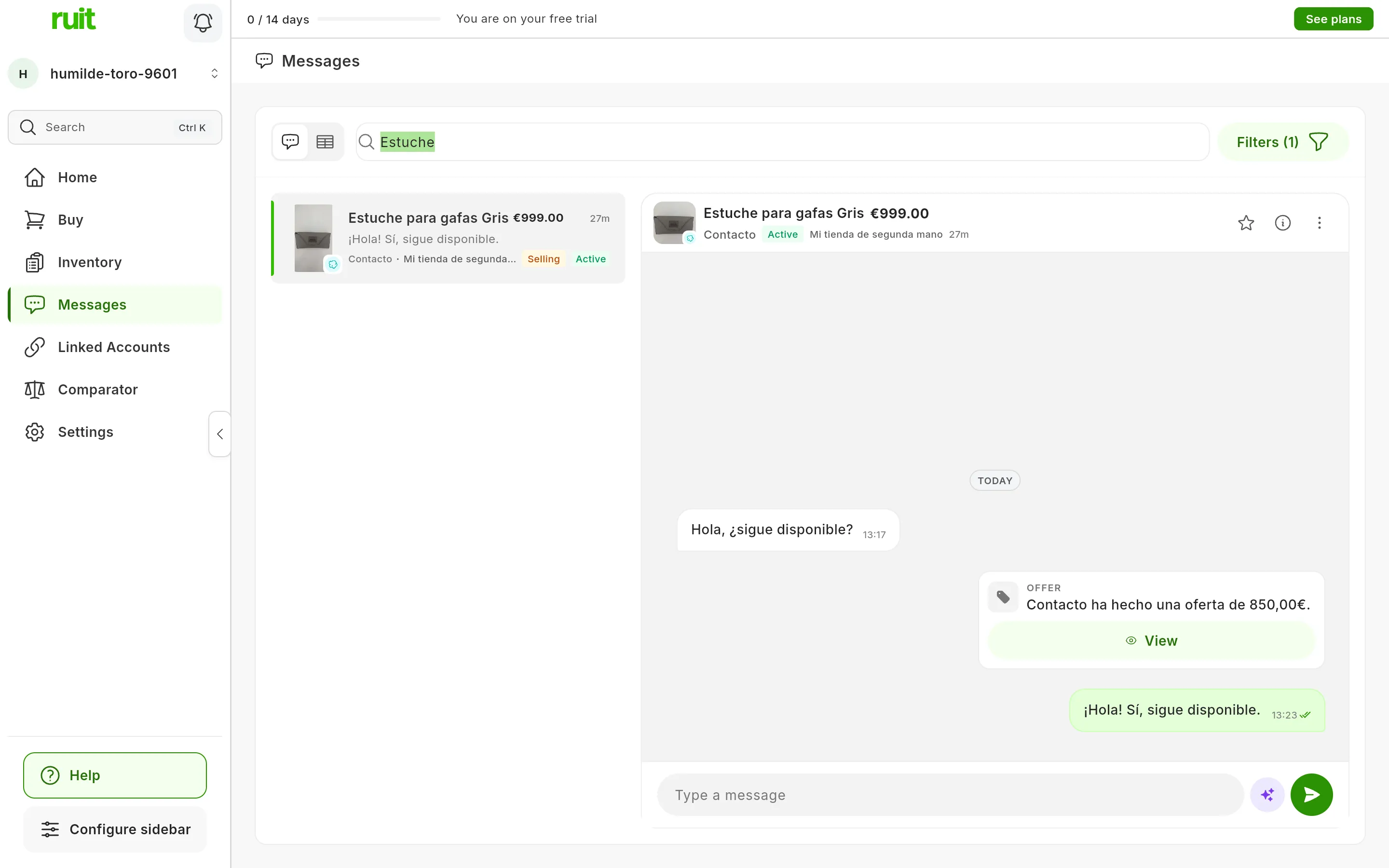
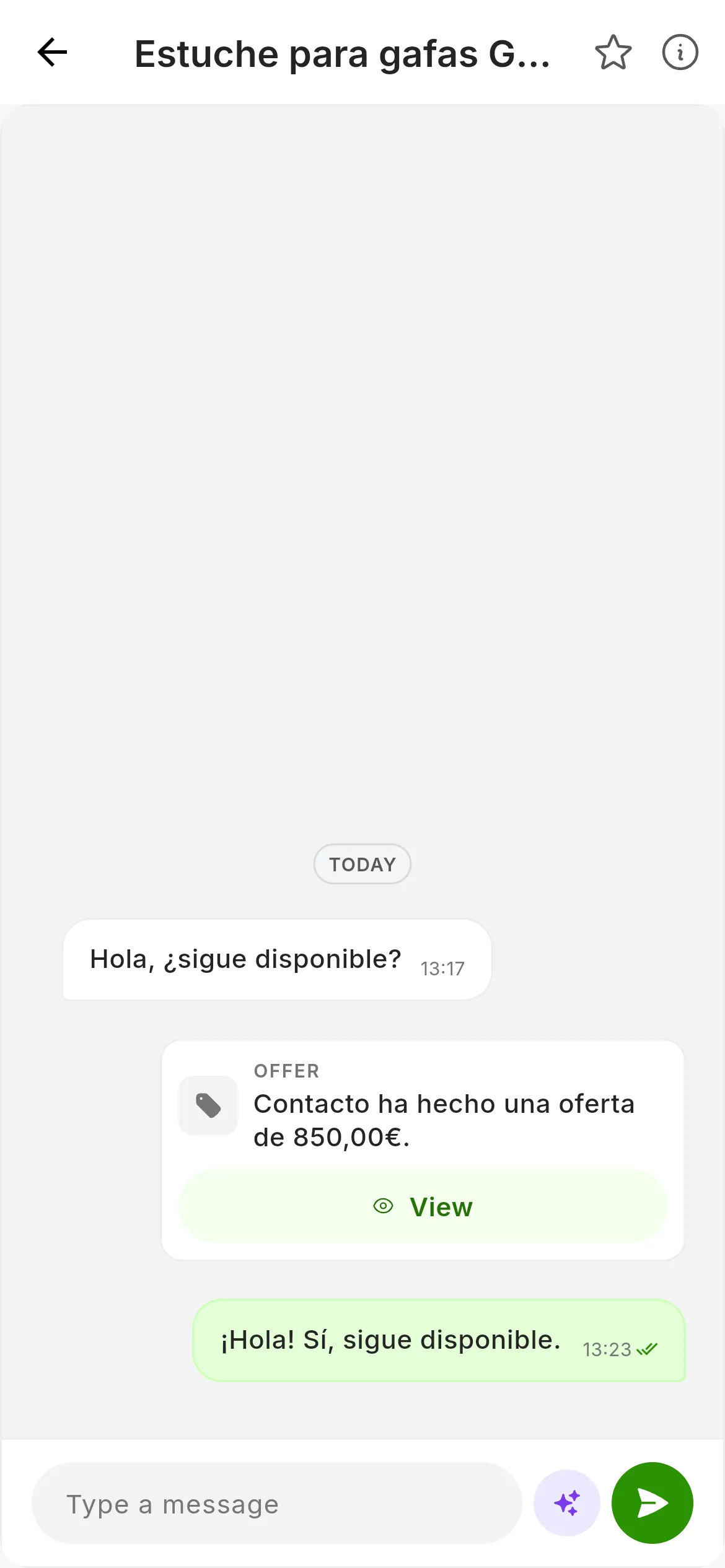
The inbox searching for “Estuche”: the conversation on the left and its chat on the right. On a phone, tapping a conversation opens its chat full screen.
Which marketplaces bring their conversations
Wallapop, Vinted and eBay. Shopify, WooCommerce, PrestaShop, Todocolección and IberLibro accounts bring none, even when they are connected and work for everything else.
An expired account’s conversations do not appear until it is Connected again. What happens when a marketplace session expires explains it.
What each marketplace needs
| Marketplace | What it needs |
|---|---|
| Wallapop and Vinted | The extension connected, in the browser you connected the account from: new messages come in and your replies go out through it |
| eBay | Nothing else: RUIT talks to eBay directly. The notices eBay itself sends you do not go into the inbox |
The inbox on a computer
At the top you have the switch between list and table, the search box and Filters. In the list, the conversations are on the left and the chat of the one you open is on the right. On a wide screen the first one opens by itself.
Each row shows the item’s title and price, or the other person’s name if the conversation is not about any item. It also carries the time of the last message, in green if you have unread messages, the start of that message with an unread count, the other person, the account if you have several, and Selling or Buying depending on which side you are on.
In the chat header you see the item’s photo with its marketplace’s icon, the title, the price and the other person. The ⋮ menu in that header has Visit publication, which opens the listing on the marketplace.
The table view shows the same conversations in columns, in pages of 20.
Searching
The search box, Search by user, item or notes…, filters as you type by the other person’s name, the item’s title and your notes. It does not search inside the messages.
On a phone
Messages is in the bottom bar. You see the list of conversations, with no search box or filters, and tapping one opens its chat full screen.
How often it updates
New messages arrive straight away: Wallapop and Vinted ones through the extension, and eBay ones directly from eBay. On top of that, while you have Messages open, RUIT asks for the inboxes again roughly every 30 seconds, and stops asking when the tab is not in view.
The number next to Messages in the menu adds up all your unread messages, and it updates even when you are on another screen. A new message does not show up as a notification in the bell.
Opening a conversation also marks it as read on the marketplace.
Organizing conversations
From Details, in the chat header, you can give each conversation a status, private notes and a star, and then filter by them with Filters. It is a feature still being tested: what you set exists only in RUIT, and the marketplace does not see it.
Did this article help?
Thanks for telling us.