Settings: where everything is
What each Settings entry holds, on a computer and on a phone, and where your accounts, your team, referrals and the AI settings are now.
Settings brings together your RUIT account’s settings and those of your marketplaces. On a computer it is an entry in the sidebar; on a phone it is inside More. This guide says what each entry holds and where to find what does not live in Settings.
The Settings entries
| Entry | What it holds | Where it is explained |
|---|---|---|
| Profile | Your photo, your username, the language and currency, your password and deleting your account | Your profile |
| Your plan | The plan you have, how much of it you use, the speeds it sets and, if you are the owner, billing | Your plan |
| Marketplaces | The settings that apply to all your marketplaces and those of each one | Your marketplace settings |
| Extensions | The RUIT extensions you have connected in your browsers | How to install the RUIT extension |
| Custom Attributes | Your products’ own fields. It only appears in organizations that have it turned on | Product attributes |
| Help & legal | The chat with the RUIT team, the help center, the most-read guides and the terms of service |
Everything you change on these pages is saved on the spot: there is no save button at the end. The exceptions are the forms with their own Save, such as the one for your username or the one for your billing details.
On a computer
Press Settings in the sidebar. Profile opens and, under Settings, the other entries unfold. At the top of each page, the breadcrumb tells you where you are, for example Settings › Marketplaces.
The card at the top of the sidebar, the one for your active account or organization, also leads to Profile and Your plan, and it is where you sign out.
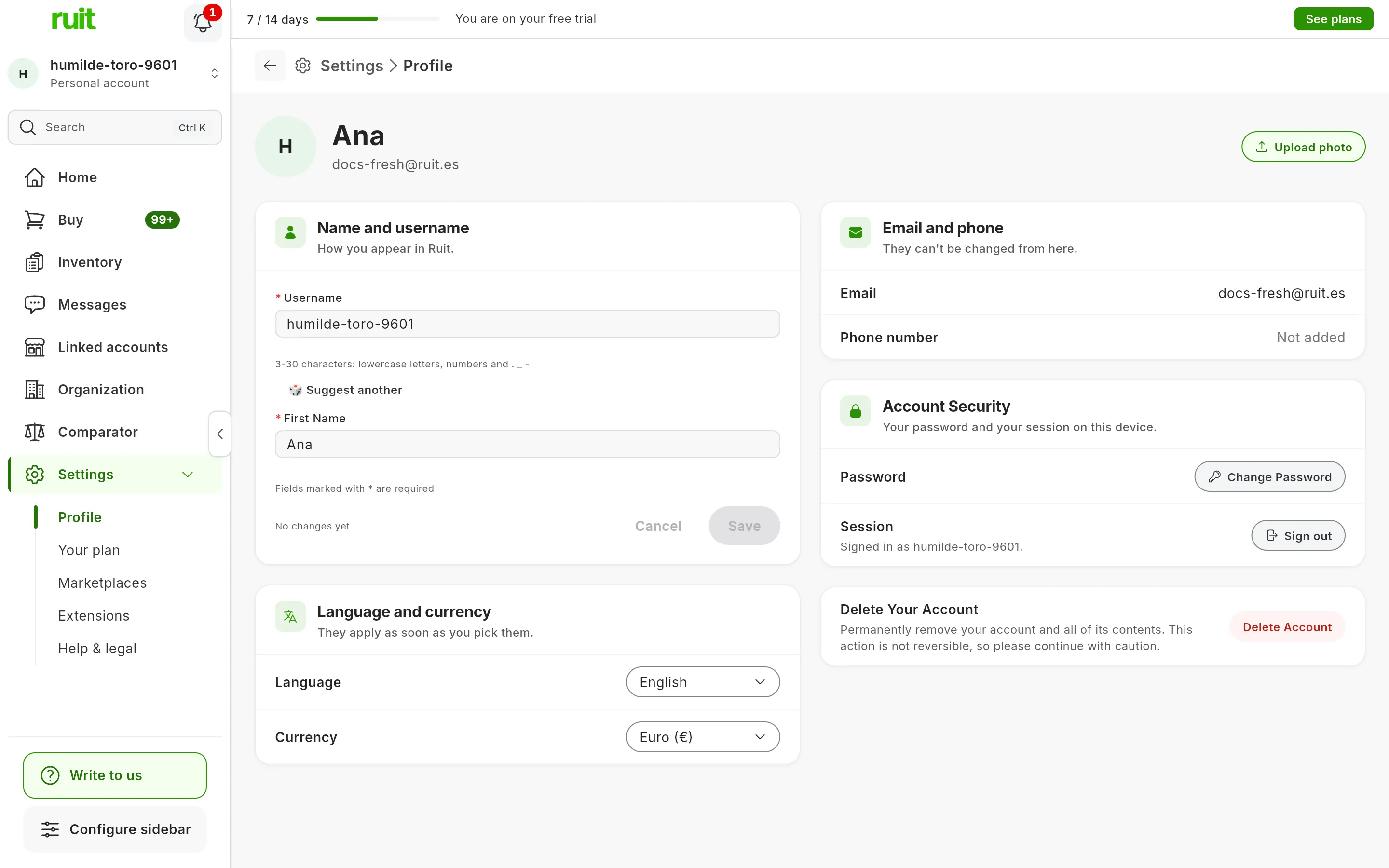
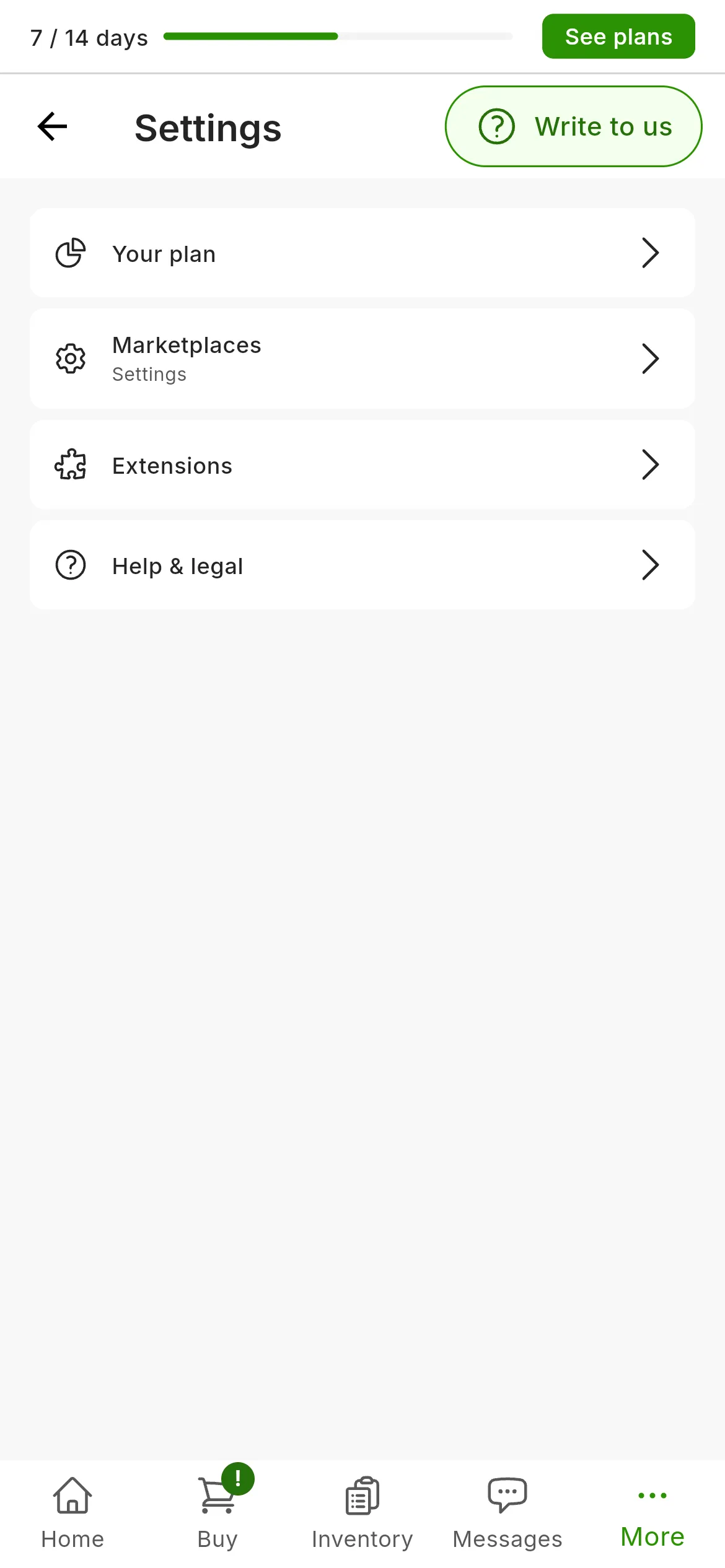
The Settings entries. On a computer, Profile opens first.
If you do not see Settings in the sidebar, you may have hidden it. Configure sidebar, at the foot of the sidebar, lets you show it again, and the same goes for any other entry.
On a phone
-
Tap More, in the bottom bar.
-
For your profile, tap the card with your name, at the very top.
-
For everything else, tap Settings, in the Configuration group. You will see Your plan, Marketplaces, Extensions, Help & legal and, if your organization has them, Custom Attributes.
That same group in More also holds Linked accounts and Refer and earn.
What is outside Settings
| If you are looking for | It is in | Where it is explained |
|---|---|---|
| Connecting, reconnecting or unlinking your marketplace accounts | Linked accounts, in the sidebar, and on a phone, in More | Manage your connected accounts |
| Your team, your stores and your organization’s details | Organization, in the sidebar | Organizations and stores |
| Your referral link and your commissions | Refer and earn, on your account’s card, and on a phone, in More | |
| How the AI writes your texts | The AI Settings window, which opens from Marketplaces, from the gear on Fill with AI and from bulk renewal | Your marketplace settings |
| Schedule presets | When you schedule a bulk publishing job | Schedule and space out a bulk publishing job |
| Automatic price drops | Settings › Marketplaces › General | Automatic price drops |
RUIT has no notification settings: the app’s notifications depend on the permission you give your browser or your phone.
If you are looking for a page that is no longer there
If you remember a Settings page you can no longer find, here it is:
| Before | Now |
|---|---|
| Accounts | Linked accounts, outside Settings |
| Automations & AI | Marketplaces and the AI Settings window |
| Presets | When you schedule a bulk publishing job |
| Subscription Plans | Your plan |
| Support & Notifications and Policies | Help & legal |
| Team and stores | Organization, outside Settings |
| Refer & Earn | Refer and earn, outside Settings |
The links and bookmarks you saved to the old pages take you to the new one by themselves.
Did this article help?
Thanks for telling us.